linkedin
Big Screen logo
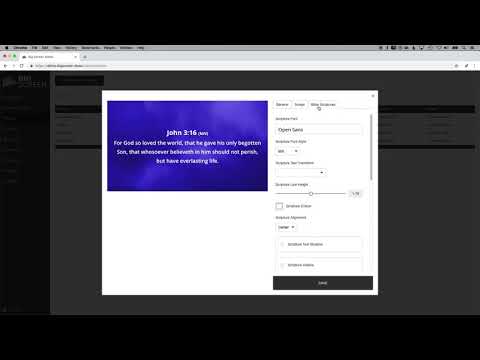
play Big Screen Tutorial Video 2 - Admin Area
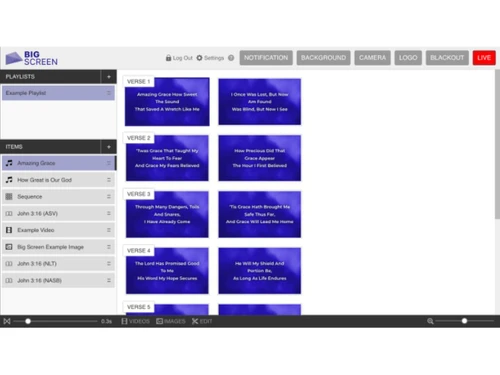
Big Screen-playlist
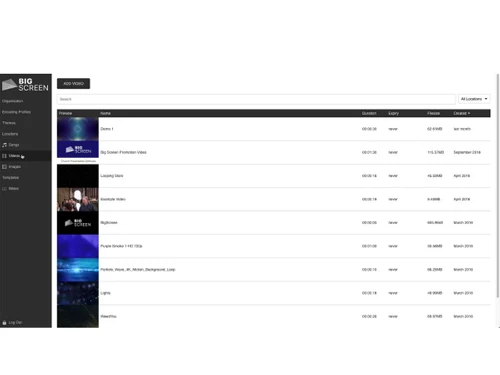
Big Screen-videos

Big Screen

Brand: Launch Interactive

  • 3.8

  • 5 Ratings

Big Screen helps churches display worship lyrics, Bible verses, videos, announcements, and sermon content during services.

See More

Have you used Big Screen before?

Share your insights for better experience

Add a Review
Starting Price
AUD15

View plans

100% Genuine
Products
Best Price
Guaranteed
Safe & Secure
Payment
  • Description

  • Pricing

  • Features

  • Specification

  • Review

  • FAQ

Starting at AUD15

Big Screen Software Overview

What is Big Screen?

Big Screen is a church presentation software designed to help churches display worship lyrics, Bible verses, videos, images, announcements, timers, and sermon content during church services.

It is a web-based platform that works directly through a browser, making it easy to access and use from different devices and locations. The software helps churches manage worship presentations smoothly with simple controls and an easy-to-use interface. Big Screen supports looping background videos, custom themes, Bible integrations, slide previews, and multimedia presentations to create engaging worship experiences.

Churches can also share content across multiple campuses or locations and collaborate with team members easily. The software supports images, PDFs, videos, scriptures, and song lyrics in one system, helping churches organize services more efficiently. Big Screen is mainly used by churches, ministries, worship teams, and presentation operators to improve worship presentations and audience engagement during church events and services.

Why Choose Big Screen Software?

  • Easy Church Presentations: Simplifies worship and sermon presentations.
  • Web-Based Platform: Works directly from a web browser.
  • Song Lyrics Display: Shows worship lyrics clearly during services.
  • Bible Verse Integration: Displays scripture passages easily.
  • Video Support: Plays worship and announcement videos smoothly.
  • Image Display: Supports images and graphics in presentations.
  • Announcement Slides: Creates church announcement presentations quickly.
  • Custom Themes: Allows personalized presentation designs.
  • Background Videos: Supports looping motion backgrounds.
  • Multi-Screen Support: Displays content on multiple screens easily.
  • Cloud Access: Access presentations from anywhere online.
  • Team Collaboration: Helps teams work together on presentations.
  • Simple Interface: Easy for volunteers and staff to operate.
  • Live Service Control: Manages presentations smoothly during worship.
  • Presentation Scheduling: Organizes church service content efficiently.
  • Media Library: Stores songs, videos, and slides centrally.

Benefits of Big Screen Software

  • Quick Setup: Easy to start using without complex installation.
  • Remote Access: Manage presentations remotely when needed.
  • Multi-Campus Support: Useful for churches with multiple locations.
  • Slide Preview Feature: Previews upcoming slides during presentations.
  • PDF Support: Displays PDF files during services.
  • Professional Worship Experience: Creates engaging worship visuals.
  • Time-Saving Tools: Reduces manual presentation work.
  • Reliable Performance: Designed for smooth live presentations.
  • Flexible Media Options: Supports different media formats easily.
  • Centralized Management: Controls all presentation content in one place.
  • Volunteer Friendly: Simple enough for non-technical users.
  • Modern Worship Support: Enhances digital worship experiences.
  • Suitable for Churches of All Sizes: Works for small and large ministries alike.

Big Screen Pricing

Big Screen price starts at AUD 15 at techjockey.com.

The pricing model is based on different parameters, including extra features, deployment type, and the total number of users. For further queries related to the product, you can contact our product team and learn more about the pricing and offers.

Read more

Launch Interactive Company Details

Founded Year:  2010

Launch Interactive builds custom websites, WordPress plugins, eCommerce portals, apps and offers hosting, DNS and SSL services.

Director/Founders Marc Castles
Company Size 1-100 Employees

Big Screen Pricing & Plans

Basic
Key Features
  • Includes 5GB of storage
  • Additional Storage - $1 per GB
  • Lots of File Formats Supported
  • Control Surface Themes
  • YouTube Playback
  • Unlimited Outputs
Starting at AUD15
    • Licenses

      Licenses
      Licenses
    • Monthly

      Monthly
      Monthly

Key Features

  • Includes 5GB of storage

  • Additional Storage - $1 per GB

  • Lots of File Formats Supported

  • Control Surface Themes

  • YouTube Playback

  • Unlimited Outputs

Big Screen Features

  • icon_check Media Library
    Store, organize, and manage all presentation media including images, videos, and documents.
  • icon_check Bible Integration
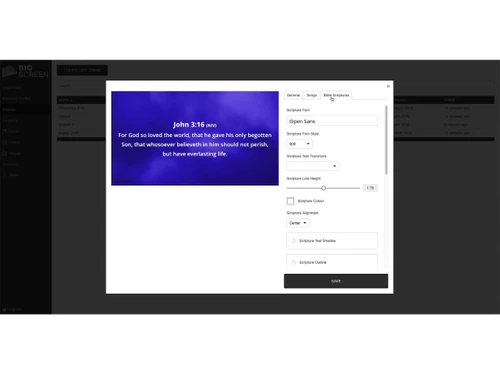
    Display scriptures live with multiple translations, customizable formatting, and quick search.
  • icon_check Lyrics Display
    Project worship lyrics with themes, formatting, and easy navigation between verses and choruses.
  • icon_check Custom Branding
    Customize fonts, colors, logos, and backgrounds to keep presentations consistent and on-brand.
  • icon_check Looping Backgrounds
    Enhance slides with motion or still backgrounds for immersive worship visuals.
  • icon_check YouTube Integration
    Import and play YouTube videos seamlessly within playlists during services.
  • icon_check Monitor Output
    Show lyrics, timers, and next-slide previews for stage or back-of-house display.
  • icon_check Cross-Platform Support
    Run presentations on Windows, macOS, or Linux through any modern web browser.
  • icon_check Multi-Location Support
    Control multiple campuses while sharing media and settings across all locations.
  • icon_check Multi Format Support
    Play and display media in MP4, MOV, JPG, PNG, PDF, SVG, and more formats.
Big Screen Demo Video play icon

Get Big Screen Demo

Watch the demo video to explore key features, real workflows, and how the software fits your business needs.

Understand
Key Features
Personal
Demo Insights
Interactive
Demo Support

Big Screen Specifications

Supported Platforms
Windows Windows MacOS MacOS Linux Linux
Devices
Desktop Desktop
Deployment
Cloud-Based Cloud-Based
Suitable For
Church
Business Specific
church
Business Size
Small Business Startups Medium Business Enterprises
Customer Support
Email Communities
Language
English
Training Resources
Videos

Big Screen Review

3.8

Out of 5

img

Overall Rating

Based on
5 Verified Ratings

Rating Breakdown

  • Features 3.9
  • Value for Money 3.8
  • Ease of Use 3.8
  • Customer Support 4

80% Recommend this Product

Add Review

Be the First to Review

This product has no reviews yet. Be the first to leave your feedback.

Add Review

How much does Big Screen Software cost?

Big Screen pricing starts at AUD 15 on techjockey.com.

Is there a mobile app available for Big Screen Software?

No, the Big Screen mobile app is not available.

Which operating systems are compatible with Big Screen Software?

Big Screen Software is generally compatible with Windows, Linux and macOS platforms.

Does Big Screen Software offer a free trial?

Yes, Big Screen software offers a free trial for new users.

How does Big Screen Software function?

Big Screen Software helps churches display lyrics, scriptures, videos, and announcements during worship services.

Who uses Big Screen Software?

Churches, worship teams, ministries, and religious organizations use Big Screen Software.

Is a free demo available for Big Screen Software?

Yes, a free demo is available for Big Screen Software.

Is Big Screen Software available for free?

No, Big Screen is not available for free.

20,000+ Software Listed

Best Price Guranteed

Free Expert Consultation

2M+ Happy Customers

Terms and Condtions

close

Users with registered businesses can purchase goods from merchants on the platform to satisfy their business needs. Users are not permitted to utilize any products acquired through the platform for resale, advertising, business, or further distribution.

For each purchase made, users will receive a Tax Invoice (or 'GST invoice') that includes specific details such as:

  • the GSTIN of the user associated with their registered business, and

  • the specified Entity Name for their business.

It should be noted that not all products are eligible for GST Invoice. Only the products displayed by participating sellers with the 'GST-based Invoice Available' callout on the product description page would qualify.

Certain goods and services are not eligible to get a GST Invoice, including items with VAS, i.e., Value Added Services (e.g., Total Mobile Protection/Assured Buyback) and those involving an exchange offer at the time of purchase.

Users must ensure the accuracy of the GSTIN, and business entity name provided for the GST Invoice. Requests for corrections into GST Invoice would not be accommodated by Techjockey.com or any Seller, and any issues arising from user-provided information are the sole responsibility of users.

Techjockey.com is not liable for the GST Invoice or any associated input tax credit. To efficiently claim an input tax credit, users should select the registered place of business address as per the GST authority's data and follow the provisions of the GST Act and rules.

To claim an input tax credit, the delivery and billing addresses must match. Furthermore, input tax credits will not be granted if the delivery address and GSTIN on the invoice are from different states. In case of incorrect GST details provided during the order placement, the order will be canceled automatically.