linkedin
Flex logo
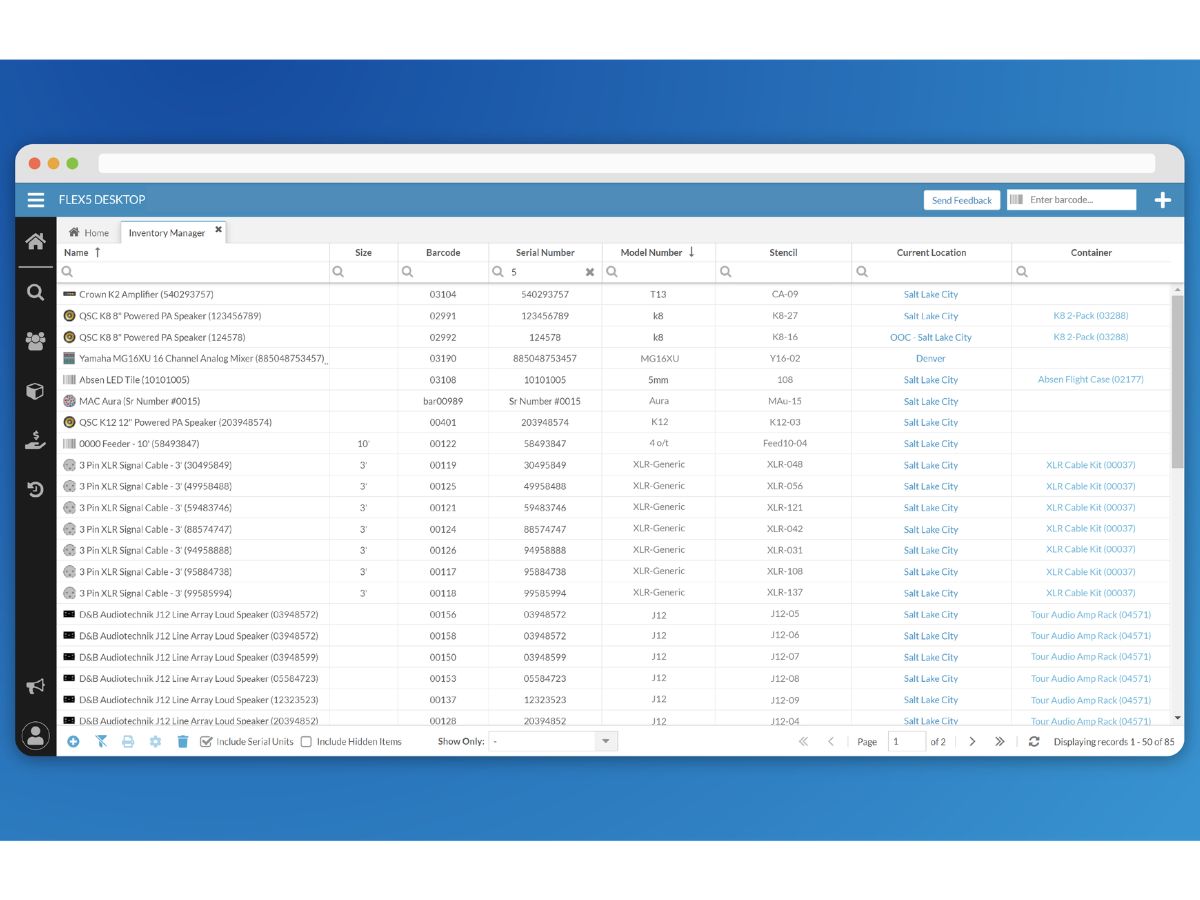
Flex-inventory manager
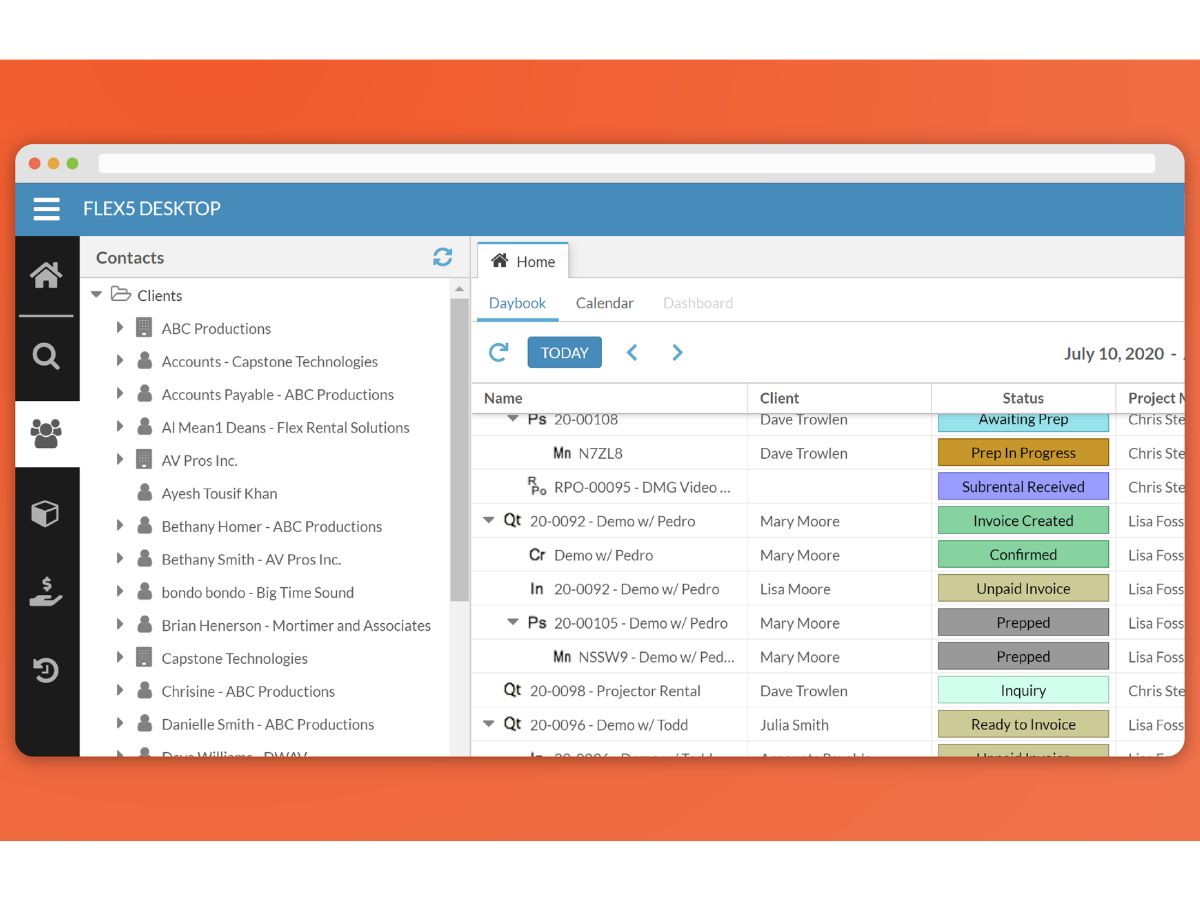
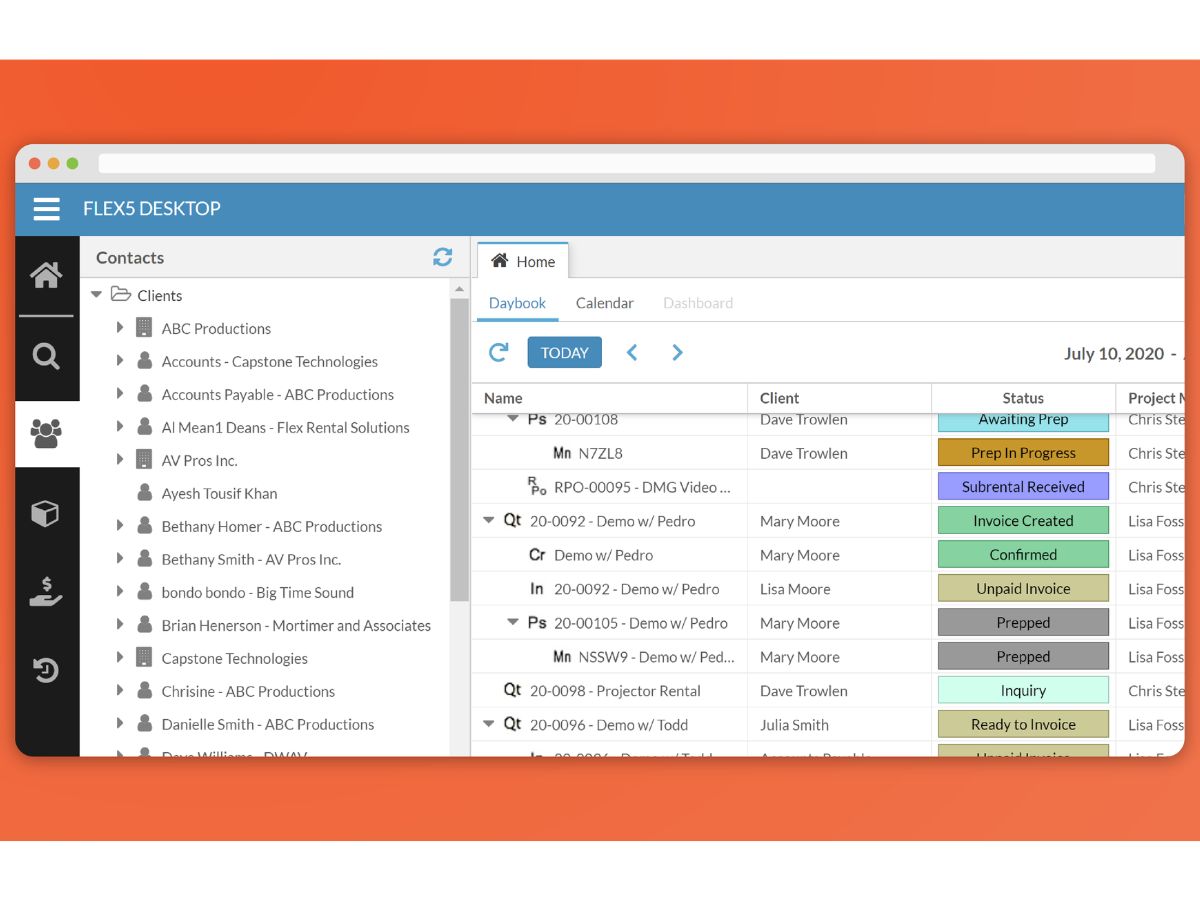
Flex-contacts view
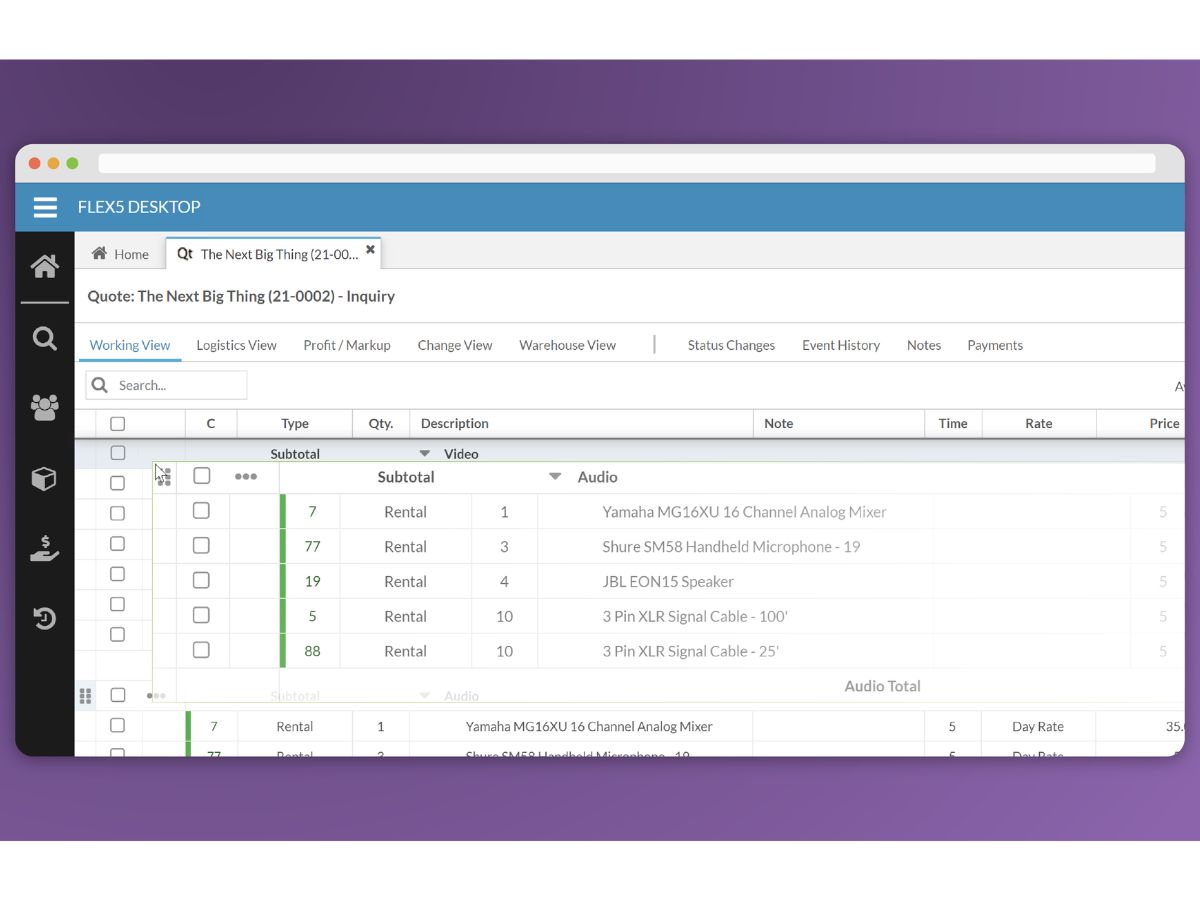
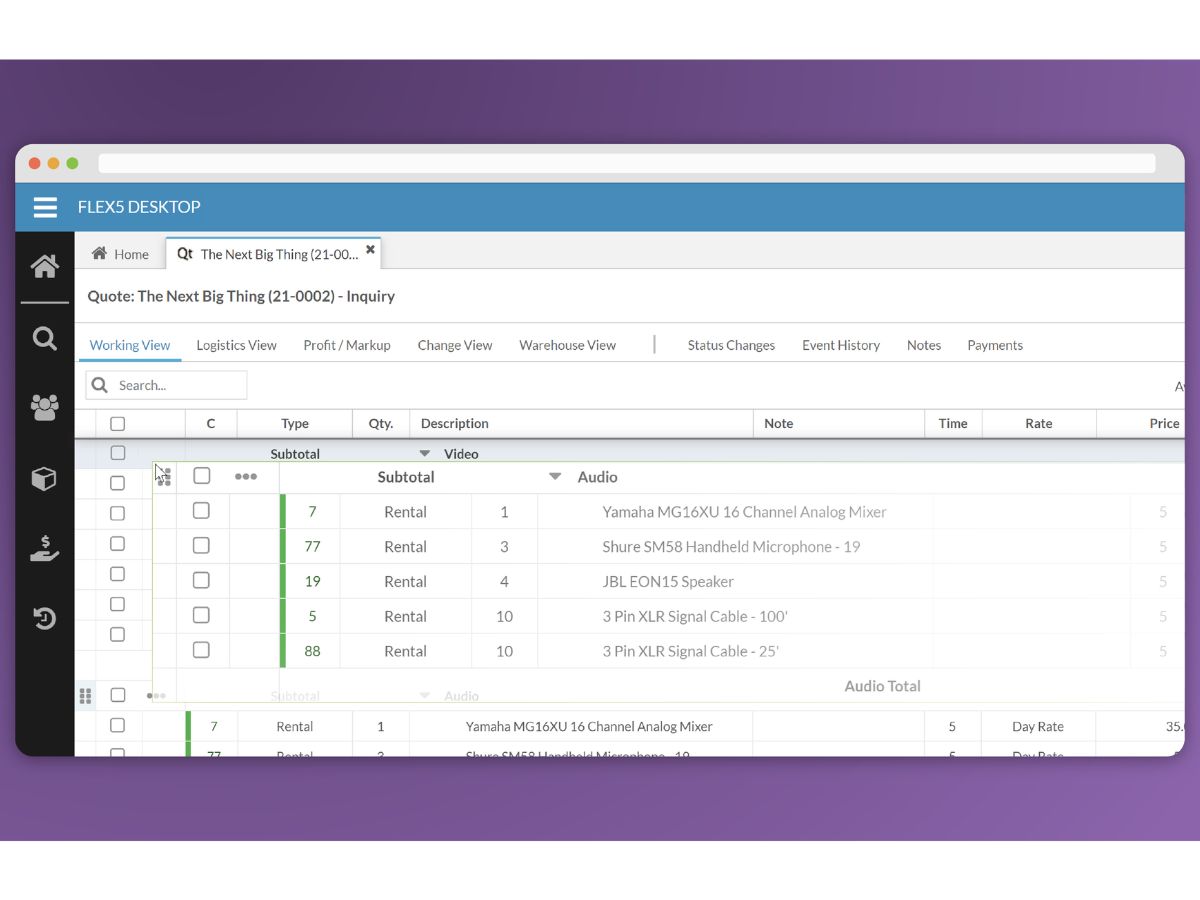
Flex-quotes

Flex

Brand: Flex Rental

  • No Ratings & Reviews

Flex helps event rental businesses save time, reduce costs, and manage their operations with an all-in-one event rental management solution.

See More

Have you used Flex before?

Share your insights for better experience

Add a Review

Price Available on Request

Questions about pricing or customization? We’re here to help, just a click away.

100% Genuine
Products
Best Price
Guaranteed
Safe & Secure
Payment
  • Description

  • Pricing

  • Features

  • Specification

  • Review

  • Compare

  • Alternatives

  • FAQ

Flex Software Overview

What is Flex?

Flex is a comprehensive, all-in-one event rental management software designed for ambitious and scaling event operators. It serves as a central operating system for businesses managing complex inventories, multiple teams, and numerous locations. Unlike generic rental software adapted for events, Flex was built from the ground up by industry professionals to address the specific challenges of high-stakes event production.

The platform is engineered for companies that have outgrown simpler systems and require robust infrastructure to manage increasing complexity. It provides a single source of truth for all operational data, from inventory availability to job costing, enabling businesses to scale confidently without the need to constantly rebuild or replatform their core systems. Flex is positioned as an investment in operational excellence, providing the industrial-strength capabilities needed to power demanding productions where failure is not an option.

Why Choose Flex?

  • Complete Control: When juggling multiple jobs and locations, visibility is paramount. Flex delivers full operational control in real time, eliminating guesswork and preventing costly errors. Key control features include live inventory tracking across all jobs, seamless job-to-job equipment transfers, advanced package and kit management, and barcode scanning, with multi-location synchronization and RFID scanning available as add-ons. This ensures you always know where your assets are.
  • Limitless Growth: Flex is architected to scale with your business. Whether you are expanding from one warehouse to ten, growing your team, or taking on larger clients, the platform supports your ambition. It includes unlimited user accounts, an enterprise-ready architecture, and a powerful API for custom integrations and development, with additional locations added as a paid add-on as you scale. This allows you to grow without system limitations.
  • Unmatched Flexibility: The software adapts to your unique workflows, not the other way around. Flex integrates with essential business tools and can be configured to match your operational processes. Add-on integrations are available for QuickBooks accounting and Flex's own payment processing, and the platform allows for the creation of custom workflows and highly configurable user permissions.

Advanced Features of Flex

  • Dynamic Pricing and Discount Management: Establish consistent rate cards and create multi-tiered pricing structures for different clients, seasons, or job types. You can configure standard and maximum discount rules, require approvals for exceptions, and track all discount history to protect profit margins.
  • Package and Bundle Creation: Simplify the quoting process by combining inventory, labor, and services into standard, repeatable gear bundles. The Package Builder allows for pre-set package pricing that can be added to quotes in a single click, with options to mix and match components or suggest add-ons to increase deal size.
  • Real-Time Asset Tracking: Gain a live, accurate view of your entire inventory. With integrated barcode and RFID scanning, you can track every piece of equipment from the moment it leaves the warehouse to its return, minimizing loss and ensuring accountability.
  • Multi-Location Operations: Seamlessly manage and sync inventory, crew, and job data across multiple physical locations or warehouses. This centralized system ensures that all branches of your operation are working with the same up-to-date information.
  • Customizable Workflows and Permissions: Tailor the software to fit your business processes. Create custom operational workflows to automate tasks and set granular, role-based permissions to control who can access or modify critical information, such as pricing and inventory data.
  • Flex StaffingPlus (Add-On): A dedicated staffing and crew management add-on that streamlines event staffing with instant availability inquiries, one-click job offers, detailed call sheets, automated purchase order generation, and Gantt-view scheduling.

Key Capabilities of Flex

  • Enhanced Profitability: By providing precise asset tracking and preventing issues like double-bookings, Flex helps eliminate preventable financial losses. Its accurate job costing and discount controls ensure that every project is priced for profitability, protecting your margins.
  • Increased Efficiency: The platform consolidates the functions of multiple disparate tools into one unified system. Automated workflows and centralized information save countless hours previously spent on manual data entry, hunting for information, and coordinating between departments.
  • Operational Confidence: Flex provides complete peace of mind. Knowing exactly where every piece of gear is at all times eliminates last-minute panic. You can trust that your team has the right equipment and information they need, before they need it, allowing you to execute flawless events.

How to Use Flex?

  1. Quoting and Sales: Begin by creating detailed quotes and proposals. Utilize the package builder and dynamic pricing rules to generate accurate, professional quotes quickly. Send contracts and capture e-signatures with DocuSign integration.
  2. Inventory Allocation: Once a quote is confirmed, Flex automatically checks and allocates the required inventory, providing real-time availability data to prevent conflicts or double-bookings.
  3. Warehouse Management: Your warehouse team uses barcode or RFID scanners to efficiently pull, prep, and check out equipment for jobs. The system logs every scan, ensuring 100% accuracy. Upon return, gear is scanned back in to update inventory status immediately.
  4. Logistics and Reporting: Manage complex logistics, including transfers between jobs and locations, directly within the system. After the event, finalize invoicing through the QuickBooks integration and use Flex powerful reporting tools to analyze job profitability, asset utilization, and other key business metrics.

Flex Pricing

Flex price starts at USD 510 at techjockey.com.

The pricing model is based on different parameters, including extra features, deployment type, and the total number of users. For further queries related to the product, you can contact our product team and learn more about the pricing and offers.

Read more

Flex Rental Company Details

Founded Year:  2009

Flex provides web-based rental management software for the live event industry.

Director/Founders Chris Stein, Jeffrey Payne
Company Size 1-100 Employees

Flex Pricing & Plans

Looking for The Right Pricing?

Share your requirements and get a plan built around your business.

  • Define your business needs
  • Get customised pricing
  • Choose features that fit your workflow

Price Available on Request

Get personalised Flex pricing that fits your needs. Our team will connect with you.

Flex Features

  • icon_check Inventory Management
    Track rental inventory in real time with availability status, stock levels, and asset utilization insights.
  • icon_check Asset Tracking
    Monitor equipment movement, ownership, location, and rental history across multiple warehouses.
  • icon_check Order Management
    Create, manage, and process rental orders efficiently from inquiry through fulfillment and return.
  • icon_check Quote Management
    Generate professional quotes and proposals with pricing, discounts, and rental package details.
  • icon_check Warehouse Management
    Organize warehouse operations with picking, packing, transfers, and equipment allocation tools.
  • icon_check Barcode Scanning
    Use barcode technology to speed up equipment check-in, check-out, and inventory verification.
  • icon_check Resource Scheduling
    Schedule equipment, vehicles, and resources to prevent conflicts and maximize availability.
  • icon_check Crew Management
    Assign crew members to projects, manage schedules, and track labor requirements effectively.
  • icon_check Contract Management
    Create rental agreements and contracts with terms, conditions, and customer approvals.
  • icon_check GST Invoicing & Billing
    Automate invoice generation, billing calculations, and payment tracking for rental transactions.
  • icon_check Customer Management
    Store customer information, rental history, communication records, and account details centrally.
  • icon_check Reporting & Analytics
    Access operational reports and business insights to monitor performance and profitability.
  • icon_check Multi-Location Support
    Manage inventory, rentals, and operations across multiple branches or warehouse locations.
  • icon_check Purchase Order Management
    Create and manage purchase orders for inventory replenishment and supplier coordination.
  • icon_check Financial Management
    Track revenue, expenses, profitability, and financial performance from a centralized platform.
  • icon_check Integrations
    Connect with accounting and business applications to streamline workflows and data exchange.
  • icon_check Return Management
    Process returned equipment efficiently while tracking damages, shortages, and maintenance needs.
  • icon_check User Role Management
    Control system access through role-based permissions for improved security and accountability.

Flex Specifications

Supported Platforms
Ubuntu Ubuntu Windows Windows MacOS MacOS Linux Linux
Devices
Desktop Desktop
Deployment
Cloud-Based Cloud-Based
Suitable For
Logistics
Business Specific
Logistics
Business Size
Small Business Medium Business Enterprises SMBs SMEs
Customer Support
Phone Email
Language
English
Integration
API Integration
Training Resources
Live Online Webinars Documentation Videos

Explore the Best Alternative Solutions Similar to Your Business Size and Needs

Flex Review

Techjockey Trusted Reviews from Verified Users

No reviews are currently available for Flex. Discover similar Rental Management Software reviews

  • FleetMaster

    4.0

    Whats great - It works, and they react quickly when problems occur read more

  • BistroStays

    4.8

    Whats great - BistroStays an AirBNB Clone has rich arrangement of highlights like Property Listing, Advanced Calendar Module, Photo Album, ... read more

  • Guesty

    4.3

    Whats great - Handles messaging, tasks, payments, reporting, owner portals—virtually everything read more
Compare Flex With other Rental Management Software

Products
Ratings
Pricing
Device Supported
Deployment
Supported Platforms
  • img

    Flex

  • Price On Request

  • Desktop

    Mobile

  • Web based

    On Premises

  • Windows

    Mac OS

  • img

    BistroStays

  • 4.7

  • ₹ 45430

  • Desktop

    Mobile

  • Web based

    On Premises

  • Windows

    Mac OS

  • img

    TurboTenant

  • 4.3

  • Price On Request

  • Desktop

    Mobile

  • Web based

    On Premises

  • Windows

    Mac OS

  • img

    Yo!Rent

  • 4.3

  • Price On Request

  • Desktop

    Mobile

  • Web based

    On Premises

  • Windows

    Mac OS

  • img

    aReservation

  • 4.5

  • Price On Request

  • Desktop

    Mobile

  • Web based

    On Premises

  • Windows

    Mac OS

  • img

    Landlord Studio

  • 4.3

  • Price On Request

  • Desktop

    Mobile

  • Web based

    On Premises

  • Windows

    Mac OS

  • img

    365Villas

  • 4.2

  • Price On Request

  • Desktop

    Mobile

  • Web based

    On Premises

  • Windows

    Mac OS

  • img

    Your.Rentals

  • 4.2

  • Price On Request

  • Desktop

    Mobile

  • Web based

    On Premises

  • Windows

    Mac OS

  • img

    CiiRUS

  • 4.1

  • Price On Request

  • Desktop

    Mobile

  • Web based

    On Premises

  • Windows

    Mac OS

(0) Product(s) selected

Flex Alternatives

See All Flex Alternatives

Available

Price on Request

Starting Price:

$29

Available

Price on Request

Available

Price on Request

Available

Price on Request

Starting Price:

€4

What does Flex do?

Flex is an all-in-one event rental management software designed for ambitious event operators to gain complete control and confident growth. It helps manage equipment across multiple locations, scale operations, prevent costly mistakes, and streamline workflows for event production businesses.

How much does Flex cost?

Flex price starts at USD 510 at techjockey.com.

What are the main features of Flex?

Flex offers core features like live inventory management, multi-location synchronization, package and kit management, and RFID/barcode scanning for enhanced control. It also supports unlimited users, multi-location capabilities, API integration, and offers flexibility through QuickBooks integration, DocuSign, and custom workflows.

Is there a free trial for Flex?

Yes, Flex offers a free trial for interested businesses to experience its event rental management software.

Who can use Flex?

Flex is designed for ambitious event operators and serious production companies who are scaling their business, managing 500+ assets across multiple jobs, or operating across multiple locations where reliability and comprehensive control are critical.

What specific integrations does Flex offer?

Flex integrates with essential business tools such as QuickBooks for accounting, DocuSign for e-signatures, and offers Flex Payments processing for streamlined transactions. It also provides an API for custom integration needs.

How does Flex help businesses achieve growth and scalability?

Flex supports business growth by offering unlimited users, robust multi-location capabilities, and an enterprise-ready architecture that allows companies to expand across multiple warehouses and even countries without needing to switch platforms.

What are the key outcomes businesses can expect from using Flex?

Businesses using Flex can expect to gain more time through automated workflows, save money by preventing mistakes and tracking assets, and achieve greater confidence with complete operational peace of mind and real-time visibility.

20,000+ Software Listed

Best Price Guranteed

Free Expert Consultation

2M+ Happy Customers

Terms and Condtions

close

Users with registered businesses can purchase goods from merchants on the platform to satisfy their business needs. Users are not permitted to utilize any products acquired through the platform for resale, advertising, business, or further distribution.

For each purchase made, users will receive a Tax Invoice (or 'GST invoice') that includes specific details such as:

  • the GSTIN of the user associated with their registered business, and

  • the specified Entity Name for their business.

It should be noted that not all products are eligible for GST Invoice. Only the products displayed by participating sellers with the 'GST-based Invoice Available' callout on the product description page would qualify.

Certain goods and services are not eligible to get a GST Invoice, including items with VAS, i.e., Value Added Services (e.g., Total Mobile Protection/Assured Buyback) and those involving an exchange offer at the time of purchase.

Users must ensure the accuracy of the GSTIN, and business entity name provided for the GST Invoice. Requests for corrections into GST Invoice would not be accommodated by Techjockey.com or any Seller, and any issues arising from user-provided information are the sole responsibility of users.

Techjockey.com is not liable for the GST Invoice or any associated input tax credit. To efficiently claim an input tax credit, users should select the registered place of business address as per the GST authority's data and follow the provisions of the GST Act and rules.

To claim an input tax credit, the delivery and billing addresses must match. Furthermore, input tax credits will not be granted if the delivery address and GSTIN on the invoice are from different states. In case of incorrect GST details provided during the order placement, the order will be canceled automatically.