linkedin
Hosman logo
Hosman-HMS
Hosman-transaction
Hosman-prescription

Hosman

Brand: Hosman Software Solutions

  • 4.3

  • 3 Ratings

Hosman helps hospitals and clinics manage patients, billing, pharmacy, diagnostics, appointments, and healthcare operations digitally.

See More

Have you used Hosman before?

Share your insights for better experience

Add a Review

Price Available on Request

Questions about pricing or customization? We’re here to help, just a click away.

100% Genuine
Products
Best Price
Guaranteed
Safe & Secure
Payment
  • Description

  • Pricing

  • Features

  • Specification

  • Review

  • FAQ

Hosman Software Overview

What is Hosman?

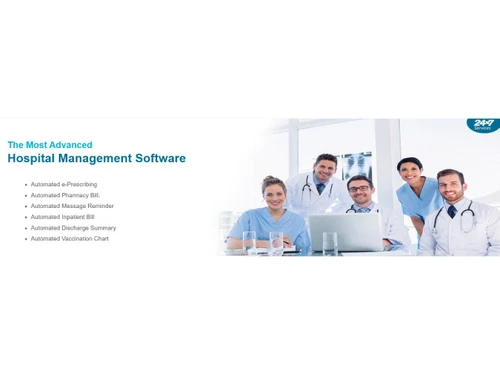
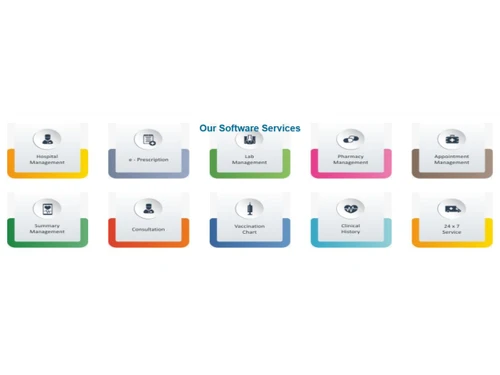
Hosman is a hospital management software that helps hospitals, clinics, laboratories, and pharmacies manage patient records, billing, diagnostics, pharmacy operations, appointments, and daily healthcare workflows in one platform. It is designed to reduce manual work and improve coordination between different hospital departments. Hosman offers modules for patient registration, admissions, discharge management, lab reporting, pharmacy stock management, accounts, and doctor workflows.

The software supports cloud-based access, multi-user operations, and customizable hospital management features. It also includes reporting tools, financial tracking, and operational management features for healthcare organizations. Hosman is built to help hospitals improve efficiency, reduce errors, and provide better patient care. The platform supports faster implementation and easy day-to-day usage for healthcare staff.

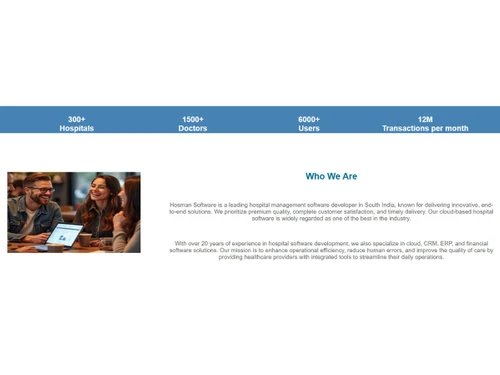
It is commonly used by hospitals, diagnostic centers, specialty clinics, and healthcare administrators in India. Hosman also provides training, customer support, and cloud-ready deployment for healthcare businesses.

Why Choose Hosman Software?

  • Integrated Hospital Workflow: Connects reception, doctors, labs, pharmacy, and accounts in one system.
  • Easy Patient Management: Simplifies patient registration, admissions, and discharge processes.
  • Billing Automation: Manages hospital billing and payment tracking efficiently.
  • Lab Management Support: Handles sample tracking and diagnostic reporting smoothly.
  • Pharmacy Management: Tracks medicine stock, expiry dates, and pharmacy sales.
  • Cloud-Ready Platform: Access hospital data securely from multiple locations.
  • Customizable Modules: Adapts features according to hospital requirements.
  • Simple User Interface: Easy for doctors, staff, and administrators to learn quickly.
  • Faster Coordination: Improves communication between hospital departments.
  • Reduced Manual Work: Minimizes paperwork and repetitive tasks.
  • Operational Visibility: Provides better monitoring of daily hospital activities.
  • Reporting Tools: Generates reports for finance, operations, and patient management.
  • Secure Access Control: Protects hospital and patient data securely.
  • Multi-User Support: Allows different departments to work simultaneously.
  • Quick Deployment: Offers fast implementation for hospitals and clinics.

Benefits of Hosman Software

  • 24x7 Customer Support: Provides continuous service assistance.
  • Low Support Dependency: Designed for smooth daily usage after training.
  • Microsoft Azure Hosting: Uses premium cloud hosting infrastructure.
  • Financial Oversight: Helps track accounts and financial transactions accurately.
  • Inventory Tracking: Manages stock visibility and purchase records.
  • Doctor Workflow Management: Supports consultation and clinical workflows.
  • Scalable Solution: Suitable for clinics, specialty centers, and hospitals.
  • Healthcare-Focused Design: Built specifically for healthcare operations.
  • Error Reduction: Helps reduce mistakes through centralized data handling.
  • Faster Patient Service: Improves speed and efficiency in patient care.
  • Centralized Data Management: Stores all hospital information in one platform.
  • Better Department Coordination: Improves workflow between labs, pharmacy, and administration.

Hosman Pricing

Hosman price details are available on request at techjockey.com.

The pricing model is based on different parameters, including extra features, deployment type, and the total number of users. For further queries related to the product, you can contact our product team and learn more about the pricing and offers.

Read more

Hosman Pricing & Plans

Looking for The Right Pricing?

Share your requirements and get a plan built around your business.

  • Define your business needs
  • Get customised pricing
  • Choose features that fit your workflow

Price Available on Request

Get personalised Hosman pricing that fits your needs. Our team will connect with you.

Hosman Features

  • icon_check Patient Registration
    Digitally captures patient demographics, contact details, and IDs to create a unified electronic patient profile.
  • icon_check Appointment Scheduling
    Manages doctor availability and patient bookings with calendar-based scheduling and reduced waiting times.
  • icon_check Electronic Medical Records
    Stores complete patient clinical history including diagnoses, prescriptions, lab reports, and visit notes.
  • icon_check Billing & Invoicing
    Automates OPD/IPD billing with service-wise charges, taxes, discounts, and printable invoices.
  • icon_check Inpatient Management
    Handles admissions, bed allocation, transfers, discharge summaries, and inpatient care workflows.
  • icon_check Outpatient Management
    Tracks outpatient consultations, visit history, prescriptions, and follow-ups efficiently.
  • icon_check Laboratory Management
    Manages lab test orders, sample tracking, result generation, and digital report sharing.
  • icon_check Pharmacy Management
    Controls medicine inventory, purchase orders, sales billing, batch tracking, and expiry alerts.
  • icon_check e-Prescription
    Enables doctors to generate digital prescriptions linked directly to pharmacy and patient records.
  • icon_check Inventory Management
    Monitors medical supplies, consumables, and stock levels with alerts for low stock and reordering.
  • icon_check Doctors Management
    Maintains doctor profiles, schedules, consultation fees, and performance-related data centrally.
  • icon_check Role-Based Access Control (RBAC)
    Restricts system access based on staff roles to ensure data security and operational accountability.
  • icon_check Reports & Analytics
    Provides operational, financial, and clinical reports to support data-driven hospital decisions.
  • icon_check Cloud-Based
    Allows secure access to hospital data anytime from anywhere without local server dependency.
  • icon_check Data Backup & Security
    Ensures encrypted data storage with regular backups to protect sensitive patient information.
  • icon_check Multi-User
    Enables concurrent access for doctors, nurses, receptionists, pharmacists, and administrators.

Hosman Specifications

Supported Platforms
Windows Windows
Devices
Desktop Desktop
Deployment
Cloud-Based Cloud-Based
Suitable For
Healthcare
Business Specific
Hospitals Clinics Labs
Business Size
Small Business Medium Business Enterprises
Customer Support
Phone Email
Language
English
Training Resources
Videos

Hosman Review

4.3

Out of 5

img

Overall Rating

Based on
3 Verified Ratings

Rating Breakdown

  • Features 4.5
  • Value for Money 4.5
  • Ease of Use 4.5
  • Customer Support 4

80% Recommend this Product

Add Review

Techjockey Trusted Reviews from Verified Users

No reviews are currently available for Hosman. Discover similar Hospital Management Software reviews

  • MocDoc HMS

    4.9

    Whats great - We can take reports easily in the Mocdoc through this software, it is very handy. read more
  • Ezovion HMS

    5.0

    Whats great - Easy to use and a much productive functioning makes it one of the best software I’ve ever used! The features make this softwa... read more

  • Healthray HMIS

    4.7

    Whats great - The software covers patient registration, diagnostics, pharmacy, billing, and inventory management. Its intuitive interface a... read more

Articles for Hosman

See All Related Articles

How much does Hosman Software cost?

Hosman pricing information is available on request at techjockey.

Is there a mobile app available for Hosman Software?

No, Hosman Software does not offer mobile apps.

Which operating systems are compatible with Hosman Software?

Hosman Software is compatible with Windows platform.

Does Hosman Software offer a free trial?

No, Hosman Software does not provide a free trial.

How does Hosman Software function?

Hosman Software works by automating business operations, managing workflows, and improving productivity.

Who uses Hosman Software?

Hosman Software is used by businesses, startups, professionals, and organizations across various industries.

Is a free demo available for Hosman Software?

Yes, a free demo is available through the official Hosman website.

Is Hosman Software available for free?

Hosman Software offers limited free features, but full access usually requires a paid plan.

20,000+ Software Listed

Best Price Guranteed

Free Expert Consultation

2M+ Happy Customers

Terms and Condtions

close

Users with registered businesses can purchase goods from merchants on the platform to satisfy their business needs. Users are not permitted to utilize any products acquired through the platform for resale, advertising, business, or further distribution.

For each purchase made, users will receive a Tax Invoice (or 'GST invoice') that includes specific details such as:

  • the GSTIN of the user associated with their registered business, and

  • the specified Entity Name for their business.

It should be noted that not all products are eligible for GST Invoice. Only the products displayed by participating sellers with the 'GST-based Invoice Available' callout on the product description page would qualify.

Certain goods and services are not eligible to get a GST Invoice, including items with VAS, i.e., Value Added Services (e.g., Total Mobile Protection/Assured Buyback) and those involving an exchange offer at the time of purchase.

Users must ensure the accuracy of the GSTIN, and business entity name provided for the GST Invoice. Requests for corrections into GST Invoice would not be accommodated by Techjockey.com or any Seller, and any issues arising from user-provided information are the sole responsibility of users.

Techjockey.com is not liable for the GST Invoice or any associated input tax credit. To efficiently claim an input tax credit, users should select the registered place of business address as per the GST authority's data and follow the provisions of the GST Act and rules.

To claim an input tax credit, the delivery and billing addresses must match. Furthermore, input tax credits will not be granted if the delivery address and GSTIN on the invoice are from different states. In case of incorrect GST details provided during the order placement, the order will be canceled automatically.