linkedin
Instabug logo
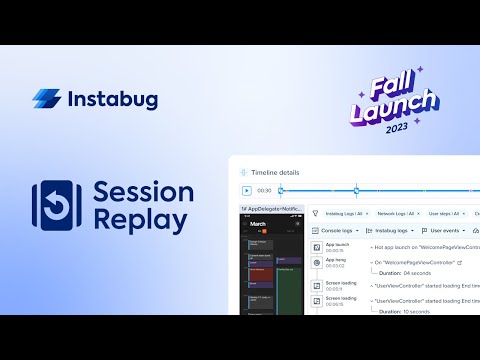
play Instabug Session Replay - Launch Tour
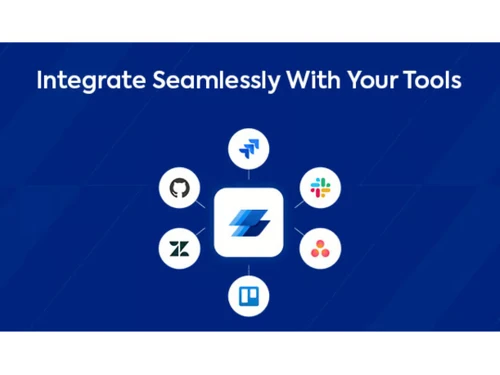
instabug connect
instabug integrate

Instabug

Brand: Instabug

  • 4.5

  • 3 Ratings

Instabug is a mobile app debugging and performance-enhancing tool that provides features for testing, monitoring, and improving user experience.

See More

Have you used Instabug before?

Share your insights for better experience

Add a Review
Starting Price
$299

View plans

100% Genuine
Products
Best Price
Guaranteed
Safe & Secure
Payment
  • Description

  • Pricing

  • Features

  • Specification

  • Review

  • Compare

  • Alternatives

  • FAQ

Starting at $299

Instabug Software Overview

What is Instabug?

Instabug is a mobile app debugging and feedback platform. It integrates with a mobile app, scans it, manages bug reporting, and performs crash diagnostics. It helps with app performance monitoring and user feedback collection. It provides detailed error details such as device information, network logs, and screenshots, thus helping to enhance app quality.

Developers can prioritize and track issues through a centralized dashboard for fast and effective resolution. Instabug key features include in-app surveys for gathering user feedback, session replay to visualize user interactions, release management for phased app rollouts, and app ratings and reviews monitoring. Its third-party security audits ensure data integrity and app stability.

Why Choose Instabug Software?

  • Bug reporting: Gives detailed context like screenshots and logs, manages bug identification, making troubleshooting and resolution faster.
  • Crash reporting: In-depth crash diagnostics pinpoint issues quickly, enabling quick fixes and improved app stability.
  • App performance monitoring: Provides real-time app performance insights to empower optimization, thereby enhancing app performance.
  • User feedback collection: In-app surveys gather actionable feedback that helps in continuous improvements and user satisfaction.
  • Release management: Track metrics specific to each release, ensuring performance improvements and stability.

Benefits of Instabug Platform

  • Secure and reliable: SOC2 compliance, data encryption, and regular security audits ensure data protection, reliability, and user trust.
  • Efficient debugging: Detailed bug reports with contextual information reduce troubleshooting time, leading to faster issue resolution.
  • User-centric insights: Gain valuable insights into user interactions by replaying sessions, helping identify usability issues and prioritizing improvements.
  • Integration: Easy SDK integration across multiple platforms like iOS, Android, React Native, Xamarin, Cordova, Flutter, and Unity.
  • Interface and collaboration: Centralized dashboard and collaboration features enable communication and coordination among development teams.

Pricing of Instabug Debugging Software

Instabug price in India starts from $299 at techjockey.com. It comes with multiple pricing plans and caters to a diverse customer base.

For subscription-related details and offers on premium packages, please request a call back from our product experts.

Read more

Instabug Company Details

Founded Year:  2014

The best-in-class mobile application performance monitoring (APM), secure crash reporting, bug reporting, and powerful infrastructure that supports over two billion devices and counting.

Director/Founders Moataz Soliman, Omar Gabr
Company Size 101-500 Employees

Instabug Pricing & Plans

Basic
Key Features
  • Sessions -Up to 25K sessions
  • Repro & user steps
  • Session profiler
  • Logs
  • In-app chat
  • Saved replies
  • Custom report categories
  • Unhandled exceptions
  • Handled exceptions
  • OOMs
Starting at $299
    • Licenses

      Licenses
      Licenses
    • Monthly

      Monthly
      Monthly

Key Features

  • Sessions -Up to 25K sessions

  • Repro & user steps

  • Session profiler

  • Logs

  • In-app chat

  • Saved replies

  • Custom report categories

  • Unhandled exceptions

  • Handled exceptions

  • OOMs

Instabug Features

  • icon_check Automatic Performance Capture
    Automatically track app performance metrics, such as response time, memory usage, and CPU load.
  • icon_check Retro Steps Debug
    Identify and reproduce issues by stepping back through user interactions, aiding debugging efforts.
  • icon_check Patterns Debug
    Detect recurring patterns in user-reported issues, helping pinpoint underlying causes.
  • icon_check Quantitative Stability Feedback
    Receive data-driven insights on app stability, including crash rates and error frequency.
  • icon_check Quantitative Performance Feedback
    Objectively measure key performance indicators (KPIs), such as loading times and resource utilization.
  • icon_check Qualitative Feedback
    Gather user comments, suggestions, and pain points to improve the user experience.
  • icon_check Spot Trend
    Analyze trends over time, identifying areas for optimization or potential issues.
  • icon_check Respond
    Engage with users directly, acknowledging their feedback and providing updates on fixes.
  • icon_check Custom Team Dashboards
    Create personalized dashboards to visualize relevant metrics for your development team.
  • icon_check Filter Data
    Apply filters to focus on specific subsets of feedback, managing analysis and decision-making.
Instabug Demo Video play icon

Get Instabug Demo

Watch the demo video to explore key features, real workflows, and how the software fits your business needs.

Understand
Key Features
Personal
Demo Insights
Interactive
Demo Support

Instabug Specifications

Supported Platforms
Ubuntu Ubuntu Windows Windows MacOS MacOS Linux Linux
Devices
Desktop Desktop Mobile Mobile Tablet Tablet iPad iPad
Deployment
Cloud-Based Cloud-Based
Suitable For
Education ITES Universities
Business Specific
All Businesses
Business Size
Small Business Startups Medium Business Enterprises
Customer Support
Email Live Chat Communities
Language
English
Training Resources
Documentation Videos

Explore the Best Alternative Solutions Similar to Your Business Size and Needs

Small Business

Designed for startups and growing businesses

Gdb

4.2

Backtrace

4.5

Lumigo

4.4

See More

Instabug Review

4.5

Out of 5

img

Overall Rating

Based on
3 Verified Ratings

Rating Breakdown

  • Features 4.6
  • Value for Money 4.6
  • Ease of Use 4.3
  • Customer Support 4.6

80% Recommend this Product

Add Review

Be the First to Review

This product has no reviews yet. Be the first to leave your feedback.

Add Review

Compare Instabug With other Debugging Software

Products
Ratings
Pricing
Device Supported
Deployment
Supported Platforms
  • img

    Instabug

  • 4.5

  • Price On Request

  • Desktop

    Mobile

  • Web based

    On Premises

  • Windows

    Mac OS

  • img

    SonarCloud

  • 4.3

  • Price On Request

  • Desktop

    Mobile

  • Web based

    On Premises

  • Windows

    Mac OS

  • img

    Backtrace

  • 4.5

  • Price On Request

  • Desktop

    Mobile

  • Web based

    On Premises

  • Windows

    Mac OS

  • img

    Fiddler

  • 4.5

  • Price On Request

  • Desktop

    Mobile

  • Web based

    On Premises

  • Windows

    Mac OS

  • img

    Unfold AI

  • 4.2

  • Price On Request

  • Desktop

    Mobile

  • Web based

    On Premises

  • Windows

    Mac OS

  • img

    Bugsee

  • 4.3

  • Price On Request

  • Desktop

    Mobile

  • Web based

    On Premises

  • Windows

    Mac OS

  • img

    Lumigo

  • 4.4

  • Price On Request

  • Desktop

    Mobile

  • Web based

    On Premises

  • Windows

    Mac OS

  • img

    Memfault

  • 4.4

  • Price On Request

  • Desktop

    Mobile

  • Web based

    On Premises

  • Windows

    Mac OS

  • img

    Rollbar

  • 4.3

  • Price On Request

  • Desktop

    Mobile

  • Web based

    On Premises

  • Windows

    Mac OS

  • img

    TotalView

  • 4.2

  • Price On Request

  • Desktop

    Mobile

  • Web based

    On Premises

  • Windows

    Mac OS

  • img

    Rookout

  • 4.2

  • Price On Request

  • Desktop

    Mobile

  • Web based

    On Premises

  • Windows

    Mac OS

(0) Product(s) selected

Instabug Alternatives

See All Instabug Alternatives

Starting Price:

$15 /Month

Starting Price:

$139 /Month

Starting Price:

$1,500

Available

Price on Request

Available

Price on Request

Articles for Instabug

See All Related Articles

Which operating system does Instabug support?

Instabug is compatible with Windows, MacOS, and Linux operating systems.

Is there any Instabug app?

Instabug app is not available for mobile devices.

What is the deployment type of Instabug?

Instabug supports web-based deployment.

What is the pricing of Instabug software?

Instabug pricing starts from $299 at techjockey.com.

Who are the potential users of Instabug?

Instabug is typically used by developers, QA testers, and product managers in the tech, mobile app development, e-commerce finance, and healthcare industries for bug reporting, crash diagnostics, and user feedback collection.

Is there any free demo for Instabug?

The Instabug demo is available for free on techjockey.com.

Is Instabug free?

Instabug is not available for free. However, you can contact our experts to learn more about pricing plans.

Does Instabug software offer a free trial?

Yes, Instabug software provides users a free trial for 14 days.

How can you download Instabug?

Instabug installation is not required, as it is web-based. Just open the Setup Wizard to get started.

How does Instabug work?

Instabug helps with mobile app bug reporting, crash diagnostics, performance monitoring, and user feedback collection, as well as providing a user-friendly interface for app management.

20,000+ Software Listed

Best Price Guranteed

Free Expert Consultation

2M+ Happy Customers

Terms and Condtions

close

Users with registered businesses can purchase goods from merchants on the platform to satisfy their business needs. Users are not permitted to utilize any products acquired through the platform for resale, advertising, business, or further distribution.

For each purchase made, users will receive a Tax Invoice (or 'GST invoice') that includes specific details such as:

  • the GSTIN of the user associated with their registered business, and

  • the specified Entity Name for their business.

It should be noted that not all products are eligible for GST Invoice. Only the products displayed by participating sellers with the 'GST-based Invoice Available' callout on the product description page would qualify.

Certain goods and services are not eligible to get a GST Invoice, including items with VAS, i.e., Value Added Services (e.g., Total Mobile Protection/Assured Buyback) and those involving an exchange offer at the time of purchase.

Users must ensure the accuracy of the GSTIN, and business entity name provided for the GST Invoice. Requests for corrections into GST Invoice would not be accommodated by Techjockey.com or any Seller, and any issues arising from user-provided information are the sole responsibility of users.

Techjockey.com is not liable for the GST Invoice or any associated input tax credit. To efficiently claim an input tax credit, users should select the registered place of business address as per the GST authority's data and follow the provisions of the GST Act and rules.

To claim an input tax credit, the delivery and billing addresses must match. Furthermore, input tax credits will not be granted if the delivery address and GSTIN on the invoice are from different states. In case of incorrect GST details provided during the order placement, the order will be canceled automatically.