 USA
USA UAE
UAESmall Business
Designed for startups and growing businesses


See More





Brand: Amica Financial Technologies
Jupiter Business Manager (JBM) is a logistics management software suite that automates and streamlines operations in shipping, freight forwarding, and supply chain management, offering desktop and web-based solutions for businesses of all sizes.
See MoreHave you used Jupiter before?
Share your insights for better experience
Brand: Amica Financial Technologies
Founded Year: 2019
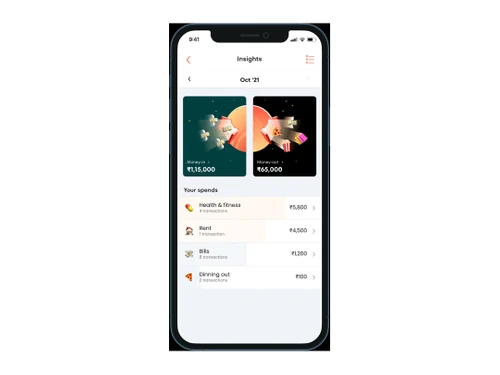
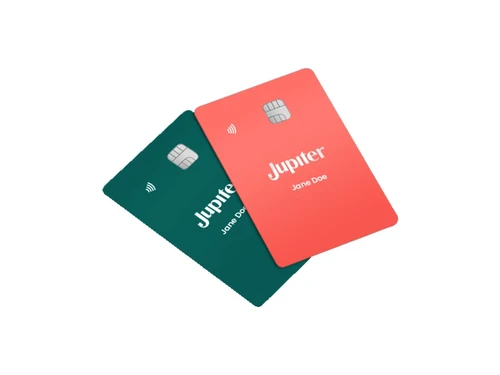
Jupiter is a digital banking app with one simple aim – to deliver a banking experience that keeps pace with you. We help you cut through the banking jargon, offer smart insights based on your spending, and provide you with a range of new-age features to enable you to make sense of your finances.
This Product is Available Free Forever.
Start instantly with no fees, no subscriptions, and no commitments.
Free Forever Plan
Get started immediately at no cost. Upgrade anytime if your business demand more.
Free Forever Salary Account Digital Banking Security Safety Insights Rewards Debit Card

Watch the demo video to explore key features, real workflows, and how the software fits your business needs.
 iOS
iOS  Android
  Mobile
  Cloud-Based

Small Business
Designed for startups and growing businesses
Medium Business
Built for business growth and flexibility
Enterprises
Designed for complex and large-scale business needs
4.3
Out of 5

Overall Rating
Based on
11 Verified Reviews
Rating Breakdown
87% Recommend this Product
Add ReviewUsers generally appreciate Jupiter for its modern design and effective budgeting features, particularly the spend analyzer and savings pots, which enhance financial management. Many find the app user-friendly and enjoy earning rewards through Jupiter Coins. However, common complaints include limited ATM access, restricted payment options for international transactions, and inadequate customer support channels, which can hinder the overall experience. Additionally, some users have reported performance issues, such as app slowdowns and glitches after initial use.
Pros
"Jupiter's app is user-friendly, and I love the no-fee feature for domestic transfers."
"The budgeting features are excellent and help me save efficiently."
"The spend analyzer provides insightful breakdowns of expenses."
Cons
"ATM access is limited, and it’s difficult to find ATMs that work with the app."
"Payment options are a bit limited, especially for international transactions."
"Customer support is only available via email, lacking immediate assistance options."

Apr 7, 2025
Techjockey Verified
“A Modern Approach, But Needs More ATM Access”
Jupiter's app brings a modern touch to digital banking, and I love that it offers free domestic transfers. It's great for everyday transactions. However, one thing I find frustrating is the limited access to ATMs. I’ve had trouble finding ATMs that work with my Jupiter card, especially when I need to withdraw cash urgently.
Pros
Jupiter's app is user-friendly, and I love the no-fee feature for domestic transfers.
Cons
ATM access is limited, and it’s difficult to find ATMs that work with the app.
Reason to switch
ICICI Bank has a wider ATM network and better physical banking services, which is important for me.
Mar 18, 2025
Techjockey Verified
“Great for Budgeting, But Wish There Were More Payment Options”
I’ve been using Jupiter mainly for budgeting purposes, and I can say it’s made managing my finances a lot easier. The automatic savings pots and spend tracking are key features for me. However, when it comes to making payments, I found that there aren’t as many options, especially for international transactions. This limitation makes it a bit inconvenient if I need to pay someone abroad.
Pros
The budgeting features are excellent and help me save efficiently.
Cons
Payment options are a bit limited, especially for international transactions.
Reason to switch
Revolut offers a broader range of payment options, including international transfers, which makes it more flexible for my needs.
Mar 10, 2025
Techjockey Verified
“Helpful Spend Analyzer, But Limited Customer Support Channels”
Jupiter's spend analyzer is a fantastic feature that gives me a clear understanding of where my money is going each month. It's a great way to manage and cut down on unnecessary expenses. However, I’ve found that when I need help with an issue, the only way to reach customer support is via email. Sometimes, I need faster assistance, especially in banking situations.
Pros
The spend analyzer provides insightful breakdowns of expenses.
Cons
Customer support is only available via email, lacking immediate assistance options.
Reason to switch
NiyoX offers more responsive customer support, including live chat, which makes getting help quicker and easier.

Jupiter
FREE
Desktop
Mobile
Web based
On Premises
Windows
Mac OS

FinOS
Price On Request
Desktop
Mobile
Web based
On Premises
Windows
Mac OS

Oracle Flexcube
Price On Request
Desktop
Mobile
Web based
On Premises
Windows
Mac OS

Open Money
₹ 1499
Desktop
Mobile
Web based
On Premises
Windows
Mac OS

Digipay Guru
Price On Request
Desktop
Mobile
Web based
On Premises
Windows
Mac OS

finRize
₹ 3000
Desktop
Mobile
Web based
On Premises
Windows
Mac OS

Kobble
Price On Request
Desktop
Mobile
Web based
On Premises
Windows
Mac OS

Delfi Core Banking
Price On Request
Desktop
Mobile
Web based
On Premises
Windows
Mac OS

VerifyOn
Price On Request
Desktop
Mobile
Web based
On Premises
Windows
Mac OS

FinMate Gold
₹ 20000
Desktop
Mobile
Web based
On Premises
Windows
Mac OS

Doocat
Price On Request
Desktop
Mobile
Web based
On Premises
Windows
Mac OS
(0) Product(s) selected
Available
Price on Request
Available
Price on Request
Available
Price on Request
Starting Price:
₹150,000
Available
Price on Request
Available
Price on Request

Available
Price on Request

Available
Price on Request

Available
Price on Request

Available
Price on Request

Available
Price on Request
Jupiter Business Manager Software available for free at techjockey.com.
No mobile app is available to manage operations on the go.
Jupiter Business Manager supports Windows operating systems only.
Yes, Jupiter Business Manager free trial is not available.
Jupiter Business Manager Software automates logistics and business processes through integrated modules, available on desktop and web, for real-time tracking, financial management, and workflow optimization.
Jupiter Business Manager is designed for businesses of all sizes involved in supply chain and logistics management.
Jupiter Business Manager's free demo is available upon request.
Yes, Jupiter Business Manager Software is available for free.
Businesses involved in supply chain, logistics, warehousing, and inventory management can benefit from Jupiter Business Manager Software.
20,000+ Software Listed
Best Price Guranteed
Free Expert Consultation
2M+ Happy Customers
Terms and Condtions

Users with registered businesses can purchase goods from merchants on the platform to satisfy their business needs. Users are not permitted to utilize any products acquired through the platform for resale, advertising, business, or further distribution.
For each purchase made, users will receive a Tax Invoice (or 'GST invoice') that includes specific details such as:
the GSTIN of the user associated with their registered business, and
the specified Entity Name for their business.
It should be noted that not all products are eligible for GST Invoice. Only the products displayed by participating sellers with the 'GST-based Invoice Available' callout on the product description page would qualify.
Certain goods and services are not eligible to get a GST Invoice, including items with VAS, i.e., Value Added Services (e.g., Total Mobile Protection/Assured Buyback) and those involving an exchange offer at the time of purchase.
Users must ensure the accuracy of the GSTIN, and business entity name provided for the GST Invoice. Requests for corrections into GST Invoice would not be accommodated by Techjockey.com or any Seller, and any issues arising from user-provided information are the sole responsibility of users.
Techjockey.com is not liable for the GST Invoice or any associated input tax credit. To efficiently claim an input tax credit, users should select the registered place of business address as per the GST authority's data and follow the provisions of the GST Act and rules.
To claim an input tax credit, the delivery and billing addresses must match. Furthermore, input tax credits will not be granted if the delivery address and GSTIN on the invoice are from different states. In case of incorrect GST details provided during the order placement, the order will be canceled automatically.



