USA
USA UAE
UAESmall Business
Designed for startups and growing businesses
See More





Brand: CR2 Technologies
Librarian is a library management software that helps libraries manage cataloging, circulation, acquisitions, serials, and digital and print collections.
See MoreHave you used Librarian before?
Share your insights for better experience
Brand: CR2 Technologies
Founded Year: 2007
CR2 Technologies
Looking for The Right Pricing?
Share your requirements and get a plan built around your business.
Price Available on Request
Get personalised Librarian pricing that fits your needs. Our team will connect with you.
 Data Import/Export RFID Database Management Library Management Multi Language Support Web Interface Multimedia Management Barcode Printing Web based Mobile App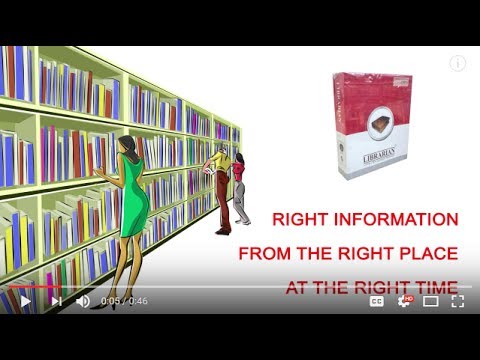

Watch the demo video to explore key features, real workflows, and how the software fits your business needs.
 Windows
  iOS
iOS  Android MacOS Windows(Phone)
  Desktop
  Mobile
  Cloud-Based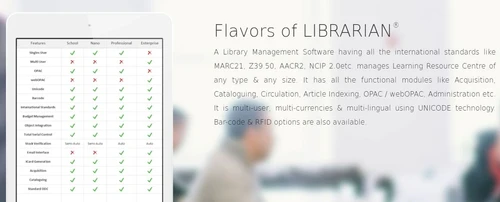
Small Business
Designed for startups and growing businesses
Medium Business
Built for business growth and flexibility
Enterprises
Designed for complex and large-scale business needs
4.2
Out of 5

Overall Rating
Based on
10 Verified Reviews
Rating Breakdown
86% Recommend this Product
Add ReviewUsers generally appreciate Librarian software for its reliability, ease of use, and affordability, making it a suitable choice for small to medium-sized libraries. Many highlight the straightforward setup, effective inventory tracking, and helpful customer support as key benefits. However, common limitations include a lack of advanced analytics, limited scalability for larger libraries, and some features requiring additional costs or modules. Overall, it serves well for basic library management needs but may not meet the demands of larger operations.

Apr 17, 2025
Techjockey Verified
“Reliable and Easy to Use”
We've found Librarian software to be reliable and easy to use. It covers all the basic functions we need for our library. While it doesn't have advanced analytics, it serves our purposes well.
Pros
Stable performance and straightforward features.
Cons
Lacks advanced analytics.
Reason to switch
Librarian provided a more straightforward and user-friendly interface, which made daily tasks easier for our staff.
Mar 22, 2025
Techjockey Verified
“Great for Managing Small Libraries”
For our small library, Librarian software has been a great tool. Setting it up was straightforward, and it helps us keep track of our inventory effectively. It's been a good fit for our needs.
Pros
Simple setup and effective inventory tracking.
Cons
Limited scalability for larger libraries.
Reason to switch
Librarian offered a more cost-effective solution with features tailored for smaller libraries, making it a better fit for our limited budget and specific needs.
Mar 13, 2025
Techjockey Verified
“Reliable and Easy to Use”
We've found Librarian software to be reliable and easy to use. It covers all the basic functions we need for our library. While it doesn't have advanced analytics, it serves our purposes well.
Pros
Stable performance and straightforward features.
Cons
Lacks advanced analytics.
Reason to switch
Librarian was more reliable and easier to use.

Librarian
Price On Request
Desktop
Mobile
Web based
On Premises
Windows
Mac OS

Cybrarian
Price On Request
Desktop
Mobile
Web based
On Premises
Windows
Mac OS

GLibrary
₹ 15000
Desktop
Mobile
Web based
On Premises
Windows
Mac OS

CodeAchi Library Management
₹ 9999
Desktop
Mobile
Web based
On Premises
Windows
Mac OS

Easylib
Price On Request
Desktop
Mobile
Web based
On Premises
Windows
Mac OS

Libsys 10
₹ 500000
Desktop
Mobile
Web based
On Premises
Windows
Mac OS

My Library
Price On Request
Desktop
Mobile
Web based
On Premises
Windows
Mac OS

Mintbook Digital Library
Price On Request
Desktop
Mobile
Web based
On Premises
Windows
Mac OS

Ampletrails Library
Price On Request
Desktop
Mobile
Web based
On Premises
Windows
Mac OS

Librarify™
₹ 650
Desktop
Mobile
Web based
On Premises
Windows
Mac OS

Library Management ERP
Price On Request
Desktop
Mobile
Web based
On Premises
Windows
Mac OS
(0) Product(s) selected
Available
Price on Request

Available
Price on Request

Available
Price on Request

Available
Price on Request
Available
Price on Request
CR2 DMS is a document management software that can effectively manage your organisation’s important documents and reduce the hassle of physically handling them.
Yes, it is. CR2 DMS is a document management software that allows document sharing to more than one user at the same time.
Yes, you will get a free demo of CR2 DMS.
Librarian is a complete library management and automation software solution that enables librarians to manage and disseminate information from various print and non-print resources.
Librarian pricing details are available on request on techjockey.com.
No, Librarian is a commercial software product and is not available for free, with pricing provided upon request from the vendor.
Librarian software handles key library operations including the cataloguing of resources, circulation of materials using barcodes or RFID, acquisition of new items, and serial control for periodicals.
Librarian software supports several international standards, including AACR2 for cataloguing, MARC21 and Z39.50 for record import/export, and NCIP 2.0 for RFID integration.
Librarian can manage a wide variety of print and non-print materials, including books, e-journals, CDs, DVDs, audio/video files, project reports, and maps.
Yes, Librarian is RFID-ready and fully supports the use of both barcode and RFID technology to simplify and speed up the circulation process.
The acquisition module manages the entire procurement process, from handling member suggestions and comparing quotations to processing purchases, invoicing, and accessioning new resources.
Librarian is a versatile solution that can be deployed on desktop, web-based, and mobile platforms, with support for Windows, macOS, iOS, and Android devices.
20,000+ Software Listed
Best Price Guranteed
Free Expert Consultation
2M+ Happy Customers
Terms and Condtions

Users with registered businesses can purchase goods from merchants on the platform to satisfy their business needs. Users are not permitted to utilize any products acquired through the platform for resale, advertising, business, or further distribution.
For each purchase made, users will receive a Tax Invoice (or 'GST invoice') that includes specific details such as:
the GSTIN of the user associated with their registered business, and
the specified Entity Name for their business.
It should be noted that not all products are eligible for GST Invoice. Only the products displayed by participating sellers with the 'GST-based Invoice Available' callout on the product description page would qualify.
Certain goods and services are not eligible to get a GST Invoice, including items with VAS, i.e., Value Added Services (e.g., Total Mobile Protection/Assured Buyback) and those involving an exchange offer at the time of purchase.
Users must ensure the accuracy of the GSTIN, and business entity name provided for the GST Invoice. Requests for corrections into GST Invoice would not be accommodated by Techjockey.com or any Seller, and any issues arising from user-provided information are the sole responsibility of users.
Techjockey.com is not liable for the GST Invoice or any associated input tax credit. To efficiently claim an input tax credit, users should select the registered place of business address as per the GST authority's data and follow the provisions of the GST Act and rules.
To claim an input tax credit, the delivery and billing addresses must match. Furthermore, input tax credits will not be granted if the delivery address and GSTIN on the invoice are from different states. In case of incorrect GST details provided during the order placement, the order will be canceled automatically.