linkedin
Logomaster AI logo
Logomaster AI Style
Logomaster AI Web ready
Logomaster AI Royalty

Logomaster AI

Brand: Logomaster AI

  • 4.3

  • 4 Ratings

Logomaster AI Designing Software stands as a game-changer in logo design with its intelligent logo generation, comprehensive editing tools, user-friendly interface, and seamless integration capabilities.

See More

Have you used Logomaster AI before?

Share your insights for better experience

Add a Review
Starting Price
₹990 excl.GST
₹ 1,168 incl. GST

View plans

offer Save upto 18%, Get GST Invoice on your business purchase T&C
offer Buy Now & Pay Later, Check offer on payment page.
Buy Now
100% Genuine
Products
Best Price
Guaranteed
Safe & Secure
Payment
  • Description

  • Pricing

  • Features

  • Specification

  • Review

  • Compare

  • Alternatives

  • FAQ

Starting at ₹990
Buy Now

Logomaster AISoftware Overview

What is Logomaster AI Software?

Logomaster AI is a revolutionary software for users to create unique and professional logos in minutes. This software doesn't require any professional graphic designer skills to use. Any business or individual can make hundreds of custom logo templates in minutes. Companies can create a perfect logo with this software to reflect the brand identity and values. This logo maker is easy to use, and users can select the type of logo, colors, fonts, and resolution and watch the AI do its task to generate symbols in minutes. The benefits of using this ai designing software are an intuitive interface, AI-driven design, low cost, and time saver. Logomaster.ai is a perfect tool for anyone wanting to create a logo to stand out.

One of the critical highlights of Logomaster AI is its intelligent logo generation capability. The software generates a wide array of logo options tailored to your specifications by simply inputting your company name and selecting a few design preferences. These designs are not just random combinations but are crafted by the AI algorithm, which analyzes millions of design elements and trends to create visually appealing and unique logos. This feature saves users valuable time and effort in brainstorming and sketching logo ideas from scratch.

In addition to its logo generation feature, Logomaster AI offers a comprehensive set of editing tools to customize and fine-tune your logo. Users can modify colors, fonts, shapes, and layouts, allowing for endless possibilities in creating the perfect logo that reflects their brand identity. The software also provides a vast library of icons, graphics, and illustrations, enabling users to enhance their designs with various visual elements.

Why Choose Logomaster AI System?

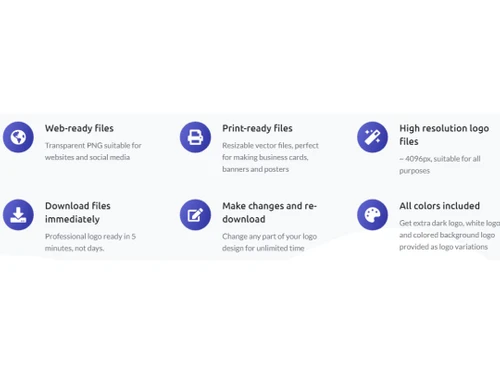
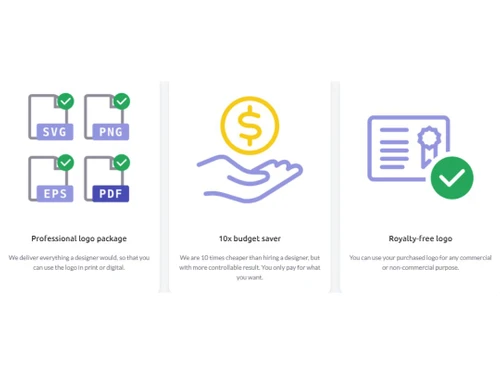
  • Royalty-free logos: This software provides professional royalty-free logos for users to use commercially.
  • Professional logo package: The logo package by Logomaster offers all the essential files for print and digital use.
  • Downloadable files: Create, edit, and generate high-resolution logos and download them in 5 minutes.
  • Print-ready files: This software offers vector files that are easy to create perfect banners, posters, and business cards.
  • Logo Variation: Get variations of the logo based on colors like dark logo, white logo, or colored background logo.

Benefits of Logomaster AI Designing Software

  • Logomaster.ai is a comprehensive design solution that everyone can easily use due to its user-friendly interface.?
  • You can create professional logos without a graphic designer.
  • Generate beautiful and thought-provoking logos in minutes.
  • The software offers customizable logo templates that will make your design stand out.?
  • Logomaster AI is cheaper than usual logo maker software.

Logomaster AI Pricing

Logomaster AI design system pricing is available at INR 990 per licenece (one-time) at techjockey.com.

The overall pricing model is based on different factors such as personalization, extra features required, total users, and deployment type. Please feel free to request a call from our product experts if you want to learn more about our subscription plans or premium package deals.

Read more

Logomaster AI Pricing & Plans

Basic

Calculated Price

990 Exclusive of all taxes
    • Licenses (OneTime)

      Licenses (OneTime)
      Licenses (OneTime)

Key Features

  • High resolution logo files

  • Web-ready files

  • Download files immediately

  • Logo on white & transparent backgrounds

  • Changes not allowed after purchase

Premium

Calculated Price

2390 Exclusive of all taxes
    • Licenses (OneTime)

      Licenses (OneTime)
      Licenses (OneTime)

Key Features

  • High resolution logo files

  • Web-ready files

  • Print-ready files

  • Make unlimited changes and re-download

  • Custom background color

Enterprise

Calculated Price

3790 Exclusive of all taxes
    • Licenses (OneTime)

      Licenses (OneTime)
      Licenses (OneTime)

Key Features

  • Everything in Premium

  • All colors included

  • Create & keep up to 5 logo variations

  • Social media assets

  • Real world mockup images

Logomaster AI Features

  • icon_check AI Design Engine
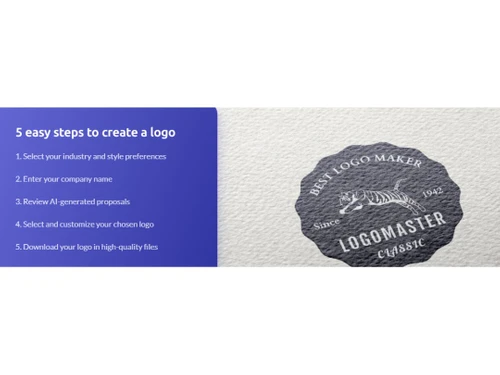
    Generate over one hundred unique logo proposals in seconds based on your specific business name, industry, and style today.
  • icon_check Instant Previews
    Visualize how your new logo looks on business cards, websites, and signage with real-time mockup generation tools today.
  • icon_check Print-Ready Vectors
    Access resizable SVG and PDF vector files that ensure your logo looks sharp on large banners and professional print media.
  • icon_check Smart Color Palette
    Experiment with professional color schemes and custom hex codes to find the perfect palette that represents your brand fast.
  • icon_check Curated Font Library
    Choose from a wide selection of premium typography styles including minimalistic, retro, and luxury fonts for your logo.
  • icon_check Royalty-Free Rights
    Gain full commercial and non-commercial ownership of your purchased logo to use across all global platforms without fees.
  • icon_check Logo Customization
    Get a library of logos for different industries and customize them per the requirements.
  • icon_check Easy to Use
    This software has a built-in logo editor and smooth navigational features.
  • icon_check Drag & Drop
    This software offers drag and drop facilities for users to add or remove logo components very easily.
  • icon_check Web-Ready
    The generated logo can be edited and exported in PNG format suitable for websites and social media.
  • icon_check High Resolution
    Get a high-resolution logo with 4096px for all purposes.
  • icon_check AI-Generated Logos
    The cutting-edge AI-generated logos are attractive to use, and with little customization, users can create professional logos.
  • icon_check User-Friendly Interface
    Create a professional logo easily in minutes without any creative or designing skills.
  • icon_check Templates
    Logomaster AI has a library of 100+ logo templates for users to select, edit and customize as per need.
  • icon_check Cost-Effective
    Create hundreds of professional logos at a very minimum price and save the budget for graphic designers.

Logomaster AI Specification

Supported Platforms
Ubuntu Ubuntu Windows Windows MacOS MacOS Linux Linux
Devices
Desktop Desktop Mobile Mobile Tablet Tablet iPad iPad
Deployment
Web-Based Web-Based
Suitable For
All Industries
Business Specific
All Businesses
Business Size
Small Business Startups Medium Business Enterprises
Customer Support
Email Communities
Language
English
Training Resources
Documentation
AI Features
AI Integrated

Explore the Best Alternative Solutions Similar to Your Business Size and Needs

Logomaster AI Review

4.3

Out of 5

img

Overall Rating

Based on
4 Verified Ratings

Rating Breakdown

  • Features 3.7
  • Value for Money 4.3
  • Ease of Use 4.5
  • Customer Support 4.6

87% Recommend this Product

Add Review

Be the First to Review

This product has no reviews yet. Be the first to leave your feedback.

Add Review

Compare Logomaster AI With other Logo Designing Softwares

Products
Ratings
Pricing
Device Supported
Deployment
Supported Platforms
  • img

    Logomaster AI

  • 4.3

  • ₹ 990.00 excl. GST

  • Desktop

    Mobile

  • Web based

    On Premises

  • Windows

    Mac OS

  • img

    Designs Logomaker

  • 5

  • Price On Request

  • Desktop

    Mobile

  • Web based

    On Premises

  • Windows

    Mac OS

  • img

    Turbologo

  • 4.3

  • ₹ 790

  • Desktop

    Mobile

  • Web based

    On Premises

  • Windows

    Mac OS

  • img

    SMASHINGLOGO

  • 4.2

  • Price On Request

  • Desktop

    Mobile

  • Web based

    On Premises

  • Windows

    Mac OS

  • img

    Brandmark

  • 4.4

  • Price On Request

  • Desktop

    Mobile

  • Web based

    On Premises

  • Windows

    Mac OS

  • img

    Stockimg AI

  • 4.1

  • Price On Request

  • Desktop

    Mobile

  • Web based

    On Premises

  • Windows

    Mac OS

  • img

    MakeLogo AI

  • 4.2

  • Price On Request

  • Desktop

    Mobile

  • Web based

    On Premises

  • Windows

    Mac OS

  • img

    LogoAI

  • 4.5

  • Price On Request

  • Desktop

    Mobile

  • Web based

    On Premises

  • Windows

    Mac OS

  • img

    Logo Maker

  • 4.4

  • Price On Request

  • Desktop

    Mobile

  • Web based

    On Premises

  • Windows

    Mac OS

  • img

    Looka

  • 4.6

  • Price On Request

  • Desktop

    Mobile

  • Web based

    On Premises

  • Windows

    Mac OS

  • img

    DesignEvo

  • 3.9

  • Price On Request

  • Desktop

    Mobile

  • Web based

    On Premises

  • Windows

    Mac OS

(0) Product(s) selected

Logomaster AI Alternatives

See All Logomaster AI Alternatives

Available

Price on Request

Starting Price:

$25 /Licenses
Which operating system does the Logomaster Software Support?

Logomaster AI software is compatible with Windows operating systems.

Is there any Logomaster AI app?

Logomaster app is not available on Android and iOS devices.

What is the deployment type of the Logomaster AI System?

Logomaster AI system supports Cloud-based deployment.

How much does the Logomaster AI Designing solution cost?

Logomaster AI design system pricing is available at INR 990 per licenece (one-time) at techjockey.com.

Who are the potential users of the Logomaster AI Designing Software?

Logomaster AI Designing software can be used by animators, photo editors, and graphic designers. And individuals who need photo editing software.

Is there any free trial or demo for Logomaster AI?

Logomaster AI demo is available for free with techjockey.com.

Is the Logomaster AI Designing software free?

Logomaster AI Designing solution offers a free trial.

How can you download the Logomaster AI Designing solution?

Logomaster AI is a web-based platform. So, you need not download any software or app to use it.

How does the Logomaster AI Designing solution work??

Logomaster AI software provides a user-friendly platform for video creators. It offers features such as easy downloading, AI-enhanced resolutions, automated effects, and filters to enhance the user experience.

20,000+ Software Listed

Best Price Guranteed

Free Expert Consultation

2M+ Happy Customers

Terms and Condtions

close

Users with registered businesses can purchase goods from merchants on the platform to satisfy their business needs. Users are not permitted to utilize any products acquired through the platform for resale, advertising, business, or further distribution.

For each purchase made, users will receive a Tax Invoice (or 'GST invoice') that includes specific details such as:

  • the GSTIN of the user associated with their registered business, and

  • the specified Entity Name for their business.

It should be noted that not all products are eligible for GST Invoice. Only the products displayed by participating sellers with the 'GST-based Invoice Available' callout on the product description page would qualify.

Certain goods and services are not eligible to get a GST Invoice, including items with VAS, i.e., Value Added Services (e.g., Total Mobile Protection/Assured Buyback) and those involving an exchange offer at the time of purchase.

Users must ensure the accuracy of the GSTIN, and business entity name provided for the GST Invoice. Requests for corrections into GST Invoice would not be accommodated by Techjockey.com or any Seller, and any issues arising from user-provided information are the sole responsibility of users.

Techjockey.com is not liable for the GST Invoice or any associated input tax credit. To efficiently claim an input tax credit, users should select the registered place of business address as per the GST authority's data and follow the provisions of the GST Act and rules.

To claim an input tax credit, the delivery and billing addresses must match. Furthermore, input tax credits will not be granted if the delivery address and GSTIN on the invoice are from different states. In case of incorrect GST details provided during the order placement, the order will be canceled automatically.