 USA
USA UAE
UAESmall Business
Designed for startups and growing businesses

See More





Brand: LongShot
An AI-powered long-form content generation platform designed to help writers, marketers, and businesses create high-quality, SEO-friendly content at scale.
See MoreHave you used LongShot before?
Share your insights for better experience
Brand: LongShot
Founded Year: 2021
LongShot is an AI writing assistant that offers accurate, personalized, and optimized content.
Core Writing & Editing Tools
 Paraphrasing Content Formatting Grammar & Punctuation Check Readability Score Content Scoring File Upload Management Version History Tone & Style Adjustment Spelling & Proofing Vocabulary Enhancement
 Content Generation
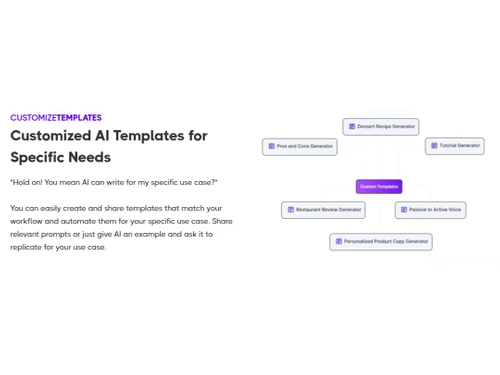
Custom Templates Audience Targeting Content Ideas Automated Outlining SEO-Optimized Content Blog Post Creation Headlines & Taglines Video Script Generation Social Media Posts Marketing Copy Topic Clustering Collaboration
Team Collaboration API Access Export & Sharing Options Security and Compliance
User Access Management Data Encryption SOC 2 Compliance GDPR Compliant AI Act Compliance Bias Mitigation Audit Logs Integrations
API Integration Third Party Integration Browser Extension Google Workspace Integration Microsoft Office Integration Learning Management System (LMS) Integration CMS Integration Language Support
Multilingual Writing Translation Assistance Localization Suggestions Analytics & Reporting
Content Optimization Suggestions Predictive Analysis Performance Analytics AI Capabilities
Plagiarism Detection Multi-Model Support Summarisation Citation Generation AI Detection Custom Prompts Citation Suggestions AI Content Generation Administrative Features
API Access Role-Based Access Control (RBAC) User Access Management Team Management Data Loss Prevention Others
Workflow Automation Fact-Checker Repurpose Content Automatic Internal Links AI Humanizer Programmatic SEO 

Watch the demo video to explore key features, real workflows, and how the software fits your business needs.
 Ubuntu
  Windows
  MacOS
MacOS  Linux
Linux  Desktop
  Cloud-Based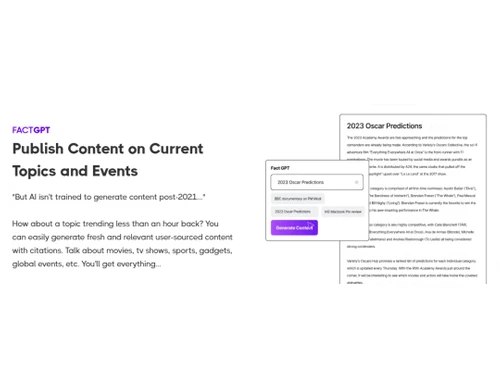

Small Business
Designed for startups and growing businesses
Medium Business
Built for business growth and flexibility
Enterprises
Designed for complex and large-scale business needs
4.3
Out of 5

Overall Rating
Based on
13 Verified Reviews
Rating Breakdown
88% Recommend this Product
Add ReviewOverall, users appreciate LongShot for its strong performance in generating long-form content quickly and effectively, often highlighting its value for money and robust feature set, including fact-checking and SEO tools. Many find it particularly useful for overcoming writer's block and structuring complex articles. However, some users express concerns about the pricing model, noting unexpected credit depletion and a steep learning curve. Additionally, there are mentions of occasional inaccuracies in technical content and the need for manual editing to refine tone and style.
Pros
"Users say the tool is fast, reliable, and generates content more swiftly than many competitors. Output generation time is good."
"On general topics, content quality is good; readability and flow are decent; for many use cases, edits are modest."
"Compared to many AI writing tools with fewer features, LongShot gives great value. SEO tools, fact checking, niche templates etc."
Cons
"If prompt context isn’t set well, results may be generic; sometimes structural coherence across sections or long articles needs manual input."
"For highly technical or niche subjects with domain-specific jargon, the tool sometimes makes errors in detail or context. Requires more editing."
"Some reviews mention “deceptive pricing” or credit depletion issues; plan limits sometimes tighter than described; “2000 credits” or “runs” are not always well explained."




Aug 5, 2025
Techjockey Verified
“Some Pricing/Usage Surprises, But Good Overall Value”
I signed up, started using credits, and found that I ran out sooner than I expected because some features consume more. The pricing is okay, but you need to understand the credit system well. Still, the quality and features usually make up for these issues.
Pros
Compared to many AI writing tools with fewer features, LongShot gives great value. SEO tools, fact checking, niche templates etc.
Cons
Some reviews mention “deceptive pricing” or credit depletion issues; plan limits sometimes tighter than described; “2000 credits” or “runs” are not always well explained.
Reason to switch
I switched from a tool like Writesonic because cost per content / SEO-features were lacking; even though LongShot has credit/limit surprises, the overall output and features justify switching.
Sep 24, 2025
Techjockey Verified
“Strong Performance & Speed in Content Creation”
I was spending many hours doing research + writing. LongShot cut that down: I can outline + draft quickly, especially when content topics are known. Of course, I still spend time reviewing, but the baseline is much higher.
Pros
Users say the tool is fast, reliable, and generates content more swiftly than many competitors. Output generation time is good.
Cons
If prompt context isn’t set well, results may be generic; sometimes structural coherence across sections or long articles needs manual input.
Reason to switch
I switched because those tools were either slower in drafting long pieces or had worse coherence; LongShot gives me a more usable draft out of the box.
Aug 18, 2025
Techjockey Verified
“Reliable Output but Not Perfect for Highly Technical Content”
I write tech articles, and LongShot works well for many posts. But when I dive into specialized areas (ML algorithms, hardware specs), I have to spend more time fixing inaccuracies.
Pros
On general topics, content quality is good; readability and flow are decent; for many use cases, edits are modest.
Cons
For highly technical or niche subjects with domain-specific jargon, the tool sometimes makes errors in detail or context. Requires more editing.
Reason to switch
I left a generic AI writer because it performed poorly in technical content; LongShot is overall better in a broad range, though I still combine with expert review for niche pieces.

LongShot
Price On Request
Desktop
Mobile
Web based
On Premises
Windows
Mac OS

Paperpal
Price On Request
Desktop
Mobile
Web based
On Premises
Windows
Mac OS

Rayo
Price On Request
Desktop
Mobile
Web based
On Premises
Windows
Mac OS

Quillbot AI
Price On Request
Desktop
Mobile
Web based
On Premises
Windows
Mac OS

Junia AI
Price On Request
Desktop
Mobile
Web based
On Premises
Windows
Mac OS

HIX AI Writer
₹ 1081
Desktop
Mobile
Web based
On Premises
Windows
Mac OS

Text Cortex
Price On Request
Desktop
Mobile
Web based
On Premises
Windows
Mac OS

Shopia
Price On Request
Desktop
Mobile
Web based
On Premises
Windows
Mac OS

SEO AI
Price On Request
Desktop
Mobile
Web based
On Premises
Windows
Mac OS

Yarnit
Price On Request
Desktop
Mobile
Web based
On Premises
Windows
Mac OS

Autoblogging AI
Price On Request
Desktop
Mobile
Web based
On Premises
Windows
Mac OS
(0) Product(s) selected
Starting Price:
₹2,596 /Month
Starting Price:
$34 /Month
Starting Price:
$49 /Month
Starting Price:
$49 /month

Starting Price:
$19

Starting Price:
$29 /Month

Starting Price:
$16 /Month

Starting Price:
$13 /Month

Starting Price:
$25 /Month

Starting Price:
£2 /Month

Starting Price:
$45 /Month
LongShot pricing starts at USD 29 at Techjockey.com. Pricing is customised based on specific business needs.
LongShot is a web-based platform, so it works on all major operating systems, including Windows, macOS, and Linux. You only need a browser and an internet connection to use it.
LongShot uses AI to assist with topic research, content generation, fact-checking, and SEO optimization. Users input their topic or keywords, and the tool creates structured, long-form content based on the prompts.
Yes, LongShot is ideal for small businesses that need consistent, high-quality content without hiring large teams. It helps save time and cut content production costs.
Yes, LongShot typically offers a free trial that allows users to explore key features before upgrading to a paid plan.
Key features include AI long-form writing, fact-checking, SEO optimization, keyword suggestions, templates, plagiarism detection, and team collaboration tools.
Key features include AI long-form writing, fact-checking, SEO optimization, keyword suggestions, templates, plagiarism detection, and team collaboration tools.
Bloggers, content writers, marketers, agencies, small businesses, and teams that produce long-form, SEO-driven content regularly.
LongShot follows standard security practices such as encrypted data transfer and secure account access to protect user content and information.
LongShot is used to research, write, and optimize long-form content such as blogs, articles, website pages, and marketing copy with the help of AI.
20,000+ Software Listed
Best Price Guranteed
Free Expert Consultation
2M+ Happy Customers
Terms and Condtions

Users with registered businesses can purchase goods from merchants on the platform to satisfy their business needs. Users are not permitted to utilize any products acquired through the platform for resale, advertising, business, or further distribution.
For each purchase made, users will receive a Tax Invoice (or 'GST invoice') that includes specific details such as:
the GSTIN of the user associated with their registered business, and
the specified Entity Name for their business.
It should be noted that not all products are eligible for GST Invoice. Only the products displayed by participating sellers with the 'GST-based Invoice Available' callout on the product description page would qualify.
Certain goods and services are not eligible to get a GST Invoice, including items with VAS, i.e., Value Added Services (e.g., Total Mobile Protection/Assured Buyback) and those involving an exchange offer at the time of purchase.
Users must ensure the accuracy of the GSTIN, and business entity name provided for the GST Invoice. Requests for corrections into GST Invoice would not be accommodated by Techjockey.com or any Seller, and any issues arising from user-provided information are the sole responsibility of users.
Techjockey.com is not liable for the GST Invoice or any associated input tax credit. To efficiently claim an input tax credit, users should select the registered place of business address as per the GST authority's data and follow the provisions of the GST Act and rules.
To claim an input tax credit, the delivery and billing addresses must match. Furthermore, input tax credits will not be granted if the delivery address and GSTIN on the invoice are from different states. In case of incorrect GST details provided during the order placement, the order will be canceled automatically.




