linkedin
Luxriot EVO logo
play Luxriot Evo Generation
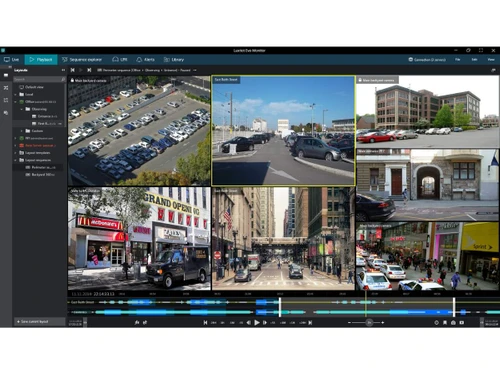
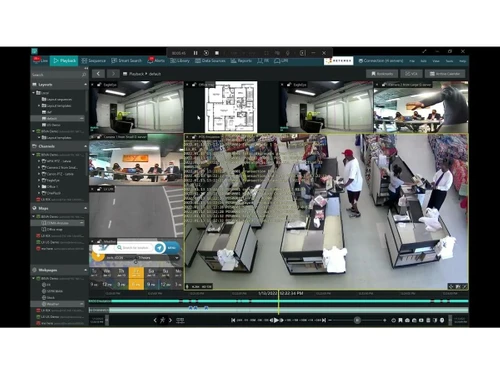
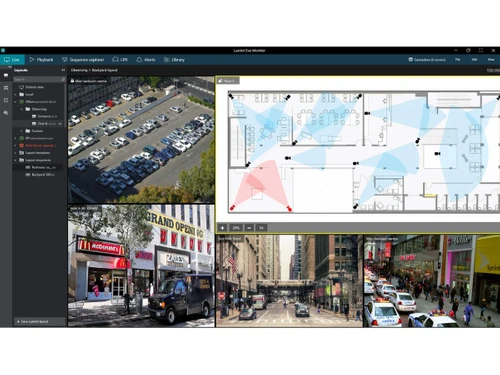
Luxriot Evo-dashboard
Luxriot Evo-layouts

Luxriot EVO

Brand: A&H Software House

  • 4.3

  • 4 Ratings

Have you used Luxriot EVO before?

Share your insights for better experience

Add a Review

Price Available on Request

Questions about pricing or customization? We’re here to help, just a click away.

100% Genuine
Products
Best Price
Guaranteed
Safe & Secure
Payment
  • Description

  • Pricing

  • Features

  • Specification

  • Review

Luxriot EVO Software Overview

A&H Software House Company Details

Founded Year:  2005

Luxriot® VMS is an open architecture Video Management System (VMS).

Director/Founders Orestis Demetriades
Company Size 1-100 Employees

Luxriot EVO Pricing & Plans

Looking for The Right Pricing?

Share your requirements and get a plan built around your business.

  • Define your business needs
  • Get customised pricing
  • Choose features that fit your workflow

Price Available on Request

Get personalised Luxriot EVO pricing that fits your needs. Our team will connect with you.

Luxriot EVO Features

Video Capture & Recording

  • icon_check Recording Modes
    Continuous, event-based, scheduled, alarm-triggered recording.
  • icon_check Anomaly Detection
    AI-based recognition of unusual activities.
  • icon_check Camera Compatibility
    Supports IP, analog, hybrid systems. ONVIF ensures interoperability.
  • icon_check Video Compression & Quality
    Supports H.264, H.265, MPEG-4, MJPEG; adjustable bitrate.
  • icon_check PTZ Control
    Remote Pan-Tilt-Zoom (PTZ) with presets and automated patrol.
  • icon_check Edge Storage & Failover
    SD card recording with auto-sync on connection restore.
  • icon_check Multicast & Multi-Stream
    Bandwidth-efficient adaptive streaming support.
  • icon_check Multi-Live Streaming
    Simultaneous resolution streams to optimize bandwidth.
  • icon_check Tamper Detection
    Detects camera obstruction, redirection, video loss.
  • icon_check Hardware-Accelerated Detection
    Supports NVIDIA & QuickSync acceleration.

Storage & Retention

  • icon_check Storage Options
    Local (HDD/SSD), NAS/SAN, cloud (AWS, Azure, Google), hybrid.
  • icon_check Retention & Data Management
    Configurable retention, automated deletion, overwrite.
  • icon_check Redundancy & Failover
    RAID (RAID 0, 1, 5, 10), failover mechanisms, scheduled backups.
  • icon_check Evidence Locking & Retention
    Secure critical video data for legal compliance.
  • icon_check Media Database Encryption
    Prevents tampering with stored video data.
  • icon_check Hot & Cold Failover Recording
    Ensures uninterrupted recording.

Video Playback & Retrieval

  • icon_check Playback Features
    Multi-camera sync playback, timeline navigation, speed control.
  • icon_check Smart Search & Retrieval
    Motion, object, metadata, AI-powered facial, LPR search.
  • icon_check Export & Sharing
    MP4, AVI, encrypted formats, watermarking, password protection.
  • icon_check Incident Manager & Bookmarks
    Categorization, bookmarking of critical incidents.
  • icon_check Evidence Chain of Custody
    Tracks video access/modifications for compliance.

Video Analytics

  • icon_check Behavioral Analysis
    Crowd detection, intrusion, slip & fall recognition.
  • icon_check Motion & Object Detection
    AI-based detection of people, vehicles, objects.
  • icon_check Facial & License Plate Recognition
    Real-time alerts, whitelist/blacklist management.
  • icon_check Customizable Dashboards
    Role-based live monitoring configurations.

Integrations

  • icon_check Third Party Integrations
    Access control, alarm systems, IoT sensors, fire safety systems.
  • icon_check Multi-Site Federated Management
    Centralized and remote site connectivity.
  • icon_check Interconnected Video Feeds
    Cross-site video integration for enterprise applications.
  • icon_check Open API & Protocols
    RESTful API, ONVIF, RTSP, HTTP, WebSocket's, MQTT.
  • icon_check Smart Map Integration
    Real-time tracking of incidents and objects across mapped areas.
  • icon_check LDAP/Active Directory Integration
    LDAP/Active Directory for centralized user management
  • icon_check Automated Device Discovery
    Auto-detects and registers new cameras.
  • icon_check Firmware Upgrades
    Single & bulk updates for security patching and feature enhancements.

Alerts & Notifications

  • icon_check Event-Based Alerts
    Motion, tampering, object detection, AI-driven event notifications.
  • icon_check Notification Channels
    Email, SMS, push notifications, webhook-based alerts.
  • icon_check Alarm Manager
    Centralized event and alert processing.
  • icon_check Customizable Dashboards
    Role-based live monitoring configurations.

Security & Compliance

  • icon_check Audit Logs
    Keep detailed logs of system activity for security and accountability.
  • icon_check Data Security
    AES-256 encryption, HTTPS/SSL communication, secure user authentication.
  • icon_check Data Encryption
    Protection against tampering and unauthorized access.
  • icon_check Secure Remote Access
    Web-based browser access, VPN, cloud relay for secure remote viewing.
  • icon_check Role-Based Access Control (RBAC)
    Assign specific roles and permissions to ensure proper access control
  • icon_check Audit Trails
    Track changes and updates within the system for enhanced security and transparency.
  • icon_check ONVIF Compliance
    ONVIF compliance ensures interoperability.
  • icon_check Authentication & Authorization
    Multi-Factor Authentication (MFA), Single Sign-On (SSO) via OIDC.
  • icon_check Incident Reporting
    Automated event logging for compliance.
  • icon_check Regulatory Compliance
    GDPR, ISO 27001, NIST cybersecurity framework adherence.
  • icon_check Device Password Management
    Secure camera and system access management.
Luxriot EVO Demo Video play icon

Get Luxriot EVO Demo

Watch the demo video to explore key features, real workflows, and how the software fits your business needs.

Understand
Key Features
Personal
Demo Insights
Interactive
Demo Support

Luxriot EVO Specifications

Supported Platforms
Windows Windows
Devices
Desktop Desktop
Deployment
Perpetual Perpetual
Suitable For
All Industries
Business Specific
All Businesses
Business Size
Small Business Startups Medium Business Enterprises
Customer Support
Email Communities
Language
English
Training Resources
Videos

Luxriot EVO Review

4.3

Out of 5

img

Overall Rating

Based on
4 Verified Ratings

Rating Breakdown

  • Features 4.1
  • Value for Money 4.2
  • Ease of Use 4.5
  • Customer Support 4.3

80% Recommend this Product

Add Review

Be the First to Review

This product has no reviews yet. Be the first to leave your feedback.

Add Review

Articles for Luxriot EVO

See All Related Articles

20,000+ Software Listed

Best Price Guranteed

Free Expert Consultation

2M+ Happy Customers

Terms and Condtions

close

Users with registered businesses can purchase goods from merchants on the platform to satisfy their business needs. Users are not permitted to utilize any products acquired through the platform for resale, advertising, business, or further distribution.

For each purchase made, users will receive a Tax Invoice (or 'GST invoice') that includes specific details such as:

  • the GSTIN of the user associated with their registered business, and

  • the specified Entity Name for their business.

It should be noted that not all products are eligible for GST Invoice. Only the products displayed by participating sellers with the 'GST-based Invoice Available' callout on the product description page would qualify.

Certain goods and services are not eligible to get a GST Invoice, including items with VAS, i.e., Value Added Services (e.g., Total Mobile Protection/Assured Buyback) and those involving an exchange offer at the time of purchase.

Users must ensure the accuracy of the GSTIN, and business entity name provided for the GST Invoice. Requests for corrections into GST Invoice would not be accommodated by Techjockey.com or any Seller, and any issues arising from user-provided information are the sole responsibility of users.

Techjockey.com is not liable for the GST Invoice or any associated input tax credit. To efficiently claim an input tax credit, users should select the registered place of business address as per the GST authority's data and follow the provisions of the GST Act and rules.

To claim an input tax credit, the delivery and billing addresses must match. Furthermore, input tax credits will not be granted if the delivery address and GSTIN on the invoice are from different states. In case of incorrect GST details provided during the order placement, the order will be canceled automatically.