linkedin
MimicPC logo
play MimicPC: Run AI Apps in Your Browser for Free!
Mimicpc Ai App
mimicpc secure

MimicPC

Brand: MimicPC

  • 4

  • 6 Ratings

MimicPC is a generative AI tool that creates realistic, synthetic computer images and user interfaces. It uses advanced algorithms to generate diverse and customizable visuals for various applications.

See More

Have you used MimicPC before?

Share your insights for better experience

Add a Review
Starting Price
$8

View plans

100% Genuine
Products
Best Price
Guaranteed
Safe & Secure
Payment
  • Description

  • Pricing

  • Features

  • Specification

  • Review

  • Compare

  • Alternatives

  • FAQ

Starting at $8

MimicPC Software Overview

What is MimicPC?

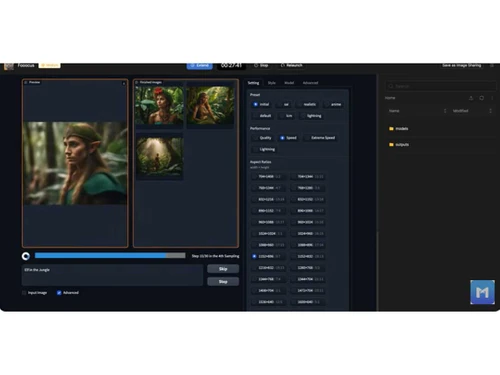
MimicPC is an AI image generator tool that allows users to create high-quality images and enhance visuals directly from their web browsers without complex installations or high-end hardware. It leverages advanced algorithms like Stable Diffusion and RealESRGA to generate stunning images based on user prompts.

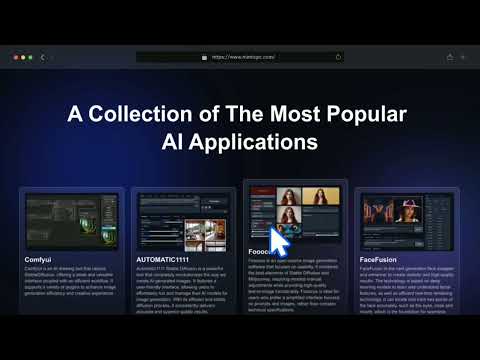
The platform is designed for ease of use, enabling users to select from various pre-installed AI applications and launch them with a single click. MimicPC also offers specialized tools for facial enhancement, such as FaceFusion, allowing for precise image modification. The tool is used for designing mockups, user interfaces, and other graphical elements. MimicPC helps streamline the design process by providing high-quality, diverse images. It is particularly useful for developers and designers seeking efficient and creative visual solutions.

Why Choose MimicPC Software?

  • Instant Access: Launch AI apps like Stable Diffusion directly in your browser, with no downloads needed. Skip complex installations to get started quickly.
  • Realistic Visuals: It generates highly realistic and customizable computer images, enhancing the quality of design mockups and user interfaces.
  • Intuitive Interface: Enjoy a user-friendly, hassle-free platform designed for creativity and ease of use, customizable with ComfyUI for superior control.
  • High-Quality Image Generation: Generate stunning images using advanced algorithms like Stable Diffusion and RealESRGA, utilizing specialized tools like FaceFusion and Waifu Diffusion for unique image creation.
  • Facial Enhancement: Use FaceFusion and Automatic1111 WebUI to transform and blend faces with precision, enhancing facial details with advanced AI technology.
  • Seamless Integration: Focus simplifies the integration of multiple AI tools to streamline your workflow and boost productivity with intuitive features.
  • Efficient Project Management: Automatic1111 WebUI provides a comprehensive web-based platform for managing AI projects optimizing your workflow with easy-to-use solutions.

Benefits of MimicPC Platform

  • Accessibility: It allows users to access powerful AI image generation tools directly from their browser, eliminating the need for expensive hardware or complex installations.
  • High-Quality Outputs: Users can generate stunning, high-quality images using advanced algorithms like Stable Diffusion and RealESRGA.
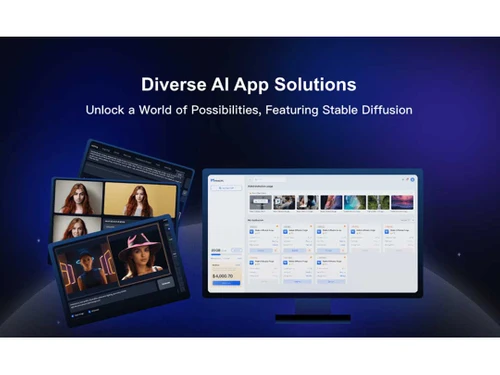
  • Diverse AI Applications: It offers access to over 20 pre-installed AI applications, including specialized tools for facial enhancement and artistic creation.
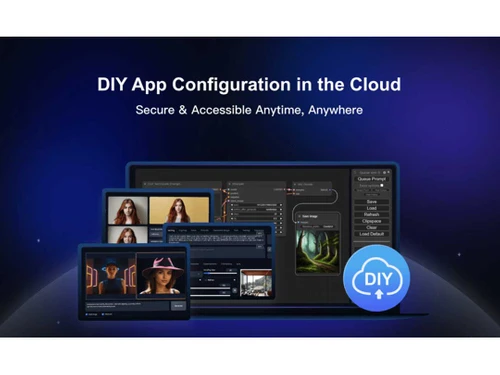
  • Cloud-Based Processing: All processing is done in the cloud, allowing users to run demanding applications without requiring high-end local machines.
  • Customizable Experience: Users can personalize their workspace with ComfyUI for enhanced control and a tailored experience.
  • Cost-Effective Plans: It offers flexible pricing options, including a free plan and affordable subscription models, making it accessible to many users.
  • Community Support: An active community and support resources are available to assist users with troubleshooting and maximizing their platform use.

Pricing of MimicPC

MimicPC price in India starts at $49 at techjockey.com.

The pricing model is based on different parameters, including extra features, deployment type, and the total number of users. If you have further queries related to the product, you can contact our product team to learn more about the pricing and offers.

Read more

MimicPC Pricing & Plans

Promotion
Key Features
  • Access to ALL pre-installed APPs
  • 100 GB or more free storage per month
  • SDXL(1024*1024@20 Steps) from 8 sec
  • Large / Very Large batching size.
  • VRAM options: 16GB / 24GB / 48GB
  • $5.00 or more in monthly credits
  • Priority support and early access to new features.
Starting at $8
    • Licenses

      Licenses
      Licenses
    • Monthly

      Monthly
      Monthly

Key Features

  • Access to ALL pre-installed APPs

  • 100 GB or more free storage per month

  • SDXL(1024*1024@20 Steps) from 8 sec

  • Large / Very Large batching size.

  • VRAM options: 16GB / 24GB / 48GB

  • $5.00 or more in monthly credits

  • Priority support and early access to new features.

MimicPC Features

  • icon_check Animation
    It supports creating dynamic and engaging animations to enhance visual presentations and user interfaces.
  • icon_check Voice Synchronization
    Allows synchronization of voice and audio with visual elements, improving multimedia presentations.
  • icon_check Performance optimization
    Ensures generated images and animations run smoothly and efficiently, enhancing overall software performance.
  • icon_check Discounts & Promotions
    Provides options for discounts and promotions, making it more affordable and accessible for users.
  • icon_check File Management
    Offers robust file management capabilities to organize, access, and handle design files effectively.
  • icon_check File Sharing
    Facilitates easy sharing of design files and projects with team members or clients.
  • icon_check User Friendly Interface
    Features an intuitive interface that simplifies the design process, making it easy for users to navigate and use the software.
MimicPC Demo Video play icon

Get MimicPC Demo

Watch the demo video to explore key features, real workflows, and how the software fits your business needs.

Understand
Key Features
Personal
Demo Insights
Interactive
Demo Support

MimicPC Specifications

Supported Platforms
iOS iOS Android Android MacOS MacOS
Devices
Desktop Desktop Mobile Mobile
Deployment
Cloud-Based Cloud-Based
Suitable For
All Industries
Business Specific
All Businesses
Business Size
Medium Business SMEs MSMBs
Customer Support
Phone Email Forums
Language
English
Training Resources
In Person
AI Features
AI Integrated

Explore the Best Alternative Solutions Similar to Your Business Size and Needs

MimicPC Review

4

Out of 5

img

Overall Rating

Based on
6 Verified Ratings

Rating Breakdown

  • Features 4.1
  • Value for Money 3.8
  • Ease of Use 3.6
  • Customer Support 4.3

90% Recommend this Product

Add Review

Techjockey Trusted Reviews from Verified Users

No reviews are currently available for MimicPC. Discover similar AI Tools reviews

  • Chatrly

    5.0

    Whats great - Natural voice and chat experience, easy integration, real-time responsiveness, lead generation, user-friendly interface, exce... read more

  • SyncMonster

    4.3

    Whats great - syncMonster is a User-friendly product and its provides high-quality results read more

  • Krutrim AI

    4.4

    Whats great - It helped me communicate and get information in my preferred language. The AI is also easy to use and helped me generate good... read more

Compare MimicPC With other AI Tools

Products
Ratings
Pricing
Device Supported
Deployment
Supported Platforms
  • img

    MimicPC

  • 4

  • Price On Request

  • Desktop

    Mobile

  • Web based

    On Premises

  • Windows

    Mac OS

  • img

    Devin AI

  • 4.4

  • Price On Request

  • Desktop

    Mobile

  • Web based

    On Premises

  • Windows

    Mac OS

  • img

    NovelAI

  • 4.5

  • Price On Request

  • Desktop

    Mobile

  • Web based

    On Premises

  • Windows

    Mac OS

  • img

    Krea AI

  • 4.3

  • Price On Request

  • Desktop

    Mobile

  • Web based

    On Premises

  • Windows

    Mac OS

  • img

    Kling AI

  • 4.0

  • Price On Request

  • Desktop

    Mobile

  • Web based

    On Premises

  • Windows

    Mac OS

  • img

    Hailuo AI

  • 4.3

  • Price On Request

  • Desktop

    Mobile

  • Web based

    On Premises

  • Windows

    Mac OS

  • img

    Jibyte AI

  • 4.3

  • Price On Request

  • Desktop

    Mobile

  • Web based

    On Premises

  • Windows

    Mac OS

  • img

    Media io

  • 4.3

  • Price On Request

  • Desktop

    Mobile

  • Web based

    On Premises

  • Windows

    Mac OS

  • img

    ElevenLabs

  • 4.6

  • Price On Request

  • Desktop

    Mobile

  • Web based

    On Premises

  • Windows

    Mac OS

  • img

    Designs AI

  • 4.6

  • Price On Request

  • Desktop

    Mobile

  • Web based

    On Premises

  • Windows

    Mac OS

  • img

    Vmake AI

  • 4.2

  • Price On Request

  • Desktop

    Mobile

  • Web based

    On Premises

  • Windows

    Mac OS

(2) Product(s) selected

MimicPC Alternatives

See All MimicPC Alternatives

Starting Price:

$500 /Month

Starting Price:

$10 /Month

Starting Price:

$10 /Month
Available

Price on Request

Starting Price:

$18 /Month
Starting Price:

$25 /Month

Starting Price:

$5 /Month

Articles for MimicPC

See All Related Articles

What is the cost of MimicPC Software?

The price of MimicPC in India starts from $49 on techjockey.com.

Is there a MimicPC Software app available?

Yes, MimicPC offers an iOS and Android mobile app.

Which operating systems are supported by MimicPC Software?

MimicPC supports major operating systems, including iOS, Android and macOS.

Does MimicPC Software offer a free trial?

Yes, MimicPC free trial is available to test the software before purchasing.

How does MimicPC Software function?

MimicPC generates realistic images and animations using advanced generative AI algorithms.

Who are the target users of MimicPC Software?

Target users of MimicPC include graphic designers, UI/UX designers, and developers.

Is a free demo available for MimicPC Software?

Yes, MimicPC free demo allows users to explore the software's features.

Is MimicPC Software available for free?

MimicPC is not free; it requires a paid subscription or license.

What types of animations can be created with MimicPC Software?

MimicPC allows users to create dynamic user interface animations, transitions, and visual effects.

Can MimicPC Software integrate with other design tools?

MimicPC supports integration with various design tools and platforms for enhanced workflow.

20,000+ Software Listed

Best Price Guranteed

Free Expert Consultation

2M+ Happy Customers

Terms and Condtions

close

Users with registered businesses can purchase goods from merchants on the platform to satisfy their business needs. Users are not permitted to utilize any products acquired through the platform for resale, advertising, business, or further distribution.

For each purchase made, users will receive a Tax Invoice (or 'GST invoice') that includes specific details such as:

  • the GSTIN of the user associated with their registered business, and

  • the specified Entity Name for their business.

It should be noted that not all products are eligible for GST Invoice. Only the products displayed by participating sellers with the 'GST-based Invoice Available' callout on the product description page would qualify.

Certain goods and services are not eligible to get a GST Invoice, including items with VAS, i.e., Value Added Services (e.g., Total Mobile Protection/Assured Buyback) and those involving an exchange offer at the time of purchase.

Users must ensure the accuracy of the GSTIN, and business entity name provided for the GST Invoice. Requests for corrections into GST Invoice would not be accommodated by Techjockey.com or any Seller, and any issues arising from user-provided information are the sole responsibility of users.

Techjockey.com is not liable for the GST Invoice or any associated input tax credit. To efficiently claim an input tax credit, users should select the registered place of business address as per the GST authority's data and follow the provisions of the GST Act and rules.

To claim an input tax credit, the delivery and billing addresses must match. Furthermore, input tax credits will not be granted if the delivery address and GSTIN on the invoice are from different states. In case of incorrect GST details provided during the order placement, the order will be canceled automatically.