linkedin
MISP logo
play Intro to MISP | Demo of the MISP virtual machine
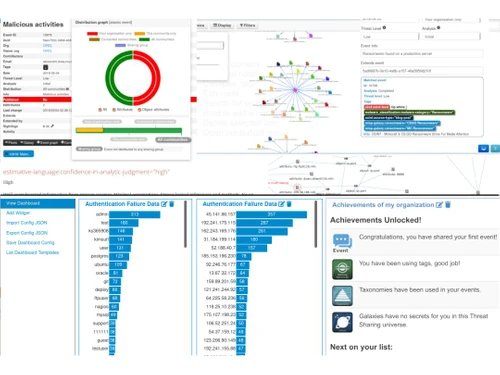
misp dashboard
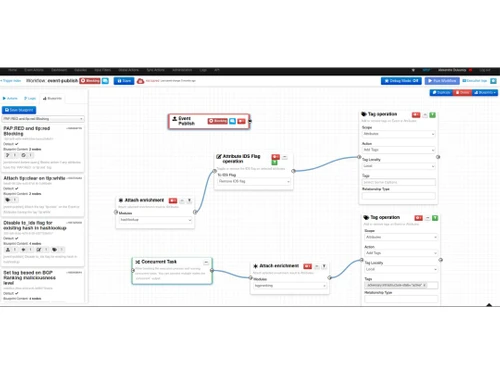
misp flowchart

MISP

Brand: MISP project

  • 4.3

  • 3 Ratings

MISP is an open-source threat intelligence platform designed to improve the sharing of structured threat information among organizations.

See More

Have you used MISP before?

Share your insights for better experience

Add a Review

Free Forever

Get started immediately at no cost. Upgrade anytime if your business demand more.

100% Genuine
Products
Best Price
Guaranteed
Safe & Secure
Payment
  • Description

  • Pricing

  • Features

  • Specification

  • Review

  • Compare

  • Alternatives

  • FAQ

MISP Software Overview

What is MISP?

MISP, or Malware Information Sharing Platform, is an open-source threat intelligence platform that enables organizations to collect, store, and share cyber security indicators and threats effectively. It is designed for incident analysts, security professionals, and malware researchers to facilitate the analysis of cyber incidents and malware.

Key features include an efficient database for indicators of compromise (IoCs), automatic data correlation, and a flexible data model for expressing complex threat intelligence. MISP also supports collaboration through a user-friendly interface and provides various export options for integration with other security systems. Overall, MISP aims to enhance the sharing of structured information within the security community to improve threat detection and response capabilities.

Why Choose MISP Software?

  • Efficient IOC Database: It offers a centralized database for storing and managing technical and non-technical threat data, streamlining collection, analysis, and sharing.
  • Automatic Correlation: The platform's correlation engine identifies relationships and patterns among threat data using advanced methods like fuzzy hashing and CIDR block matching.
  • Flexible Data Model: Its adaptable data model allows for detailed representation and linkage of threat intelligence, incidents, and related elements.
  • Built-in Sharing Functionality: It facilitates easy data sharing with customizable distribution models and automatic synchronization between instances, aligning with organizational sharing policies.

Benefits of MISP Platform

  • Community and Collaboration: It fosters collaboration by supporting multiple threat intelligence communities, allowing organizations to contribute and benefit from shared insights and knowledge.
  • Enhanced Visibility: It provides comprehensive visibility into threat landscapes by aggregating data from various sources, which helps understand the scope and impact of threats.
  • Customizable and Extensible: It is highly customizable and can be extended with plugins and integrations to meet specific organizational needs and integrate with existing security tools.
  • Automated Workflows: It supports the automation of threat intelligence workflows, reducing manual effort and accelerating the response to emerging threats.
  • Improved Threat Detection: Correlating data and identifying patterns enhances the ability to detect and respond to threats more effectively.

Pricing of MISP

MISP price in India is available for FREE at techjockey.com.

The pricing model is based on different parameters, including extra features, deployment type, and the total number of users. If you have further queries related to the product, you can contact our product team to learn more about the pricing and offers.

Read more

MISP project Company Details

Founded Year:  2012

MISP is a community-driven software project that enables sharing, creating, and validating threats about cyber security.

Director/Founders MISP Project
Company Size 1-100 Employees

MISP Pricing & Plans

This Product is Available Free Forever.

Start instantly with no fees, no subscriptions, and no commitments.

  • Full access to basic version available
  • No credit card or sign-up required

Free Forever Plan

Get started immediately at no cost. Upgrade anytime if your business demand more.

Free Forever

MISP Features

  • icon_check Data Aggregation and Normalization
    Collects and standardizes threat data from various sources to ensure consistency and usability.
  • icon_check Workflow Automation
    Automates routine threat intelligence processes, streamlining operations and reducing manual intervention.
  • icon_check Threat Detection and Correlation
    Identifies and connects patterns in threat data to enhance detection and response capabilities.
  • icon_check Custom Object Templates
    Allows users to define and use customized templates for organizing and representing different types of threat information.
  • icon_check Third Party Integration
    Facilitates connections with other security tools and platforms for a more comprehensive threat management system.
  • icon_check Access Control
    Manages user permissions and roles to ensure secure and appropriate access to threat data.
  • icon_check Collaboration
    Supports sharing and cooperation among different users and organizations, enhancing collective threat intelligence.
  • icon_check Alerts & Notifications
    Provides timely updates and warnings about significant threat events or changes, keeping users informed.
  • icon_check Import/Export Management
    It enables the import & export of threat data in various formats, ensuring compatibility and data exchange.
MISP Demo Video play icon

Get MISP Demo

Watch the demo video to explore key features, real workflows, and how the software fits your business needs.

Understand
Key Features
Personal
Demo Insights
Interactive
Demo Support

MISP Specifications

Supported Platforms
Linux Linux
Devices
Desktop Desktop
Deployment
Perpetual Perpetual
Suitable For
All Industries
Business Specific
All Businesses
Business Size
Small Business Startups Medium Business Enterprises
Customer Support
Email Communities
Language
English
Integration
API Integration
Training Resources
Webinars Documentation Videos

Explore the Best Alternative Solutions Similar to Your Business Size and Needs

MISP Review

4.3

Out of 5

img

Overall Rating

Based on
3 Verified Ratings

Rating Breakdown

  • Features 4.3
  • Value for Money 4.6
  • Ease of Use 4.8
  • Customer Support 3.6

83% Recommend this Product

Add Review

Be the First to Review

This product has no reviews yet. Be the first to leave your feedback.

Add Review

Compare MISP With other Threat Intelligence Platform

Products
Ratings
Pricing
Device Supported
Deployment
Supported Platforms
  • img

    MISP

  • 4.3

  • FREE

  • Desktop

    Mobile

  • Web based

    On Premises

  • Windows

    Mac OS

  • img

    Maltego

  • 4.2

  • Price On Request

  • Desktop

    Mobile

  • Web based

    On Premises

  • Windows

    Mac OS

  • img

    Cyble Vision

  • 4.5

  • Price On Request

  • Desktop

    Mobile

  • Web based

    On Premises

  • Windows

    Mac OS

  • img

    Seerist

  • 4.4

  • Price On Request

  • Desktop

    Mobile

  • Web based

    On Premises

  • Windows

    Mac OS

  • img

    CloudSEK XVigil

  • 4.3

  • Price On Request

  • Desktop

    Mobile

  • Web based

    On Premises

  • Windows

    Mac OS

  • img

    Cyware

  • 4.3

  • Price On Request

  • Desktop

    Mobile

  • Web based

    On Premises

  • Windows

    Mac OS

  • img

    Silobreaker

  • 4.2

  • Price On Request

  • Desktop

    Mobile

  • Web based

    On Premises

  • Windows

    Mac OS

  • img

    Analyst1

  • 4.1

  • Price On Request

  • Desktop

    Mobile

  • Web based

    On Premises

  • Windows

    Mac OS

  • img

    IP2Location

  • Price On Request

  • Desktop

    Mobile

  • Web based

    On Premises

  • Windows

    Mac OS

  • img

    ThreatConnect

  • 4.1

  • Price On Request

  • Desktop

    Mobile

  • Web based

    On Premises

  • Windows

    Mac OS

(0) Product(s) selected

MISP Alternatives

See All MISP Alternatives

Available

Price on Request

Available

Price on Request

Available

Price on Request

What is the cost of MISP Software?

MISP Software is open-source and free to use.

Is there a MISP Software app available?

There is no MISP mobile app.

Which operating systems are supported by MISP Software?

MISP supports major operating systems, including Linux only.

Does MISP Software offer a free trial?

MISP Software is free and does not require a trial period.

How does MISP Software operate?

MISP aggregates, correlates, and shares threat intelligence through a web-based platform.

Who can benefit from using MISP Software?

Organizations, security analysts, and threat intelligence teams can benefit from using MISP Software.

Is there a free demo available for MISP Software?

There is no specific demo because MISP Software is free and can be tried directly.

Is MISP Software available at no cost?

Yes, MISP Software is available for free as an open-source tool.

What are the key features of MISP Software?

Key features of MISP include data aggregation, workflow automation, threat detection, custom object templates, and collaboration tools.

20,000+ Software Listed

Best Price Guranteed

Free Expert Consultation

2M+ Happy Customers

Terms and Condtions

close

Users with registered businesses can purchase goods from merchants on the platform to satisfy their business needs. Users are not permitted to utilize any products acquired through the platform for resale, advertising, business, or further distribution.

For each purchase made, users will receive a Tax Invoice (or 'GST invoice') that includes specific details such as:

  • the GSTIN of the user associated with their registered business, and

  • the specified Entity Name for their business.

It should be noted that not all products are eligible for GST Invoice. Only the products displayed by participating sellers with the 'GST-based Invoice Available' callout on the product description page would qualify.

Certain goods and services are not eligible to get a GST Invoice, including items with VAS, i.e., Value Added Services (e.g., Total Mobile Protection/Assured Buyback) and those involving an exchange offer at the time of purchase.

Users must ensure the accuracy of the GSTIN, and business entity name provided for the GST Invoice. Requests for corrections into GST Invoice would not be accommodated by Techjockey.com or any Seller, and any issues arising from user-provided information are the sole responsibility of users.

Techjockey.com is not liable for the GST Invoice or any associated input tax credit. To efficiently claim an input tax credit, users should select the registered place of business address as per the GST authority's data and follow the provisions of the GST Act and rules.

To claim an input tax credit, the delivery and billing addresses must match. Furthermore, input tax credits will not be granted if the delivery address and GSTIN on the invoice are from different states. In case of incorrect GST details provided during the order placement, the order will be canceled automatically.