linkedin
Moxie Suite logo
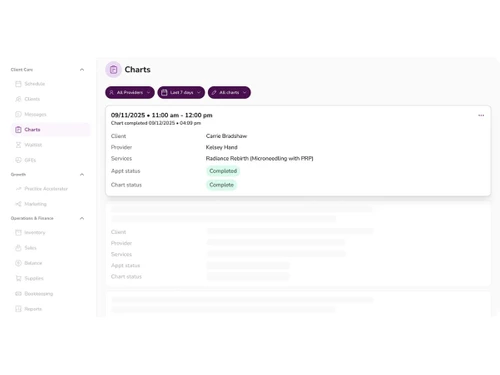
Moxie Suite-charts
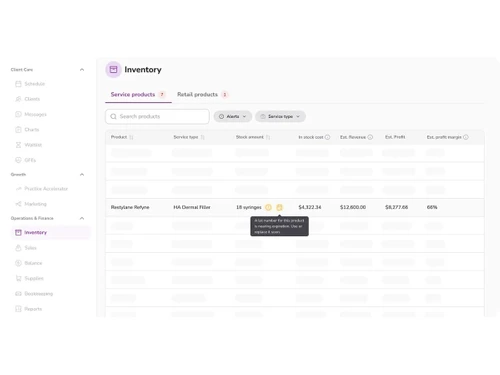
Moxie Suite-inventory
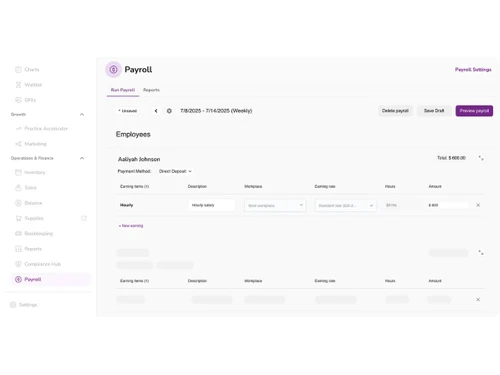
Moxie Suite-payroll

Moxie Suite

Brand: Moxie Inc

  • No Ratings & Reviews

Moxie Suite is an all-in-one software for medical spas and aesthetic clinics that helps manage appointments, patients, payments, marketing, and operations in one system.

See More

Have you used Moxie Suite before?

Share your insights for better experience

Add a Review

Price Available on Request

Questions about pricing or customization? We’re here to help, just a click away.

100% Genuine
Products
Best Price
Guaranteed
Safe & Secure
Payment
  • Description

  • Pricing

  • Features

  • Specification

  • Review

  • FAQ

Moxie Suite Software Overview

What is Moxie Suite?

Moxie Suite is an all-in-one medical spa software designed for spas and aesthetic clinics that helps manage appointments, patient records, payments, marketing, inventory, and daily operations in a single platform.

It is built to reduce manual work and improve efficiency by automating scheduling, reminders, and administrative tasks. The software also supports client communication, financial tracking, and performance analytics to help businesses grow.

It is mainly used by medspa owners, aesthetic practitioners, dermatology clinics, and wellness professionals. Moxie Suite helps clinics save time, improve patient experience, and run their operations more smoothly.

Why Choose Moxie Suite Software?

  • All-in-One MedSpa Platform: Combines software, coaching, and growth tools in one system.
  • Built for Aesthetic Practices: Designed specifically for medspas and aesthetic clinics.
  • Streamlined Operations: Manages scheduling, billing, EMR, and marketing together.
  • Online Appointment Booking: Allows clients to book easily from any device.
  • Automated Reminders: Reduces no-shows with alerts and notifications.
  • Client Record Management: Stores patient data securely in one place.
  • Integrated EMR System: Combines CRM and medical records in one platform.
  • Payment Processing Tools: Handles billing and transactions smoothly.
  • Marketing Automation: Helps attract and retain new clients.
  • Inventory Management: Tracks products and supplies efficiently.
  • Compliance Support: Helps maintain medical and legal standards.
  • Business Coaching Support: Provides expert guidance for growth.
  • Revenue Optimization: Focuses on increasing profitability.
  • Cost Savings on Products: Offers discounts on injectables and supplies.
  • Performance Analytics: Tracks business growth and metrics.

Benefits of Moxie Suite Software

  • Staff Management Tools: Organizes team schedules and roles.
  • Multi-Location Support: Works for growing medspa chains.
  • Patient Retention Tools: Improves repeat client visits.
  • Membership Management: Supports packages and subscriptions.
  • Cloud-Based Access: Use the system anywhere, anytime.
  • Reduced Administrative Work: Automates daily tasks.
  • Centralized Dashboard: Gives full business overview in one place.
  • Compliance Monitoring Tools: Helps reduce regulatory risks.
  • Custom Workflow Automation: Saves time with smart processes.
  • Lead Generation Support: Helps bring in new patients.
  • Data-Driven Insights: Improves decision-making.
  • Expert Advisory Network: Access to industry professionals.
  • Scalable System: Grows with your business easily.
  • Improved Patient Experience: Faster and smoother service.
  • Complete Growth Solution: Combines software, strategy, and support for long-term success.

Moxie Suite Pricing

Moxie Suite price is available upon request, as listed on techjockey.com.

The pricing model is based on different parameters, including extra features, deployment type, and the total number of users. For further queries related to the product, you can contact our product team and learn more about the pricing and offers.

Read more

Moxie Inc Company Details

Founded Year:  2022

We help nurses launch, run, and grow their own independent medspa.

Director/Founders Daniel Friedman, Emma Gilsanz, Sam Gerstenzang
Company Size 1-100 Employees

Moxie Suite Pricing & Plans

Looking for The Right Pricing?

Share your requirements and get a plan built around your business.

  • Define your business needs
  • Get customised pricing
  • Choose features that fit your workflow

Price Available on Request

Get personalised Moxie Suite pricing that fits your needs. Our team will connect with you.

Moxie Suite Features

  • icon_check Point of Sale (POS)
    Retail and service billing system that manages in-clinic product sales, discounts, bundles, memberships, and receipts.
  • icon_check Marketing Automation
    Automated email and SMS campaigns for promotions, reminders, post-treatment follow-ups, and re-engagement strategies.
  • icon_check Compliance Management
    Built-in workflows, legal documentation templates, HIPAA-ready processes, and audit-friendly patient data protection controls.
  • icon_check Analytics & Reporting
    Real-time dashboards providing revenue tracking, provider performance, treatment profitability, and customer retention insights.
  • icon_check Membership Management
    Recurring billing system for memberships and subscription plans with automated renewals and benefit tracking.
  • icon_check Lead Management
    Captures, tracks, and nurtures incoming inquiries from websites, ads, and social channels through structured sales pipelines.
  • icon_check Medical Director Matching
    Facilitates connections with licensed medical directors to meet regulatory requirements for launching and operating medspas.
  • icon_check Multi-Location
    Supports centralized control of multiple medspa branches with unified reporting, user permissions, and operational oversight.
  • icon_check Document Management
    Secure storage and organization of consent forms, contracts, treatment plans, and compliance documentation.
  • icon_check Staff Management
    Role-based access controls, performance tracking, commission management, and scheduling for providers and support staff.
  • icon_check Client Portal
    Secure portal where clients can access appointment history, invoices, treatment plans, and digital intake forms.
  • icon_check Electronic Medical Record (EMR)
    Comprehensive digital patient records including treatment history, consent forms, clinical notes, images, and compliance-ready
  • icon_check Customer Relationship Management (CRM)
    Centralized client database to track leads, appointments, communications, treatment history, and automate personalized engagement
  • icon_check Appointment Scheduling
    Smart calendar system with online booking, provider availability management, automated confirmations, and cancellation handling.
  • icon_check Online Booking
    Client-facing booking portal allowing customers to schedule treatments anytime with real-time availability and service selection.
  • icon_check Payment Processing
    Integrated payment gateway supporting cards, digital payments, installment plans, and automated invoicing within the platform.
  • icon_check Inventory Management
    Tracks product usage, stock levels, supplier orders, expiration dates, and automated low-stock alerts for injectables and devices.

Moxie Suite Specification

Supported Platforms
Windows Windows MacOS MacOS
Devices
Desktop Desktop
Deployment
Web-Based Web-Based
Suitable For
All Industries
Business Specific
All Businesses
Business Size
Small Business Startups Medium Business Enterprises
Customer Support
Email Communities
Language
English
Training Resources
Videos
Compliance Regulation
HIPAA

Moxie Suite Review

Be the First to Review

This product has no reviews yet. Be the first to leave your feedback.

Add Review
How much does Moxie Suite Software cost?

Moxie Suite price is available upon request, as listed on techjockey.com.

Is there a mobile app available for Moxie Suite Software?

No, the Moxie Suite mobile app is not available on iOS and Android.

Which operating systems are compatible with Moxie Suite Software?

Moxie Suite is compatible with Windows and MacOS operating systems.

Does Moxie Suite Software offer a free trial?

No, Moxie Suite does not offer a free trial.

How does Moxie Suite Software function?

Moxie Suite works as an all-in-one cloud platform that manages scheduling, EMR, payments, marketing, and clinic operations in one system.

Who uses Moxie Suite Software?

Moxie Suite is used by medical spa owners, aesthetic clinics, dermatology practices, and wellness professionals to manage and grow their businesses. Is a free demo available for Moxie Suite Software? Yes, Moxie provides a free demo or strategy session for businesses to understand the platform.

Is Moxie Suite Software available for free?

No, Moxie Suite is not available for free.

20,000+ Software Listed

Best Price Guranteed

Free Expert Consultation

2M+ Happy Customers

Terms and Condtions

close

Users with registered businesses can purchase goods from merchants on the platform to satisfy their business needs. Users are not permitted to utilize any products acquired through the platform for resale, advertising, business, or further distribution.

For each purchase made, users will receive a Tax Invoice (or 'GST invoice') that includes specific details such as:

  • the GSTIN of the user associated with their registered business, and

  • the specified Entity Name for their business.

It should be noted that not all products are eligible for GST Invoice. Only the products displayed by participating sellers with the 'GST-based Invoice Available' callout on the product description page would qualify.

Certain goods and services are not eligible to get a GST Invoice, including items with VAS, i.e., Value Added Services (e.g., Total Mobile Protection/Assured Buyback) and those involving an exchange offer at the time of purchase.

Users must ensure the accuracy of the GSTIN, and business entity name provided for the GST Invoice. Requests for corrections into GST Invoice would not be accommodated by Techjockey.com or any Seller, and any issues arising from user-provided information are the sole responsibility of users.

Techjockey.com is not liable for the GST Invoice or any associated input tax credit. To efficiently claim an input tax credit, users should select the registered place of business address as per the GST authority's data and follow the provisions of the GST Act and rules.

To claim an input tax credit, the delivery and billing addresses must match. Furthermore, input tax credits will not be granted if the delivery address and GSTIN on the invoice are from different states. In case of incorrect GST details provided during the order placement, the order will be canceled automatically.