 USA
USA UAE
UAE



Mar 3, 2022
Techjockey Verified
“Best accounting and portfolio management software.”
Pros
Very efficient at getting required reports, in an easy-to-use format. Communicating with clients because this is easy to understand.
Cons
Not yet.



Brand: Mprofit
MProfit is an investment management software that helps in managing financial portfolios. MProfit is explicitly developed for the Indian investment community. This investment management software offers unique features for different user groups. It is designed to meet the requirement of different types of customers. The software is also easy to use, which facilitates beginners to understand the i...
See MoreHave you used MProfit before?
Share your insights for better experience
View plans
 Save upto 18%, Get GST Invoice on your business purchase T&C Buy Now & Pay Later, Check offer on payment page.
 Brand: Mprofit
Founded Year: 2007
Mprofit
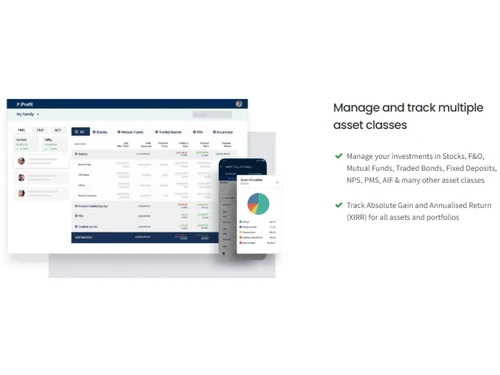
 Advanced Reports Historic Information Manages Your Stocks Imports contract notes Short term and long term capital gains Other PMS reports Analytics & Reporting Project Accounting View your portfolios Auto price updates Mutual Funds Accounting Module
  Ubuntu
  Windows
  iOS
iOS  Android MacOS
  Linux
Linux  Desktop
  Mobile
  Tablet
  iPad
iPad  Cloud-Based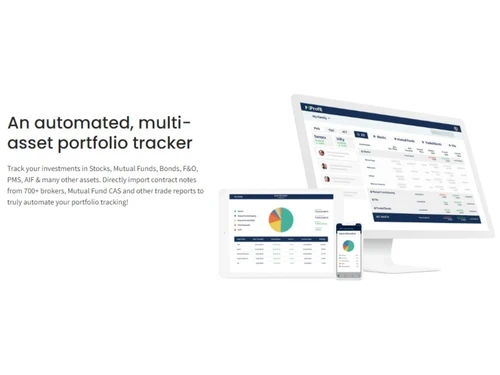
4.4
Out of 5

Overall Rating
Based on
10 Verified Reviews
Rating Breakdown
85% Recommend this Product
Add ReviewCustomers generally appreciate MProfit for its efficiency in generating reports and managing investment portfolios, highlighting its user-friendly interface and responsive support team. Users value the ability to track real-time changes in portfolios and the organization of financial information. However, some limitations include the software's restricted use to accounting personnel and challenges with integrating reports from various brokers, which may require complex modifications. Overall, MProfit is well-received, with users recommending it for its strong support and effective management features.
Pros
"Very efficient at getting required reports, in an easy-to-use format. Communicating with clients because this is easy to understand."
"The digital platform offers excellent excel support so that doing all kinds of financial and accounting calculations are easy."
"MProfit has a really helpful support team and solves our issues promptly. The way they handled my issues has made me their permanent customer"
Cons
"It is bit tricky to use and in case one might need support from the team, guidance is provided."
"The tool is not able to directly accept reports and statements of many brokers and requires confusing modifications in the excel templates while developing it."

Mar 3, 2022
Techjockey Verified
“Best accounting and portfolio management software.”
Pros
Very efficient at getting required reports, in an easy-to-use format. Communicating with clients because this is easy to understand.
Cons
Not yet.
Mar 2, 2022
Techjockey Verified
“Mprofit is great tool for managing investment portfolios.”
Pros
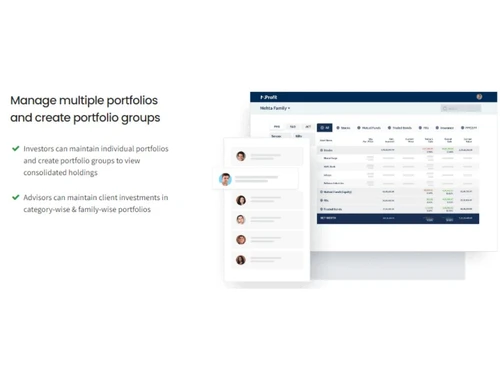
Mprofit allows you to manage your brokers and track the details of each investment you make. I can group my investments into different accounts, so I can track the profits and losses of each account.
Cons
NA
Reason to switch
More compatible product.
Mar 6, 2022
Techjockey Verified
“Can track the real-time changes in portfolio.”
Pros
A big plus for me is the ability to track the real-time changes in my portfolio, compared to other softwares that only allow you to update after the day's close. Also, the team at MProfit has been great at answering my questions and concerns.
Cons
The use of this software is restricted to strictly accounting personnel, and we believe that other employees who are involved in the accounting department could potentially benefit from it's use.

MProfit
₹ 18000.00 excl. GST
Desktop
Mobile
Web based
On Premises
Windows
Mac OS

Invest Plus
Price On Request
Desktop
Mobile
Web based
On Premises
Windows
Mac OS

Moneycontrol Portfolio Manager
Price On Request
Desktop
Mobile
Web based
On Premises
Windows
Mac OS

i4invest
₹ 1500
Desktop
Mobile
Web based
On Premises
Windows
Mac OS

iRecord - Portfolio Accounting
Price On Request
Desktop
Mobile
Web based
On Premises
Windows
Mac OS

Family Wealth Guru
Price On Request
Desktop
Mobile
Web based
On Premises
Windows
Mac OS

Et Portfolio
Price On Request
Desktop
Mobile
Web based
On Premises
Windows
Mac OS
(0) Product(s) selected
Available
Price on Request
Available
Price on Request
Starting Price:
₹1,500 /Year
Available
Price on Request
Available
Price on Request
Available
Price on Request
Accounting professionals and bookkeeping teams use these programs to govern accounts and automate systematic operations, while certain systems are also enabled to record accounting data, measure indicators, and report on the company’s financial activity.
MProfit Portfolio Management & Accounting Software describes a type of application software that records and processes accounting transactions within functional modules such as accounts payable, accounts receivable, journal, general ledger, payroll, and trial balance. It functions as an accounting information system.
These are the key benefits of accounting software: Simplification, Cost savings, Full financial transparency, Accurate forecasting, Productivity, Tax compliance, Improved relationships with customers & Security.
Types of accounting software Spreadsheets:- Quite a small business can be run just using an electronic spreadsheet for its accounting software, Commercially-available software, Enterprise resource planning software (ERP) & Custom accounting software.
An integrated invoicing module, Import/ Export Facility, Integarrted with oother systems, Customization, Ease of use, Security, Connectivity, Mobile usage & Reliable support.
Analytics & Reporting, Billing & Invoicing, Document Management, Expense Management, GST Invoicing, Inventory Management, Multi User login & Role-based access, Payroll Management, Project Accounting, Purchase Order, Sales Transactions, Supplier Management & Tax Management.
MProfit pricing starts from INR 18,000 at techjockey.com.
20,000+ Software Listed
Best Price Guranteed
Free Expert Consultation
2M+ Happy Customers
Terms and Condtions

Users with registered businesses can purchase goods from merchants on the platform to satisfy their business needs. Users are not permitted to utilize any products acquired through the platform for resale, advertising, business, or further distribution.
For each purchase made, users will receive a Tax Invoice (or 'GST invoice') that includes specific details such as:
the GSTIN of the user associated with their registered business, and
the specified Entity Name for their business.
It should be noted that not all products are eligible for GST Invoice. Only the products displayed by participating sellers with the 'GST-based Invoice Available' callout on the product description page would qualify.
Certain goods and services are not eligible to get a GST Invoice, including items with VAS, i.e., Value Added Services (e.g., Total Mobile Protection/Assured Buyback) and those involving an exchange offer at the time of purchase.
Users must ensure the accuracy of the GSTIN, and business entity name provided for the GST Invoice. Requests for corrections into GST Invoice would not be accommodated by Techjockey.com or any Seller, and any issues arising from user-provided information are the sole responsibility of users.
Techjockey.com is not liable for the GST Invoice or any associated input tax credit. To efficiently claim an input tax credit, users should select the registered place of business address as per the GST authority's data and follow the provisions of the GST Act and rules.
To claim an input tax credit, the delivery and billing addresses must match. Furthermore, input tax credits will not be granted if the delivery address and GSTIN on the invoice are from different states. In case of incorrect GST details provided during the order placement, the order will be canceled automatically.