 USA
USA UAE
UAESmall Business
Designed for startups and growing businesses

See More





Brand: Novoresume
Novoresume Resume Builder Software offers a user-friendly interface to effortlessly create professional resumes, harnessing customizable templates and real-time content editing.
See MoreHave you used Novoresume before?
Share your insights for better experience
View plans
 Save upto 18%, Get GST Invoice on your business purchase T&C Buy Now & Pay Later, Check offer on payment page.
 Brand: Novoresume
Founded Year: 2016
Novoresume create a résumé that is a perfect blend between functionality and aesthetics.
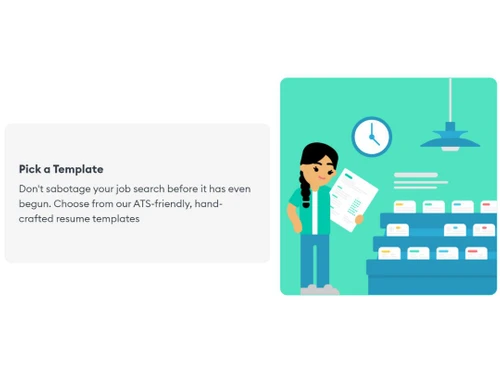
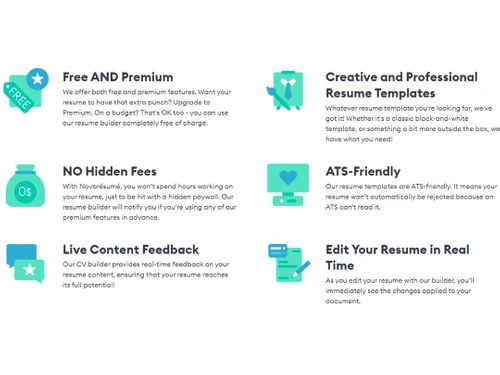
 Resume Templates Contact details Resume summary or objective ATS-Friendly Formatting Customizable Layout Expanded Font Library Diverse Theme Selection Specialized Data Real-Time Content Optimizer Resume Builder Resume Writing Cover Letter Builder Unlimited Design Options Real Time Editing Customize Your Layout Easy to Use

Watch the demo video to explore key features, real workflows, and how the software fits your business needs.
 Ubuntu
  Windows
  iOS
iOS  Android MacOS
  Linux
Linux  Desktop
  Mobile
  Tablet
  iPad
iPad  Cloud-Based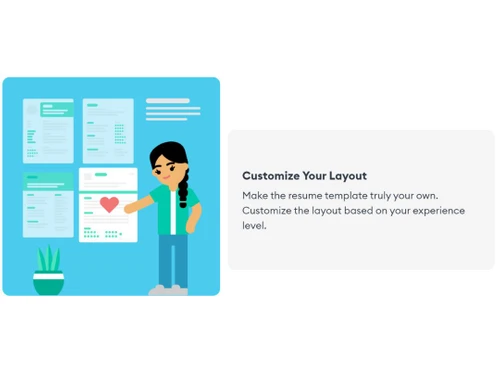
Small Business
Designed for startups and growing businesses
Medium Business
Built for business growth and flexibility
Enterprises
Designed for complex and large-scale business needs
4.5
Out of 5

Overall Rating
Based on
1 Verified Review
Rating Breakdown
83% Recommend this Product
Add Review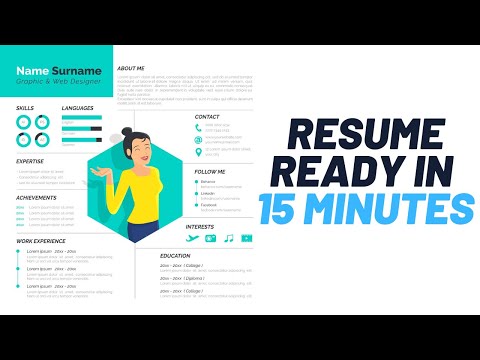

Novoresume
₹ 1299.00 excl. GST
Desktop
Mobile
Web based
On Premises
Windows
Mac OS
Enhancv
Price On Request
Desktop
Mobile
Web based
On Premises
Windows
Mac OS

Resume.io
₹ 1999
Desktop
Mobile
Web based
On Premises
Windows
Mac OS

Kickresume
Price On Request
Desktop
Mobile
Web based
On Premises
Windows
Mac OS

Hirecarta
Price On Request
Desktop
Mobile
Web based
On Premises
Windows
Mac OS

FlowCV
Price On Request
Desktop
Mobile
Web based
On Premises
Windows
Mac OS

AIApply
Price On Request
Desktop
Mobile
Web based
On Premises
Windows
Mac OS

Rezi
Price On Request
Desktop
Mobile
Web based
On Premises
Windows
Mac OS

resumA.I
Price On Request
Desktop
Mobile
Web based
On Premises
Windows
Mac OS

Zety
Price On Request
Desktop
Mobile
Web based
On Premises
Windows
Mac OS

Standard Resume
Price On Request
Desktop
Mobile
Web based
On Premises
Windows
Mac OS
(0) Product(s) selected
Starting Price:
₹889 /Month
Available
Price on Request
Starting Price:
$29 /Month
Starting Price:
$29
Starting Price:
$19 /Month

Starting Price:
$29 /License

Starting Price:
$375

Starting Price:
$10 /Month
Available
Price on Request

Available
Price on Request
Novoresume resume maker app is unavailable on Android and iOS devices.
Novoresume software pricing starts from INR 1,299 per month at Techjockey.com.
Novoresume software can be used by students, freshers, and employees looking to create a resume with the power of AI.
Novoresume demo is available for free with techjockey.com.
Novoresume resume builder does not offer a free trial.
Novoresume is a web-based Software. So, you don't have to download any software or app to use it.
The Novoresume system is an advanced tool that helps students to build their resumes. It offers a variety of templates in different sectors that help freshers to draft their resumes with AI and to land their dream job.
To use Novoresume, simply create an account and select one of their many resume templates. Then, fill in your personal information, work experience, education, and skills. Novoresume will automatically format your resume and provide you with tips on how to improve it.
Novoresume offers both free and paid plans. The free plan allows you to create a resume and download it as a PDF. The paid plans offer additional features, such as the ability to add a cover letter, export your resume in multiple formats, and get feedback from professional resume writers.
To write a CV for Novoresume choose a resume template, be sure to select one that is appropriate for your industry and career level. Novoresume also offers a number of tips on how to write a strong CV, such as using keywords, highlighting your accomplishments, and tailoring your CV to the specific job you are applying for.
Once you have created a CV in Novoresume, you can easily edit it by clicking on the Edit button. You can then make changes to your personal information, work experience, education, and skills. Novoresume will automatically save your changes, so you can be sure that your CV is always up-to-date.
Yes, you can download your resume from Novoresume at any time. To do this, simply click on the Download button and select the format you want to download your resume in. Novoresume allows you to download your resume as a PDF, Word document, or plain text file.
20,000+ Software Listed
Best Price Guranteed
Free Expert Consultation
2M+ Happy Customers
Terms and Condtions

Users with registered businesses can purchase goods from merchants on the platform to satisfy their business needs. Users are not permitted to utilize any products acquired through the platform for resale, advertising, business, or further distribution.
For each purchase made, users will receive a Tax Invoice (or 'GST invoice') that includes specific details such as:
the GSTIN of the user associated with their registered business, and
the specified Entity Name for their business.
It should be noted that not all products are eligible for GST Invoice. Only the products displayed by participating sellers with the 'GST-based Invoice Available' callout on the product description page would qualify.
Certain goods and services are not eligible to get a GST Invoice, including items with VAS, i.e., Value Added Services (e.g., Total Mobile Protection/Assured Buyback) and those involving an exchange offer at the time of purchase.
Users must ensure the accuracy of the GSTIN, and business entity name provided for the GST Invoice. Requests for corrections into GST Invoice would not be accommodated by Techjockey.com or any Seller, and any issues arising from user-provided information are the sole responsibility of users.
Techjockey.com is not liable for the GST Invoice or any associated input tax credit. To efficiently claim an input tax credit, users should select the registered place of business address as per the GST authority's data and follow the provisions of the GST Act and rules.
To claim an input tax credit, the delivery and billing addresses must match. Furthermore, input tax credits will not be granted if the delivery address and GSTIN on the invoice are from different states. In case of incorrect GST details provided during the order placement, the order will be canceled automatically.




