linkedin
Qoder logo
play ???? Qoder CLI is here.
qoder-commands
qoder-interface

Qoder

Brand: Qoder

  • 4.4

  • 5 Ratings

Qoder is an AI-powered, agentic coding platform designed to help developers build software more efficiently by combining advanced context understanding with autonomous AI agents.

See More

Have you used Qoder before?

Share your insights for better experience

Add a Review
Starting Price
$20

View plans

100% Genuine
Products
Best Price
Guaranteed
Safe & Secure
Payment
  • Description

  • Pricing

  • Features

  • Specification

  • Review

  • FAQ

Starting at $20

QoderSoftware Overview

What is Qoder?

Qoder is a website development tool and an IDE software that helps developers design, build, and manage applications more efficiently using artificial intelligence. It goes beyond traditional coding software by understanding the full context of a project, such as code structure, dependencies, and architecture, so it can generate new features, fix bugs, refactor existing code, and automate repetitive development tasks through simple natural-language instructions.

Qoder supports both collaborative and autonomous workflows. Developers can work alongside the AI as an assistant for real-time suggestions, or delegate complex tasks to AI agents that can complete multi-step development processes independently.

Why Choose Qoder?

  • AI-Powered Coding Assistance: Qoder understands your code and provides smart suggestions, generates features, and fixes bugs, helping you develop faster with less manual effort.
  • Deep Project Understanding: It analyzes the entire codebase, including structure and dependencies, enabling more accurate code generation and efficient refactoring.
  • Automation of Complex Tasks: With agent-based capabilities, Qoder can handle multi-step development processes like debugging, optimization, and module creation, saving time.
  • Higher Productivity: By automating repetitive tasks such as documentation and testing, developers can focus more on innovation and problem-solving.

Benefits of Qoder

  • Faster Development Speed: AI-driven automation and smart code generation significantly reduce the time required to build and deploy applications.
  • Reduced Manual Work: Qoder automates repetitive tasks such as debugging, documentation, and testing, allowing developers to focus on more important work.
  • Improved Code Accuracy: Intelligent suggestions and real-time error detection help minimize bugs and improve overall code quality.
  • Enhanced Productivity: Developers can complete more tasks in less time with AI assistance, handling complex or time-consuming processes.

Qoder Pricing

Qoder pricing starts at USD 20 at techjockey.com. The pricing model is based on different parameters, including the amount of bandwidth you need, the number of servers you need, and the features you need. For further queries related to the product, you can contact our product team and learn more about the pricing and offers.

Read more

Qoder Company Details

Founded Year:  2025

Qoder is an Alibaba's agentic coding platform designed for real software development. It seamlessly integrates enhanced context engineering with intelligent agents to gain a comprehensive understanding of your codebase and systematically tackles software development tasks.

Director/Founders Qoder
Company Size 101-500 Employees

Qoder Pricing & Plans

Pro
Starting at $20
    • Licenses

      Licenses
      Licenses
    • Monthly

      Monthly
      Monthly

Key Features

  • 2,000 Credits

  • Extended Limits on Chat and Agent Requests

  • Quest Mode and Repo Wiki

Pro+
Starting at $30 $60 SAVE UPTO 50%
    • Licenses

      Licenses
      Licenses
    • Monthly

      Monthly
      Monthly

Key Features

  • Everything in Pro Plan, with

  • 6,000 Credits (total)

  • Priority Access to Upcoming Features

Ultra
Starting at $100 $200 SAVE UPTO 50%
    • Licenses

      Licenses
      Licenses
    • Monthly

      Monthly
      Monthly

Key Features

  • Everything in Pro Plan, with

  • 20,000 Credits (total)

  • Priority Access to Upcoming Features

Qoder Features

  • icon_check Quest Mode
    Users define high-level requirements while the platform generates technical plans and executes multi-file changes as an agent.
  • icon_check Next Edit Suggestion
    A predictive model that anticipates your next multi-line code change by analyzing recent edits and the surrounding context.
  • icon_check Action Flow Tracing
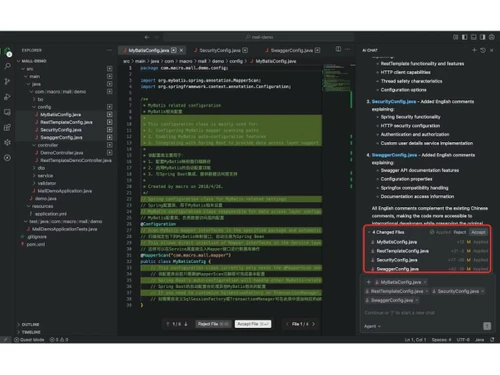
    This feature provides a step-by-step audit trail of an agent's reasoning and execution steps before committing final changes.
  • icon_check Multi Model Routing
    An intelligent scheduler selects the optimal AI model (Claude, GPT, or Gemini) based on the specific complexity of the task.
  • icon_check MCP Integration
    Supports the Model Context Protocol to connect the environment with external data sources, private APIs, and remote systems.
  • icon_check Hybrid Search Engine
    Combines vector-based semantic search with symbolic code graphs to retrieve precise technical information across the repo.
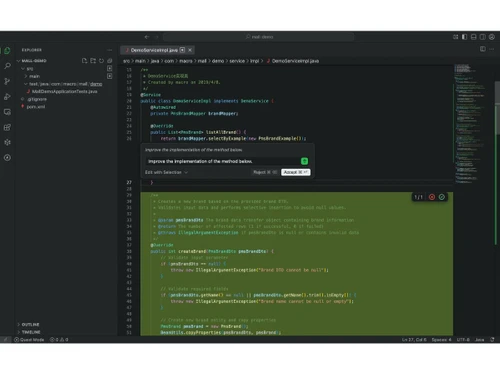
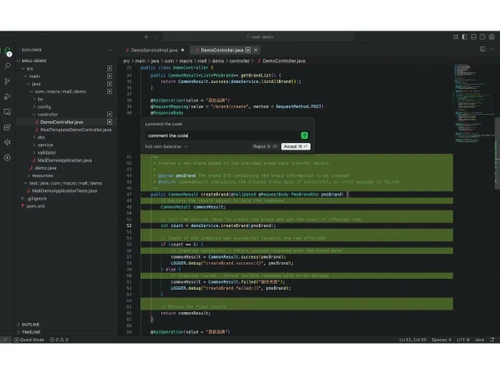
  • icon_check Inline Chat Interface
    Allows developers to initiate code refactoring or ask technical questions directly within the editor without context loss.
  • icon_check Autonomous Tool Use
    AI agents can independently execute terminal commands, run test suites, and perform web searches to solve coding problems.
  • icon_check JetBrains Plugin
    Extends agentic coding capabilities to the JetBrains ecosystem, supporting IntelliJ, PyCharm, GoLand, and other environments.
  • icon_check Task Report Summary
    Generates a structured outcome report after task completion, documenting all artifacts created and validation tests passed.
  • icon_check Snapshot Rollbacks
    Creates versioned checkpoints before agent execution, allowing developers to revert multi-file changes with a single click.
  • icon_check Semantic Navigation
    Leverages deep indexing to allow developers to jump between related symbols and logic across different files and modules.
  • icon_check CLI Automation
    A command-line interface that allows users to trigger agentic tasks and codebase queries directly from a terminal script.
Qoder Demo Video play icon

Get Qoder Demo

Watch the demo video to explore key features, real workflows, and how the software fits your business needs.

Understand
Key Features
Personal
Demo Insights
Interactive
Demo Support

Qoder Specification

Supported Platforms
Windows Windows MacOS MacOS Linux Linux
Devices
Desktop Desktop
Deployment
Perpetual Perpetual
Suitable For
ITES
Business Specific
All Businesses
Business Size
Individual Small Business Startups Medium Business Enterprises SMBs SMEs MSMBs MSMEs
Customer Support
Email Communities Forums
Language
English
Training Resources
Documentation Videos
AI Features
AI Integrated

Qoder Review

4.4

Out of 5

img

Overall Rating

Based on
5 Verified Ratings

Rating Breakdown

  • Features 4.8
  • Value for Money 4.6
  • Ease of Use 4.3
  • Customer Support 3.9

80% Recommend this Product

Add Review

Techjockey Trusted Reviews from Verified Users

No reviews are currently available for Qoder. Discover similar IDE Software reviews

  • Eclipse IDE

    4.8

    Whats great - The application has all the modern features required for developing java software, and can be integrated with Github.It fits ... read more

  • PyCharm

    4.8

    Whats great - As a real user of PyCharm, I have found that this IDE offers numerous advantages and useful features to make programming in P... read more

  • Netbeans

    4.0

    Whats great - The Smarter and Faster Way to Code read more

How much does Qoder cost?

Qoder pricing starts at USD 20 at techjockey.com. Pricing is customised based on specific business needs.

Which operating system does Qoder support?

Qoder typically supports major operating systems such as Windows, macOS, and Linux, as it is designed for modern development environments.

How does Qoder work?

It uses AI to analyze your codebase and execute tasks like code generation, debugging, and refactoring through natural-language prompts and automated agents.

Is Qoder suitable for small businesses?

Yes, Qoder helps small businesses accelerate development, reduce costs, and launch products faster with limited technical resources.

Does Qoder offer a free trial or a demo?

Availability of a free trial or demo may depend on the provider's current plans, but AI development tools like Qoder often offer trial access or demos for evaluation.

What features does Qoder offer?

Key features include AI code generation, automated debugging, refactoring, documentation support, project context understanding, and agent-based task automation.

Is there a Qoder App?

Qoder functions primarily as a development platform/IDE, which may be available as desktop software or integrated tools rather than a traditional mobile app.

Who are the potential users of Qoder?

Software developers, web developers, startups, enterprises, and development teams are looking to improve productivity and automate coding workflows.

How secure is Qoder?

It is designed with security considerations such as code privacy and controlled access, though specific security features depend on deployment and provider policies.

What is Qoder used for?

Qoder is used to build, manage, and optimize software or websites faster by automating coding tasks and improving development efficiency with AI assistance.

20,000+ Software Listed

Best Price Guranteed

Free Expert Consultation

2M+ Happy Customers

Terms and Condtions

close

Users with registered businesses can purchase goods from merchants on the platform to satisfy their business needs. Users are not permitted to utilize any products acquired through the platform for resale, advertising, business, or further distribution.

For each purchase made, users will receive a Tax Invoice (or 'GST invoice') that includes specific details such as:

  • the GSTIN of the user associated with their registered business, and

  • the specified Entity Name for their business.

It should be noted that not all products are eligible for GST Invoice. Only the products displayed by participating sellers with the 'GST-based Invoice Available' callout on the product description page would qualify.

Certain goods and services are not eligible to get a GST Invoice, including items with VAS, i.e., Value Added Services (e.g., Total Mobile Protection/Assured Buyback) and those involving an exchange offer at the time of purchase.

Users must ensure the accuracy of the GSTIN, and business entity name provided for the GST Invoice. Requests for corrections into GST Invoice would not be accommodated by Techjockey.com or any Seller, and any issues arising from user-provided information are the sole responsibility of users.

Techjockey.com is not liable for the GST Invoice or any associated input tax credit. To efficiently claim an input tax credit, users should select the registered place of business address as per the GST authority's data and follow the provisions of the GST Act and rules.

To claim an input tax credit, the delivery and billing addresses must match. Furthermore, input tax credits will not be granted if the delivery address and GSTIN on the invoice are from different states. In case of incorrect GST details provided during the order placement, the order will be canceled automatically.