linkedin
Quicktools logo
Quicktools No Registration
Quicktools Save time
Quicktools Easy and Fast

Quicktools

Brand: PicsArt

  • 4.3

  • 3 Ratings

Unleash your creativity with Quicktools' comprehensive suite of editing tools and create stunning photo enhancements.

See More

Have you used Quicktools before?

Share your insights for better experience

Add a Review

Price Available on Request

Questions about pricing or customization? We’re here to help, just a click away.

100% Genuine
Products
Best Price
Guaranteed
Safe & Secure
Payment
  • Description

  • Pricing

  • Features

  • Specification

  • Review

  • Compare

  • Alternatives

  • FAQ

Quicktools Software Overview

What is Quicktools Software?

Quicktools photo editing software, from the house of Picsart, is the ultimate solution for all your digital creation needs. With Quicktools, you can easily design, edit, and convert your digital creations. From creating transparent backgrounds for images to trimming videos and converting file types, Quicktools has you covered.

This photo editing software offers a comprehensive suite of tools that cover all aspects of design, conversion, and manipulation. Get ready to boost your business and grab attention on all platforms with engaging social media materials.

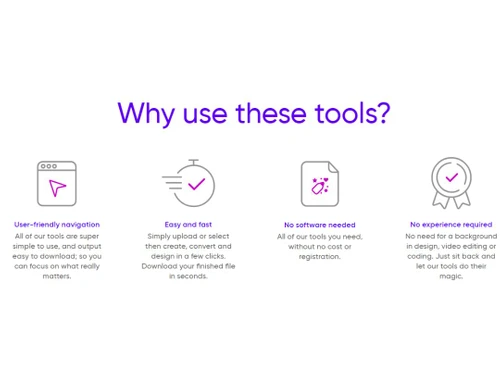
Quicktools prides itself on its user-friendly navigation, making it easy for anyone to use. With a few simple clicks, you can upload or select your files, create, convert, design, and download your finished files in seconds. The best part No software is needed, and there's no cost or registration required. Whether you have a design, video editing, or coding background, Quicktools is here to simplify the process and let its tools work their magic.

Why Choose Quicktools System?

Choose Quicktools for a seamless and efficient experience in creating and transforming your digital content. With Quicktools, there's no learning curve, credit card requirement, or account needed. Enjoy a suite of payment and registration-free design tools that allow you to create eye-catching content hassle-free. Save time on your projects, whether you're a small business owner with limited resources or an employee juggling multiple tasks. Quicktools is here to streamline your workflow and help you handle your needs in no time. This tool enables you to perform various tasks within a single platform, eliminating the need to switch between different applications or tools, resulting in a more efficient and streamlined workflow.

Benefits of Quicktools System Software

  • Quicktools offers a wide range of creative tools, including AI Copywriters, AI Writing, Photo Editing, Background Remover, and more, providing versatile options to enhance and customize your content.
  • You can easily convert files between different formats, saving you time and effort in finding and using separate conversion software.
  • Enhance your photos with the Photo Editing tools, allowing you to achieve professional-grade results and make your visuals stand out.
  • The Background Remover feature lets you remove backgrounds from images effortlessly, providing a clean and polished look, ideal for creating professional graphics or product images.
  • Convert PDFs, videos, images, audio files, and documents to different formats using Quicktools' dedicated conversion tools, ensuring compatibility and ease of use across various platforms and devices.
  • Harness the power of AI to generate high-quality written content, assisting you in creating engaging and persuasive copy for your marketing materials or online presence.
  • This tool is easy-to-use and requires no prior experience or technical expertise. You can quickly navigate the tools and perform tasks with just a few clicks.

Pricing of Quicktools Photo Editing Software

Quicktools pricing is available on request at techjockey.com.??? ??

The overall pricing model is based on different factors such as personalization, extra features required, total users, and the deployment type. Please feel free to request a call from our product experts if you want to learn more about our subscription plans or premium package deals.

Read more

PicsArt Company Details

Founded Year:  2011

Picsart is an all-in-one photo & video editing app, powered by a creative community of monthly active users and influencers.

Director/Founders Artavazd Mehrabyan, Hovhannes Avoyan
Company Size 1000+ Employees

Quicktools Pricing & Plans

Looking for The Right Pricing?

Share your requirements and get a plan built around your business.

  • Define your business needs
  • Get customised pricing
  • Choose features that fit your workflow

Price Available on Request

Get personalised Quicktools pricing that fits your needs. Our team will connect with you.

Quicktools Features

  • icon_check AI Copywriters
    Boost your content creation with AI-powered writing assistance.
  • icon_check AI Writing
    Experience the power of artificial intelligence in generating high-quality written content.
  • icon_check Photo Editing
    Enhance and transform your photos with professional grade editing tools.
  • icon_check Background Remover
    Effortlessly remove backgrounds from your images for a clean and polished look.
  • icon_check File Converters
    Easily convert files between different formats with quick and reliable file conversion tools.
  • icon_check PDF Converter
    Convert your PDF documents into various formats for seamless sharing and editing.
  • icon_check Video Converter
    Convert videos to different formats, ensuring compatibility and easy sharing.
  • icon_check Image Converter
    Transform your images by easily converting them to different formats.
  • icon_check Easy-to-use Audio Converter
    Convert audio files to different formats effortlessly, making it simple to use them across various platforms.
  • icon_check Document Converter
    Seamlessly converts documents to different formats, ensuring compatibility and ease of use.

Quicktools Specifications

Supported Platforms
Ubuntu Ubuntu Windows Windows iOS iOS Android Android MacOS MacOS Linux Linux
Devices
Desktop Desktop Mobile Mobile Tablet Tablet iPad iPad
Deployment
Cloud-Based Cloud-Based
Suitable For
All Industries
Business Specific
All Businesses
Business Size
Small Business Startups Medium Business Enterprises
Customer Support
Email
Language
English
Training Resources
Documentation
AI Features
AI Integrated

Explore the Best Alternative Solutions Similar to Your Business Size and Needs

Quicktools Review

4.3

Out of 5

img

Overall Rating

Based on
3 Verified Ratings

Rating Breakdown

  • Features 4.5
  • Value for Money 4.6
  • Ease of Use 4.1
  • Customer Support 4

80% Recommend this Product

Add Review

Techjockey Trusted Reviews from Verified Users

No reviews are currently available for Quicktools. Discover similar AI Tools reviews

  • Chatrly

    5.0

    Whats great - Natural voice and chat experience, easy integration, real-time responsiveness, lead generation, user-friendly interface, exce... read more

  • SyncMonster

    4.3

    Whats great - syncMonster is a User-friendly product and its provides high-quality results read more

  • Krutrim AI

    4.4

    Whats great - It helped me communicate and get information in my preferred language. The AI is also easy to use and helped me generate good... read more

Compare Quicktools With other AI Tools

Products
Ratings
Pricing
Device Supported
Deployment
Supported Platforms
  • img

    Quicktools

  • 4.3

  • Price On Request

  • Desktop

    Mobile

  • Web based

    On Premises

  • Windows

    Mac OS

  • img

    Devin AI

  • 4.4

  • Price On Request

  • Desktop

    Mobile

  • Web based

    On Premises

  • Windows

    Mac OS

  • img

    NovelAI

  • 4.5

  • Price On Request

  • Desktop

    Mobile

  • Web based

    On Premises

  • Windows

    Mac OS

  • img

    Krea AI

  • 4.3

  • Price On Request

  • Desktop

    Mobile

  • Web based

    On Premises

  • Windows

    Mac OS

  • img

    Hailuo AI

  • 4.3

  • Price On Request

  • Desktop

    Mobile

  • Web based

    On Premises

  • Windows

    Mac OS

  • img

    Kling AI

  • 4.0

  • Price On Request

  • Desktop

    Mobile

  • Web based

    On Premises

  • Windows

    Mac OS

  • img

    Jibyte AI

  • 4.3

  • Price On Request

  • Desktop

    Mobile

  • Web based

    On Premises

  • Windows

    Mac OS

  • img

    Media io

  • 4.3

  • Price On Request

  • Desktop

    Mobile

  • Web based

    On Premises

  • Windows

    Mac OS

  • img

    ElevenLabs

  • 4.6

  • Price On Request

  • Desktop

    Mobile

  • Web based

    On Premises

  • Windows

    Mac OS

  • img

    Designs AI

  • 4.6

  • Price On Request

  • Desktop

    Mobile

  • Web based

    On Premises

  • Windows

    Mac OS

  • img

    Vmake AI

  • 4.2

  • Price On Request

  • Desktop

    Mobile

  • Web based

    On Premises

  • Windows

    Mac OS

(0) Product(s) selected

Quicktools Alternatives

See All Quicktools Alternatives

Starting Price:

$500 /Month

Starting Price:

$10 /Month

Starting Price:

$10 /Month
Available

Price on Request

Starting Price:

$18 /Month
Starting Price:

$25 /Month
Starting Price:

$5 /Month

Articles for Quicktools

See All Related Articles

Which operating system does Quicktools Software support?

Quicktools software is compatible with Windows, Linux, and macOS operating systems.

Is there any Quicktools app?

Quicktools app is not available for Android and iOS devices.

What is the deployment type of Quicktools System?

Quicktools system supports web-based deployment.

How much does Quicktools Software Solution cost?

Quicktools software price is available on request at techjockey.com.

Who are the potential users of Quicktools?

Quicktools software is used by graphic designers, animators, and video editors.

Is there any free trial or demo for Quicktools Photo Editing Software?

Quicktools photo editing software demo is available for free with techjockey.com.

Is Quicktools free?

Quicktools system offers a free trial. Please request a call back for subscription-related details and to avail offers on premium packages.

How can you download Quicktools Photo Editing System?

Installation is not required, as it is web-based. Just open the Setup Wizard to get started.

How does Quicktools work?

Boost your content creation with AI-powered writing assistance. You will experience the power of artificial intelligence in generating high-quality written content. With Quicktools, you can effortlessly remove backgrounds from your images for a clean and polished look.

20,000+ Software Listed

Best Price Guranteed

Free Expert Consultation

2M+ Happy Customers

Terms and Condtions

close

Users with registered businesses can purchase goods from merchants on the platform to satisfy their business needs. Users are not permitted to utilize any products acquired through the platform for resale, advertising, business, or further distribution.

For each purchase made, users will receive a Tax Invoice (or 'GST invoice') that includes specific details such as:

  • the GSTIN of the user associated with their registered business, and

  • the specified Entity Name for their business.

It should be noted that not all products are eligible for GST Invoice. Only the products displayed by participating sellers with the 'GST-based Invoice Available' callout on the product description page would qualify.

Certain goods and services are not eligible to get a GST Invoice, including items with VAS, i.e., Value Added Services (e.g., Total Mobile Protection/Assured Buyback) and those involving an exchange offer at the time of purchase.

Users must ensure the accuracy of the GSTIN, and business entity name provided for the GST Invoice. Requests for corrections into GST Invoice would not be accommodated by Techjockey.com or any Seller, and any issues arising from user-provided information are the sole responsibility of users.

Techjockey.com is not liable for the GST Invoice or any associated input tax credit. To efficiently claim an input tax credit, users should select the registered place of business address as per the GST authority's data and follow the provisions of the GST Act and rules.

To claim an input tax credit, the delivery and billing addresses must match. Furthermore, input tax credits will not be granted if the delivery address and GSTIN on the invoice are from different states. In case of incorrect GST details provided during the order placement, the order will be canceled automatically.