linkedin
PicsArt logo
play Change the background with one tap! - Picsart Demo
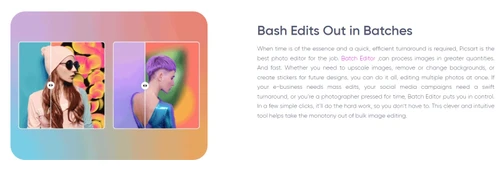
picsart bash edits
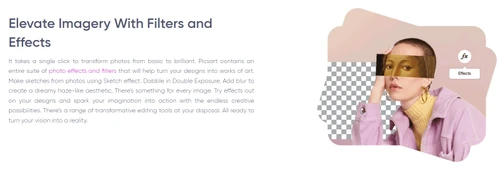
picsart image effects

PicsArt

Brand: PicsArt

  • 4.0

  • 3 Ratings & 3 Reviews

An easy-to-use creative and photo editing tool for editing photos, making videos, adding text, and designing content for social media.

See More

Have you used PicsArt before?

Share your insights for better experience

Add a Review
Starting Price
₹690

View plans

100% Genuine
Products
Best Price
Guaranteed
Safe & Secure
Payment
  • Description

  • Pricing

  • Features

  • Specification

  • Review

  • Compare

  • Alternatives

  • FAQ

  • Questions

Starting at ₹690

PicsArt Software Overview

What is PicsArt?

PicsArt is one of the best photo editing software that allows you to create, customize, as well as share images & videos with others. You can create some amazing artwork with the help of various templates, tools, posters, etc. This platform allows you to create as well as modify your templates and create titles of your own.

PicsArt software solution offers unmatched tools and features for business owners, content creators, marketers, individuals, etc. to create sophisticated pictures and videos. Some exclusive features provided by PicsArt include background remover, design templates, crop, resizer, image editor, watermark, and a lot more.

Anyone can quickly produce compelling photos and videos using user-friendly editing tools driven by AI, customizable templates, and an intuitive user interface. You can create a wide range of content including trending social media posts, merch, e-commerce shop images, and podcast covers.

Why Choose PicsArt?

  • Inspiration Anytime: Never get stuck creatively. PicsArt provides a convenient step-by-step plan to transform your ideas into visuals with ready templates and artificial intelligence image products.
  • No Experience Needed: You do not have to be a professional editor. Easy-to-use tools make people design stunning images as professionals.
  • Creative Community: Connect with people who love creativity like you all around the world, share ideas, discover designs and learn together with millions of users.
  • Platform Ready Designs: Design, and share special platform designs with ready to use formats of Instagram, Facebook, Twitter, LinkedIn etc.
  • Supports Many Languages: PicsArt is multilingual to ensure your preferred choice in language to give you a seamless experience when being creative.

Key Features of PicsArt

  • AI Logo Generator: Just type your brand name and style to create your own unique logo instantly applying AI.
  • AI Enhance: Improve image quality automatically with AI-enhance blurred photos, increase colors and correct lighting with just one tap.
  • Remove Object: It is very easy to remove things or people you do not need in your picture without affecting the background or the quality of the picture.
  • AI Image Extender: Extend your image beyond its edge with AI, and you can make a broader image without cropping or stretching.
  • Collage Maker: Turn your photos into fun stylish collages with grids, backgrounds and stickers to create a visual story.

PicsArt Pricing

PicsArt pricing starts at INR 690 per month per user at Techjockey.com. The pricing model is based on different parameters, including the amount of bandwidth you need, the number of servers you need, and the features you need. For further queries related to the product, you can contact our product team and learn more about the pricing and offers.

Read more

PicsArt Company Details

Founded Year:  2011

Picsart is an all-in-one photo & video editing app, powered by a creative community of monthly active users and influencers.

Director/Founders Artavazd Mehrabyan, Hovhannes Avoyan
Company Size 1000+ Employees

PicsArt Pricing & Plans

Pro
Key Features
  • Selection of face retouching tools
  • 200 credits per month to use with generative AI to
  • Full range of premium templates, fonts, and sticke
  • Millions of stock photos and Getty video clips
  • Downloads as PNG, PDF and HTML
Starting at ₹690
    • Licenses

      Licenses
      Licenses
    • Monthly

      Monthly
      Monthly

Key Features

  • Selection of face retouching tools

  • 200 credits per month to use with generative AI to

  • Full range of premium templates, fonts, and sticke

  • Millions of stock photos and Getty video clips

  • Downloads as PNG, PDF and HTML

PicsArt Features

  • icon_check Editing Tools
    This section includes crop tools, text options, stickers, filters and even the video trimmer.
  • icon_check Remove Background
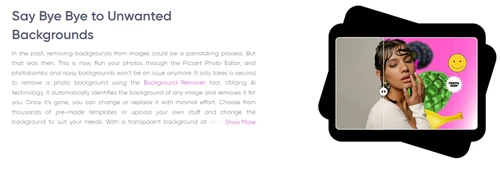
    Remove any background of your photo with just a single click to focus your image.
  • icon_check Resize & Crop
    It takes seconds to crop or resize your photos and video to fit your social media or design requirements.
  • icon_check Watermark Remover
    Secure your photos and videos with the help of adding or removing watermarks in order to keep them tidy and safe.
  • icon_check Design Templates
    Select templates to create posters, flyers, business cards, and invitations among other things, and easily edit them.
  • icon_check Text Editor
    Added cool fonts in colorful effects and fonts to add text to your photos to share on the internet.
  • icon_check Mobile App
    Use all the features with the Picsart mobile app and it is available on both, Android and iOS.
  • icon_check AI Image Generator
    Transforms simple text prompts into unique, high-resolution artworks and realistic images using advanced generative AI logic.
  • icon_check Background Remover
    Instantly detects and isolates subjects from their backgrounds with a single click for clean, professional product cutouts.
  • icon_check AI Enhance Technology
    Automatically improves image quality by sharpening details, reducing digital noise, and increasing resolution for clear work.
  • icon_check Sticker Maker Library
    Provides access to millions of community-created stickers or lets you create your own custom assets from any personal photo.
  • icon_check Layer-Based Editing
    Supports complex compositions by allowing users to stack images, stickers, and text with adjustable blending and opacity.
  • icon_check Video Editor Suite
    Enables quick video trimming, music integration, and transitions for creating viral content for TikTok and Instagram Reels.
  • icon_check Perspective Warp Tool
    Corrects image distortion and adjusts the angle of objects within a photo to fix architectural or product layout mistakes.
  • icon_check Cloud Storage Sync
    Saves all your projects and assets securely in the cloud, allowing you to switch between mobile and desktop editing easily.
PicsArt Demo Video play icon

Get PicsArt Demo

Watch the demo video to explore key features, real workflows, and how the software fits your business needs.

Understand
Key Features
Personal
Demo Insights
Interactive
Demo Support

PicsArt Specifications

Supported Platforms
Windows Windows iOS iOS Android Android
Devices
Desktop Desktop Mobile Mobile
Deployment
Cloud-Based Cloud-Based
Suitable For
All Industries
Business Specific
All Businesses
Business Size
Small Business Startups Medium Business Enterprises SMBs SMEs
Language
English
Integration
API Integration
Training Resources
Live Online
AI Features
AI Integrated

Explore the Best Alternative Solutions Similar to Your Business Size and Needs

PicsArt Reviews

4.0

Out of 5

img

Overall Rating

Based on
3 Verified Reviews

Rating Breakdown

  • Features 3.6
  • Value for Money 4
  • Ease of Use 4.1
  • Customer Support 4.3

90% Recommend this Product

Add Review

PicsArt Video Reviews

youtubeVideoId

4.5

“PicsArt review Pros and Cons App reviews Is it worth the hype”

Review by: SRM Tech 360

youtubeVideoId

4.1

“Picsart Review Unlock the Creative Power of Picsart”

Review by: Top Business Softwares

Aleena

Graphic Designer

Industry: Education User since: 2+ years

3.5

Reviewed on: Jun 14, 2023

Techjockey Verified

“Neither of the tools hold the title best editing tool”

Pros

It is a safe and secure ap.it has many editing features. Easy to use.it can be used by professional because in picsart every features is available

Cons

It take too much space

Reason to switch

It is easy to use for a beginner like me

Compare PicsArt With other Photo Editing Software

Products
Ratings
Pricing
Device Supported
Deployment
Supported Platforms
  • img

    PicsArt

  • 4.0

  • Price On Request

  • Desktop

    Mobile

  • Web based

    On Premises

  • Windows

    Mac OS

  • img

    Adobe Photoshop

  • 4.5

  • Price On Request

  • Desktop

    Mobile

  • Web based

    On Premises

  • Windows

    Mac OS

  • img

    Karizma Album

  • 4.4

  • ₹ 3500

  • Desktop

    Mobile

  • Web based

    On Premises

  • Windows

    Mac OS

  • img

    Affinity Photo

  • 4.2

  • ₹ 619

  • Desktop

    Mobile

  • Web based

    On Premises

  • Windows

    Mac OS

  • img

    Luminar Neo

  • 4.7

  • ₹ 4999

  • Desktop

    Mobile

  • Web based

    On Premises

  • Windows

    Mac OS

  • img

    darktable

  • 4.0

  • Price On Request

  • Desktop

    Mobile

  • Web based

    On Premises

  • Windows

    Mac OS

  • img

    Cutout Pro

  • 4.8

  • ₹ 247

  • Desktop

    Mobile

  • Web based

    On Premises

  • Windows

    Mac OS

  • img

    Lensa AI

  • 4.1

  • Price On Request

  • Desktop

    Mobile

  • Web based

    On Premises

  • Windows

    Mac OS

  • img

    AfterShot Pro 3

  • 4.5

  • ₹ 5966

  • Desktop

    Mobile

  • Web based

    On Premises

  • Windows

    Mac OS

  • img

    Evoto AI

  • 4.6

  • Price On Request

  • Desktop

    Mobile

  • Web based

    On Premises

  • Windows

    Mac OS

(0) Product(s) selected

PicsArt Alternatives

See All PicsArt Alternatives

Available

Price on Request

Starting Price:

$36 /Year

Starting Price:

$80 /year

Starting Price:

$35 /Lifetime

Starting Price:

$10 /Month

Starting Price:

$8 /Month

Starting Price:

$15 /Month

Starting Price:

$810 /Year

Articles for PicsArt

See All Related Articles

Which operating system does PicsArt support?

PicsArt photo and video editing software is compatible with Windows, macOS, Linux, Ubuntu, Android, and iOS operating systems.

Is there any PicsArt app?

PicsArt app is available for Android as well as iOS device users.

What is the deployment type of PicsArt?

PicsArt photo editing software and video editor support web-based deployment.

Who are the potential users of PicsArt?

PicsArt video editing solution is typically used for both personal as well as professional purposes. It is hence used by consumers, business owners, marketers, social media managers, solopreneurs, influencers, enterprises, etc.

Is there any free trial or demo for PicsArt?

PicsArt image and video editing solution demo is available for free with techjockey.com.

Is PicsArt free?

PicsArt video and photo editor offers a free trial. However, the premium plan with advanced features starts at Rs 154.16 per month for the PicsArt Gold.

How can you download PicsArt?

For PicsArt installation, insert the given CD/USB flash storage in your system and open the Setup Wizard to get started. The web-based version can be accessed directly through PicsArt portal.

How does PicsArt work?

Picsart lets you upload photos or videos and use creative tools like filters, stickers, text, and AI-based features.

Are there any hidden charges for PicsArt updates?

PicsArt regular updates are available free of cost. There are no hidden software update charges.

What is PicsArt used for?

PicsArt Photo Editing Software used for Editing Tools,Remove Branding,Resize & Crop Video and Watermark.

How do I contact PicsArt support?

You can directly visit PicsArt portal and get in touch with PicsArt customer support for any software-related query.

How to get PicsArt lifetime deal?

Please contact our product experts to get PicsArt lifetime deal with exclusive offers.

How much does PicsArt cost?

PicsArt pricing starts at INR 690 per month per user at techjockey.com

What is Picsart best for?

Picsart is best for editing photos and videos, making collages, adding text, and creating fun or professional designs.

Is Picsart free to use?

Yes, Picsart has a free version with basic editing tools. You can upgrade for more advanced features anytime.

Can Picsart see my photos?

Picsart only accesses your photos if you give permission. Your images stay private unless you share them publicly.

How to choose a face in Picsart?

Use the cutout or selection tool to tap and highlight a face you want to edit or adjust.

Does Picsart have a camera?

Yes, Picsart has a built-in camera in the app for capturing and editing photos directly without switching apps.

Who uses PicsArt?

Picsart is used by students, content creators, small business owners, and anyone who loves editing and designing easily.

PicsArt Questions

Q:

How to reduce the dip of an image using Picsart?

Arvind Chauhan Apr 21, 2024
A:

To reduce the dpi of an image using Picsart, follow the steps given below:

  • Open the toolbar
  • Hold the image and drop it into the resolution box
  • From the toolbar, choose ‘By Pixel’ and set the width and height of the new image.
Mohammad Asif Apr 21, 2024
Q:

How to use AI to create art using PicsArt?

Mohd. Imran Mar 31, 2024
A:

To use AI to create art using PicsArt, follow the steps given below:

  • Open the PicsArt Editor
  • Use the Photo button from the left sidebar
  • Type the prompt in the search box
  • Press the Generate AI Art button
  • Customize your art as per your requirement
  • Once you are done, simply download your illustration.
Nilankur Das Mar 31, 2024
Q:

How to draw animation pictures using Picsart?

Mohd. Imran Mar 31, 2024
A:

To draw animation pictures using Picsart, follow the steps given below:

  • Choose an image of your choice
  • Tap the Animate Button from the menu bar
  • Choose the duration of animation
  • Choose the Delay setting to determine how many seconds it takes for the animation to start playing
  • Preview your animation
  • Once you are satisfied with the outcome, simply download the animation.
Nilankur Das Mar 31, 2024
Q:

How to get AI art using Picsart?

Darshan Shetty Feb 8, 2024
A:

To get AI art using Picsart, follow the steps given below:

  • Click on Editor from the sidebar
  • Choose the AI Generator tool
  • Enter the prompt in the text area
  • Click on ‘Generate AI art'
  • Choose the one that suits you the best
  • And then press the download button.
Afsar Husain Feb 8, 2024

20,000+ Software Listed

Best Price Guranteed

Free Expert Consultation

2M+ Happy Customers

Terms and Condtions

close

Users with registered businesses can purchase goods from merchants on the platform to satisfy their business needs. Users are not permitted to utilize any products acquired through the platform for resale, advertising, business, or further distribution.

For each purchase made, users will receive a Tax Invoice (or 'GST invoice') that includes specific details such as:

  • the GSTIN of the user associated with their registered business, and

  • the specified Entity Name for their business.

It should be noted that not all products are eligible for GST Invoice. Only the products displayed by participating sellers with the 'GST-based Invoice Available' callout on the product description page would qualify.

Certain goods and services are not eligible to get a GST Invoice, including items with VAS, i.e., Value Added Services (e.g., Total Mobile Protection/Assured Buyback) and those involving an exchange offer at the time of purchase.

Users must ensure the accuracy of the GSTIN, and business entity name provided for the GST Invoice. Requests for corrections into GST Invoice would not be accommodated by Techjockey.com or any Seller, and any issues arising from user-provided information are the sole responsibility of users.

Techjockey.com is not liable for the GST Invoice or any associated input tax credit. To efficiently claim an input tax credit, users should select the registered place of business address as per the GST authority's data and follow the provisions of the GST Act and rules.

To claim an input tax credit, the delivery and billing addresses must match. Furthermore, input tax credits will not be granted if the delivery address and GSTIN on the invoice are from different states. In case of incorrect GST details provided during the order placement, the order will be canceled automatically.