linkedin
Topaz Photo AI logo
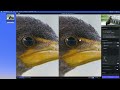
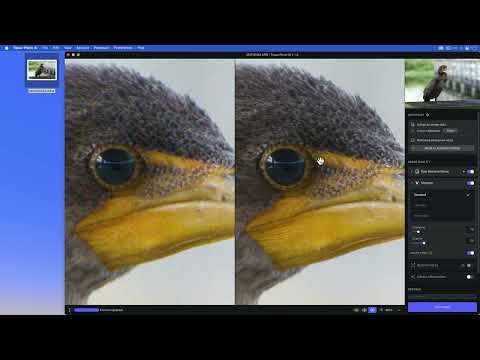
play Topaz Photo AI Quick Start Video
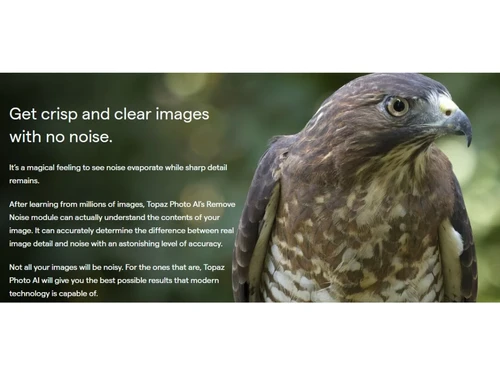
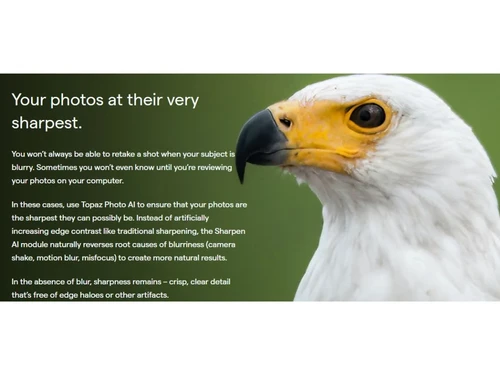
Topaz Photo AI No Noise
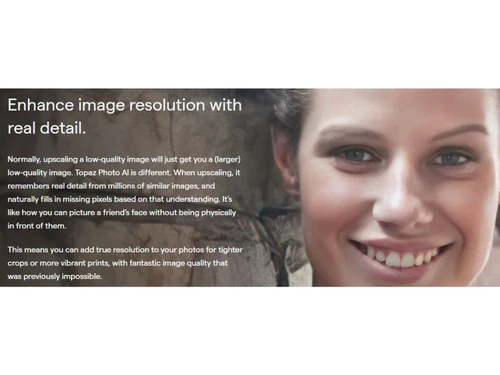
Topaz Photo AI Resolution

Topaz Photo AI

Brand: Topaz Labs

  • 4.5

  • 6 Ratings & 1 Review

Topaz Photo Editing Software is a leading choice for photographers and digital artists seeking a powerful and versatile tool to enhance and transform their images.

See More

Have you used Topaz Photo AI before?

Share your insights for better experience

Add a Review
Starting Price
$199

View plans

100% Genuine
Products
Best Price
Guaranteed
Safe & Secure
Payment
  • Description

  • Pricing

  • Features

  • Specification

  • Review

  • Compare

  • Alternatives

  • FAQ

Starting at $199

Topaz Photo AISoftware Overview

What is Topaz Photo AI Software?

Topaz Photo AI software is the pioneer photo editing software that leverages the power of AI. This software has three tools: Gigapixel AI, Sharpen AI, and DeNoise AI, which helps professional photographers to recover the original qualities of a photo.

Its cutting-edge image enhancement tools enlarge images by 6x while keeping the resolution and real details intact. It can maximize the image quality by increasing the resolution and removing and sharpening the noise.

Topaz Photo AI can be used as a standalone app or a plugin for Photoshop. This is the ultimate tool for every professional in the photography world to generate an image output to catch everyone's attention.

One of the standout features of Topaz is its ability to enhance details and sharpen images with exceptional precision, allowing users to achieve stunning clarity and crispness. The software also provides a range of creative filters and effects, enabling users to add artistic flair and unique styles to their images.

Topaz Image Editing Software boasts an intuitive and user-friendly interface, making it accessible to beginners and professionals. Its comprehensive set of editing tools includes options for adjusting exposure, color, and tone and removing noise and imperfections from photos.

With frequent updates and improvements, Topaz remains at the forefront of image editing technology, continuously introducing new features and optimizations to meet the evolving needs of photographers and artists. Its compatibility with popular image editing programs and seamless integration into existing workflows further enhance its appeal.

Why Choose Topaz Photo AI System?

  • Autopilot: Improve the quality of images and apply the best adjustment by automatically detecting defects with Autopilot.
  • DeNoise AI: Recover the drip detail of the image by eliminating the severe distracting noises.
  • Gigapixel AI: Enhance and upscale images by 600% while preserving image details, texture, and qualities.
  • Sharpen AI: Recover images from motion blur, missed focus and softness for sharp results.

Benefits of Topaz Photo AI Software Solution

  • Eliminate noise from photos to recover original details.
  • Supports pre-rendered JPEGs and Raw images.
  • Easy to use as a standalone app or Photoshop plugin.
  • Automatically locates image subjects and detects image quality.
  • AI algorithms to turn low-res images into high resolutions.
  • Improves visual quality by locating the faces in the image.

Pricing of Topaz Photo AI Photo Editing Software

Topaz Photo AI is priced at $199.00 on techjockey.com.

The overall pricing model is based on different factors such as personalization, extra features required, total users, and deployment type. Please feel free to request a call from our product experts if you want to learn more about our subscription plans or premium package deals.

Read more

Topaz Labs Company Details

Founded Year:  2005

Topaz Labs provides photo enhancer software solutions.

Director/Founders Albert Yang, Eric Yang
Company Size 1-100 Employees

Topaz Photo AI Pricing & Plans

Starter
Key Features
  • Photo Editing
  • Image Library
  • Photo Enhancement
  • Sharpening
  • Noise Removal
  • Resolution increase
  • Image Upscaling
Starting at $199
    • Quantity

      Quantity
      Quantity

Key Features

  • Photo Editing

  • Image Library

  • Photo Enhancement

  • Sharpening

  • Noise Removal

  • Resolution increase

  • Image Upscaling

Topaz Photo AI Features

  • icon_check Photo Editing
    This software offers tools like DeNoise, Gigapixel and Sharpen AI to edit photos for the best outcome.
  • icon_check Image Library
    The library can import and export raw images without losing the actual qualities.
  • icon_check Photo Enhancement
    Supercharge photos and enhance the quality .by removing noise, sharpening, and increasing image resolution with AI features.
  • icon_check Sharpening
    This AI-powered image sharpening feature rescues blurred photos, reduces shaky view, and corrects focus.
  • icon_check Noise Removal
    Recover the original details of high ISO and low light photos by eliminating the noise and high-quality results.
  • icon_check Resolution increase
    Increase the resolution of low-quality photos with complex AI algorithms and calculations.
  • icon_check Image Upscaling
    Insert additional detail into the enlarged image using the Image Upscaling feature for superior results.
  • icon_check Batch Processing
    Apply image enhancements to multiple photographs in a workflow, helping process large collections more efficiently.
  • icon_check Image Exporting
    Export enhanced photographs after applying AI models, adjustments, crops, and other image processing operations.
  • icon_check Plugin Integration
    Use Topaz Photo as a plugin with applications such as Photoshop, Lightroom Classic, Capture One, and Apple Photos.
  • icon_check Image Cropping
    Crop and reframe photographs to focus on important subjects while preparing images for different output requirements.
  • icon_check Object Removal
    Remove unwanted objects, distractions, and obstructions from photographs using context-aware AI processing.
  • icon_check Color Correction
    Automatically analyze and adjust brightness, contrast, and color balance to create more vivid and natural images.
Topaz Photo AI Demo Video play icon

Get Topaz Photo AI Demo

Watch the demo video to explore key features, real workflows, and how the software fits your business needs.

Understand
Key Features
Personal
Demo Insights
Interactive
Demo Support

Topaz Photo AI Specification

Supported Platforms
Windows Windows MacOS MacOS
Devices
Desktop Desktop
Deployment
Web-Based Web-Based
Suitable For
All Industries
Business Specific
All Businesses
Business Size
Small Business Startups Medium Business Enterprises
Customer Support
Email Live Chat Communities
Language
English
Training Resources
Documentation Videos
AI Features
AI Integrated

Explore the Best Alternative Solutions Similar to Your Business Size and Needs

Topaz Photo AI Review

4.5

Out of 5

img

Overall Rating

Based on
1 Verified Review

Rating Breakdown

  • Features 4.4
  • Value for Money 4.2
  • Ease of Use 4.8
  • Customer Support 4.5

88% Recommend this Product

Add Review

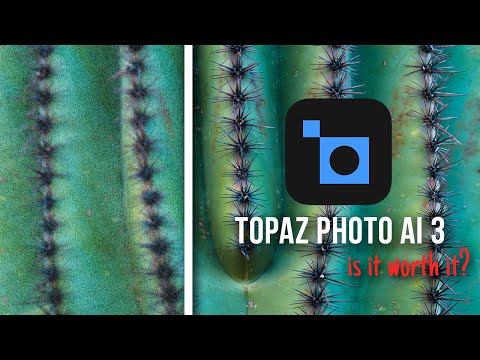
Topaz Photo AI Video Review

youtubeVideoId

4.3

“Topaz Photo AI 3 Review - Is it Worth it?”

Review by: Austin James Jackson

Compare Topaz Photo AI With other Photo Editing Software

Products
Ratings
Pricing
Device Supported
Deployment
Supported Platforms
  • img

    Topaz Photo AI

  • 4.5

  • Price On Request

  • Desktop

    Mobile

  • Web based

    On Premises

  • Windows

    Mac OS

  • img

    Karizma Album

  • 4.4

  • ₹ 3500

  • Desktop

    Mobile

  • Web based

    On Premises

  • Windows

    Mac OS

  • img

    Luminar Neo

  • 4.7

  • ₹ 4999

  • Desktop

    Mobile

  • Web based

    On Premises

  • Windows

    Mac OS

  • img

    Affinity Photo

  • 4.2

  • ₹ 619

  • Desktop

    Mobile

  • Web based

    On Premises

  • Windows

    Mac OS

  • img

    darktable

  • 4.0

  • Price On Request

  • Desktop

    Mobile

  • Web based

    On Premises

  • Windows

    Mac OS

  • img

    PhotoRoom

  • 4.3

  • ₹ 299

  • Desktop

    Mobile

  • Web based

    On Premises

  • Windows

    Mac OS

  • img

    Cutout Pro

  • 4.8

  • ₹ 247

  • Desktop

    Mobile

  • Web based

    On Premises

  • Windows

    Mac OS

  • img

    Lensa AI

  • 4.1

  • Price On Request

  • Desktop

    Mobile

  • Web based

    On Premises

  • Windows

    Mac OS

  • img

    AfterShot Pro 3

  • 4.5

  • ₹ 5966

  • Desktop

    Mobile

  • Web based

    On Premises

  • Windows

    Mac OS

  • img

    FastStone

  • 4.3

  • Price On Request

  • Desktop

    Mobile

  • Web based

    On Premises

  • Windows

    Mac OS

  • img

    PicMonkey

  • 4.2

  • Price On Request

  • Desktop

    Mobile

  • Web based

    On Premises

  • Windows

    Mac OS

(0) Product(s) selected

Topaz Photo AI Alternatives

See All Topaz Photo AI Alternatives

Available

Price on Request

Starting Price:

$36 /Year

Starting Price:

$35 /Lifetime

Starting Price:

$8 /Month

Starting Price:

$810 /Year

Starting Price:

$80 /year

Articles for Topaz Photo AI

See All Related Articles

Which operating system does Topaz Software Photo AI support?

Topaz Photo AI software is compatible with operating systems like Windows, macOS, etc.

Is there any Topaz Photo AI app?

Topaz Photo AI app is unavailable for Android and iOS devices.

What is the deployment type of Topaz Photo AI System?

Topaz Photo AI system supports both web-based and on-premises deployment.

How much does Topaz Photo AI Software Solution cost?

Topaz Photo AI software solution will cost you $199.

Who are the potential users of Topaz Photo AI?

Topaz Photo AI is typically used by content creators, photo editors, marketers, designers, social media managers, bloggers, and anyone who needs high-quality images for their projects or campaigns.

Is there any free trial or demo for Topaz Photo AI System Software?

Topaz Photo AI system software demo is available for free with techjockey.com.

Is Topaz Photo AI Photo Editing Software free?

Topaz Photo AI software offers a free trial. Please request a call back for subscription-related details and to avail offers on premium packages.

How can you download Topaz Photo AI?

To download this software, you should create an account on their website and download it on your PC.

How does Topaz Photo AI work?

Topaz Photo AI uses AI and ML to check the details of an image and adjust enhance its quality. With the help of machine learning and deep neural networks, the tool can improve image sharpness, reduce noise, adjust colour and contrast, and more. This results in a cleaner, crisper, and more appealing image quality.

20,000+ Software Listed

Best Price Guranteed

Free Expert Consultation

2M+ Happy Customers

Terms and Condtions

close

Users with registered businesses can purchase goods from merchants on the platform to satisfy their business needs. Users are not permitted to utilize any products acquired through the platform for resale, advertising, business, or further distribution.

For each purchase made, users will receive a Tax Invoice (or 'GST invoice') that includes specific details such as:

  • the GSTIN of the user associated with their registered business, and

  • the specified Entity Name for their business.

It should be noted that not all products are eligible for GST Invoice. Only the products displayed by participating sellers with the 'GST-based Invoice Available' callout on the product description page would qualify.

Certain goods and services are not eligible to get a GST Invoice, including items with VAS, i.e., Value Added Services (e.g., Total Mobile Protection/Assured Buyback) and those involving an exchange offer at the time of purchase.

Users must ensure the accuracy of the GSTIN, and business entity name provided for the GST Invoice. Requests for corrections into GST Invoice would not be accommodated by Techjockey.com or any Seller, and any issues arising from user-provided information are the sole responsibility of users.

Techjockey.com is not liable for the GST Invoice or any associated input tax credit. To efficiently claim an input tax credit, users should select the registered place of business address as per the GST authority's data and follow the provisions of the GST Act and rules.

To claim an input tax credit, the delivery and billing addresses must match. Furthermore, input tax credits will not be granted if the delivery address and GSTIN on the invoice are from different states. In case of incorrect GST details provided during the order placement, the order will be canceled automatically.