linkedin
Pica AI logo
pica ai-choose
pica ai-enlight
pica ai-swap

Pica AI

Brand: Pica

  • 4.3

  • 4 Ratings

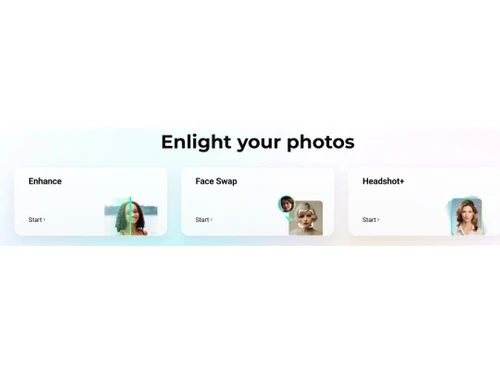
Pica AI is an easy-to-use tool that lets anyone create fun face swaps, enhance photos, and turn pictures into art with just one click.

See More

Have you used Pica AI before?

Share your insights for better experience

Add a Review
Starting Price
$10

View plans

100% Genuine
Products
Best Price
Guaranteed
Safe & Secure
Payment
  • Description

  • Pricing

  • Features

  • Specification

  • Review

  • Compare

  • Alternatives

  • FAQ

  • Questions

Starting at $10

Pica AISoftware Overview

What is Pica AI?

Pica AI is a refined AI-based photo editing software for generating realistic images and videos, providing features such as face swapping, avatar making, and image editing. With deep learning, it converts everyday visuals into professional-standard content suitable for marketers, creators, and businesses.

User-centric design is the focus, coupled with privacy and ethical use of AI. A favorite for social media, advertising, and bespoke media productions, Pica AI makes high-impact visual creation easy.

Top Features of Pica AI

  • AI Video Face Swap: Pica AI face swap goes beyond static images by offering advanced video face-swapping capabilities, using neural networks to ensure seamless blending of facial features, natural expression retention, and perfect lip-syncing.
  • AI Cartoon & Art Styles: The platform transforms ordinary photos into stunning artworks across multiple genres, from hyper-realistic anime avatars to painterly effects mimicking classic styles.
  • AI Background Generator: Pica AI’s background engine lets users replace dull or distracting backdrops with AI-generated scenes, whether it’s a professional studio setting, fantasy landscapes, or abstract designs.
  • AI Age Transformation: Leveraging age-progression algorithms, Pica AI realistically simulates how a person might look decades older or younger, preserving facial structure and skin texture details.
  • AI Portrait Retouching: This feature automates professional-grade touch-ups by smoothing skin imperfections, optimizing lighting contrasts, and enhancing facial symmetry while avoiding an overly airbrushed look.

Why People Choose Pica AI Face Swap?

  • Unmatched Realism: Pica AI delivers hyper-realistic face swaps and edits that preserve natural micro-expressions and lighting, making AI content nearly indistinguishable from real footage.
  • All-in-One Creativity: From professional headshots to viral memes, it combines 20+ tools like video editing, art filters, and age transformation in one platform, eliminating the need for multiple apps.
  • Speed Meets Quality: Process 4K images or videos in seconds without watermarks, ideal for creators on tight deadlines who refuse to compromise on output quality.
  • No Skills Required: Intuitive sliders and presets let beginners achieve pro-level edits while advanced users enjoy granular control over every detail.
  • Privacy-First AI: Unlike many AI tools, Pica AI automatically deletes uploaded data post-processing and avoids storing sensitive facial information.
  • Viral-Ready Features: Trendy templates for memes, TikTok-style filters, and anime avatars help users ride social media trends faster than competitors.

Pica AI Pricing

Pica AI pricing plan starts from $10 for 1000 credits per month.

Read more

Pica AI Pricing & Plans

Pica AI
Key Features
  • 1000 Credits
  • Fast Processing
  • Watermark-free
  • HD to 3K+ photos
  • Access to iPhone app
Starting at $10
    • Credits

      Credits
      Credits
    • Monthly

      Monthly
      Monthly

Key Features

  • 1000 Credits

  • Fast Processing

  • Watermark-free

  • HD to 3K+ photos

  • Access to iPhone app

Pica AI Features

  • icon_check Image Upscaling
    Increases image resolution and enhances details to produce clearer, sharper, and higher-quality images.
  • icon_check Color Restoration
    Recovers and improves faded colors in old photographs to create more vibrant and naturally balanced images.
  • icon_check AI Image Generator
    Creates new visual content using AI-powered generation capabilities for creative and personalized image creation.
  • icon_check Multi Format Support
    Supports common image formats for uploading, processing, enhancing, and downloading photos for different uses.
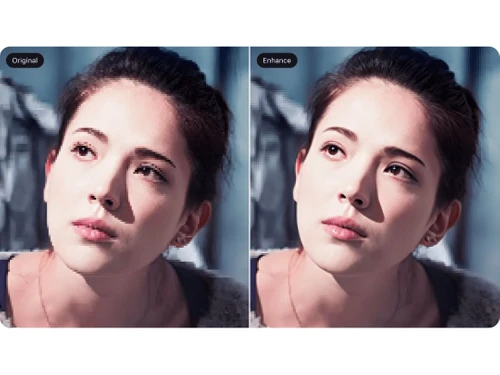
  • icon_check AI Photo Enhancer
    Upscales low-resolution images to high-quality 4K.
  • icon_check Face Swap
    Seamlessly swaps faces in images with AI.
  • icon_check Restore photos
    Restores and colorizes old or blurry photos.
  • icon_check AI Headshot Generator
    Turn selfies into professional headshots with AI. Ideal for LinkedIn, resumes, and profiles.
  • icon_check Batch Processing
    Enhance up to 20 images simultaneously—no need to upload one-by-one.
  • icon_check Image Editing
    Our AI image denoise tool processes each photo in under 15 seconds with professional quality.
  • icon_check Global Text Support
    Process text in multiple languages, from Latin-based to Asian characters.
  • icon_check Fast Process
    Quickly enhances and processes images with AI in seconds.
  • icon_check Watermark free
    Download high-quality images without any watermarks.

Pica AI Specification

Supported Platforms
Windows Windows iOS iOS MacOS MacOS Linux Linux
Devices
Desktop Desktop Mobile Mobile iPad iPad
Deployment
Web-Based Web-Based
Suitable For
Media House
Business Specific
All Businesses
Business Size
Small Business Startups Medium Business Enterprises SMBs SMEs MSMBs MSMEs Freelancers
Customer Support
Email
Language
English
AI Features
AI Integrated

Explore the Best Alternative Solutions Similar to Your Business Size and Needs

Pica AI Review

4.3

Out of 5

img

Overall Rating

Based on
4 Verified Ratings

Rating Breakdown

  • Features 4.3
  • Value for Money 4.1
  • Ease of Use 4.2
  • Customer Support 4.6

82% Recommend this Product

Add Review

Techjockey Trusted Reviews from Verified Users

No reviews are currently available for Pica AI. Discover similar Photo Editing Software reviews

  • Canva

    4.3

    Whats great - I enjoy how quickly and simply one can choose the template and begin tweaking. read more

  • Adobe Photoshop

    4.6

    Whats great - What I love most about Adobe Photoshop is its amazing editing capabilities. It's versatile, not just for photos but also for ... read more

  • Luminar Neo

    4.9

    Whats great - The interface is clean and easy to get around, so I’m not wasting time looking for tools. Sky AI, Relight AI, and portrait to... read more

Compare Pica AI With other Photo Editing Software

Products
Ratings
Pricing
Device Supported
Deployment
Supported Platforms
  • img

    Pica AI

  • 4.3

  • Price On Request

  • Desktop

    Mobile

  • Web based

    On Premises

  • Windows

    Mac OS

  • img

    Karizma Album

  • 4.4

  • ₹ 3500

  • Desktop

    Mobile

  • Web based

    On Premises

  • Windows

    Mac OS

  • img

    Luminar Neo

  • 4.7

  • ₹ 4999

  • Desktop

    Mobile

  • Web based

    On Premises

  • Windows

    Mac OS

  • img

    Affinity Photo

  • 4.2

  • ₹ 619

  • Desktop

    Mobile

  • Web based

    On Premises

  • Windows

    Mac OS

  • img

    darktable

  • 4.0

  • Price On Request

  • Desktop

    Mobile

  • Web based

    On Premises

  • Windows

    Mac OS

  • img

    PhotoRoom

  • 4.3

  • ₹ 299

  • Desktop

    Mobile

  • Web based

    On Premises

  • Windows

    Mac OS

  • img

    Cutout Pro

  • 4.8

  • ₹ 247

  • Desktop

    Mobile

  • Web based

    On Premises

  • Windows

    Mac OS

  • img

    Lensa AI

  • 4.1

  • Price On Request

  • Desktop

    Mobile

  • Web based

    On Premises

  • Windows

    Mac OS

  • img

    AfterShot Pro 3

  • 4.5

  • ₹ 5966

  • Desktop

    Mobile

  • Web based

    On Premises

  • Windows

    Mac OS

  • img

    FastStone

  • 4.3

  • Price On Request

  • Desktop

    Mobile

  • Web based

    On Premises

  • Windows

    Mac OS

  • img

    PicMonkey

  • 4.2

  • Price On Request

  • Desktop

    Mobile

  • Web based

    On Premises

  • Windows

    Mac OS

(0) Product(s) selected

Pica AI Alternatives

See All Pica AI Alternatives

Available

Price on Request

Starting Price:

$36 /Year

Starting Price:

$35 /Lifetime

Starting Price:

$8 /Month

Starting Price:

$810 /Year

Starting Price:

$80 /year

Articles for Pica AI

See All Related Articles

Who uses Pica AI?

Pica AI is mostly used by content creators, digital marketers, photographers, designers, and more.

How much does Pica AI cost?

The starting cost of Pica AI is $10 for 1000 credits per month.

How does Pica AI work?

Pica AI employs advanced neural networks to scan and alter your uploaded images or videos, which can be edited instantly with features such as face swaps, artistic effects, and quality adjustments.

Is Pica AI safe to use?

Pica AI is generally safe for casual use with automatic data deletion and watermarks, but avoid sharing sensitive content.

Is there any mobile app for Pica AI?

Yes, Pica AI has a dedicated mobile app for Apple users to improve their experience.

Is Pica AI Free or Paid?

Pica AI is available with a paid plan with multiple functions & features.

How to use Pica AI?

To use Pica AI, go to their website first and upload your media, next choose the preferred AI feature and run it. Lastly, download or share your upgraded content upon completion by the AI.

Pica AI Questions

Q:

Can i enhance multiple pictures at once in pica ai?

Vishal Singh Oct 25, 2025
A:

You can upload multiple images simultaneously for batch processing.

Nasir Oct 29, 2025
A:

Yes, Pica AI offers tools that can help restore and enhance old or damaged photos.

Mahender Kumar Oct 29, 2025
A:

Pica AI stands out among image upscaling tools because it effortlessly enhances low-res product photos with 400% enlargement while preserving every product detail.

Jagdish Kumar Oct 20, 2025
A:

Pica AI offers several advanced features tailored for content creators looking to enhance their visuals and streamline their workflow:

  • AI Headshot Generator – Creates professional-quality headshots without the need for a photoshoot.
  • Face Swapping in Videos – Allows seamless face swaps in both images and videos for creative storytelling.
  • AI Photo Enhancement – Improves image quality by sharpening details, adjusting lighting, and upscaling resolution.
  • Artistic Style Transfer – Applies various artistic styles, transforming photos into paintings, sketches, or digital art.
  • Background Editing – Removes or enhances backgrounds for cleaner, more polished visuals.
  • Text-to-Image Generation – Generates AI-powered artwork based on text prompts, ideal for digital storytelling and marketing.
Jatin garg Oct 23, 2025
Q:

Is Pica ai private?

RADHEY SHYAM SAHU Oct 4, 2025
A:

Your photos and videos are safeguarded with appropriate security measures, following privacy and data protection laws and industry standards.

Piyush Oct 28, 2025
See All Pica AI Questions

20,000+ Software Listed

Best Price Guranteed

Free Expert Consultation

2M+ Happy Customers

Terms and Condtions

close

Users with registered businesses can purchase goods from merchants on the platform to satisfy their business needs. Users are not permitted to utilize any products acquired through the platform for resale, advertising, business, or further distribution.

For each purchase made, users will receive a Tax Invoice (or 'GST invoice') that includes specific details such as:

  • the GSTIN of the user associated with their registered business, and

  • the specified Entity Name for their business.

It should be noted that not all products are eligible for GST Invoice. Only the products displayed by participating sellers with the 'GST-based Invoice Available' callout on the product description page would qualify.

Certain goods and services are not eligible to get a GST Invoice, including items with VAS, i.e., Value Added Services (e.g., Total Mobile Protection/Assured Buyback) and those involving an exchange offer at the time of purchase.

Users must ensure the accuracy of the GSTIN, and business entity name provided for the GST Invoice. Requests for corrections into GST Invoice would not be accommodated by Techjockey.com or any Seller, and any issues arising from user-provided information are the sole responsibility of users.

Techjockey.com is not liable for the GST Invoice or any associated input tax credit. To efficiently claim an input tax credit, users should select the registered place of business address as per the GST authority's data and follow the provisions of the GST Act and rules.

To claim an input tax credit, the delivery and billing addresses must match. Furthermore, input tax credits will not be granted if the delivery address and GSTIN on the invoice are from different states. In case of incorrect GST details provided during the order placement, the order will be canceled automatically.