 USA
USA UAE
UAESmall Business
Designed for startups and growing businesses

See More


Brand: Photopea
Photopea is a free online photo editor that offers a wide range of features for editing and manipulating images. It is a powerful tool that is suitable for both beginners and experienced users.
See MoreHave you used Photopea before?
Share your insights for better experience
Looking for The Right Pricing?
Share your requirements and get a plan built around your business.
Price Available on Request
Get personalised Photopea pricing that fits your needs. Our team will connect with you.
 Animation AI Image Editing Color Correction Photo Retouching Filters & Effects Batch Processing Multi File Format Support Photo Editing Photo Resizing Graphic Design Templates Dashboard Vector Graphics Background Remover
  Ubuntu
  Windows
  MacOS
MacOS  Linux
Linux  Desktop
  Cloud-Based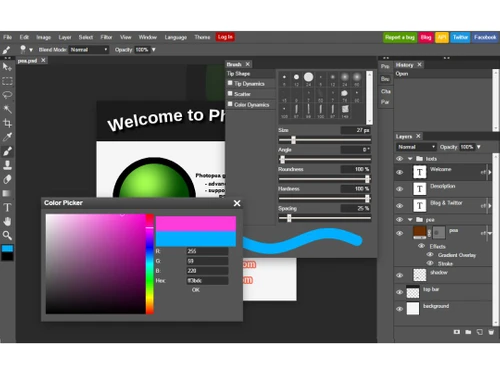
Small Business
Designed for startups and growing businesses
Medium Business
Built for business growth and flexibility
Enterprises
Designed for complex and large-scale business needs
4.4
Out of 5

Overall Rating
Based on
10 Verified Reviews
Rating Breakdown
90% Recommend this Product
Add ReviewPhotopea is widely appreciated by users for being a powerful, free alternative to Photoshop, especially for light editing tasks and social media graphics. Many users value its accessibility across devices and ease of use, making it ideal for students and freelancers. However, common limitations include performance issues with large files, a lack of advanced features compared to Photoshop, and occasional lag in the interface. Overall, it serves as a practical tool for basic editing needs, though some users note that mastering all its tools may require time.

Mar 18, 2025
Techjockey Verified
“Best Free Tool for Designers on a Budget”
If you’re a designer on a budget, Photopea is the best free option out there. It’s powerful and works like Photoshop. Some tools aren’t as refined, but for a free tool, I can’t complain!
Pros
Full-featured, free, runs in a browser.
Cons
Some tools aren’t as smooth as Photoshop.
Reason to switch
CorelDRAW was too expensive
Mar 10, 2025
Techjockey Verified
“Good for Light Editing but Not for Heavy Work”
I use Photopea for small edits like cropping and resizing images. It works great, but when I tried editing a large PSD file, it lagged a lot.
Pros
Great for cropping, resizing, and basic edits.
Cons
Lags when working with big files.
Reason to switch
I needed something free for small tasks.
Mar 2, 2025
Techjockey Verified
“Great for Social Media Graphics”
I use Photopea to make social media graphics, and it works great! It has layers, text tools, and everything I need. It doesn’t have as many filters as Photoshop, but that’s okay.
Pros
Easy to create Instagram and Facebook posts.
Cons
Lacks some fancy effects.
Reason to switch
Canva didn’t have enough design flexibility.

Photopea
Price On Request
Desktop
Mobile
Web based
On Premises
Windows
Mac OS

Adobe Photoshop
Price On Request
Desktop
Mobile
Web based
On Premises
Windows
Mac OS

Karizma Album
₹ 3500
Desktop
Mobile
Web based
On Premises
Windows
Mac OS

Affinity Photo
₹ 619
Desktop
Mobile
Web based
On Premises
Windows
Mac OS

Luminar Neo
₹ 4999
Desktop
Mobile
Web based
On Premises
Windows
Mac OS

darktable
Price On Request
Desktop
Mobile
Web based
On Premises
Windows
Mac OS

Cutout Pro
₹ 247
Desktop
Mobile
Web based
On Premises
Windows
Mac OS

Lensa AI
Price On Request
Desktop
Mobile
Web based
On Premises
Windows
Mac OS

AfterShot Pro 3
₹ 5966
Desktop
Mobile
Web based
On Premises
Windows
Mac OS

Adobe Photoshop Elements
Price On Request
Desktop
Mobile
Web based
On Premises
Windows
Mac OS

Evoto AI
Price On Request
Desktop
Mobile
Web based
On Premises
Windows
Mac OS
(2) Product(s) selected
Available
Price on Request
Starting Price:
$36 /Year
Starting Price:
$100 /Year

Starting Price:
$35 /Lifetime

Starting Price:
$10 /Month

Starting Price:
$8 /Month

Starting Price:
$15 /Month

Starting Price:
$810 /Year
Starting Price:
$50 /License

Starting Price:
$12 /month








Photopea offers a free version with all features but includes ads. The premium version starts at $5 per month and removes ads, provides more cloud storage, and adds AI credits. FOr further queries relating to pricing you can contact techjockey.com.
Photopea is a web-based platform that can be accessed through mobile browsers on smartphones and tablets. There is no dedicated mobile app.
Photopea is generally considered safe. It's web-based, so no downloads are required. Your work is processed in your browser, enhancing privacy and security.
While not as full-featured, Photopea offers many similar tools to Photoshop and can handle PSD files. It's a powerful alternative for basic to intermediate editing tasks.
Photopea is suitable for both beginners and professionals looking for a powerful photo and graphics editor. It's popular among students, teachers, and individuals who can't afford expensive software. Some professionals also use it secretly for work tasks.
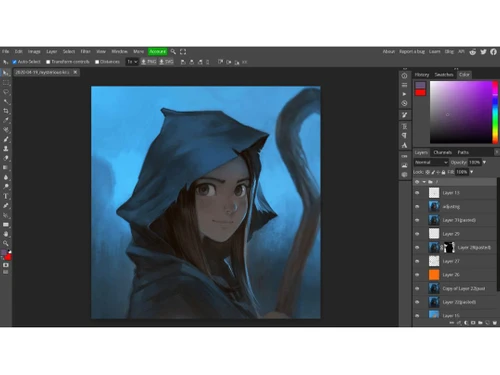
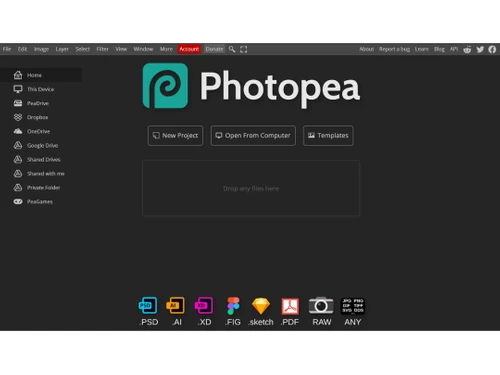
Photopea is an advanced online image editor that supports PSD, XCF, Sketch, and other file formats. It offers tools for photo editing, applying effects, adding text, cropping, resizing, and more - all within a web browser. The interface is similar to Adobe Photoshop.
As a web-based platform, Photopea works on Windows, Mac, Linux, Chrome OS and other major operating systems through web browsers. It can be used on desktops, laptops, Chromebooks, tablets and phones.
Photopea is primarily an online tool, but you can use it offline if you load the website before going offline. Some features may be limited without an internet connection.
20,000+ Software Listed
Best Price Guranteed
Free Expert Consultation
2M+ Happy Customers
Terms and Condtions

Users with registered businesses can purchase goods from merchants on the platform to satisfy their business needs. Users are not permitted to utilize any products acquired through the platform for resale, advertising, business, or further distribution.
For each purchase made, users will receive a Tax Invoice (or 'GST invoice') that includes specific details such as:
the GSTIN of the user associated with their registered business, and
the specified Entity Name for their business.
It should be noted that not all products are eligible for GST Invoice. Only the products displayed by participating sellers with the 'GST-based Invoice Available' callout on the product description page would qualify.
Certain goods and services are not eligible to get a GST Invoice, including items with VAS, i.e., Value Added Services (e.g., Total Mobile Protection/Assured Buyback) and those involving an exchange offer at the time of purchase.
Users must ensure the accuracy of the GSTIN, and business entity name provided for the GST Invoice. Requests for corrections into GST Invoice would not be accommodated by Techjockey.com or any Seller, and any issues arising from user-provided information are the sole responsibility of users.
Techjockey.com is not liable for the GST Invoice or any associated input tax credit. To efficiently claim an input tax credit, users should select the registered place of business address as per the GST authority's data and follow the provisions of the GST Act and rules.
To claim an input tax credit, the delivery and billing addresses must match. Furthermore, input tax credits will not be granted if the delivery address and GSTIN on the invoice are from different states. In case of incorrect GST details provided during the order placement, the order will be canceled automatically.



