 USA
USA UAE
UAESmall Business
Designed for startups and growing businesses

See More


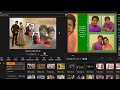
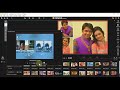

Brand: IMAGE INK INDIA
Create timeless memories with the KARIZMA Album, preserving your special moments in a beautiful manner.
See MoreHave you used Karizma Album before?
Share your insights for better experience
View plans
 Save upto 18%, Get GST Invoice on your business purchase T&C Buy Now & Pay Later, Check offer on payment page.
 Brand: IMAGE INK INDIA
Founded Year: 2022
Image Ink India Private Limited is a Private incorporated on 25 July 2011. It is classified as Non-govt company and is registered at Registrar of Companies, Mumbai. Its authorized share capital is Rs. 10,000,000 and its paid up capital is Rs. 100,000. It is inolved in Printing and service activities
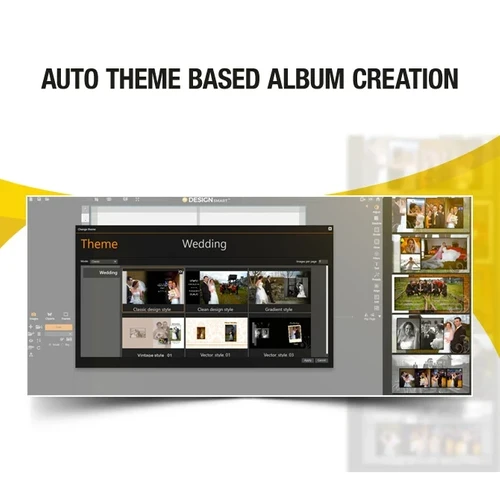
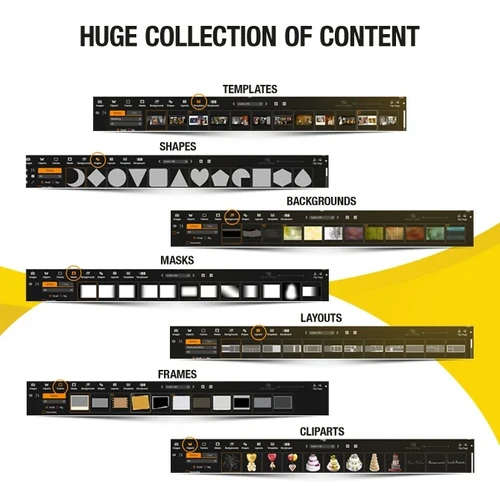
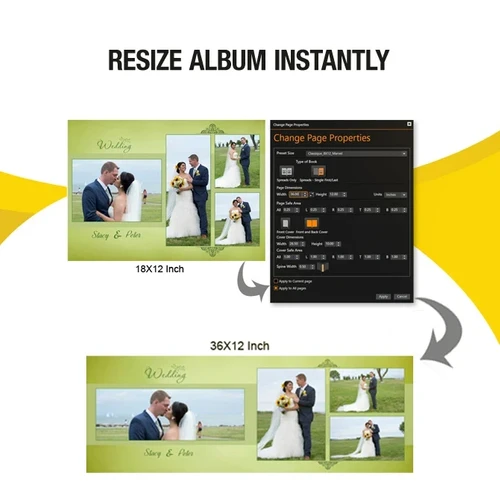
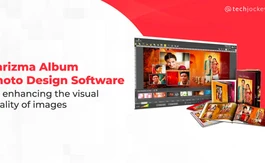
 Automated Page Design Templates Auto - Layout Design in single click Design any size album quickly Import Your Photos at a fast speed Big thumbnail preview Cover Selection in beginning Story Board Photo Editing Create your own Titles Ready Shapes Photo Enhancement Crop Made - Resize / Rotation / Reset Rotation of Create & Modify your own Templates Auto Resizing of Template Object Simultaneously Work on Multiple Projects Image Splitting option in Export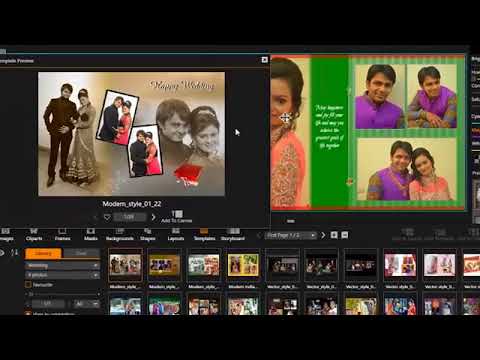

Watch the demo video to explore key features, real workflows, and how the software fits your business needs.
 Windows
  MacOS
MacOS  Desktop
  Mobile
  Perpetual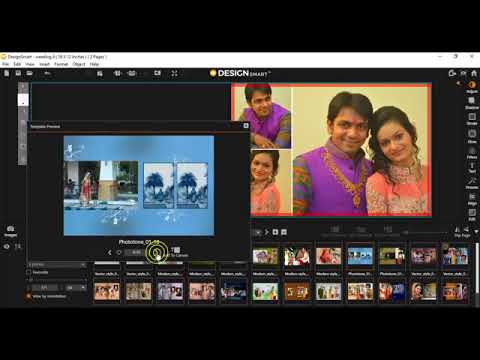
Small Business
Designed for startups and growing businesses
Medium Business
Built for business growth and flexibility
Enterprises
Designed for complex and large-scale business needs
4.4
Out of 5

Overall Rating
Based on
5 Verified Reviews
Rating Breakdown
82% Recommend this Product
Add ReviewUsers generally appreciate Karizma Album for its ease of use, customization options, and strong image quality, making it particularly favorable for individual owners and small commercial photographers. Many find the software straightforward and effective for post-processing tasks. However, some users have noted the absence of an auto-finish feature and expressed a need for better guidance and support, especially for those new to the software. Overall, the sentiment is positive, with users valuing its functionality and support services.
Pros
"The price that we got for Karizma Albums at Techjockey.com was the best in market with customized modules as per our requirement."
"It is a good designing software to do post image processing or image creation like in photoshop. It is a good tool for small commercial photographers."
"They provide you with the customization of your wedding album. They give preference to your ideas."
Cons
"Auto-finish option seems to be missing. Rest, the software works just fine."
"May be a little bit tricky for new hands those who are using it for first time."
"I need proper guidance for solving my queries related to editing in software."

Dec 29, 2017
Techjockey Verified
“Pretty easy and straightforward to use.”
Pros
It was a great experience for me to get invaluable advice from Techjockey. In the very beginning, I found Techjockey after an online search. In a live chat on its website, I gave information on our requirements. Josh contacted me over the phone and afterward e-mailed me three software systems which could be a good fit for our requirements. And all is for free. Excellent service.?
Cons
I am not getting response for one design query. I think chat option would be better to solve the issues.
Reason to switch
Great in high quality edits to raw images
Apr 15, 2019
Techjockey Verified
“Good for small commercial photographers”
Pros
It is a good designing software to do post image processing or image creation like in photoshop. It is a good tool for small commercial photographers.
Cons
May be a little bit tricky for new hands those who are using it for first time.
Reason to switch
photo design software offers awesome design style and color design style.
Dec 14, 2020
Techjockey Verified
“The software is easy to use and offers smooth functioning.”
Pros
I feel very comfortable in operating this software as it is really easy to use. There are stunning colour combinations available and you can edit here pictures easily. More so because the software supports excellent picture quality and resolution.
Cons
Auto-finish option seems to be missing. Rest, the software works just fine.
Reason to switch
Easy to use and fastest design album

Karizma Album
₹ 3500.00 excl. GST
Desktop
Mobile
Web based
On Premises
Windows
Mac OS

Adobe Photoshop
Price On Request
Desktop
Mobile
Web based
On Premises
Windows
Mac OS

Affinity Photo
₹ 619
Desktop
Mobile
Web based
On Premises
Windows
Mac OS

Luminar Neo
₹ 4999
Desktop
Mobile
Web based
On Premises
Windows
Mac OS

Cutout Pro
₹ 247
Desktop
Mobile
Web based
On Premises
Windows
Mac OS

darktable
Price On Request
Desktop
Mobile
Web based
On Premises
Windows
Mac OS

AfterShot Pro 3
₹ 5966
Desktop
Mobile
Web based
On Premises
Windows
Mac OS

Lensa AI
Price On Request
Desktop
Mobile
Web based
On Premises
Windows
Mac OS

Adobe Photoshop Elements
Price On Request
Desktop
Mobile
Web based
On Premises
Windows
Mac OS

Evoto AI
Price On Request
Desktop
Mobile
Web based
On Premises
Windows
Mac OS

Pica AI
Price On Request
Desktop
Mobile
Web based
On Premises
Windows
Mac OS
(0) Product(s) selected
Available
Price on Request
Starting Price:
$36 /Year
Starting Price:
$100 /Year
Starting Price:
$10 /Month

Starting Price:
$35 /Lifetime

Starting Price:
$8 /Month

Starting Price:
$15 /Month

Starting Price:
$810 /Year

Starting Price:
$12 /month
Starting Price:
$50 /License








Yes, Karizma Album Software is a fast and user-friendly digital album creation tool.
Karizma Album Software is available for both Mac and Windows operating systems.
The starting price of the Karizma Album is Rs 3500.
Karizma Album supports file formats like RAW, JPEG, TIFF, TGA and BMP.
Yes, Karizma Album runs on Windows 7, 10 and MacOS.
This software comes with 1500 inbuilt design templates to help you create the best albums. It also provides the auto collage and auto-alignment modules to make attractive album designs quickly and efficiently.
You will get the software on a dongle, which we will deliver at your doorstep.
Your data is safe as you have your software always on the dongle. You just have to plug in your dongle to your system to use the software.
Unlimited times, as you just have to plug in your dongle to your system to use the software.
You will get your software on a dongle.
Yes, Karizma Album Software can be used for editing photos.
Dimensions are 12 x 18.
Dimensions are 12 x 18.
20,000+ Software Listed
Best Price Guranteed
Free Expert Consultation
2M+ Happy Customers
Terms and Condtions

Users with registered businesses can purchase goods from merchants on the platform to satisfy their business needs. Users are not permitted to utilize any products acquired through the platform for resale, advertising, business, or further distribution.
For each purchase made, users will receive a Tax Invoice (or 'GST invoice') that includes specific details such as:
the GSTIN of the user associated with their registered business, and
the specified Entity Name for their business.
It should be noted that not all products are eligible for GST Invoice. Only the products displayed by participating sellers with the 'GST-based Invoice Available' callout on the product description page would qualify.
Certain goods and services are not eligible to get a GST Invoice, including items with VAS, i.e., Value Added Services (e.g., Total Mobile Protection/Assured Buyback) and those involving an exchange offer at the time of purchase.
Users must ensure the accuracy of the GSTIN, and business entity name provided for the GST Invoice. Requests for corrections into GST Invoice would not be accommodated by Techjockey.com or any Seller, and any issues arising from user-provided information are the sole responsibility of users.
Techjockey.com is not liable for the GST Invoice or any associated input tax credit. To efficiently claim an input tax credit, users should select the registered place of business address as per the GST authority's data and follow the provisions of the GST Act and rules.
To claim an input tax credit, the delivery and billing addresses must match. Furthermore, input tax credits will not be granted if the delivery address and GSTIN on the invoice are from different states. In case of incorrect GST details provided during the order placement, the order will be canceled automatically.




