linkedin
ClipDrop logo
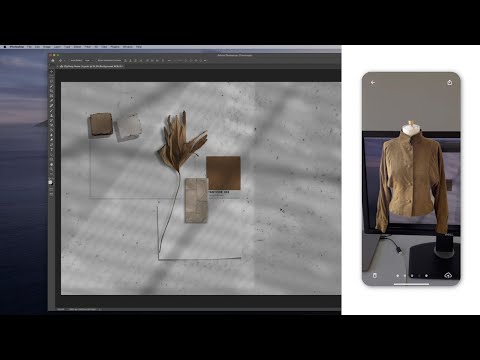
play Quick demo of the ClipDrop plugin for Adobe Photoshop
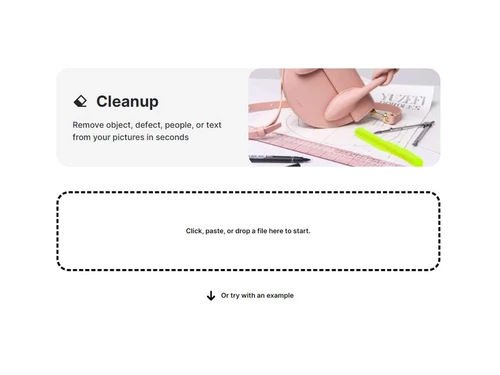
clipdrop cleanup
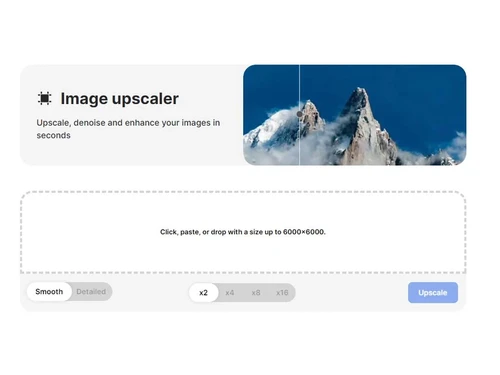
clipdrop image upscaler

ClipDrop

Brand: Stability.ai

  • 4.5

  • 5 Ratings

ClipDrop is an easy AI tool that edits photos by removing backgrounds, erasing objects, or creating images from text, with just one click.

See More

Have you used ClipDrop before?

Share your insights for better experience

Add a Review
Starting Price
₹1,350 excl.GST
₹ 1,593 incl. GST

View plans

offer Save upto 18%, Get GST Invoice on your business purchase T&C
offer Buy Now & Pay Later, Check offer on payment page.
Buy Now
100% Genuine
Products
Best Price
Guaranteed
Safe & Secure
Payment
  • Description

  • Pricing

  • Features

  • Specification

  • Review

  • Compare

  • Alternatives

  • FAQ

Starting at ₹1,350
Buy Now

ClipDrop Software Overview

What is ClipDrop Software?

ClipDrop is a photo editing software designed to transform your visual creations effortlessly. With a dynamic range of features, this photo editing software empowers you to bring your ideas to life like never before. Users can seamlessly enhance images, remove imperfections, and refine details to achieve a polished and professional finish.

Unlock new creative dimensions and elevate your visuals with enhanced resolution, clarity, and immersive editing capabilities that captivate the eye. ClipDrop combines powerful AI technology with intuitive design to simplify complex editing workflows.

Why Choose ClipDrop AI?

  • AI-Powered Editing: ClipDrop uses advanced AI to deliver professional-grade edits in one click, removing the need for complex tools.
  • Dynamic Features: Offers a complete toolkit for basic to advanced image edits, giving you unlimited creative freedom.
  • Imperfection Removal: Remove unwanted objects, text, or flaws from images with pixel-perfect precision.
  • Resolution Enhancement: Upscale images with improved clarity and resolution for print or digital use.
  • Lighting Control: Fine-tune lighting and shadows to set the mood and highlight key image features.
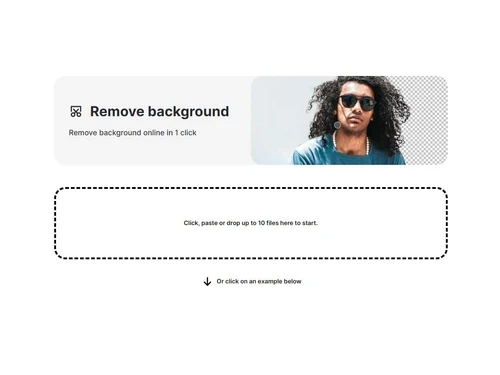
  • Background Editing: Remove or replace backgrounds instantly using AI for perfect product shots or creative scenes.
  • Text-to-Image Generation: Generate visuals from written prompts using Stable Diffusion AI — no design experience needed.
  • Cross-Platform Accessibility: Work on your edits across web and mobile platforms with seamless cloud synchronization.
  • Educator & Professional Tools: Ideal for presentations and teaching aids, bringing concepts to life with vivid imagery.
  • Creative Freedom: Easy-to-use interface with no learning curve allows anyone to edit like a pro.

Benefits of ClipDrop Photo Editing Software

  • Reimagine visuals using background removal, replacement, and text erasing tools.
  • Elevate image resolution and clarity for captivating, high-impact visuals.
  • Adjust lighting and atmosphere to shape mood and enhance visual storytelling.
  • Seamless background transformations to suit any creative or commercial need.
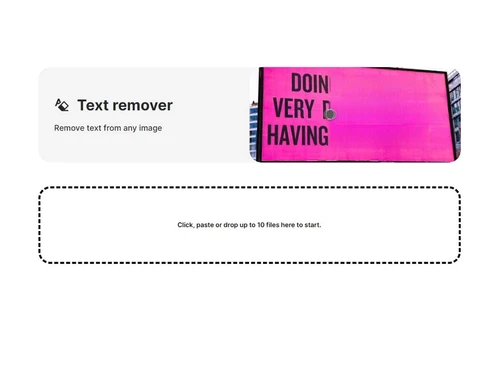
  • Easily remove text elements while maintaining a clean and professional look.
  • Access a diverse gallery, perform edits on the go, and turn text into stunning visuals.

ClipDrop AI Pricing

ClipDrop photo editing system pricing starts from INR 1350 per month at Techjockey.com. The pricing model is based on different parameters, including extra features, deployment type, and total users. For further queries related to the product, you can contact our product team and learn more about the pricing and offers.

Read more

Stability.ai Company Details

Founded Year:  2019

Stability AI is an AI-driven visual art startup that designs and implements an open AI tool to create images based on text input given.

Director/Founders Emad Mostaque
Company Size 1-100 Employees

ClipDrop Pricing & Plans

Pro
Key Features
  • Unlimited Background Removal HD
  • Unlimited Cleanup Pictures HD
  • Unlimited Relight HD
  • Unlimited Image Upscaler x2 & x4
  • Unlimited Web Editor
  • Unlimited ClipDrop iOS
  • Unlimited ClipDrop Android
  • Unlimited Text to image
  • Unlimited Replace background
  • Unlimited Text Remover

Calculated Price

₹ 1350 Exclusive of all taxes
    • Licenses

      Licenses
      Licenses
    • Monthly

      Monthly
      Monthly

Key Features

  • Unlimited Background Removal HD

  • Unlimited Cleanup Pictures HD

  • Unlimited Relight HD

  • Unlimited Image Upscaler x2 & x4

  • Unlimited Web Editor

  • Unlimited ClipDrop iOS

  • Unlimited ClipDrop Android

  • Unlimited Text to image

  • Unlimited Replace background

  • Unlimited Text Remover

ClipDrop Features

  • icon_check Portrait Surface UI
    Retouch facial features and skin textures automatically to create professional-grade portraits in just a few seconds.
  • icon_check Text to Image Hub
    Convert your creative ideas into stunning visual art by typing descriptive prompts into a powerful generative engine.
  • icon_check Cleanup
    Erase objects/defects from images seamlessly.
  • icon_check Image Upscaler
    Boost resolution without quality loss.
  • icon_check Relight
    Adjust lighting/shadows in photos instantly.
  • icon_check Remove Background
    Delete backgrounds with one click.
  • icon_check Replace Background
    Swap backgrounds effortlessly.
  • icon_check Text Remover
    Clean text from images perfectly.
  • icon_check Gallery
    Access/edit your visual assets fast.
  • icon_check Text to Image
    Generate art from text prompts via AI.
  • icon_check Web Editor
    Edit photos online, no installation needed.
  • icon_check Stable Diffusion Reimagine
    AI recreates images with new styles.
  • icon_check AI Image Upscaler
    Enhance your low-resolution photos instantly by increasing image size while preserving sharp details and clarity.
  • icon_check Magic Cleanup Tool
    Effortlessly remove unwanted objects, people, or distracting text from your photos with smart, content-aware filling.
  • icon_check AI Background Swap
    Instantly replace the background of any subject with a new professional environment generated by advanced AI technology.
ClipDrop Demo Video play icon

Get ClipDrop Demo

Watch the demo video to explore key features, real workflows, and how the software fits your business needs.

Understand
Key Features
Personal
Demo Insights
Interactive
Demo Support

ClipDrop Specifications

Supported Platforms
Ubuntu Ubuntu Windows Windows iOS iOS Android Android MacOS MacOS Linux Linux
Devices
Desktop Desktop Mobile Mobile Tablet Tablet iPad iPad
Deployment
Cloud-Based Cloud-Based
Suitable For
Designers
Business Specific
All Businesses
Business Size
Small Business Startups Medium Business SMBs SMEs MSMBs
Customer Support
Email Communities
Language
English
Integration
API Integration
Training Resources
Documentation Videos
AI Features
AI Integrated

Explore the Best Alternative Solutions Similar to Your Business Size and Needs

ClipDrop Review

4.5

Out of 5

img

Overall Rating

Based on
5 Verified Ratings

Rating Breakdown

  • Features 4.6
  • Value for Money 4.5
  • Ease of Use 4.2
  • Customer Support 5

96% Recommend this Product

Add Review

Techjockey Trusted Reviews from Verified Users

No reviews are currently available for ClipDrop. Discover similar Photo Editing Software reviews

  • Canva

    4.3

    Whats great - I enjoy how quickly and simply one can choose the template and begin tweaking. read more

  • Adobe Photoshop

    4.6

    Whats great - What I love most about Adobe Photoshop is its amazing editing capabilities. It's versatile, not just for photos but also for ... read more

  • Luminar Neo

    4.9

    Whats great - The interface is clean and easy to get around, so I’m not wasting time looking for tools. Sky AI, Relight AI, and portrait to... read more

Compare ClipDrop With other Photo Editing Software

Products
Ratings
Pricing
Device Supported
Deployment
Supported Platforms
  • img

    ClipDrop

  • 4.5

  • ₹ 1350.00 excl. GST

  • Desktop

    Mobile

  • Web based

    On Premises

  • Windows

    Mac OS

  • img

    Uncrop AI

  • 4.6

  • Price On Request

  • Desktop

    Mobile

  • Web based

    On Premises

  • Windows

    Mac OS

  • img

    Adobe Photoshop

  • 4.5

  • Price On Request

  • Desktop

    Mobile

  • Web based

    On Premises

  • Windows

    Mac OS

  • img

    Karizma Album

  • 4.4

  • ₹ 3500

  • Desktop

    Mobile

  • Web based

    On Premises

  • Windows

    Mac OS

  • img

    Affinity Photo

  • 4.2

  • ₹ 619

  • Desktop

    Mobile

  • Web based

    On Premises

  • Windows

    Mac OS

  • img

    Luminar Neo

  • 4.7

  • ₹ 4999

  • Desktop

    Mobile

  • Web based

    On Premises

  • Windows

    Mac OS

  • img

    darktable

  • 4.0

  • Price On Request

  • Desktop

    Mobile

  • Web based

    On Premises

  • Windows

    Mac OS

  • img

    Cutout Pro

  • 4.8

  • ₹ 247

  • Desktop

    Mobile

  • Web based

    On Premises

  • Windows

    Mac OS

  • img

    Lensa AI

  • 4.1

  • Price On Request

  • Desktop

    Mobile

  • Web based

    On Premises

  • Windows

    Mac OS

  • img

    AfterShot Pro 3

  • 4.5

  • ₹ 5966

  • Desktop

    Mobile

  • Web based

    On Premises

  • Windows

    Mac OS

(0) Product(s) selected

ClipDrop Alternatives

See All ClipDrop Alternatives

Available

Price on Request

Starting Price:

$36 /Year

Starting Price:

$80 /year

Starting Price:

$35 /Lifetime

Starting Price:

$10 /Month

Starting Price:

$8 /Month

Starting Price:

$15 /Month

Starting Price:

$810 /Year
Articles for ClipDrop

See All Related Articles

What is ClipDrop used for?

ClipDrop is a good AI-driven image editing tool that makes it super easy to remove backgrounds, erase unwanted objects, boost image resolution, and even create images from text.

How does ClipDrop work?

ClipDrop harnesses the power of AI to help you edit images in a snap—simply upload your photo and take advantage of features like background removal, object erasure, or even text-to-image generation.

Is ClipDrop free or paid?

Yes, ClipDrop is available for free as well as paid.

Is ClipDrop API free?

Once logged in, you can claim 100 free Clipdrop API credits.

Is Clipdrop worth it?

Overall, it is a nice photo editing tool with some drawbacks like output quality and subscription cost.

Who uses ClipDrop?

ClipDrop is used by Content creators, marketers, and designers.

How much does ClipDrop cost?

ClipDrop photo editing system pricing starts from INR 1350 per month at Techjockey.com.

Is there any mobile app for ClipDrop?

No, ClipDrop does not have a mobile app.

20,000+ Software Listed

Best Price Guranteed

Free Expert Consultation

2M+ Happy Customers

Terms and Condtions

close

Users with registered businesses can purchase goods from merchants on the platform to satisfy their business needs. Users are not permitted to utilize any products acquired through the platform for resale, advertising, business, or further distribution.

For each purchase made, users will receive a Tax Invoice (or 'GST invoice') that includes specific details such as:

  • the GSTIN of the user associated with their registered business, and

  • the specified Entity Name for their business.

It should be noted that not all products are eligible for GST Invoice. Only the products displayed by participating sellers with the 'GST-based Invoice Available' callout on the product description page would qualify.

Certain goods and services are not eligible to get a GST Invoice, including items with VAS, i.e., Value Added Services (e.g., Total Mobile Protection/Assured Buyback) and those involving an exchange offer at the time of purchase.

Users must ensure the accuracy of the GSTIN, and business entity name provided for the GST Invoice. Requests for corrections into GST Invoice would not be accommodated by Techjockey.com or any Seller, and any issues arising from user-provided information are the sole responsibility of users.

Techjockey.com is not liable for the GST Invoice or any associated input tax credit. To efficiently claim an input tax credit, users should select the registered place of business address as per the GST authority's data and follow the provisions of the GST Act and rules.

To claim an input tax credit, the delivery and billing addresses must match. Furthermore, input tax credits will not be granted if the delivery address and GSTIN on the invoice are from different states. In case of incorrect GST details provided during the order placement, the order will be canceled automatically.