 USA
USA UAE
UAESmall Business
Designed for startups and growing businesses

See More





Brand: Stability.ai
A smart designing solution that helps expand, resize, and enhance images easily without losing quality.
See MoreHave you used Uncrop AI before?
Share your insights for better experience
Brand: Stability.ai
Founded Year: 2019
Stability AI is an AI-driven visual art startup that designs and implements an open AI tool to create images based on text input given.
 Remove Background Stable Diffusion Relight Replace Background Text Remover Text to image Artificial Intelligence Composition Enhancement Texture Extension AI Image Outpainting Visual Context Preservation Multiple Generated Variations

Watch the demo video to explore key features, real workflows, and how the software fits your business needs.
 Ubuntu
  Windows
  MacOS
MacOS  Linux
Linux  Desktop
  Mobile
  Tablet
  iPad
iPad  Cloud-Based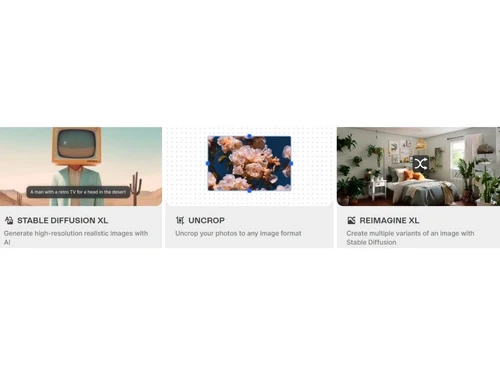
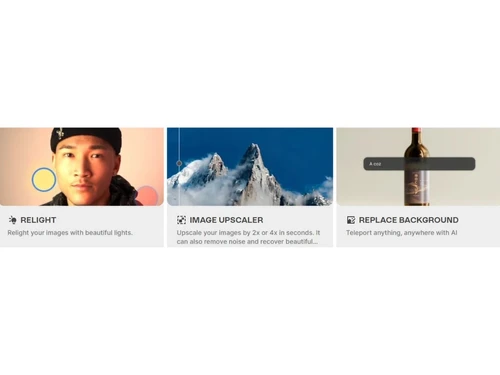
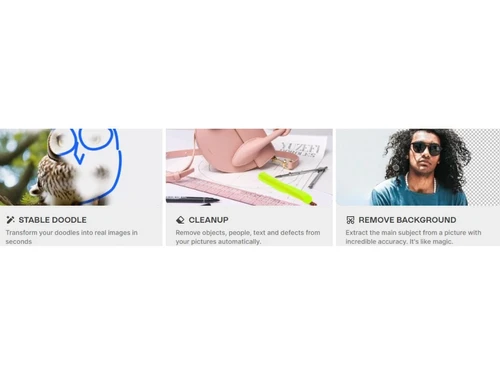
Small Business
Designed for startups and growing businesses
Medium Business
Built for business growth and flexibility
Enterprises
Designed for complex and large-scale business needs
4.6
Out of 5

Overall Rating
Based on
7 Verified Reviews
Rating Breakdown
85% Recommend this Product
Add ReviewUsers generally appreciate Uncrop AI for its basic image enhancement capabilities, particularly in upscaling and sharpening low-resolution photos. Many find the web interface user-friendly and the results satisfactory for minor improvements. However, common complaints highlight issues with advanced features, such as inpainting and face enhancement, which often produce glitchy results and artifacts. Overall, while the tool shows potential, users feel it lacks refinement and can struggle with heavily degraded images.
Pros
"It is a simple web app with basic enlargement managed decently"
"Easy to upload images quickly with minimal sharpening achieved"
"It has easy to use web interface with some blur reduction and enlargement functionalities"
Cons
"Unable to recover the lost quality of the images if unsatisfied with the output"
"It has significant artifacts, failed inpainting, faces improvement bugs and control limitations"


Nov 1, 2023
Techjockey Verified
“AI Photo Suite Shows Potential”
I hoped Uncrop AI would offer robust AI-enhanced photo improvement with its array of features. Unfortunately, aside from basic upscaling and sharpening, the other tools consistently underdelivered with glitchy results and artifacts. The AI requires better training and refinement.
Pros
Basic sharpening and upscaling worked okay
Cons
Advanced tools are glitchy and poor with issues
Reason to switch
I've tested Uncrop expecting a robust set of AI photo correction capabilities. But the suite felt unfinished, with poor performance beyond basic enhancements.
Nov 1, 2023
Techjockey Verified
“An Unremarkable Photo Enhancer”
As an AI-powered photo enhancement tool, I did not find Uncrop AI to be very capable. While it marginally improved the size and sharpness of my low-quality test images, the results remained obviously degraded with no meaningful restoration of detail.
Pros
Easy to upload images quickly with minimal sharpening achieved
Cons
Unable to recover the lost quality of the images if unsatisfied with the output
Reason to switch
I decided to try Uncrop AI based on its marketed ability to enlarge and enhance pixelated images beyond their initial resolution. But it failed to deliver any serious improvements.
Nov 2, 2023
Techjockey Verified
“AI Shows Potential But Lacks Polish”
Uncrop AI aims to provide a suite of AI image improvement tools. While it worked okay for upscaling, other features like inpainting and face enhancement were less successful in my testing. The AI seems to have potential but overall the product felt unfinished.
Pros
It is a simple web app with basic enlargement managed decently
Cons
It has major artifacts and limited customization available
Reason to switch
I chose Uncrop hoping to utilize several of its advertised AI photo correction tools. But beyond basic enhancement, the features were buggy and disappointing.

Uncrop AI
Price On Request
Desktop
Mobile
Web based
On Premises
Windows
Mac OS

ClipDrop
₹ 1350
Desktop
Mobile
Web based
On Premises
Windows
Mac OS

Adobe Photoshop
Price On Request
Desktop
Mobile
Web based
On Premises
Windows
Mac OS

Karizma Album
₹ 3500
Desktop
Mobile
Web based
On Premises
Windows
Mac OS

Affinity Photo
₹ 619
Desktop
Mobile
Web based
On Premises
Windows
Mac OS

Luminar Neo
₹ 4999
Desktop
Mobile
Web based
On Premises
Windows
Mac OS

Cutout Pro
₹ 247
Desktop
Mobile
Web based
On Premises
Windows
Mac OS

darktable
Price On Request
Desktop
Mobile
Web based
On Premises
Windows
Mac OS

AfterShot Pro 3
₹ 5966
Desktop
Mobile
Web based
On Premises
Windows
Mac OS

Lensa AI
Price On Request
Desktop
Mobile
Web based
On Premises
Windows
Mac OS

Adobe Photoshop Elements
Price On Request
Desktop
Mobile
Web based
On Premises
Windows
Mac OS
(0) Product(s) selected
Available
Price on Request
Starting Price:
$36 /Year
Starting Price:
$100 /Year

Starting Price:
$80 /year

Starting Price:
$10 /Month

Starting Price:
$35 /Lifetime

Starting Price:
$8 /Month

Starting Price:
$15 /Month

Starting Price:
$810 /Year

Starting Price:
$12 /month








Uncrop AI offers free basic tools, but some advanced features may need a paid plan for full access.
It uses smart artificial intelligence to restore, expand, and enhance images by predicting and filling in missing photo parts.
Photographers, designers, social media creators, and casual users use it to fix, enlarge, or improve their images effortlessly.
Uncrop AI pricing starts from INR 1350 per month at Techjockey.com.
Yes, Uncrop AI works on most devices including desktops, laptops, tablets, and mobile phones through a browser.
No, you can use Uncrop AI directly in your web browser without downloading or installing anything on your device.
Yes, it has a very simple interface that anyone can use, even without design or editing experience.
You can edit portraits, landscapes, old photos, and graphics—Uncrop AI works well with all types of images.
Uncrop AI, an innovative photo editing solution, specializes in adjusting image aspect ratios. Developed using the stability.ai foundation model, it offers a novel approach to rectifying cropped photos. With Uncrop AI, users can effortlessly expand the canvas and restore missing elements, enhancing the visual composition of their images.
20,000+ Software Listed
Best Price Guranteed
Free Expert Consultation
2M+ Happy Customers
Terms and Condtions

Users with registered businesses can purchase goods from merchants on the platform to satisfy their business needs. Users are not permitted to utilize any products acquired through the platform for resale, advertising, business, or further distribution.
For each purchase made, users will receive a Tax Invoice (or 'GST invoice') that includes specific details such as:
the GSTIN of the user associated with their registered business, and
the specified Entity Name for their business.
It should be noted that not all products are eligible for GST Invoice. Only the products displayed by participating sellers with the 'GST-based Invoice Available' callout on the product description page would qualify.
Certain goods and services are not eligible to get a GST Invoice, including items with VAS, i.e., Value Added Services (e.g., Total Mobile Protection/Assured Buyback) and those involving an exchange offer at the time of purchase.
Users must ensure the accuracy of the GSTIN, and business entity name provided for the GST Invoice. Requests for corrections into GST Invoice would not be accommodated by Techjockey.com or any Seller, and any issues arising from user-provided information are the sole responsibility of users.
Techjockey.com is not liable for the GST Invoice or any associated input tax credit. To efficiently claim an input tax credit, users should select the registered place of business address as per the GST authority's data and follow the provisions of the GST Act and rules.
To claim an input tax credit, the delivery and billing addresses must match. Furthermore, input tax credits will not be granted if the delivery address and GSTIN on the invoice are from different states. In case of incorrect GST details provided during the order placement, the order will be canceled automatically.



