linkedin
Recraft logo
play Al-Powered Mockup Generator by Recraft
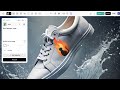
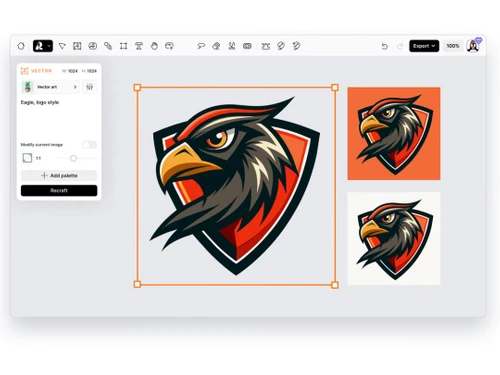
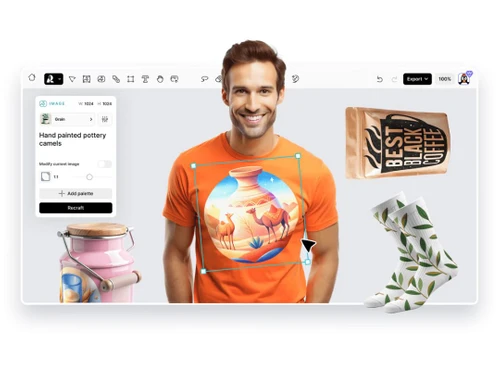
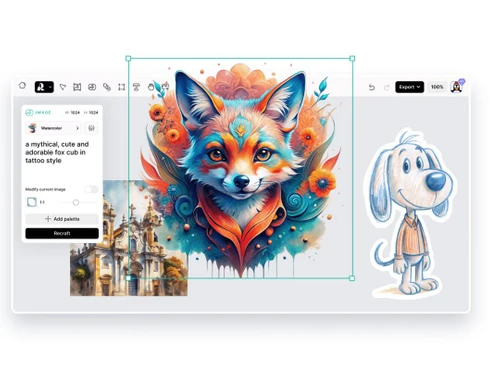
recraft-dashboard
recraft-overview

Recraft

Brand: Recraft

  • 4.1

  • 3 Ratings

Recraft is a versatile AI-powered image generation and customization platform that empowers businesses to create, edit, and enhance visuals with ease. Designed for companies looking to streamline visual content creation, Recraft offers robust features like editing tools, collaboration options, and b...

See More

Have you used Recraft before?

Share your insights for better experience

Add a Review
Starting Price
$12

View plans

100% Genuine
Products
Best Price
Guaranteed
Safe & Secure
Payment
  • Description

  • Pricing

  • Features

  • Specification

  • Review

  • Compare

  • Alternatives

  • FAQ

Starting at $12

RecraftSoftware Overview

What is Recraft?

Recraft is an innovative business software and one of the top generative AI tools in the market, allowing businesses to create and customize visual content with AI image generators. With a user-friendly interface and a wide range of functionalities, Recraft enables users to generate high-quality images, modify them with precise editing tools, and enhance them through prompt control and various model settings.

This platform caters to businesses, marketers, and creative teams looking to elevate their visual content production, making it easier to produce eye-catching visuals without extensive design skills.

As a powerful tool in the domain of content creation, Recraft supports collaboration and sharing among teams, allowing users to work together seamlessly and efficiently on projects. The platform also supports integration with other business tools, enhancing workflow and making it easier to incorporate Recraft’s capabilities into existing processes.

Whether for branding, marketing, or creative customization, Recraft provides businesses with the tools they need to produce visuals that align with their brand identity and commercial requirements.

Why Choose Recraft AI Image Generator?

  • AI-Enhanced Creativity: Recraft’s AI capabilities assist in generating unique images tailored to business needs, saving time on manual design.
  • User-Friendly Platform: The interface is easy to navigate, even for users with minimal design experience.
  • Customization and Flexibility: Offers tools that allow deep customization and control over image edits and prompt details.
  • Collaboration-Friendly: Teams can work together seamlessly, ensuring consistent and unified visuals for projects.
  • Commercial and Branding Support: Ideal for businesses that need consistent, brand-aligned visuals for marketing and commercial use.

Benefits of Recraft

  • Enhanced Visual Content: AI-powered features help generate and process high-quality images, giving businesses a professional edge.
  • Time-Saving Automation: Automated image generation and editing features save time and reduce manual effort.
  • Brand-Aligned Design: Allows companies to create visuals that stay true to their branding and marketing needs.
  • Efficient Collaboration: The platform’s collaboration tools make it easy for team members to work together, enhancing productivity.
  • Seamless Integration: Recraft integrates with other business tools, streamlining workflows and improving efficiency.
  • Creative Control: With robust customization options, users have full control over the final look and feel of their visuals.
  • Adaptable to Industry Needs: Useful across various industries like marketing, e-commerce, and media, catering to specific business needs.
  • Increased Engagement: High-quality visuals generated by Recraft can attract and retain customer attention.
  • Cost-Effective Solution: Offers professional-grade tools without the need for a large design budget.
  • Continuous Support and Updates: Recraft provides support and regular updates, ensuring users have access to the latest features.

Pricing of Recraft

Recraft price starts at $ 12 at techjockey.com.

The pricing model is based on different parameters, including extra features, deployment type, and the total number of users. For further queries related to the product, you can contact our product team and learn more about the pricing and offers.

Read more

Recraft Company Details

Founded Year:  2022

Recraft is the first generative AI design tool that lets users create and edit vector art, icons, 3D images and illustrations in a uniform brand style.

Director/Founders Anna Veronika Dorogush
Company Size 1-100 Employees

Recraft Pricing & Plans

Basic
Starting at $12
    • Licenses

      Licenses
      Licenses
    • Monthly

      Monthly
      Monthly

Key Features

  • 1000 credits monthly

  • Generated images are private

  • Full ownership and commercial rights to any genera

  • Creative Upscale tool available

  • Priority image generation

  • Maximum concurrent jobs: 2

  • Maximum number of images per prompt: 4

  • Unlimited top-up: 400 credits for $4

Advanced
Starting at $33
    • Licenses

      Licenses
      Licenses
    • Monthly

      Monthly
      Monthly

Key Features

  • 4000 credits monthly

  • Generated images are private

  • Full ownership and commercial rights to any genera

  • Creative Upscale tool available

  • Priority image generation

  • Maximum concurrent jobs: 4

  • Maximum number of images per prompt: 4

  • Unlimited top-up: 400 credits for $4

Pro
Starting at $60
    • Licenses

      Licenses
      Licenses
    • Monthly

      Monthly
      Monthly

Key Features

  • 8400 credits monthly

  • Generated images are private

  • Full ownership and commercial rights to any genera

  • Creative Upscale tool available

  • Priority image generation

  • Maximum concurrent jobs: 10

  • Maximum number of images per prompt: 4

  • Unlimited top-up: 400 credits for $4

Recraft Features

Image Generation and Processing

  • icon_check Text-to-Image Generation
    Converting the entered text into an image
  • icon_check High-Resolution Output
    Generates HD-quality output
  • icon_check Real-time Preview
    Provides real-time previews of the image as users adjust its parameters offering immediate feedback on the changes
  • icon_check Image-to-Image Transformation
    Modifies the existing image to new style
  • icon_check Batch Generation
    Generates multiple images from a single prompt, ideal for exploring different variations
  • icon_check Preset Styles
    Provides in-built styles and templates
  • icon_check Drag and Drop
    Providing drag and drop functionality and an easy-to-use interface
  • icon_check Real-Time Rendering
    Produces immediate results by creating the final image in real time while the user modifies the prompt or settings
  • icon_check Multi-Layer Image Processing
    Builds pictures layer by layer adjusting various components to produce more precise and detailed images

Editing and Customization Tools

  • icon_check Background Removal
    Smartly detects the image and removes the elements as per the users' choice
  • icon_check Adjustable Parameters
    Controling the aspects like size, resl.,color scheme,etc
  • icon_check Realistic Object Generation
    Creates realistic and coherent images
  • icon_check Resolution Control
    Lets users choose the resolution at that they want created images to be
  • icon_check Image Upscaling
    Enhances the image quality
  • icon_check Object Removal
    Uses AI techniques to eliminate undesired things from photos, erasing all traces of the deleted objects
  • icon_check Denoising
    Reducing noise from the image and thereby providing clarity
  • icon_check 3D Effects
    Make 3D design images from simple text descriptions
  • icon_check Style Transfer
    Applying artistic style of image to another
  • icon_check AI Editor
    Use artificial intelligence to improve, fix, or create images
  • icon_check Image Tiling
    Allows the user to create seamless patterns and repeating patterns
  • icon_check Style Adaptation
    Allows users to create multiple alteration of an image and apply the visual style of one image onto another
  • icon_check Content Filters
    Users can add filters to photos, regulating content production, such as allowing or prohibiting NSFW content.
  • icon_check Layer Control
    Allows users to manipulate layers, background, objects, shadows, etc.
  • icon_check Text Overlay
    Allows the user to add text over the generated images
  • icon_check Image Weights
    Gives options for varying the proportion of text prompts to picture prompts

Prompt Control and Enhancements

  • icon_check Prompt Flexibility
    Facilitates the users with ability to adjust and modify their text prompts and get desired results
  • icon_check Prompt Editing
    Allows the user modify the entered prompt
  • icon_check Negative Prompt
    Feature using which user can enter those details that they want explicitly not included
  • icon_check Real-Time Generation
    Generates images as users enter the prompts thereby reducing wait time
  • icon_check Prompt Sensitivity
    Adjust the accuracy of the generated image and ensure that it matches the input
  • icon_check Prompt Enhancer
    Reads your prompt, analyzes it and then make changes in it automatically so that you get an upgraded image.
  • icon_check Prompt Matrix
    Modifies settings to create multiple versions of a single prompt
  • icon_check Seed
    Gives the user the ability to specify a seed number for consistent image generation

Model and AI Capabilities

  • icon_check Multi-Model Support
    Gives users access to a variety of AI models so they may select the one that best suits their needs
  • icon_check Fine Tuning
    The process of training a pre-trained model that fits the requirements of the user
  • icon_check Model Merging
    Combines features from several AI models to produce image generating tools that are more effective and versatile

Collaboration and Sharing

  • icon_check Collaboration Tools
    Feature that allows multiple users to work in collaboration
  • icon_check Prompt Libraries
    Provides users with a set of pre-written text suggestions
  • icon_check Image Sharing
    Easily share your artwork with other via links on social media
  • icon_check Custom Templates
    Allows the user create and save new templates

Branding and Commercial Use

  • icon_check Data Privacy
    Ensures user data and generated content are securely handled
  • icon_check Commercial Rights
    Defines the legal usage of generated images allowing the user if they can use it for commercial purposes
  • icon_check Brand Kit Integration
    Enables users to brand created photos, guaranteeing uniformity across material

Integration Supported

  • icon_check API Integration
    Provides the creator with an API of an image so that they can use it on other processes or apps
  • icon_check Plugin & Extensions
    Extending functionality by adding add-ons and plugins
  • icon_check Content Management Systems (CMS) Integration
    Allowing direct integration with CMS platforms allowing user to publish images on websites
  • icon_check Design and Editing Software Integration
    Connectiing the design other editing tools for further image refinement
  • icon_check Cloud Storage and Collaboration Tools Integration
    Allows users to save and share images directly onto the cloud storage
  • icon_check E-Commerce Platforms Integration
    Provides the ability to generate product images directly for use on platforms
  • icon_check 3D Modeling Software Integration
    Allow the user to create and modify 3D components inside the images using 3D applications
  • icon_check Game Engines Integration
    Allows created pictures to be seamlessly integrated with gaming engines
  • icon_check Video Editing Tools Integration
    Allows the user to connects with video editing software
  • icon_check Animation Tools Integration
    Enables the mixing of AI-generated images with animation software
  • icon_check NFT Marketplaces
    Supports direct export of AI-generated images as NFTs allowing users to mint and sell their creations on platforms
Recraft Demo Video play icon

Get Recraft Demo

Watch the demo video to explore key features, real workflows, and how the software fits your business needs.

Understand
Key Features
Personal
Demo Insights
Interactive
Demo Support

Recraft Specification

Supported Platforms
Ubuntu Ubuntu Windows Windows iOS iOS Android Android MacOS MacOS Linux Linux
Devices
Desktop Desktop Mobile Mobile
Deployment
Web-Based Web-Based
Suitable For
All Industries
Business Specific
All Businesses
Business Size
Small Business Startups Medium Business Enterprises
Customer Support
Email Communities
Language
English
Training Resources
Videos
AI Features
AI Integrated

Explore the Best Alternative Solutions Similar to Your Business Size and Needs

Recraft Review

4.1

Out of 5

img

Overall Rating

Based on
3 Verified Ratings

Rating Breakdown

  • Features 4
  • Value for Money 4.1
  • Ease of Use 4.3
  • Customer Support 4

100% Recommend this Product

Add Review

Techjockey Trusted Reviews from Verified Users

No reviews are currently available for Recraft. Discover similar AI Image Generators reviews

  • Voge AI

    4.4

    Whats great - Offers a range of avatar styles and easy sharing options. read more

  • DeepDream

    4.2

    Whats great - What stands out about DeepDream 2 is how much fun it is to create abstract and dreamlike art. It gives you so many different ... read more

  • Artbreeder

    4.1

    Whats great - The software allows me to see my ideas turn into images quickly. The variety of styles available is really impressive, and I ... read more

Compare Recraft With other AI Image Generators

Products
Ratings
Pricing
Device Supported
Deployment
Supported Platforms
  • img

    Recraft

  • 4.1

  • Price On Request

  • Desktop

    Mobile

  • Web based

    On Premises

  • Windows

    Mac OS

  • img

    Remaker AI

  • 4.2

  • Price On Request

  • Desktop

    Mobile

  • Web based

    On Premises

  • Windows

    Mac OS

  • img

    Deepnude

  • 3.7

  • Price On Request

  • Desktop

    Mobile

  • Web based

    On Premises

  • Windows

    Mac OS

  • img

    Leonardo AI

  • 3.8

  • Price On Request

  • Desktop

    Mobile

  • Web based

    On Premises

  • Windows

    Mac OS

  • img

    Adobe Firefly

  • 4.0

  • Price On Request

  • Desktop

    Mobile

  • Web based

    On Premises

  • Windows

    Mac OS

  • img

    DeepSukebe

  • 4.2

  • Price On Request

  • Desktop

    Mobile

  • Web based

    On Premises

  • Windows

    Mac OS

  • img

    Facet AI

  • 4.3

  • Price On Request

  • Desktop

    Mobile

  • Web based

    On Premises

  • Windows

    Mac OS

  • img

    SUPERMACHINE

  • 4.2

  • Price On Request

  • Desktop

    Mobile

  • Web based

    On Premises

  • Windows

    Mac OS

  • img

    GoEnhance AI

  • 4.3

  • Price On Request

  • Desktop

    Mobile

  • Web based

    On Premises

  • Windows

    Mac OS

  • img

    DiffusionBee

  • 4.2

  • Price On Request

  • Desktop

    Mobile

  • Web based

    On Premises

  • Windows

    Mac OS

  • img

    Getimg AI

  • 3.9

  • ₹ 850

  • Desktop

    Mobile

  • Web based

    On Premises

  • Windows

    Mac OS

(0) Product(s) selected

Recraft Alternatives

See All Recraft Alternatives

Starting Price:

$30 /Month

Available

Price on Request

Available

Price on Request

SAVE UPTO 25%

Articles for Recraft

See All Related Articles

How does Recraft enhance image quality?

Recraft uses AI and model capabilities to generate high-quality images and offers editing tools to refine them for professional use.

Is Recraft suitable for collaboration?

Yes, Recraft offers collaboration and sharing tools that allow teams to work together efficiently on projects.

Can Recraft be integrated with other tools?

Yes, Recraft supports integration with various business tools, making it easier to fit into existing workflows.

What is Recraft used for?

Recraft is an image generation and editing platform that helps businesses create and customize visuals for branding, marketing, and commercial use.

Does Recraft require design experience?

No, Recraft is user-friendly and suitable for users with minimal design experience due to its intuitive interface and AI-driven features.

Is Recraft suitable for branding purposes?

Absolutely, Recraft allows businesses to create brand-aligned visuals that can be used for commercial and marketing purposes.

What editing tools are available on Recraft?

Recraft offers various tools for editing, customization, and prompt control, allowing for detailed modifications of generated images.

Does Recraft support commercial use?

Yes, Recraft is designed for commercial use, enabling businesses to create professional visuals that meet branding and industry standards.

How does AI enhance Recraft’s image generation?

Recraft’s AI capabilities allow for automated and advanced image generation, creating unique visuals based on specific prompts and settings.

Is Recraft a cost-effective solution?

Yes, Recraft provides professional-grade tools at a reasonable cost, making it an affordable solution for businesses needing high-quality visuals.

20,000+ Software Listed

Best Price Guranteed

Free Expert Consultation

2M+ Happy Customers

Terms and Condtions

close

Users with registered businesses can purchase goods from merchants on the platform to satisfy their business needs. Users are not permitted to utilize any products acquired through the platform for resale, advertising, business, or further distribution.

For each purchase made, users will receive a Tax Invoice (or 'GST invoice') that includes specific details such as:

  • the GSTIN of the user associated with their registered business, and

  • the specified Entity Name for their business.

It should be noted that not all products are eligible for GST Invoice. Only the products displayed by participating sellers with the 'GST-based Invoice Available' callout on the product description page would qualify.

Certain goods and services are not eligible to get a GST Invoice, including items with VAS, i.e., Value Added Services (e.g., Total Mobile Protection/Assured Buyback) and those involving an exchange offer at the time of purchase.

Users must ensure the accuracy of the GSTIN, and business entity name provided for the GST Invoice. Requests for corrections into GST Invoice would not be accommodated by Techjockey.com or any Seller, and any issues arising from user-provided information are the sole responsibility of users.

Techjockey.com is not liable for the GST Invoice or any associated input tax credit. To efficiently claim an input tax credit, users should select the registered place of business address as per the GST authority's data and follow the provisions of the GST Act and rules.

To claim an input tax credit, the delivery and billing addresses must match. Furthermore, input tax credits will not be granted if the delivery address and GSTIN on the invoice are from different states. In case of incorrect GST details provided during the order placement, the order will be canceled automatically.