Description
Pricing
Features
Specification
Review
Compare
FAQs
Alternatives
 Get Free Advice
Get Quote


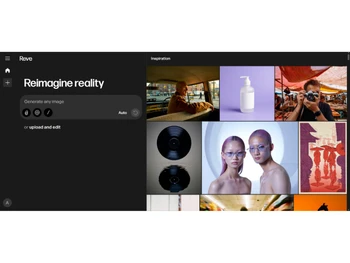
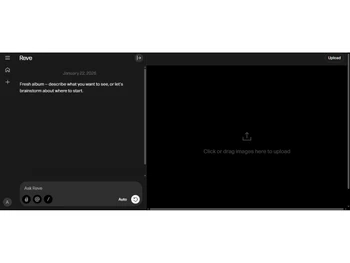
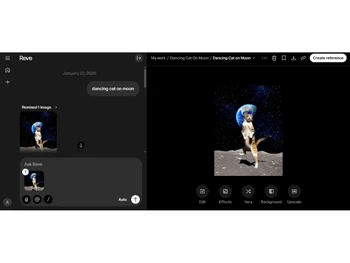


Brand : Reve AI


Have Questions?
Starting at
$ 8
Save Extra with 2 Offers
 Save upto 18%, Get GST Invoice on your business purchase |
Users with registered businesses can purchase goods from merchants on the platform to satisfy their business needs. Users are not permitted to utilize any products acquired through the platform for resale, advertising, business, or further distribution.
For each purchase made, users will receive a Tax Invoice (or 'GST invoice') that includes specific details such as:
the GSTIN of the user associated with their registered business, and
the specified Entity Name for their business.
It should be noted that not all products are eligible for GST Invoice. Only the products displayed by participating sellers with the 'GST-based Invoice Available' callout on the product description page would qualify.
Certain goods and services are not eligible to get a GST Invoice, including items with VAS, i.e., Value Added Services (e.g., Total Mobile Protection/Assured Buyback) and those involving an exchange offer at the time of purchase.
Users must ensure the accuracy of the GSTIN, and business entity name provided for the GST Invoice. Requests for corrections into GST Invoice would not be accommodated by Techjockey.com or any Seller, and any issues arising from user-provided information are the sole responsibility of users.
Techjockey.com is not liable for the GST Invoice or any associated input tax credit. To efficiently claim an input tax credit, users should select the registered place of business address as per the GST authority's data and follow the provisions of the GST Act and rules.
To claim an input tax credit, the delivery and billing addresses must match. Furthermore, input tax credits will not be granted if the delivery address and GSTIN on the invoice are from different states. In case of incorrect GST details provided during the order placement, the order will be canceled automatically.
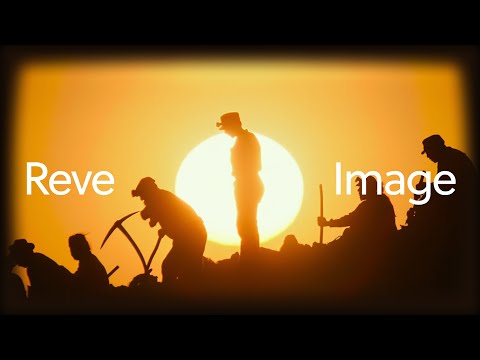
Buy Now & Pay Later, Check offer on payment page. Reve lets users create and edit images using simple text prompts. ...Read more
 Get Instant Expert
  Safe & Secure
  Assured Best Price
 We make it happen! Get your hands on the best solution based on your needs.
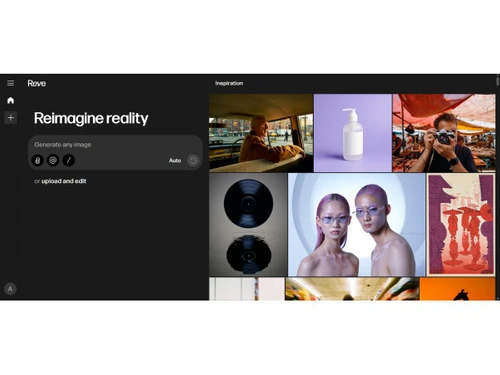
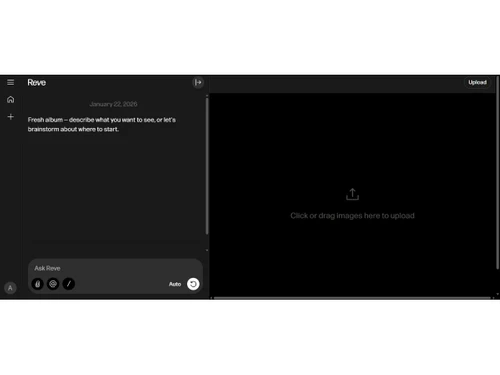
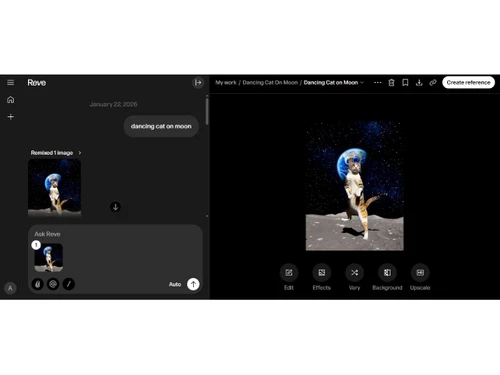
Image Generation and Processing
 Real-time Preview Displays image generation progress with near real-time visual feedback. Text-to-Image Generation Converts natural language prompts into original AI-generated images. Image-to-Image Transformation Modifies uploaded images using prompts while preserving core visual elements. High-Resolution Output Supports exporting images in high-resolution suitable for professional use. Preset Styles Offers predefined visual styles to guide image generation quickly. Drag and Drop Allows drag-and-drop image uploads for editing and transformation workflows. Real-Time Rendering Produces immediate results by creating the final image in real time while the user modifies the prompt or settings Multi-Layer Image Processing Builds pictures layer by layer adjusting various components to produce more precise and detailed images Batch Generation Generates multiple images from a single prompt, ideal for exploring different variations
 Editing and Customization Tools
Content Filters Applies safety and moderation filters to restrict disallowed or sensitive visual content. Style Transfer Applies artistic or visual styles to images using AI-driven style adaptation. Background Removal Automatically detects and removes image backgrounds using AI segmentation. AI Editor Includes AI-assisted tools for refining, editing, and enhancing images. Adjustable Parameters Users can tweak generation settings like style strength and detail levels. Realistic Object Generation Generates photorealistic objects with accurate lighting and textures. Resolution Control Enables users to choose or upscale output image resolution. Image Upscaling Enhances image clarity and size using AI-based super-resolution models. Object Removal Removes unwanted objects from images while preserving surrounding context. Denoising Reduces noise and artifacts in generated or enhanced images. Style Adaptation Dynamically adapts styles to match prompt intent and reference visuals. 3D Effects Make 3D design images from simple text descriptions Layer Control Allows users to manipulate layers, background, objects, shadows, etc. Text Overlay Allows the user to add text over the generated images Image Tiling Allows the user to create seamless patterns and repeating patterns Image Weights Gives options for varying the proportion of text prompts to picture prompts Prompt Control and Enhancements
Prompt Sensitivity Small prompt changes meaningfully influence generated image results. Prompt Flexibility Accepts both simple and highly descriptive natural language prompts. Prompt Editing Prompts can be edited and refined before regenerating images. Negative Prompt Allows excluding unwanted visual elements using negative prompt inputs. Prompt Enhancer Reads your prompt, analyzes it and then make changes in it automatically so that you get an upgraded image. Prompt Matrix Modifies settings to create multiple versions of a single prompt Seed Gives the user the ability to specify a seed number for consistent image generation Real-Time Generation Generates images as users enter the prompts thereby reducing wait time Model and AI Capabilities
Multi-Model Support Gives users access to a variety of AI models so they may select the one that best suits their needs Fine Tuning The process of training a pre-trained model that fits the requirements of the user Model Merging Combines features from several AI models to produce image generating tools that are more effective and versatile Collaboration and Sharing
Image Sharing Generated images can be shared or downloaded for external use. Prompt Libraries Provides users with a set of pre-written text suggestions Collaboration Tools Feature that allows multiple users to work in collaboration Custom Templates Allows the user create and save new templates Branding and Commercial Use
Data Privacy User data and generated content are handled under platform privacy policies. Commercial Rights Images can be used commercially, subject to platform licensing terms. Brand Kit Integration Enables users to brand created photos, guaranteeing uniformity across material Integration Supported
API Integration Provides the creator with an API of an image so that they can use it on other processes or apps Content Management Systems (CMS) Integration Allowing direct integration with CMS platforms allowing user to publish images on websites Design and Editing Software Integration Connectiing the design other editing tools for further image refinement Cloud Storage and Collaboration Tools Integration Allows users to save and share images directly onto the cloud storage E-Commerce Platforms Integration Provides the ability to generate product images directly for use on platforms 3D Modeling Software Integration Allow the user to create and modify 3D components inside the images using 3D applications Game Engines Integration Allows created pictures to be seamlessly integrated with gaming engines Video Editing Tools Integration Allows the user to connects with video editing software Animation Tools Integration Enables the mixing of AI-generated images with animation software NFT Marketplaces Supports direct export of AI-generated images as NFTs allowing users to mint and sell their creations on platforms Plugin & Extensions Extending functionality by adding add-ons and plugins 

 20,000+ Software Listed
 Best Price Guaranteed
 Free Expert Consultation
 2M+ Happy Customers
 USA
USA UAE
UAE

 Write a Review