USA
USA UAE
UAESmall Business
Designed for startups and growing businesses
See More





Brand: Service Grid Tech
SmartITSM by Service Grid Tech is an Asset Management Software and IT Service Management platform that helps organizations manage IT assets, tickets, service requests, endpoints, patching, device security and IT operations through one unified system.
See MoreHave you used SmartITSM before?
Share your insights for better experience
Summary
SmartITSM is a comprehensive asset management software that streamlines IT service management, enabling organizations to efficiently manage assets, incidents, and workflows.
Key Capabilities
Incident Management, KPI Tracking, Service Request Acceptance, Self Service Portal, Workflow Automation, SLA Management, Asset Management.
Best Suited For
Ideal for small to large businesses across various industries seeking efficient IT asset and service management.
Deployment & Access
Web-based deployment accessible on Windows and MacOS desktops.
4.8
Out of 5

93% Users Recommend this Product
Brand: Service Grid Tech
Founded Year: 2026
Service Grid Tech is a next-generation IT Service Management (ITSM) platform designed to help organizations streamline IT operations, improve service delivery, and enhance operational efficiency. Product name SmartITSM
Looking for The Right Pricing?
Share your requirements and get a plan built around your business.
Price Available on Request
Get personalised SmartITSM pricing that fits your needs. Our team will connect with you.
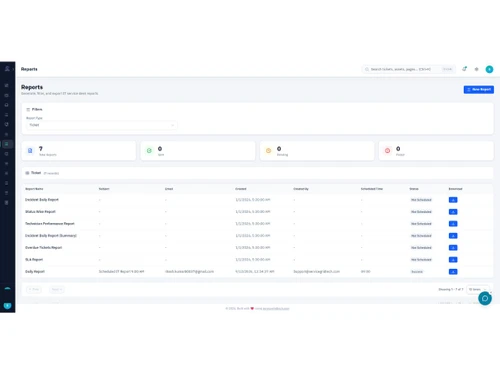
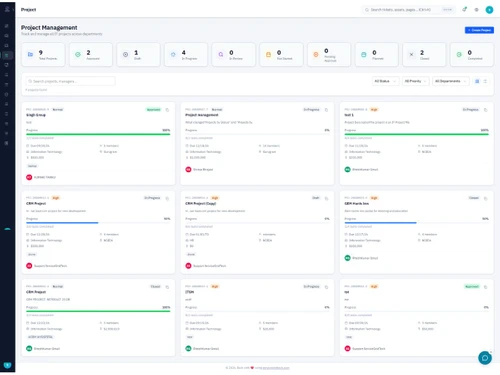
 Incident Management Ticket Management Asset Management Change Management Project Management SLA Management Workflow Automation Self Service Portal Reporting & Analytics Role-Based Access Control (RBAC) User Management Audit Trail Service Request Management Approval Management KPI Tracking Notification Management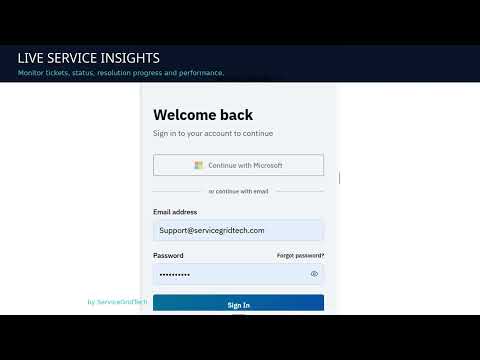

Watch the demo video to explore key features, real workflows, and how the software fits your business needs.
 Windows
  MacOS
MacOS  Desktop
  Cloud-Based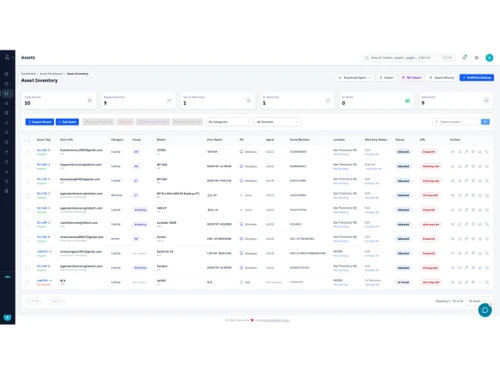
Small Business
Designed for startups and growing businesses
Medium Business
Built for business growth and flexibility
Enterprises
Designed for complex and large-scale business needs
4.8
Out of 5
Overall Rating
Based on
2 Verified Reviews
Rating Breakdown
93% Recommend this Product
Add Review
Oct 8, 2026
Techjockey Verified
“Comprehensive ITSM Solution with Strong Features and Support”
SmartITSM is a comprehensive IT service management solution that helps organizations manage incidents, service requests, assets, users, and IT operations from a centralized platform. The product provides a good combination of essential ITSM features, ease of management, and flexibility. The interface is straightforward and the system can help teams improve ticket management, tracking, and overall service delivery.
Pros
SmartITSM offers useful features for managing daily IT service operations, including centralised ticket management, incident tracking, service requests, and asset management. Its flexibility helps accommodate different organisational needs, while the Service Grid Tech team provides responsive support and understands business requirements. Overall, it offers good functionality for streamlining IT service management.
Cons
More advanced reporting and analytics would help management gain deeper insights into service performance. Additional customisation options for dashboards, workflows, and reports would also make the platform more adaptable to specific business requirements.
Oct 6, 2026
Techjockey Verified
“Excellent ITSM Solution with Powerful Features and Easy-to-Use Interface”
SmartITSM is a reliable and user-friendly IT service management platform that makes it easier to manage incidents, service requests, and IT operations. The interface is intuitive, the features are well organized, and the overall experience is smooth. It helps teams streamline support workflows, track issues efficiently, and improve communication between users and support teams. The platform provides good value for organizations looking for a centralized ITSM solution without unnecessary complexity.
Pros
SmartITSM offers a comprehensive set of features for managing IT service operations effectively. The interface is clean and relatively easy to navigate, making it simple for users and support teams to create, track, and manage service requests and incidents. The centralized approach helps improve workflow visibility and keeps IT-related activities organized. Its automation and ticket management capabilities can help reduce manual effort and improve response times. The platform is also useful for maintaining better communication between employees and IT teams. Overall, the combination of functionality, usability, and support makes SmartITSM a practical solution for organizations looking to improve their IT service management processes.
Cons
The platform is easy to use overall, but some advanced features may take a little time to understand. More customization options and simpler documentation could make the experience even better.

SmartITSM
Price On Request
Desktop
Mobile
Web based
On Premises
Windows
Mac OS

ezAtlas AMS
Price On Request
Desktop
Mobile
Web based
On Premises
Windows
Mac OS

TYASuite Asset Management Software
Price On Request
Desktop
Mobile
Web based
On Premises
Windows
Mac OS
Asset Infinity
Price On Request
Desktop
Mobile
Web based
On Premises
Windows
Mac OS

Pragma AI
Price On Request
Desktop
Mobile
Web based
On Premises
Windows
Mac OS
Snipe It
Price On Request
Desktop
Mobile
Web based
On Premises
Windows
Mac OS

ezAtlas
Price On Request
Desktop
Mobile
Web based
On Premises
Windows
Mac OS

StallionSoft My Asset
Price On Request
Desktop
Mobile
Web based
On Premises
Windows
Mac OS

Motadata Assets Software
Price On Request
Desktop
Mobile
Web based
On Premises
Windows
Mac OS

Vivriti Asset Management
Price On Request
Desktop
Mobile
Web based
On Premises
Windows
Mac OS

Nural Assets
₹ 10000
Desktop
Mobile
Web based
On Premises
Windows
Mac OS
(0) Product(s) selected
Available
Price on Request
Starting Price:
$40 /Month
Available
Price on Request

Available
Price on Request

Available
Price on Request

Available
Price on Request

Starting Price:
$40 /Month

Starting Price:
$50 /Month

Starting Price:
$99 /Month

Available
Price on Request

Available
Price on Request
SmartITSM price is available on request at Techjockey.com.
SmartITSM brings asset management, ITSM and endpoint operations together, connecting assets with tickets, requests, maintenance, patching, endpoints and reporting.
SmartITSM is designed for organizations of all sizes, from 50-seat businesses to 10,000-seat enterprises, across healthcare, banking and finance, government, manufacturing and enterprise IT.
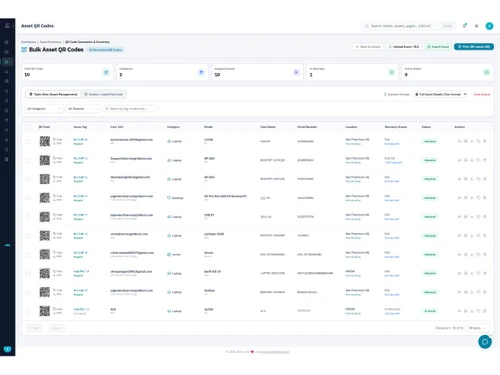
SmartITSM supports hardware, software and infrastructure assets through a centralized asset repository.
Yes. It automatically converts incoming emails, WhatsApp messages and chatbot conversations into structured support tickets, so users can raise requests from the channel they prefer.
Yes. It includes a searchable knowledge base and FAQ section for agents and end users. The chatbot answers common questions from the FAQs and suggests relevant articles, and related articles are recommended during ticket creation and resolution.
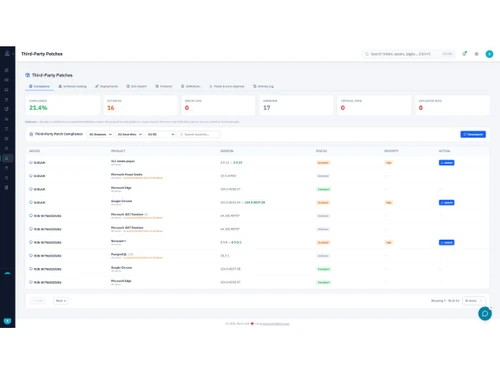
Yes. It handles OS and application patching, including third-party apps like Chrome, Edge and Zoom, with approval workflows, scheduling and compliance reporting.
Yes. It provides device discovery, hardware and software inventory, health monitoring, software deployment, remote automation and USB and browser control.
Yes. SmartITSM supports SaaS, on-premise and hybrid deployment options.
Yes. Service Grid Tech offers a free trial (1 months) with no credit card required.
20,000+ Software Listed
Best Price Guranteed
Free Expert Consultation
2M+ Happy Customers
Terms and Condtions

Users with registered businesses can purchase goods from merchants on the platform to satisfy their business needs. Users are not permitted to utilize any products acquired through the platform for resale, advertising, business, or further distribution.
For each purchase made, users will receive a Tax Invoice (or 'GST invoice') that includes specific details such as:
the GSTIN of the user associated with their registered business, and
the specified Entity Name for their business.
It should be noted that not all products are eligible for GST Invoice. Only the products displayed by participating sellers with the 'GST-based Invoice Available' callout on the product description page would qualify.
Certain goods and services are not eligible to get a GST Invoice, including items with VAS, i.e., Value Added Services (e.g., Total Mobile Protection/Assured Buyback) and those involving an exchange offer at the time of purchase.
Users must ensure the accuracy of the GSTIN, and business entity name provided for the GST Invoice. Requests for corrections into GST Invoice would not be accommodated by Techjockey.com or any Seller, and any issues arising from user-provided information are the sole responsibility of users.
Techjockey.com is not liable for the GST Invoice or any associated input tax credit. To efficiently claim an input tax credit, users should select the registered place of business address as per the GST authority's data and follow the provisions of the GST Act and rules.
To claim an input tax credit, the delivery and billing addresses must match. Furthermore, input tax credits will not be granted if the delivery address and GSTIN on the invoice are from different states. In case of incorrect GST details provided during the order placement, the order will be canceled automatically.