linkedin
SonicWall SonicWave Series logo
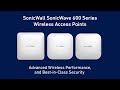
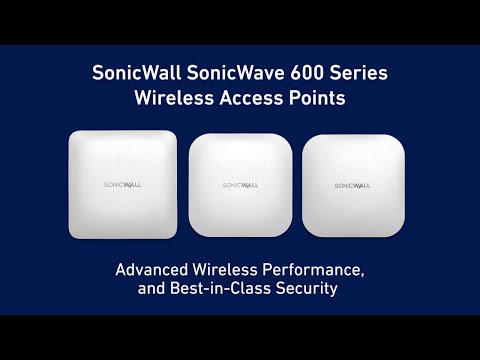
play SonicWave 600 Series Wi-Fi 6 Access Points - Superior Performance for Complex Environments
Sonicwall Sonicwave SonicPoint_ACeHero
Sonicwall Sonicwave SonicPoint_ACeUnder

SonicWall SonicWave Series

Brand: SonicWall

  • 4.2

  • 3 Ratings

Wireless AP solutions designed to build a WLAN (wireless local area network) across the organization.

See More

Have you used SonicWall SonicWave Series before?

Share your insights for better experience

Add a Review

Price Available on Request

Questions about pricing or customization? We’re here to help, just a click away.

100% Genuine
Products
Best Price
Guaranteed
Safe & Secure
Payment
  • Specification

  • Pricing

  • Features

  • Description

  • Review

  • Compare

  • Alternatives

  • FAQ

SonicWall SonicWave Series Specifications

Suitable For
All Industries
Business Specific
All Businesses

SonicWall SonicWave Series Pricing & Plans

Looking for The Right Pricing?

Share your requirements and get a plan built around your business.

  • Define your business needs
  • Get customised pricing
  • Choose features that fit your workflow

Price Available on Request

Get personalised SonicWall SonicWave Series pricing that fits your needs. Our team will connect with you.

SonicWall SonicWave Series Features

  • icon_check Security
    Allows network admins to implement firewall rules on incoming wireless traffic to control all client communications.
  • icon_check User Experience
    Offers beamforming for direct connection & strong power controls to stop interference with other nearby networks.
  • icon_check Onboarding
    You can easily register and onboard SonicWave Access Points using the SonicWall mobile app- SonicExpress.
  • icon_check Flexible Deployments
    Helps in auto-provisioning and auto-detection of all access points (APs).
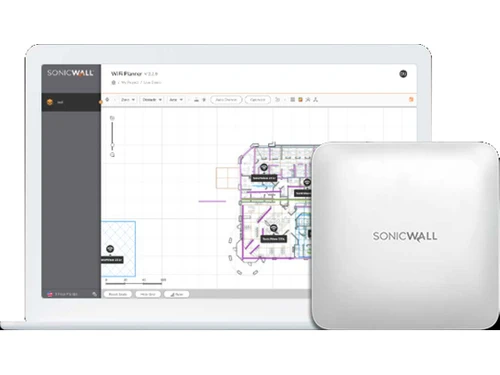
  • icon_check WiFi Planner
    Offers a comprehensive overview of the Wi-Fi environment along with issues that affect the signal performance.
  • icon_check Wireless Access Point
    Wireless APs (Access Points) combine IEEE802.11ac Wave-2 wireless along with flexible deployment options.

SonicWall SonicWave Series Overview

What is SonicWall SonicWave Series?

SonicWall SonicWave Series consists of wireless APs (Access Points) and robust firewalls that combine IEEE802.11ac Wave2 wireless technology along with adaptable deployment choices. The industry-leading, next-generation firewalls from SonicWall can manage these highly secure APs through the cloud using SonicWall Wireless Network Manager (WNM). In short, all these features help create a secure wireless LAN environment across your organization.

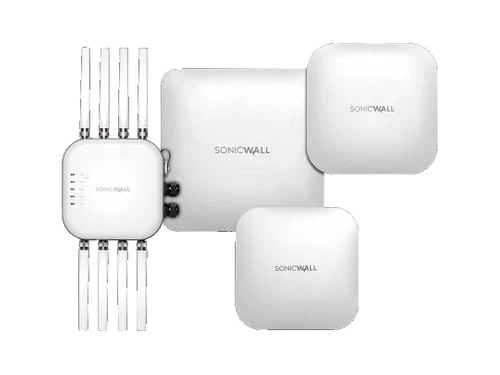
This series uses cutting-edge technology, namely 802.11ax to deliver improved performance, flexibility, and increased speed in the number of client devices, IoT devices, and digital transformations. Moreover, this wireless access point consists of two major models, including SonicWave 4320 and SonicWave 600.

Key Highlights of SonicWave Series

The key highlights of two major models of SonicWave Series are mentioned below:

SonicWave 432o SonicWave 600
Inbuilt Switch Management 802.11ax
Alerts & Analytics Increased Throughput
Automatic Updates Reduced Latency
Inbuilt WiFi Planner Efficient Power Management
Firewall Management Elongated Battery Life
802.11ac Wave-2 Network Avoidance
Auto-channel Selection TWT (Target-Wake-Time)
Visibility & Application Control WIDS to Detect Threat
RF-Spectrum Analysis WIPS to Remediate Active Threat
Fast Roaming Rogue Device & AP Detection
Third-scanning Radio Inbuilt Switch Management
WPA3 Support Analytics & Alerts
Content Filtering & Capture ATP Firmware Updates
Deep-Packet Inspection WiFi Planner
Easy Registration/Onboarding Analysis based on RF-Spectrum
Auto-Provisioning & Auto-Detection Quick Deployment
Apps on Android & iOS Auto-Provisioning & Auto-Detection
IP67-Rated Enclosure Mobile App Compatibility

Benefits of SonicWall SonicWave Series

  • Performance: Uses 802.11ax technology to improve performance & reduce latency. Further, 1024QAM enables more data passage, and 802.11ax offers improvement in MU-MIMO.
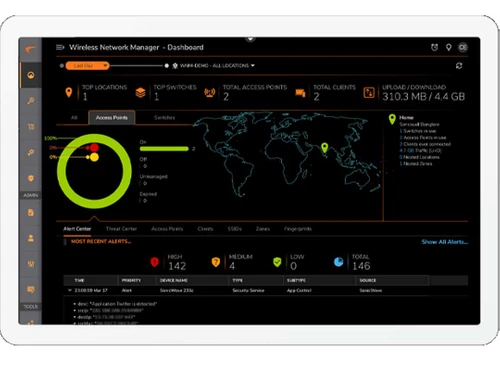
  • Intuitive Cloud Management: SonicWave APs integrate with intuitive Wireless Network Manager to deliver rich analytics regarding APs & switches via the cloud.
  • Wireless Security: Using deep packet inspection, firewalls scan for threats that come in through wireless traffic and try to remove them. Apart from that, it offers other control & security features like application control, content filtering, intelligence, ATP, etc. for an extra protection layer.
  • Improved User Experience: Backed by MU-MIMO technology that enables APs to smoothly communicate with client devices simultaneously while enhancing efficiency, network performance, and user experience.
  • Firewall Management: A wireless controller (SonicWall firewall) is there to auto-provision & auto-detect APs across the entire network. These firewalls help centrally manage and monitor security.
  • Zero-Touch Deployment: With the help of ZTD (Zero-Touch Deployment), the APs are provisioned & detected automatically. Offers iOS and Android apps to help network admins easily manage and monitor networks.

Pricing of SonicWall SonicWave Series

SonicWall SonicWave Series price details are available on request at techjockey.com.

SonicWall SonicWave Series price in India may vary based on factors like customization, additional features required, number of users, and the deployment type. Please request a call back for subscription-related details and to avail offers on premium packages.

Read more

SonicWall Company Details

Founded Year:  1991

SonicWALL provides network, content, web, and email security, remote access, and business continuity solutions.

Director/Founders Marty Bickford, Sreekanth Ravi, Sudhakar Ravi
Company Size 1000+ Employees
SonicWall SonicWave Series Demo Video play icon

Get SonicWall SonicWave Series Demo

Watch the demo video to explore key features, real workflows, and how the software fits your business needs.

Understand
Key Features
Personal
Demo Insights
Interactive
Demo Support

SonicWall SonicWave Series Review

4.2

Out of 5

img

Overall Rating

Based on
3 Verified Ratings

Rating Breakdown

  • Features 4.5
  • Value for Money 4.1
  • Ease of Use 4.1
  • Customer Support 4.1

96% Recommend this Product

Add Review

Techjockey Trusted Reviews from Verified Users

No reviews are currently available for SonicWall SonicWave Series. Discover similar Wireless Access Point reviews

  • Aruba AP-515

    4.4

    Whats great - Excels in high-density areas, maintains speed. read more

  • Aruba AP-635

    4.4

    Whats great - High-speed performance, supports many clients. read more

  • Aruba Ap-505

    4.3

    Whats great - Easily integrates additional units as the network expands. read more

Compare SonicWall SonicWave Series With other Wireless Access Point

Products
Ratings
Pricing
Device Supported
Deployment
Supported Platforms
  • img

    SonicWall SonicWave Series

  • 4.2

  • Price On Request

  • Desktop

    Mobile

  • Web based

    On Premises

  • Windows

    Mac OS

  • img

    Aruba AP-515

  • 4.4

  • ₹ 50025

  • Desktop

    Mobile

  • Web based

    On Premises

  • Windows

    Mac OS

  • img

    Aruba AP 565

  • 4.1

  • ₹ 61100

  • Desktop

    Mobile

  • Web based

    On Premises

  • Windows

    Mac OS

  • img

    Aruba Ap-505

  • 4.3

  • ₹ 35000

  • Desktop

    Mobile

  • Web based

    On Premises

  • Windows

    Mac OS

  • img

    Aruba AP 615

  • 4.2

  • ₹ 56195

  • Desktop

    Mobile

  • Web based

    On Premises

  • Windows

    Mac OS

  • img

    Aruba AP-635

  • 4.3

  • Price On Request

  • Desktop

    Mobile

  • Web based

    On Premises

  • Windows

    Mac OS

  • img

    Cisco MR36H

  • 4.4

  • Price On Request

  • Desktop

    Mobile

  • Web based

    On Premises

  • Windows

    Mac OS

  • img

    Cisco MR44

  • 4.5

  • Price On Request

  • Desktop

    Mobile

  • Web based

    On Premises

  • Windows

    Mac OS

  • img

    Cisco MR70

  • 4.4

  • Price On Request

  • Desktop

    Mobile

  • Web based

    On Premises

  • Windows

    Mac OS

  • img

    Aruba AP‑535

  • 4.3

  • Price On Request

  • Desktop

    Mobile

  • Web based

    On Premises

  • Windows

    Mac OS

(0) Product(s) selected

SonicWall SonicWave Series Alternatives

See All SonicWall SonicWave Series Alternatives

Available

Price on Request

Available

Price on Request

Available

Price on Request

Available

Price on Request

Available

Price on Request

Available

Price on Request

Which operating system does SonicWall SonicWave Series support?

SonicWall SonicWave Series is compatible with all operating systems namely Windows, Linux, macOS, and more.

Is there any SonicWall SonicWave Series app?

Yes, SonicWall SonicWave Series app is available for both Android as well as iOS devices.

What is the deployment type of SonicWall SonicWave Series?

SonicWall SonicWave Series supports cloud-based deployment.

How much does SonicWall SonicWave Series cost?

SonicWall SonicWave Series pricing is available on request at techjockey.com.

Who are the potential users of SonicWall SonicWave Series?

SonicWall SonicWave Series is typically used in industries including healthcare, retail, security, fitness, entertainment, etc.

Is there any free trial or demo for SonicWall SonicWave Series?

SonicWall SonicWave Series demo is available for free with techjockey.com.

Is SonicWall SonicWave Series free?

No, SonicWall SonicWave Series offers a free trial. However, the premium plan with advanced features is available at techjockey.com with exciting deals.

How can you download SonicWall SonicWave Series?

SonicWall SonicWave Series installation is not required, as it is cloud-based. Just open the Setup Wizard to get started.

How does SonicWall SonicWave Series work?

SonicWall SonicWave Series wireless APs together combine wireless IEEE 802.11ac Wave2 technology along with multiple deployment options. This provides a great experience for all Wi-Fi users to have a secure connection.

20,000+ Software Listed

Best Price Guranteed

Free Expert Consultation

2M+ Happy Customers

Terms and Condtions

close

Users with registered businesses can purchase goods from merchants on the platform to satisfy their business needs. Users are not permitted to utilize any products acquired through the platform for resale, advertising, business, or further distribution.

For each purchase made, users will receive a Tax Invoice (or 'GST invoice') that includes specific details such as:

  • the GSTIN of the user associated with their registered business, and

  • the specified Entity Name for their business.

It should be noted that not all products are eligible for GST Invoice. Only the products displayed by participating sellers with the 'GST-based Invoice Available' callout on the product description page would qualify.

Certain goods and services are not eligible to get a GST Invoice, including items with VAS, i.e., Value Added Services (e.g., Total Mobile Protection/Assured Buyback) and those involving an exchange offer at the time of purchase.

Users must ensure the accuracy of the GSTIN, and business entity name provided for the GST Invoice. Requests for corrections into GST Invoice would not be accommodated by Techjockey.com or any Seller, and any issues arising from user-provided information are the sole responsibility of users.

Techjockey.com is not liable for the GST Invoice or any associated input tax credit. To efficiently claim an input tax credit, users should select the registered place of business address as per the GST authority's data and follow the provisions of the GST Act and rules.

To claim an input tax credit, the delivery and billing addresses must match. Furthermore, input tax credits will not be granted if the delivery address and GSTIN on the invoice are from different states. In case of incorrect GST details provided during the order placement, the order will be canceled automatically.