linkedin
SSIS PowerPack logo
play ZappySys SSIS PowerPack Intro - ETL Tool for connected world
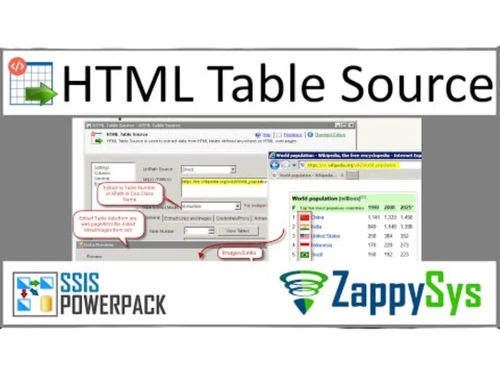
SSIS PowerPack-HTML Table
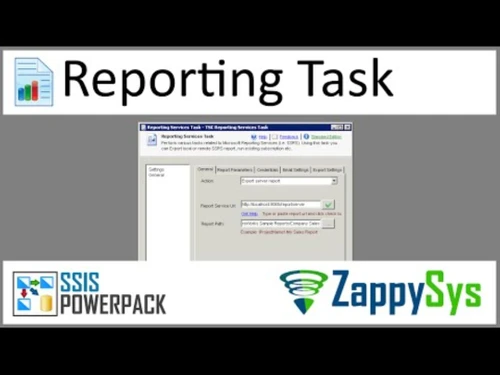
SSIS PowerPack Reporting Task

SSIS PowerPack

Brand: ZappySys

  • 4.3

  • 5 Ratings

A versatile data integration software that allows organizations to connect, manage, and move data between different platforms efficiently.

See More

Have you used SSIS PowerPack before?

Share your insights for better experience

Add a Review
Starting Price
$1499

View plans

100% Genuine
Products
Best Price
Guaranteed
Safe & Secure
Payment
  • Description

  • Pricing

  • Features

  • Specification

  • Review

  • Compare

  • Alternatives

  • FAQ

Starting at $1,499

SSIS PowerPack Software Overview

What is SSIS PowerPack?

SSIS PowerPack is a data integration software solution designed for seamless data integration across multiple systems, platforms, and cloud environments. It enables organizations to automate data workflows, synchronize information, and ensure data accuracy across their applications.

With SSIS PowerPack, companies can manage large data volumes without technical complexity, reducing errors and improving operational efficiency. Besides being business software, it also functions as data integration software, providing tools for API integration, cloud connectivity, and reporting.

The software supports various file formats like CSV, XML, and Excel, and integrates with major platforms such as Microsoft Azure, Amazon AWS, and Salesforce. Its simple interface allows users to create workflows and automate data movement quickly, saving time and resources.

SSIS PowerPack is suitable for IT teams, data analysts, and organizations looking to improve their data handling processes and make smarter decisions based on accurate, integrated data.

Why Choose SSIS PowerPack?

  • API Integration: Easily connect to different applications via APIs for smooth data transfer.
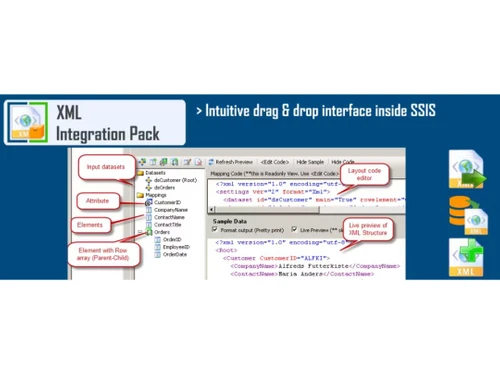
  • XML Integration: Supports XML files for structured data import and export.
  • CSV/Flat File Integration: Import and export data using CSV and flat file formats efficiently.
  • Excel Integration: Work seamlessly with Excel files for reporting and data management.
  • Microsoft Azure Cloud Integration: Connect and move data to and from Microsoft Azure easily.
  • Amazon AWS Cloud Integration: Enables integration with Amazon AWS cloud services.
  • Rest API: Supports REST API for modern data connectivity and automation.
  • Salesforce Connectivity: Sync and manage Salesforce data without complex coding.
  • Reporting: Generate reports quickly to analyze and visualize your data.
  • Automation: Streamline repetitive tasks and workflows to save time and effort.

Benefits of SSIS PowerPack

  • Improved Efficiency: Automates complex data integration tasks to save time.
  • Centralized Data Management: Organizes all your data from multiple sources in one place.
  • Easy Integration: Connects seamlessly with various applications, platforms, and cloud services.
  • Reduced Errors: Minimizes manual data handling mistakes through automation.
  • Faster Decision-Making: Provides accurate and integrated data for better business insights.
  • Supports Multiple Formats: Works with XML, CSV, Excel, and other file types for flexibility.
  • Cloud Ready: Supports Microsoft Azure and AWS for modern cloud workflows.
  • Salesforce Sync: Keeps Salesforce data updated without manual intervention.
  • Custom Workflows: Allows users to design workflows to meet specific business needs.
  • Scalable Platform: Can handle small to large data volumes as your business grows.

SSIS PowerPack Pricing

SSIS PowerPack price starts at USD 1499 at Techjockey.com. The pricing model is based on different parameters, including extra features, deployment type, and the total number of users. For further queries related to the product, you can contact our product team and learn more about the pricing and offers.

Read more

ZappySys Company Details

Founded Year:  2015

ZappySys is a USA-based software development company, specializes in Data integration, Business Intelligence, Cloud computing, and so on.

Director/Founders ZappySys
Company Size 1-100 Employees

SSIS PowerPack Pricing & Plans

Standard Edition
Starting at $1499
    • Quantity

      Quantity
      Quantity
    • Yearly

      Yearly
      Yearly

Key Features

  • FREE Developer License for Visual Studio Designer

  • 10+ Free Tasks/Components

  • JSON / XML Source, Generator, Parser Transform for

  • REST API Task, Google Analytics Source, SSRS

  • Amazon S3, Azure Blob, Secure FTP (SFTP, FTP, FTPS

Professional Edition
Starting at $1899
    • Quantity

      Quantity
      Quantity
    • Yearly

      Yearly
      Yearly

Key Features

  • FREE Developer License for Visual Studio Designer

  • 10+ Free Tasks/Components

  • JSON / XML Source, Generator, Parser Transform for

  • REST API Task, Google Analytics Source, SSRS

  • CSV Source, Generator, Parser Transform for Files

  • Amazon S3, Azure Blob, Secure FTP (SFTP, FTP, FTPS

  • Web API Destination

SSIS PowerPack Features

  • icon_check API Integration
    Connect multiple applications and automate data flows easily.
  • icon_check XML Integration
    Supports XML file import and export for structured data.
  • icon_check CSV/Flat File Integration
    Move and transform CSV and flat files efficiently.
  • icon_check Excel Integration
    Read, write, and process Excel files for reporting and analytics.
  • icon_check Microsoft Azure Cloud Integration
    Sync and manage data with Azure cloud services.
  • icon_check Amazon AWS Cloud Integration
    Integrate and transfer data with Amazon AWS easily.
  • icon_check Rest API
    Enable data connectivity using REST APIs for modern systems.
  • icon_check Salesforce Connectivity
    Access, update, and manage Salesforce data automatically.
  • icon_check Reporting
    Generate real-time reports to monitor and analyze data accurately.
SSIS PowerPack Demo Video play icon

Get SSIS PowerPack Demo

Watch the demo video to explore key features, real workflows, and how the software fits your business needs.

Understand
Key Features
Personal
Demo Insights
Interactive
Demo Support

SSIS PowerPack Specifications

Supported Platforms
Windows Windows
Devices
Desktop Desktop
Deployment
Cloud-Based Cloud-Based
Suitable For
All Industries
Business Specific
All Businesses
Business Size
Small Business Medium Business SMEs
Customer Support
Phone Live Chat Communities
Language
English
Integration
API Integration

Explore the Best Alternative Solutions Similar to Your Business Size and Needs

SSIS PowerPack Review

4.3

Out of 5

img

Overall Rating

Based on
5 Verified Ratings

Rating Breakdown

  • Features 4
  • Value for Money 4.1
  • Ease of Use 4.5
  • Customer Support 4.8

92% Recommend this Product

Add Review

Be the First to Review

This product has no reviews yet. Be the first to leave your feedback.

Add Review

Compare SSIS PowerPack With other Data Integration Software

Products
Ratings
Pricing
Device Supported
Deployment
Supported Platforms
  • img

    SSIS PowerPack

  • 4.3

  • Price On Request

  • Desktop

    Mobile

  • Web based

    On Premises

  • Windows

    Mac OS

  • img

    Fivetran

  • 4.7

  • Price On Request

  • Desktop

    Mobile

  • Web based

    On Premises

  • Windows

    Mac OS

  • img

    Coupler io

  • 4.2

  • Price On Request

  • Desktop

    Mobile

  • Web based

    On Premises

  • Windows

    Mac OS

  • img

    Adverity

  • 4.5

  • Price On Request

  • Desktop

    Mobile

  • Web based

    On Premises

  • Windows

    Mac OS

  • img

    Adeptia Connect

  • 4.1

  • Price On Request

  • Desktop

    Mobile

  • Web based

    On Premises

  • Windows

    Mac OS

  • img

    Unito

  • 4.5

  • Price On Request

  • Desktop

    Mobile

  • Web based

    On Premises

  • Windows

    Mac OS

  • img

    Boomi AI

  • 4.2

  • Price On Request

  • Desktop

    Mobile

  • Web based

    On Premises

  • Windows

    Mac OS

  • img

    OMNIdash

  • 5

  • Price On Request

  • Desktop

    Mobile

  • Web based

    On Premises

  • Windows

    Mac OS

  • img

    Databar

  • 4.1

  • Price On Request

  • Desktop

    Mobile

  • Web based

    On Premises

  • Windows

    Mac OS

  • img

    IDPA 8TB

  • 4.5

  • Price On Request

  • Desktop

    Mobile

  • Web based

    On Premises

  • Windows

    Mac OS

(2) Product(s) selected

SSIS PowerPack Alternatives

See All SSIS PowerPack Alternatives

Starting Price:

$32 /Month

Starting Price:

€500

Starting Price:

$124 /Month

Starting Price:

$39 /Month

Available

Price on Request

Articles for SSIS PowerPack

See All Related Articles

How much does SSIS PowerPack cost?

SSIS PowerPack price starts at USD 1499 at Techjockey.com.

How does SSIS PowerPack work?

It connects data from different sources, automates workflows, and ensures accurate integration.

Who uses SSIS PowerPack?

IT teams, data analysts, and organizations managing multiple platforms and cloud data.

Does it support cloud integration?

Yes, it supports Microsoft Azure, Amazon AWS, and other cloud services.

Can it handle different file formats?

Yes, it works with CSV, XML, Excel, and flat files for smooth data handling.

Is it suitable for large data volumes?

Yes, it is scalable and can handle both small and large data workflows efficiently.

Does it integrate with Salesforce?

Yes, it allows automatic data syncing with Salesforce without complex coding.

Does it help in reporting?

Yes, it provides real-time reports for analysis and business insights.

Can it automate repetitive tasks?

Yes, automation features save time and reduce manual work in data integration.

Is it easy to use for non-technical users?

Yes, the software has a user-friendly interface for both technical and non-technical users.

20,000+ Software Listed

Best Price Guranteed

Free Expert Consultation

2M+ Happy Customers

Terms and Condtions

close

Users with registered businesses can purchase goods from merchants on the platform to satisfy their business needs. Users are not permitted to utilize any products acquired through the platform for resale, advertising, business, or further distribution.

For each purchase made, users will receive a Tax Invoice (or 'GST invoice') that includes specific details such as:

  • the GSTIN of the user associated with their registered business, and

  • the specified Entity Name for their business.

It should be noted that not all products are eligible for GST Invoice. Only the products displayed by participating sellers with the 'GST-based Invoice Available' callout on the product description page would qualify.

Certain goods and services are not eligible to get a GST Invoice, including items with VAS, i.e., Value Added Services (e.g., Total Mobile Protection/Assured Buyback) and those involving an exchange offer at the time of purchase.

Users must ensure the accuracy of the GSTIN, and business entity name provided for the GST Invoice. Requests for corrections into GST Invoice would not be accommodated by Techjockey.com or any Seller, and any issues arising from user-provided information are the sole responsibility of users.

Techjockey.com is not liable for the GST Invoice or any associated input tax credit. To efficiently claim an input tax credit, users should select the registered place of business address as per the GST authority's data and follow the provisions of the GST Act and rules.

To claim an input tax credit, the delivery and billing addresses must match. Furthermore, input tax credits will not be granted if the delivery address and GSTIN on the invoice are from different states. In case of incorrect GST details provided during the order placement, the order will be canceled automatically.