 USA
USA UAE
UAE
Voge AI
Whats great - Offers a range of avatar styles and easy sharing options. read more


Brand: Tensor Art
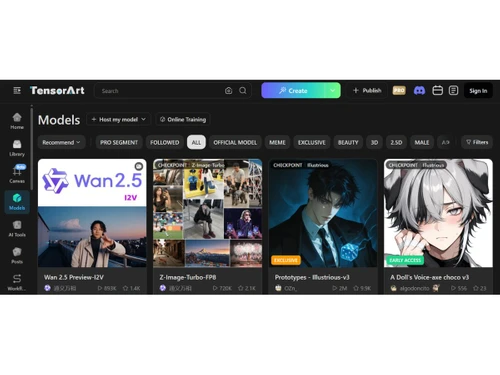
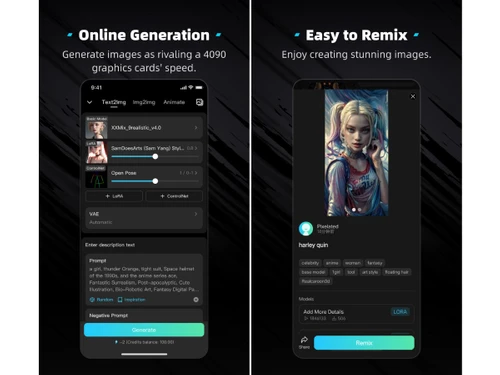
A cloud-based AI image generation platform with over 10,000 models and built-in LoRA training capabilities.
See MoreHave you used Tensor Art before?
Share your insights for better experience
Image Generation and Processing
 Real-time Preview Text-to-Image Generation Image-to-Image Transformation Real-Time Rendering High-Resolution Output Batch Generation Preset Styles Drag and Drop Multi-Layer Image Processing
 Editing and Customization Tools
Content Filters Style Transfer AI Editor Adjustable Parameters Realistic Object Generation Resolution Control Image Upscaling Object Removal Image Tiling Denoising Image Weights Style Adaptation 3D Effects Layer Control Background Removal Text Overlay Prompt Control and Enhancements
Prompt Sensitivity Prompt Flexibility Prompt Editing Prompt Enhancer Prompt Matrix Negative Prompt Seed Real-Time Generation Model and AI Capabilities
Multi-Model Support Fine Tuning Model Merging Collaboration and Sharing
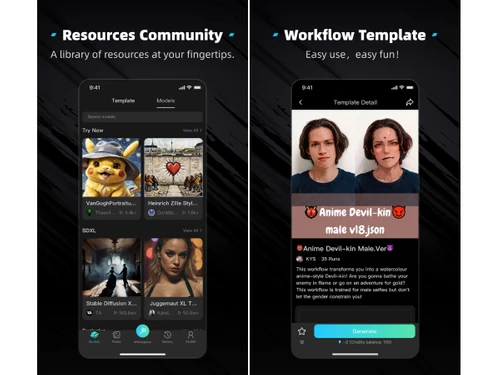
Collaboration Tools Prompt Libraries Image Sharing Custom Templates Branding and Commercial Use
Data Privacy Commercial Rights Brand Kit Integration Integration Supported
API Integration Cloud Storage and Collaboration Tools Integration NFT Marketplaces Content Management Systems (CMS) Integration Design and Editing Software Integration E-Commerce Platforms Integration 3D Modeling Software Integration Game Engines Integration Video Editing Tools Integration Animation Tools Integration Plugin & Extensions  Windows
  iOS
iOS  Android MacOS
  Desktop
  Mobile
  Cloud-Based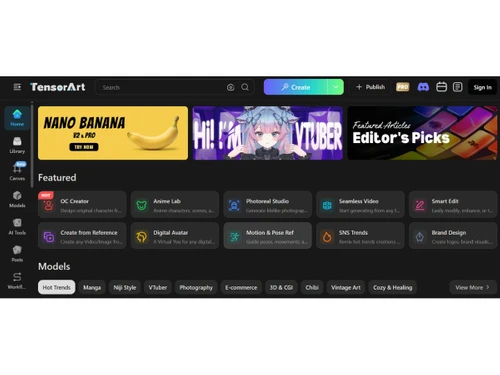
Techjockey Trusted Reviews from Verified Users
No reviews are currently available for Tensor Art. Discover similar AI Image Generators reviews
Voge AI
Whats great - Offers a range of avatar styles and easy sharing options. read more

DeepDream
Whats great - What stands out about DeepDream 2 is how much fun it is to create abstract and dreamlike art. It gives you so many different ... read more

Artbreeder
Whats great - The software allows me to see my ideas turn into images quickly. The variety of styles available is really impressive, and I ... read more







Tensor Art price starts at USD 10 at Techjockey.com, with a generous free tier of 100 daily credits.
You access the browser-based platform, choose from 10,000+ community models or train your own, enter text prompts or reference images, and generate AI images instantly in the cloud.
It is used by digital artists, marketing professionals, game developers, and content creators needing affordable, high-quality AI image generation.
Low-Rank Adaptation training allows you to fine-tune AI models on your own custom datasets directly in the browser.
Yes, the free tier provides 100 daily credits for approximately 100-150 standard images at no cost.
Yes, paid subscription plans unlock commercial licensing for images generated on the platform.
It allows you to guide image generation using pose detection, depth maps, or edge detection for better compositional accuracy.
Yes, developers can access an API for integrating image generation capabilities into their own applications.
Yes, creators can monetize their custom models through the platform's integrated monetization system.
20,000+ Software Listed
Best Price Guranteed
Free Expert Consultation
2M+ Happy Customers
Terms and Condtions

Users with registered businesses can purchase goods from merchants on the platform to satisfy their business needs. Users are not permitted to utilize any products acquired through the platform for resale, advertising, business, or further distribution.
For each purchase made, users will receive a Tax Invoice (or 'GST invoice') that includes specific details such as:
the GSTIN of the user associated with their registered business, and
the specified Entity Name for their business.
It should be noted that not all products are eligible for GST Invoice. Only the products displayed by participating sellers with the 'GST-based Invoice Available' callout on the product description page would qualify.
Certain goods and services are not eligible to get a GST Invoice, including items with VAS, i.e., Value Added Services (e.g., Total Mobile Protection/Assured Buyback) and those involving an exchange offer at the time of purchase.
Users must ensure the accuracy of the GSTIN, and business entity name provided for the GST Invoice. Requests for corrections into GST Invoice would not be accommodated by Techjockey.com or any Seller, and any issues arising from user-provided information are the sole responsibility of users.
Techjockey.com is not liable for the GST Invoice or any associated input tax credit. To efficiently claim an input tax credit, users should select the registered place of business address as per the GST authority's data and follow the provisions of the GST Act and rules.
To claim an input tax credit, the delivery and billing addresses must match. Furthermore, input tax credits will not be granted if the delivery address and GSTIN on the invoice are from different states. In case of incorrect GST details provided during the order placement, the order will be canceled automatically.