linkedin
TestCafe Studio logo
play TestCafe Studio: Creating Your First Test (Updated)
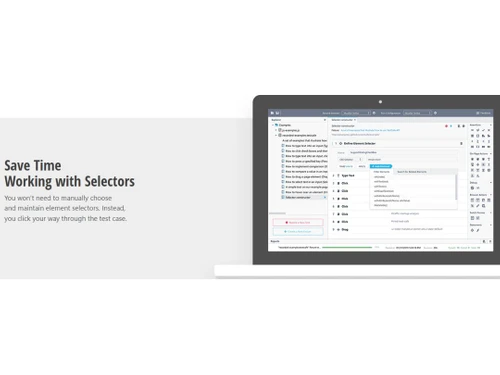
TestCafe Studio-Save time with selectors
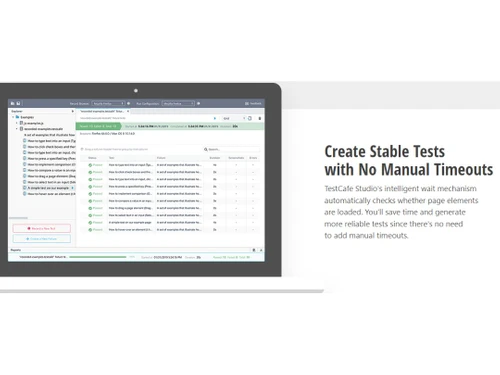
TestCafe Studio-Stable Tests

TestCafe Studio

Brand: Developer Express

  • 4.5

  • 5 Ratings

TestCafe is a user-friendly platform for end-to-end web testing that requires no browser plugins.

See More

Have you used TestCafe Studio before?

Share your insights for better experience

Add a Review
Starting Price
$250

View plans

100% Genuine
Products
Best Price
Guaranteed
Safe & Secure
Payment
  • Description

  • Pricing

  • Features

  • Specification

  • Review

  • Compare

  • Alternatives

  • FAQ

Starting at $250

TestCafe Studio Software Overview

What is TestCafe Studio Software?

TestCafe Studio is a testing automation tool that simplifies the testing process without needing WebDriver, browser plugins, or additional tools. Its seamless installation process ensures that users can get started with testing immediately. The platform allows tests on all major browsers, whether desktop, mobile, or cloud. The platform offers flexibility by providing UI and headless testing options, accommodating different testing needs and scenarios.

The platform's ability to conduct tests on cloud browsers is a game-changer for teams working on distributed projects. Testers can seamlessly execute tests on remote cloud browsers for setting up multiple test environments and hardware. It allows teams to quickly identify and address any issues during testing. This data-driven approach helps improve the overall testing process and ensures that software is delivered with high quality and reliability.

The support for headless testing allows testers to perform tests without a graphical user interface for faster execution and increased test coverage. It is particularly useful for running tests in continuous integration and delivery environments, where speed and efficiency are critical.

Why Choose TestCafe Studio?

TestCafe Studio supports the Page Object Model to create maintainable, structured test code. It provides a real-time test preview to visualize and validate test steps as you create them. The platform offers built-in test debugging tools for quick identification and resolution of issues during test development. It supports automated test scheduling to set up tests to run at specific times or intervals.

The platform offers robust test environment management to enable easy configuration and setup of testing environments. It allows you to conduct responsive design testing to ensure your web applications adapt flawlessly to different screen sizes. The software provides various advanced test assertions to comprehensively validate application behaviour.

Benefits of TestCafe Studio Testing Automation Software

  • The testing automation software supports parallel test execution, enabling faster testing cycles and reducing testing time.
  • It provides a powerful JavaScript API to create complex test scripts and implement custom testing logic.
  • The platform allows you to reproduce user actions precisely during test execution to enhance reliability and accuracy.
  • It eliminates the need for browser plugins or extensions to simplify test setup and reduce dependencies.
  • The platform offers a rich test fixture library to provide pre-built testing components and enhance test reusability.

TestCafe Studio Pricing

TestCafe Studio pricing starts from $250 at techjockey.com.

The pricing model is based on different parameters, including extra features, deployment type, and total users. For further queries related to the product, you can contact our product team and learn more about the pricing and offers.

Read more

Developer Express Company Details

Founded Year:  1998

DevExpress technologies help software developers build high-performance business solutions, see complex software with greater clarity, increase productivity and create stunning applications for Windows® and the Web in the shortest possible time.

Director/Founders Boris Kirov
Company Size 101-500 Employees

TestCafe Studio Pricing & Plans

TestCafe Studio
Key Features
  • Community Support
  • 12-months of free updates
Starting at $250
    • Licenses

      Licenses
      Licenses
    • Yearly

      Yearly
      Yearly

Key Features

  • Community Support

  • 12-months of free updates

TestCafe Studio Features

  • icon_check Visually Record Tests
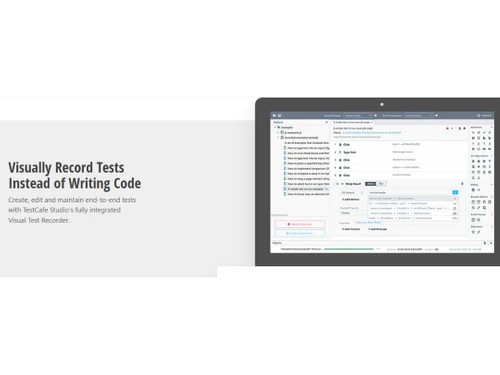
    Allows users to visually record tests and make test case creation more intuitive.
  • icon_check Create Stable Tests
    This enables you to create stable and reliable tests across different test environments.
  • icon_check No Manual Timeouts
    Eliminates the need for manual timeouts to ensure efficient test execution.
  • icon_check Save Time with Selectors
    Streamlines test case creation by providing optimized selectors that save valuable time.
  • icon_check Optimized IDE
    The lightweight and optimized IDE (Integrated Development Environment) enhances productivity.
  • icon_check Runs Across All Popular Browsers
    Supports running tests on all major browsers to ensure test coverage.
  • icon_check Intelligent Wait Mechanism
    Automatically handles synchronization issues to make tests more robust and reliable.
  • icon_check Lightweight User Interface
    Offers a user-friendly interface that simplifies test case management and execution.
  • icon_check Community Support
    Users can benefit from an active and helpful community that provides assistance and insights.
  • icon_check 12-Months of Free Updates
    Users receive 12 months of free updates to the latest features and improvements.
TestCafe Studio Demo Video play icon

Get TestCafe Studio Demo

Watch the demo video to explore key features, real workflows, and how the software fits your business needs.

Understand
Key Features
Personal
Demo Insights
Interactive
Demo Support

TestCafe Studio Specifications

Supported Platforms
Windows Windows MacOS MacOS Linux Linux
Devices
Desktop Desktop Mobile Mobile Tablet Tablet iPad iPad
Deployment
Cloud-Based Cloud-Based
Suitable For
All Industries
Business Specific
All Businesses
Business Size
Small Business Startups Medium Business Enterprises
Customer Support
Phone Email Communities
Language
English
Integration
API Integration
Training Resources
Documentation Videos

Explore the Best Alternative Solutions Similar to Your Business Size and Needs

Medium Business

Built for business growth and flexibility

testRigor

4.4

Cypress

4.6

ZeuZ

4.4

See More

TestCafe Studio Review

4.5

Out of 5

img

Overall Rating

Based on
5 Verified Ratings

Rating Breakdown

  • Features 4.2
  • Value for Money 4.7
  • Ease of Use 4.5
  • Customer Support 4.6

88% Recommend this Product

Add Review

Techjockey Trusted Reviews from Verified Users

No reviews are currently available for TestCafe Studio. Discover similar Testing Automation Software reviews
  • AlgoQA

    5.0

    Whats great - The platform offers several useful automation features, especially custom actions, test design, auto-healing, API automation,... read more

  • Ranorex Studio

    4.8

    Whats great - I needed to automate a piece of software that was written in five distinct programming languages as a test automation special... read more

  • SafeHats Bug Bounty

    4.6

    Whats great - I have been using Safehats Bug bounty from the past 2 + years. My experience is splendid. The most important feature is to co... read more

Compare TestCafe Studio With other Testing Automation Software

Products
Ratings
Pricing
Device Supported
Deployment
Supported Platforms
  • img

    TestCafe Studio

  • 4.5

  • Price On Request

  • Desktop

    Mobile

  • Web based

    On Premises

  • Windows

    Mac OS

  • img

    AlgoQA

  • 4.9

  • Price On Request

  • Desktop

    Mobile

  • Web based

    On Premises

  • Windows

    Mac OS

  • img

    testRigor

  • 4.4

  • Price On Request

  • Desktop

    Mobile

  • Web based

    On Premises

  • Windows

    Mac OS

  • img

    Playwright

  • 4.5

  • Price On Request

  • Desktop

    Mobile

  • Web based

    On Premises

  • Windows

    Mac OS

  • img

    Applitools

  • 4.3

  • Price On Request

  • Desktop

    Mobile

  • Web based

    On Premises

  • Windows

    Mac OS

  • img

    Vectorcast

  • 4.2

  • Price On Request

  • Desktop

    Mobile

  • Web based

    On Premises

  • Windows

    Mac OS

  • img

    Autify

  • 4.5

  • Price On Request

  • Desktop

    Mobile

  • Web based

    On Premises

  • Windows

    Mac OS

  • img

    Qase

  • 4.4

  • Price On Request

  • Desktop

    Mobile

  • Web based

    On Premises

  • Windows

    Mac OS

  • img

    Cypress

  • 4.6

  • Price On Request

  • Desktop

    Mobile

  • Web based

    On Premises

  • Windows

    Mac OS

  • img

    ZeuZ

  • 4.4

  • Price On Request

  • Desktop

    Mobile

  • Web based

    On Premises

  • Windows

    Mac OS

  • img

    Tricentis Tosca

  • 4.2

  • Price On Request

  • Desktop

    Mobile

  • Web based

    On Premises

  • Windows

    Mac OS

(0) Product(s) selected

TestCafe Studio Alternatives

See All TestCafe Studio Alternatives

Starting Price:

$199 /Month

Starting Price:

$20 /Month

Starting Price:

$20 /Month

Starting Price:

$745 /Month

Mabl

4.4

Available

Price on Request

Starting Price:

$30 /Dev /Month
Available

Price on Request

Articles for TestCafe Studio

See All Related Articles

Which operating system does the TestCafe Studio Software Support?

TestCafe software is compatible with Windows and macOS operating systems.

Is there any TestCafe Studio App?

TestCafe Studio app is not available on Android and iOS devices.

What is the deployment type of the TestCafe Studio Software?

The TestCafe Studio system supports web-based deployment.

How much does the TestCafe Studio Testing Automation cost?

TestCafe Studio Testing Automation pricing starts from $250 at techjockey.com.

Who are the potential users of the TestCafe Studio Testing Automation Software?

TestCafe Studio, a cutting-edge testing automation software, caters to a diverse range of potential users. It proves invaluable to quality assurance teams, software developers, and businesses seeking efficient and reliable testing solutions.

Is there any free trial or demo for TestCafe Studio?

TestCafe Studio demo is available for free with techjockey.com.

Is the TestCafe Studio Testing Automation Tool free?

TestCafe Studio Testing Automation Tool does offer a 30-day free trial.

How can you download the TestCafe Studio Testing Automation software?

TestCafe Studio is a web-based platform. So, you need not download any software or app to use it.

How does the TestCafe Studio Testing Automation Software work?

TestCafe Studio is a user-friendly testing automation software designed to test web applications efficiently. Its lightweight and intuitive interface streamlines the testing process, providing essential tools without unnecessary complexities. With cross-platform compatibility, it enables developers to perform end-to-end web testing seamlessly.

20,000+ Software Listed

Best Price Guranteed

Free Expert Consultation

2M+ Happy Customers

Terms and Condtions

close

Users with registered businesses can purchase goods from merchants on the platform to satisfy their business needs. Users are not permitted to utilize any products acquired through the platform for resale, advertising, business, or further distribution.

For each purchase made, users will receive a Tax Invoice (or 'GST invoice') that includes specific details such as:

  • the GSTIN of the user associated with their registered business, and

  • the specified Entity Name for their business.

It should be noted that not all products are eligible for GST Invoice. Only the products displayed by participating sellers with the 'GST-based Invoice Available' callout on the product description page would qualify.

Certain goods and services are not eligible to get a GST Invoice, including items with VAS, i.e., Value Added Services (e.g., Total Mobile Protection/Assured Buyback) and those involving an exchange offer at the time of purchase.

Users must ensure the accuracy of the GSTIN, and business entity name provided for the GST Invoice. Requests for corrections into GST Invoice would not be accommodated by Techjockey.com or any Seller, and any issues arising from user-provided information are the sole responsibility of users.

Techjockey.com is not liable for the GST Invoice or any associated input tax credit. To efficiently claim an input tax credit, users should select the registered place of business address as per the GST authority's data and follow the provisions of the GST Act and rules.

To claim an input tax credit, the delivery and billing addresses must match. Furthermore, input tax credits will not be granted if the delivery address and GSTIN on the invoice are from different states. In case of incorrect GST details provided during the order placement, the order will be canceled automatically.