
linkedin
tool4seller logo
play Tool4seller: Amazon Seller Tool
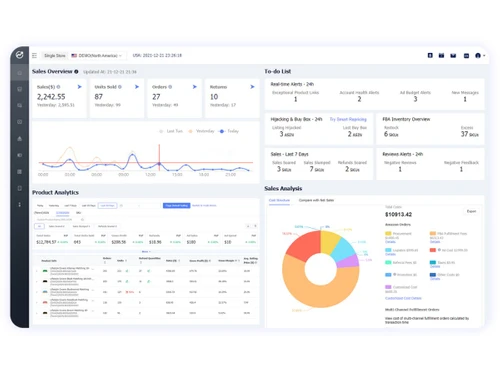
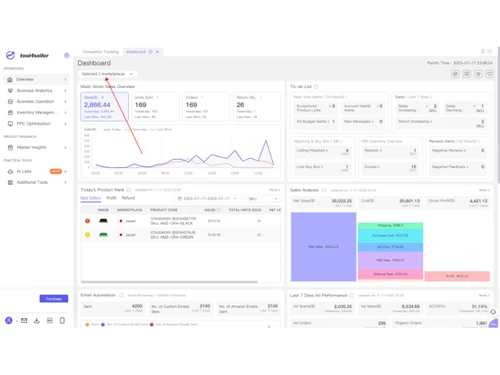
tool4seller-dashboard
tool4seller-overview

tool4seller

Brand: Tapcash Inc

  • 4.1

  • 5 Ratings

Have you used tool4seller before?

Share your insights for better experience

Add a Review
Starting Price
$20

View plans

100% Genuine
Products
Best Price
Guaranteed
Safe & Secure
Payment
  • Description

  • Pricing

  • Features

  • Specification

  • Review

Starting at $20

tool4seller Software Overview

Tapcash Inc Company Details

Founded Year:  2014

Tapcash is an acquisition and merger assiting business that offers user acquisition, fraud detection and performance monitor.

Director/Founders Tapcash Inc
Company Size 1-100 Employees

tool4seller Pricing & Plans

Startup
Starting at $20
    • Licenses

      Licenses
      Licenses
    • Monthly

      Monthly
      Monthly

Key Features

  • 1000 orders / month($0.02 /order)

  • Marketplace - 5

  • Team Access - 5

  • Ad Automation

  • Sales Profit Report

  • Inventory Management

Standard
Starting at $80
    • Licenses

      Licenses
      Licenses
    • Monthly

      Monthly
      Monthly

Key Features

  • 10000 orders / month($0.008 /order)

  • Marketplace - 30

  • Team Access - 7

  • Ad Automation

  • Sales Profit Report

  • Inventory Management

Professional
Starting at $160
    • Licenses

      Licenses
      Licenses
    • Monthly

      Monthly
      Monthly

Key Features

  • 30000 orders / month($0.005 /order)

  • Marketplace - 100

  • Team Access - 10

  • Ad Automation

  • Sales Profit Report

  • Inventory Management

Premium
Starting at $300
    • Licenses

      Licenses
      Licenses
    • Monthly

      Monthly
      Monthly

Key Features

  • Unlimited

  • Marketplace - 200

  • Team Access - 20

  • Ad Automation

  • Sales Profit Report

  • Inventory Management

tool4seller Features

  • icon_check Sales Analysis
    Provides real-time sales insights by ASIN, SKU, and marketplace with trends to track business growth accurately.
  • icon_check Profit & Cost Analysis
    Calculates true profit by factoring Amazon fees, ads spend, refunds, shipping, and other operational costs.
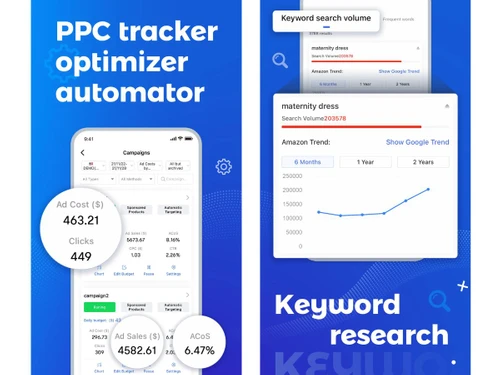
  • icon_check PPC
    Enables creation, monitoring, and optimization of Amazon PPC campaigns to improve ROI and reduce ACoS.
  • icon_check Automated PPC Rules
    Uses rule-based automation to pause, scale, or optimize ads automatically based on performance metrics.
  • icon_check Keyword Research
    Identifies high-traffic and high-conversion keywords using search volume, relevance, and competition data.
  • icon_check Reverse ASIN Lookup
    Extracts competitor keywords by analyzing ASIN data to uncover ranking and advertising opportunities.
  • icon_check Product Research
    Helps identify profitable products using demand, competition, pricing trends, and category insights.
  • icon_check Inventory Management
    Tracks inventory levels in real time and helps prevent stockouts or overstock situations effectively.
  • icon_check Alerts & Notifications
    Sends alerts for low stock, excess inventory, listing changes, or potential sales interruptions.
  • icon_check Review Monitoring
    Monitors customer reviews and ratings, helping sellers respond quickly and manage brand reputation.
  • icon_check Email Automation
    Automates buyer follow-up emails for reviews and feedback while staying compliant with Amazon policies.
  • icon_check Competitor Tracking
    Tracks competitor pricing, listings, and keyword performance to help refine selling strategies.
  • icon_check Chrome Extension
    Displays product, keyword, and sales insights directly on Amazon pages for faster research decisions.
  • icon_check Performance Reports
    Generates downloadable performance reports for sales, ads, inventory, and profitability analysis.
tool4seller Demo Video play icon

Get tool4seller Demo

Watch the demo video to explore key features, real workflows, and how the software fits your business needs.

Understand
Key Features
Personal
Demo Insights
Interactive
Demo Support

tool4seller Specifications

Supported Platforms
Windows Windows iOS iOS Android Android MacOS MacOS
Devices
Desktop Desktop Mobile Mobile
Deployment
Cloud-Based Cloud-Based
Suitable For
All Industries
Business Specific
All Businesses
Business Size
Small Business Startups Medium Business Enterprises
Customer Support
Email Communities
Language
English
Training Resources
Videos

tool4seller Review

4.1

Out of 5

img

Overall Rating

Based on
5 Verified Ratings

Rating Breakdown

  • Features 4
  • Value for Money 3.9
  • Ease of Use 4.2
  • Customer Support 4.8

80% Recommend this Product

Add Review

Be the First to Review

This product has no reviews yet. Be the first to leave your feedback.

Add Review

20,000+ Software Listed

Best Price Guranteed

Free Expert Consultation

2M+ Happy Customers

Terms and Condtions

close

Users with registered businesses can purchase goods from merchants on the platform to satisfy their business needs. Users are not permitted to utilize any products acquired through the platform for resale, advertising, business, or further distribution.

For each purchase made, users will receive a Tax Invoice (or 'GST invoice') that includes specific details such as:

  • the GSTIN of the user associated with their registered business, and

  • the specified Entity Name for their business.

It should be noted that not all products are eligible for GST Invoice. Only the products displayed by participating sellers with the 'GST-based Invoice Available' callout on the product description page would qualify.

Certain goods and services are not eligible to get a GST Invoice, including items with VAS, i.e., Value Added Services (e.g., Total Mobile Protection/Assured Buyback) and those involving an exchange offer at the time of purchase.

Users must ensure the accuracy of the GSTIN, and business entity name provided for the GST Invoice. Requests for corrections into GST Invoice would not be accommodated by Techjockey.com or any Seller, and any issues arising from user-provided information are the sole responsibility of users.

Techjockey.com is not liable for the GST Invoice or any associated input tax credit. To efficiently claim an input tax credit, users should select the registered place of business address as per the GST authority's data and follow the provisions of the GST Act and rules.

To claim an input tax credit, the delivery and billing addresses must match. Furthermore, input tax credits will not be granted if the delivery address and GSTIN on the invoice are from different states. In case of incorrect GST details provided during the order placement, the order will be canceled automatically.