 USA
USA UAE
UAESmall Business
Designed for startups and growing businesses
See More




Brand: Veritas Technologies
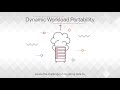
Veritas Net Backup is a data backup software designed for business enterprises. The software offers a reliable, unified, and scalable program enabling organizations to migrate their data to the cloud, maximize their resiliency standards and also manage multiple workloads across multi cloud and hybrid infrastructures in an efficient manner. Further, enterprises can also enlarge their disaster reco...
See MoreHave you used Veritas Net Backup before?
Share your insights for better experience
Looking for The Right Pricing?
Share your requirements and get a plan built around your business.
Price Available on Request
Get personalised Veritas Net Backup pricing that fits your needs. Our team will connect with you.
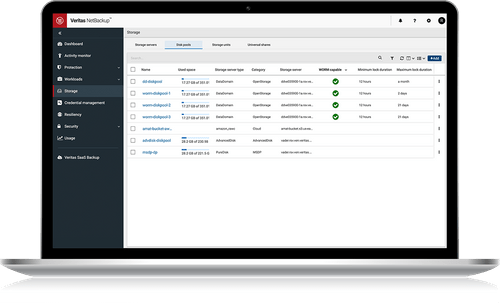
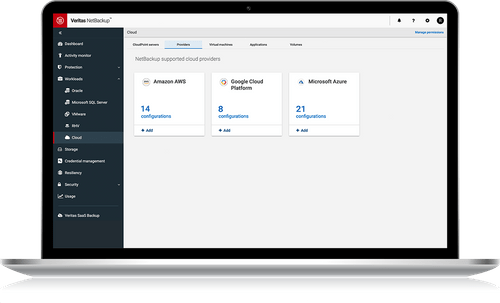
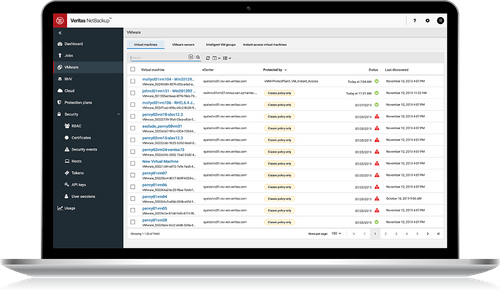
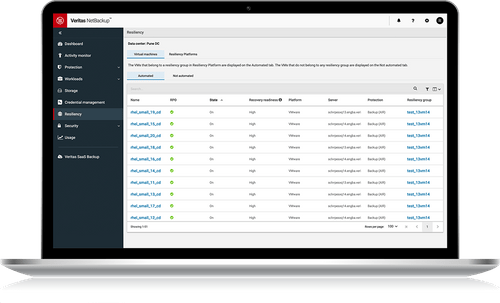
 Cost Effective Manage Business Risk Ransomware Protection Cloud Data Protection Virtual Environment NetBackup Resiliency Data Protection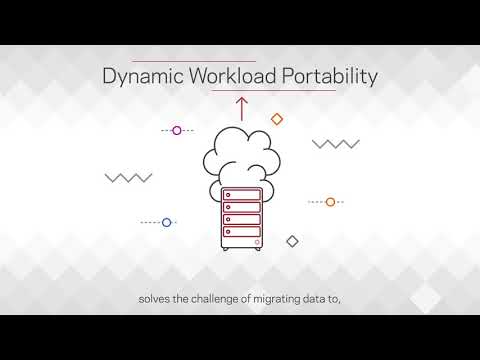

Watch the demo video to explore key features, real workflows, and how the software fits your business needs.
 Windows
  Desktop
  Cloud-Based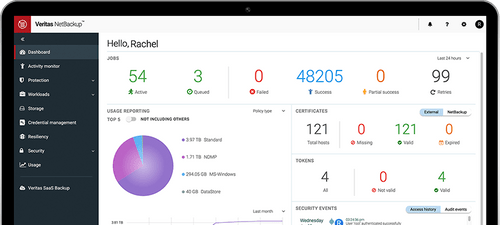
Small Business
Designed for startups and growing businesses
Medium Business
Built for business growth and flexibility
Enterprises
Designed for complex and large-scale business needs
4.6
Out of 5

Overall Rating
Based on
1 Verified Review
Rating Breakdown
90% Recommend this Product
Add Review
Jan 2, 2023
Techjockey Verified
“It is a comprehensive solution for disaster recovery, backup, and protection.”
Pros
The quantity of tools included in the product. The backup exec services are capable of supporting a wide range of data backup techniques on their own. The platform's breadth, rule configuration, backup job credentials, and testing validity. compatibility across different tape library systems. Outstanding assistance and provision.
Cons
To be completely honest, there were times when using my LTO tape library with the system proved to be challenging. Although it is a supported library, there have been difficulties—maybe one or two that come to mind—where I had to contact support.

Veritas Net Backup
Price On Request
Desktop
Mobile
Web based
On Premises
Windows
Mac OS

Metallic
Price On Request
Desktop
Mobile
Web based
On Premises
Windows
Mac OS

Commvault Cloud
Price On Request
Desktop
Mobile
Web based
On Premises
Windows
Mac OS

Rubrik Microsoft 365
Price On Request
Desktop
Mobile
Web based
On Premises
Windows
Mac OS

Rubrik Polaris Radar
Price On Request
Desktop
Mobile
Web based
On Premises
Windows
Mac OS

EasiShare
Price On Request
Desktop
Mobile
Web based
On Premises
Windows
Mac OS

Rubrik Polaris Sonar
Price On Request
Desktop
Mobile
Web based
On Premises
Windows
Mac OS

Keepit
Price On Request
Desktop
Mobile
Web based
On Premises
Windows
Mac OS

Backupify
Price On Request
Desktop
Mobile
Web based
On Premises
Windows
Mac OS

CloudAlly
Price On Request
Desktop
Mobile
Web based
On Premises
Windows
Mac OS
(0) Product(s) selected




The software supports native plugins like vRealize Orchestrator, VMware vCenter, vRealize Automation and more.
The software eliminates disjointed point products and offers adequate protection to workloads irrespective of their size through petra-byte level capacity. It also helps in ensuring on-demand access and resiliency across multiple locations.
Yes, you can request an online demo of Veritas Net Backup. Our product experts will get back to you as per the date and time mentioned within your time schedule.
Organizations get to enhance their operational efficiencies by integrating with ServiceNow and vRealize besides other platforms via API.
No, the software does not have a mobile app as of now.
The pricing of Veritas Net Backup is available on request at techjockey.com.
20,000+ Software Listed
Best Price Guranteed
Free Expert Consultation
2M+ Happy Customers
Terms and Condtions

Users with registered businesses can purchase goods from merchants on the platform to satisfy their business needs. Users are not permitted to utilize any products acquired through the platform for resale, advertising, business, or further distribution.
For each purchase made, users will receive a Tax Invoice (or 'GST invoice') that includes specific details such as:
the GSTIN of the user associated with their registered business, and
the specified Entity Name for their business.
It should be noted that not all products are eligible for GST Invoice. Only the products displayed by participating sellers with the 'GST-based Invoice Available' callout on the product description page would qualify.
Certain goods and services are not eligible to get a GST Invoice, including items with VAS, i.e., Value Added Services (e.g., Total Mobile Protection/Assured Buyback) and those involving an exchange offer at the time of purchase.
Users must ensure the accuracy of the GSTIN, and business entity name provided for the GST Invoice. Requests for corrections into GST Invoice would not be accommodated by Techjockey.com or any Seller, and any issues arising from user-provided information are the sole responsibility of users.
Techjockey.com is not liable for the GST Invoice or any associated input tax credit. To efficiently claim an input tax credit, users should select the registered place of business address as per the GST authority's data and follow the provisions of the GST Act and rules.
To claim an input tax credit, the delivery and billing addresses must match. Furthermore, input tax credits will not be granted if the delivery address and GSTIN on the invoice are from different states. In case of incorrect GST details provided during the order placement, the order will be canceled automatically.

