linkedin
VetBadger logo
play VetBadger Intro
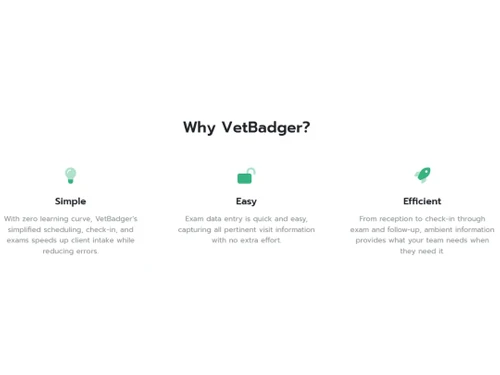
Vetbadger-Why VetBadger
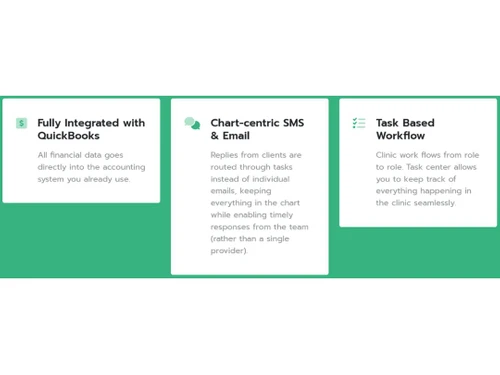
VetBadger-Test based workflow

VetBadger

Brand: VetBadger

  • 4.6

  • 5 Ratings

VetBadger Veterinary Software streamlines practice management with intuitive scheduling, medical record keeping, and billing capabilities.

See More

Have you used VetBadger before?

Share your insights for better experience

Add a Review
Starting Price
$99

View plans

100% Genuine
Products
Best Price
Guaranteed
Safe & Secure
Payment
  • Description

  • Pricing

  • Features

  • Specification

  • Review

  • Compare

  • Alternatives

  • FAQ

Starting at $99

VetBadger Software Overview

What is VetBadger Software?

VetBadger Veterinary Software is an interactive cloud-based practice management system for veterinary organizations. It aims to manage and simplify the practice management tasks of veterinary clinics and enhance communication efficiency. It comes with features that improve real-time information flow between clinics and patients, manage workflow, enhance data accuracy, and thus increase overall service efficiency. The cloud-based support eliminates the need for maintaining on-site servers and data management workloads and reduces costs.

It makes the practice management system a centralized system accessible from anywhere and allows efficient task-based workflow tracking and management. VetBadger simplifies appointment booking to speed up client intake and lower error rates. It notifies customers of upcoming appointments and confirmations by SMS and email. It offers integrated telehealth, making it possible to contact, counsel, remind, and monitor clients and clinicians at a distance from remote access. For effective team responses, chart-centric SMS and email are used to retain communication within the chart.

The software accurately captures data, improving data quality. The Quick Check-In function speeds up client intake while managing the check-in process and reducing errors. Simplified Exam Flow makes entering data and accurately capturing crucial visit details simple. It supports QuickBooks Integration, enabling simple financial data integration with your current accounting program. Abnormal results that aren't mentioned are marked in Full Exam Detail Reporting for scheduling a second exam. It thus provides a health record and manages detailed patient records for quick access and better patient health care.

Why Choose VetBadger?

By providing cloud software, this application manages all the tasks of clinic operations. It streamlines the data entry process, captures data accurately, manages check-ins, and appointment scheduling, lowering errors and accelerating customer intake. The clinic's overall efficiency is increased. It improves real-time information flow, ensuring the appropriate data is available when needed. It lowers expenses and administrative responsibilities and connects with QuickBooks, allowing veterinary teams to concentrate more on patient care and less on office work.

This application goes beyond simple practice management by providing alert services and services for client engagement. Integrated telehealth features make it easier for patients and doctors to communicate over distance from remote places while providing guidance, reminders, and monitoring. Clients are more likely to show up because the platform's SMS and email appointment confirmation system keeps them informed about their upcoming appointments. Additionally, task-based processes and chart-centric communication streamline client contacts, enabling prompt responses and organizing everything in the patient's chart. It leads to higher satisfaction levels among clients due to the quality of services.

Benefits of VetBadger Veterinary Software

  • Better patient care: Due to streamlining clinic processes, better appointment scheduling and reduced errors result in better patient focus.
  • Improved Client Relationships: Increase client involvement through telehealth and proper communication by encouraging loyalty and trust.
  • Cost reduction: IT expenditure is reduced by getting rid of on-site servers.
  • Better financial management: QuickBooks is integrated for effective financial management.
  • Data Accuracy: Easily captures patient visit information, lowering documentation errors and raising accuracy.
  • Workflow management: Due to task-based processes and communication centered on the chart, clinic operations are kept well-organized.

VetBadger Pricing

VetBadger pricing starts from $99 at techjockey.com.

The pricing model is based on different parameters, including extra features, deployment type, and total users. For further queries related to the product, you can contact our product team and learn more about the pricing and offers.

Read more

VetBadger Company Details

Founded Year:  2014

Vetbadger makes it easy for your team to manage their work and makes it easy for you to handle the relationships with your clients, giving you the time and flexibility to focus on the animals under your care.

Director/Founders Stephen McLaughry
Company Size 1-100 Employees

VetBadger Pricing & Plans

Basic
Key Features
  • 1-2 Users
  • Task Based Workflow
  • Chart-centric SMS & Email
Starting at $99
    • Licenses

      Licenses
      Licenses
    • Monthly

      Monthly
      Monthly

Key Features

  • 1-2 Users

  • Task Based Workflow

  • Chart-centric SMS & Email

VetBadger Features

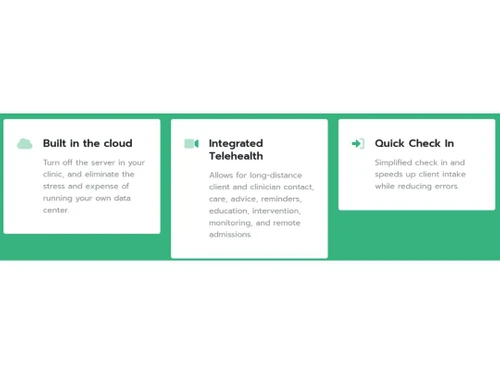
  • icon_check Integrated Telehealth
    For better patient care, it enables remote consultations, guidance, reminders, and monitoring.
  • icon_check Chart-centric SMS & Email
    Efficient patient chart communication and notification for well-planned and timely responses.
  • icon_check Task Based Workflow
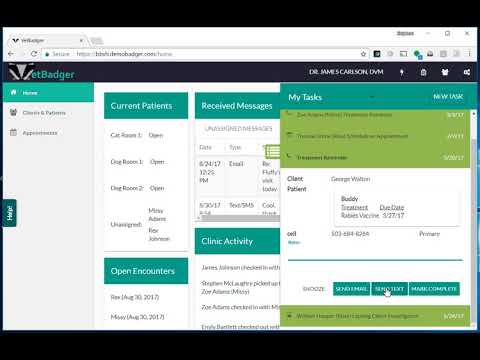
    Clinic procedures are managed, and tasks are tracked smoothly for effective coordination.
  • icon_check SMS & Email Appointment Confirmation
    Appointment confirmation by SMS and email keeps clients informed.
  • icon_check Full Exam Detail Reporting
    Draws attention to unresolved results to promote repeat exams and complete patient care.
  • icon_check Referral Tracking
    A system integrating referral monitoring and resource optimization for marketing.
  • icon_check Quick Check In
    Speeds up client reception by managing intake procedures and reducing errors.
  • icon_check Integrated with QuickBooks
    Integrating financial data for effective accounting management.
  • icon_check Simplified Exam Flow
    Simple and accurate data entry for thorough patient visit recording.
  • icon_check Built in the cloud
    Eliminate on-site servers, saving money and simplifying access and data management.
VetBadger Demo Video play icon

Get VetBadger Demo

Watch the demo video to explore key features, real workflows, and how the software fits your business needs.

Understand
Key Features
Personal
Demo Insights
Interactive
Demo Support

VetBadger Specifications

Supported Platforms
Ubuntu Ubuntu Windows Windows MacOS MacOS Linux Linux
Devices
Desktop Desktop Mobile Mobile Tablet Tablet iPad iPad
Deployment
Cloud-Based Cloud-Based
Suitable For
All Industries
Business Specific
All Businesses
Business Size
Small Business Startups Medium Business Enterprises SMBs SMEs MSMBs MSMEs
Customer Support
Email Communities
Language
English
Training Resources
Videos

Explore the Best Alternative Solutions Similar to Your Business Size and Needs

VetBadger Review

4.6

Out of 5

img

Overall Rating

Based on
5 Verified Ratings

Rating Breakdown

  • Features 4.6
  • Value for Money 4.4
  • Ease of Use 4.8
  • Customer Support 4.8

94% Recommend this Product

Add Review

Be the First to Review

This product has no reviews yet. Be the first to leave your feedback.

Add Review

Compare VetBadger With other Veterinary Software

Products
Ratings
Pricing
Device Supported
Deployment
Supported Platforms
  • img

    VetBadger

  • 4.6

  • Price On Request

  • Desktop

    Mobile

  • Web based

    On Premises

  • Windows

    Mac OS

  • img

    ezyVet

  • 5

  • Price On Request

  • Desktop

    Mobile

  • Web based

    On Premises

  • Windows

    Mac OS

  • img

    DaySmart Vet

  • 4.5

  • Price On Request

  • Desktop

    Mobile

  • Web based

    On Premises

  • Windows

    Mac OS

  • img

    Cornerstone

  • 4.6

  • Price On Request

  • Desktop

    Mobile

  • Web based

    On Premises

  • Windows

    Mac OS

  • img

    PetDesk

  • 4.3

  • Price On Request

  • Desktop

    Mobile

  • Web based

    On Premises

  • Windows

    Mac OS

  • img

    Vetstoria

  • 4.5

  • Price On Request

  • Desktop

    Mobile

  • Web based

    On Premises

  • Windows

    Mac OS

  • img

    Instinct

  • 4.2

  • Price On Request

  • Desktop

    Mobile

  • Web based

    On Premises

  • Windows

    Mac OS

  • img

    Veterian

  • 4.4

  • Price On Request

  • Desktop

    Mobile

  • Web based

    On Premises

  • Windows

    Mac OS

  • img

    Shepherd

  • 4.3

  • Price On Request

  • Desktop

    Mobile

  • Web based

    On Premises

  • Windows

    Mac OS

  • img

    VetifyPro

  • Price On Request

  • Desktop

    Mobile

  • Web based

    On Premises

  • Windows

    Mac OS

  • img

    Weave

  • 4.7

  • Price On Request

  • Desktop

    Mobile

  • Web based

    On Premises

  • Windows

    Mac OS

(0) Product(s) selected

VetBadger Alternatives

See All VetBadger Alternatives

Available

Price on Request

Milo

4.3

Available

Price on Request

Which operating system does the VetBadger Software Support?

VetBadger software is compatible with Windows and macOS operating systems.

Is there any VetBadger Veterinary App?

VetBadger Veterinary app is not available on Android and iOS devices.

What is the deployment type of the VetBadger Software?

VetBadger Software supports web-based deployment.

How much does the VetBadger cost?

VetBadger pricing starts at $99 at techjockey.com.

Who are the potential users of the VetBadger?

VetBadger can be used by hospitals, doctors, clinics, government, and private hospitals.

Is there any free trial or demo for the VetBadger?

VetBadger demo is available for free with techjockey.com.

Is the VetBadger free?

VetBadger doesn't offer any free trial.

How can you download the VetBadger?

VetBadger is a web-based platform. So, you need not download any software or app to use it.

How does the VetBadger work?

VetBadger, a web-based Veterinary Practice Management Software, enhances medical practice, team collaboration, and client engagement. Seamlessly integrating various aspects of veterinary care empowers practitioners to provide better medical services, optimize team productivity, and foster deeper client interactions, ultimately advancing overall veterinary practice efficiency and quality.

20,000+ Software Listed

Best Price Guranteed

Free Expert Consultation

2M+ Happy Customers

Terms and Condtions

close

Users with registered businesses can purchase goods from merchants on the platform to satisfy their business needs. Users are not permitted to utilize any products acquired through the platform for resale, advertising, business, or further distribution.

For each purchase made, users will receive a Tax Invoice (or 'GST invoice') that includes specific details such as:

  • the GSTIN of the user associated with their registered business, and

  • the specified Entity Name for their business.

It should be noted that not all products are eligible for GST Invoice. Only the products displayed by participating sellers with the 'GST-based Invoice Available' callout on the product description page would qualify.

Certain goods and services are not eligible to get a GST Invoice, including items with VAS, i.e., Value Added Services (e.g., Total Mobile Protection/Assured Buyback) and those involving an exchange offer at the time of purchase.

Users must ensure the accuracy of the GSTIN, and business entity name provided for the GST Invoice. Requests for corrections into GST Invoice would not be accommodated by Techjockey.com or any Seller, and any issues arising from user-provided information are the sole responsibility of users.

Techjockey.com is not liable for the GST Invoice or any associated input tax credit. To efficiently claim an input tax credit, users should select the registered place of business address as per the GST authority's data and follow the provisions of the GST Act and rules.

To claim an input tax credit, the delivery and billing addresses must match. Furthermore, input tax credits will not be granted if the delivery address and GSTIN on the invoice are from different states. In case of incorrect GST details provided during the order placement, the order will be canceled automatically.