linkedin
Virtana logo
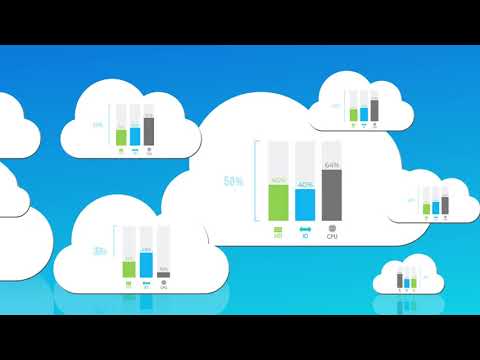
play Virtana Optimize | Cloud Cost Management Solution
Virtana Cost Management
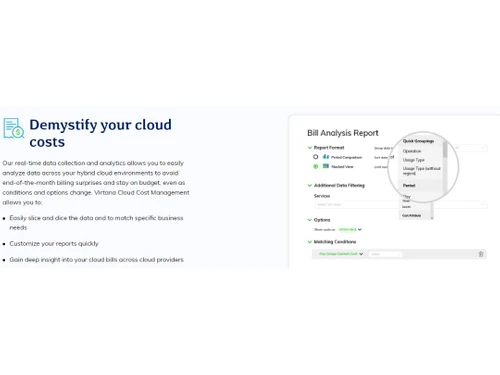
Virtana Demystify

Virtana

Brand: Virtana

  • 4.6

  • 4 Ratings

Virtana provides a unified platform for optimizing, monitoring, and managing hybrid and multi-cloud environments, helping organizations efficiently migrate workloads and reduce costs.

See More

Have you used Virtana before?

Share your insights for better experience

Add a Review
Starting Price
$5

View plans

100% Genuine
Products
Best Price
Guaranteed
Safe & Secure
Payment
  • Description

  • Pricing

  • Features

  • Specification

  • Review

  • Compare

  • Alternatives

  • FAQ

Starting at $5

Virtana Software Overview

What is Virtana?

Virtana cloud services provide a unified platform designed to optimize, monitor, and manage hybrid and multi-cloud environments. It helps organizations migrate workloads efficiently by analyzing application dependencies and resource utilization. The platform includes modules for workload placement, which assists in planning migrations to public or private clouds, and cloud cost management, which identifies cost-saving opportunities and optimizes expenses.

Virtana also offers deep observability across IT infrastructures, allowing businesses to gain real-time insights into their systems. With AI-powered features, it automates root cause analysis and incident resolution, helping IT teams focus on strategic initiatives rather than operational issues. The platform is vendor-agnostic, meaning it can work across various cloud providers and on-premises setups, providing flexibility for organizations.

Why Choose Virtana Software?

  • AI-Powered Insights: It utilizes artificial intelligence to provide deep observability across hybrid infrastructures, helping organizations optimize performance and reduce costs.
  • Comprehensive Observability: The platform delivers complete visibility across on-premises, colocation, and cloud environments, enabling effective monitoring of all critical infrastructure components.
  • Risk Mitigation: By identifying potential issues quickly, it helps organizations mitigate risks associated with their IT operations, ensuring smoother performance.
  • Performance Optimization: Users can maximize the performance of their data fabric, storage, network, and compute resources through advanced observability features.
  • Proven Track Record: Over 150 global companies trust Virtana for their infrastructure management needs, highlighting its reliability and effectiveness.
  • Real-Time Monitoring: The platform allows for real-time visibility into IT operations, enabling teams to detect and resolve issues promptly.
  • Enhanced Operational Efficiency: Virtana's tools help improve operational efficiency by streamlining processes and providing actionable insights for IT teams.
  • Expertise in Hybrid Cloud: With extensive knowledge in private, public, and hybrid cloud environments, Virtana offers tailored solutions that meet diverse business needs.
  • Case Studies of Success: Real-world examples, such as PayPal's ability to troubleshoot issues rapidly, demonstrate the tangible benefits of using Virtana.
  • Continuous Improvement: The platform is designed to adapt and grow with organizations, ensuring ongoing support for evolving IT landscapes.

Benefits of Virtana Software

  • Holistic Infrastructure Management: Virtana provides a comprehensive view of all infrastructure components, allowing organizations to manage their entire IT landscape effectively.
  • Cost Reduction Strategies: The platform identifies inefficiencies and recommends actions to lower operational costs, helping businesses save money.
  • Seamless Integration: Virtana can integrate easily with existing IT tools and systems, enhancing overall functionality without disrupting current workflows.
  • Customizable Dashboards: Users can create personalized dashboards to visualize key performance indicators relevant to their specific needs and objectives.
  • Proactive Issue Resolution: By utilizing AI-driven analytics, Virtana enables teams to anticipate and resolve issues before they impact operations.
  • Improved Resource Allocation: The software helps organizations optimize resource allocation across their hybrid environments, ensuring efficient use of assets.
  • Enhanced Security Posture: With advanced observability, Virtana aids in identifying security vulnerabilities and ensuring data protection across all infrastructures.
  • Scalability: The platform is designed to grow with the organization, accommodating increasing workloads and expanding IT environments seamlessly.
  • User-Friendly Interface: Virtana offers an intuitive interface that simplifies navigation and enhances the user experience for IT teams.
  • Expert Guidance and Support: Users benefit from Virtana's extensive expertise in hybrid cloud environments, with access to support and resources that help maximize the platform's potential.

Pricing of Virtana

Virtana price in India starts at $5 at techjockey.com.

The pricing model is based on different parameters, including extra features, deployment type, and the total number of users. For further queries related to the product, you can contact our product team and learn more about the pricing and offers.

Read more

Virtana Company Details

Founded Year:  2008

Virtana is the hybrid cloud optimization platform for digital transformation.

Director/Founders Kash Shaikh
Company Size 1-100 Employees

Virtana Pricing & Plans

Pro
Key Features
  • Cost Savings Dashboard
  • Idle Resource Reports
  • Bill Analysis Report
Starting at $5
    • Licenses

      Licenses
      Licenses
    • Monthly

      Monthly
      Monthly

Key Features

  • Cost Savings Dashboard

  • Idle Resource Reports

  • Bill Analysis Report

Virtana Features

  • icon_check Cost Management
    Helps monitor and control cloud expenses to optimize budget allocation.
  • icon_check Change Management
    Tracks and manages changes in cloud environments to prevent cost spikes and inefficiencies.
  • icon_check Customizable Savings Policies
    Allows businesses to set cost-saving rules tailored to their needs.
  • icon_check Reporting & Analytics
    Provides in-depth insights into cloud usage and expenses for better decision-making.
  • icon_check Dashboards
    Offers a visual representation of cloud costs, trends, and optimizations.
  • icon_check Cloud Migration
    Assists in moving workloads seamlessly to the cloud while ensuring cost efficiency.
  • icon_check Cost Reduction Optimization
    Identifies areas for cost savings and suggests ways to reduce cloud spending.
Virtana Demo Video play icon

Get Virtana Demo

Watch the demo video to explore key features, real workflows, and how the software fits your business needs.

Understand
Key Features
Personal
Demo Insights
Interactive
Demo Support

Virtana Specifications

Supported Platforms
Ubuntu Ubuntu Windows Windows MacOS MacOS Linux Linux
Devices
Desktop Desktop Mobile Mobile Tablet Tablet iPad iPad
Deployment
Cloud-Based Cloud-Based
Suitable For
All Industries
Business Specific
All Businesses
Business Size
Small Business Startups Medium Business Enterprises
Customer Support
Email Communities
Language
English
Training Resources
Documentation Videos
AI Features
AI Integrated

Explore the Best Alternative Solutions Similar to Your Business Size and Needs

Virtana Review

4.6

Out of 5

img

Overall Rating

Based on
4 Verified Ratings

Rating Breakdown

  • Features 4.5
  • Value for Money 4.8
  • Ease of Use 4.6
  • Customer Support 4.7

92% Recommend this Product

Add Review

Be the First to Review

This product has no reviews yet. Be the first to leave your feedback.

Add Review

Compare Virtana With other Cloud Cost Management Tools

Products
Ratings
Pricing
Device Supported
Deployment
Supported Platforms
  • img

    Virtana

  • 4.6

  • Price On Request

  • Desktop

    Mobile

  • Web based

    On Premises

  • Windows

    Mac OS

  • img

    Finout

  • 4.5

  • Price On Request

  • Desktop

    Mobile

  • Web based

    On Premises

  • Windows

    Mac OS

  • img

    Kubecost

  • 4.6

  • Price On Request

  • Desktop

    Mobile

  • Web based

    On Premises

  • Windows

    Mac OS

  • img

    ProsperOps

  • 4.6

  • Price On Request

  • Desktop

    Mobile

  • Web based

    On Premises

  • Windows

    Mac OS

  • img

    CloudYali

  • 4.1

  • Price On Request

  • Desktop

    Mobile

  • Web based

    On Premises

  • Windows

    Mac OS

  • img

    Costimizer

  • 4.2

  • Price On Request

  • Desktop

    Mobile

  • Web based

    On Premises

  • Windows

    Mac OS

  • img

    Cast AI

  • 4.4

  • Price On Request

  • Desktop

    Mobile

  • Web based

    On Premises

  • Windows

    Mac OS

  • img

    CloudKeeper

  • 4.3

  • Price On Request

  • Desktop

    Mobile

  • Web based

    On Premises

  • Windows

    Mac OS

  • img

    Zesty

  • 4.3

  • Price On Request

  • Desktop

    Mobile

  • Web based

    On Premises

  • Windows

    Mac OS

  • img

    CloudCheckr

  • 4.3

  • Price On Request

  • Desktop

    Mobile

  • Web based

    On Premises

  • Windows

    Mac OS

  • img

    nOps

  • 4.3

  • Price On Request

  • Desktop

    Mobile

  • Web based

    On Premises

  • Windows

    Mac OS

(0) Product(s) selected

Virtana Alternatives

See All Virtana Alternatives

Starting Price:

$8 /Monthly

Available

Price on Request

Available

Price on Request

Available

Price on Request

Available

Price on Request

What is the pricing for Virtana Software?

The pricing for Virtana in India starts at $5, as listed on techjockey.com.

Is there a Virtana Software mobile app available?

Virtana does not offer a mobile app.

Which operating systems are supported by Virtana Software?

Virtana is compatible with Ubuntu, Windows, MacOS and Linux operating systems.

Does Virtana Software offer a free trial version?

Yes, Virtana offers a free trial version for users to test its features.

How does Virtana Software function?

Virtana optimizes cloud cost, performance, and resource allocation through advanced analytics and management tools.

Who can benefit from using Virtana Software?

Enterprises, IT teams, and cloud resource managers can benefit from Virtana to optimize cloud spending and performance.

Is there a free demo available for Virtana Software?

Yes, Virtana offers a free demo to showcase its capabilities to potential users.

Is Virtana Software available for free?

No, Virtana is a paid software solution, but it offers a free trial for evaluation.

What types of cloud environments does Virtana support?

Virtana supports hybrid, multi-cloud, and on-premises environments for seamless management.

Can Virtana integrate with third-party cloud providers?

Yes, Virtana integrates with various cloud platforms like AWS, Azure, and Google Cloud.

20,000+ Software Listed

Best Price Guranteed

Free Expert Consultation

2M+ Happy Customers

Terms and Condtions

close

Users with registered businesses can purchase goods from merchants on the platform to satisfy their business needs. Users are not permitted to utilize any products acquired through the platform for resale, advertising, business, or further distribution.

For each purchase made, users will receive a Tax Invoice (or 'GST invoice') that includes specific details such as:

  • the GSTIN of the user associated with their registered business, and

  • the specified Entity Name for their business.

It should be noted that not all products are eligible for GST Invoice. Only the products displayed by participating sellers with the 'GST-based Invoice Available' callout on the product description page would qualify.

Certain goods and services are not eligible to get a GST Invoice, including items with VAS, i.e., Value Added Services (e.g., Total Mobile Protection/Assured Buyback) and those involving an exchange offer at the time of purchase.

Users must ensure the accuracy of the GSTIN, and business entity name provided for the GST Invoice. Requests for corrections into GST Invoice would not be accommodated by Techjockey.com or any Seller, and any issues arising from user-provided information are the sole responsibility of users.

Techjockey.com is not liable for the GST Invoice or any associated input tax credit. To efficiently claim an input tax credit, users should select the registered place of business address as per the GST authority's data and follow the provisions of the GST Act and rules.

To claim an input tax credit, the delivery and billing addresses must match. Furthermore, input tax credits will not be granted if the delivery address and GSTIN on the invoice are from different states. In case of incorrect GST details provided during the order placement, the order will be canceled automatically.