 USA
USA UAE
UAESmall Business
Designed for startups and growing businesses
See More





Brand: VisionPro POS
VisionPro POS is a Point-of-Sale system tailored for optical retailers, offering features like inventory management, sales tracking, customer database management, prescription tracking, and integrated payment processing for efficient operations and improved customer experience.
See MoreHave you used VisionPro POS before?
Share your insights for better experience
Brand: VisionPro POS
Founded Year: 1999
VisionProPOS is a complete Practice Management Point of Sale (POS) Solution for small to large enterprise optical offices and retailers.
Looking for The Right Pricing?
Share your requirements and get a plan built around your business.
Price Available on Request
Get personalised VisionPro POS pricing that fits your needs. Our team will connect with you.
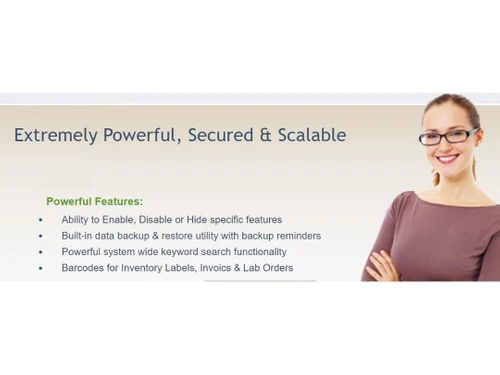
 Multiple Clients Installations Easy & Intuitive Screens FREE Automatic Software Updates Graphical Reporting Complete Patient Management Invoice & Lab Order Management Inventory Management Appointment Scheduling User Customization System Wide Search

Watch the demo video to explore key features, real workflows, and how the software fits your business needs.
 Ubuntu
  Windows
  MacOS
MacOS  Linux
Linux  Desktop
  Mobile
  Tablet
  iPad
iPad  Cloud-Based

Small Business
Designed for startups and growing businesses
Medium Business
Built for business growth and flexibility
Enterprises
Designed for complex and large-scale business needs
4.2
Out of 5

Overall Rating
Based on
3 Verified Ratings
Rating Breakdown
90% Recommend this Product
Add ReviewThis product has no reviews yet. Be the first to leave your feedback.
Add Review
VisionPro POS
Price On Request
Desktop
Mobile
Web based
On Premises
Windows
Mac OS

EasyBillPOS Optical Software
₹ 600
Desktop
Mobile
Web based
On Premises
Windows
Mac OS

Retail108
₹ 2500
Desktop
Mobile
Web based
On Premises
Windows
Mac OS

OpticalGuru
₹ 400
Desktop
Mobile
Web based
On Premises
Windows
Mac OS

WebsLayout Optical Software
Price On Request
Desktop
Mobile
Web based
On Premises
Windows
Mac OS

Solufy Optical ERP
Price On Request
Desktop
Mobile
Web based
On Premises
Windows
Mac OS

Bigdbiz Optical Software
Price On Request
Desktop
Mobile
Web based
On Premises
Windows
Mac OS

Optosoft Optical Software
₹ 6000
Desktop
Mobile
Web based
On Premises
Windows
Mac OS

Ari Optical POS
Price On Request
Desktop
Mobile
Web based
On Premises
Windows
Mac OS

Visual Optical RMS
Price On Request
Desktop
Mobile
Web based
On Premises
Windows
Mac OS

Optical CRM
Price On Request
Desktop
Mobile
Web based
On Premises
Windows
Mac OS
(0) Product(s) selected
Available
Price on Request
Available
Price on Request

Available
Price on Request

Available
Price on Request

Available
Price on Request

Available
Price on Request

Available
Price on Request
VisionPro POS Software is compatible with Ubuntu, Windows, Linux, and MacOS.
VisionPro POS Software app is unavailable for Android and iOS users.
VisionPro POS Software supports on-premises deployment.
VisionPro POS price details are available on request at techjockey.com.
VisionPro POS Software is typically used by retailers to streamline operations, enhance customer service, and improve overall business efficiency in the optical retail industry.
Yes, VisionPro POS Software free demo is available at techjockey.com.
VisionPro POS Software does not offer a free trial. However, the premium plan with advanced features and exciting deals is available at techjockey.com.
For VisionPro POS software installation, you can go directly to Techjockey’s official website and buy this solution. Once purchased, you will receive a key to download the same via email.
VisionPro POS software works by managing sales transactions, tracking inventory, processing payments, and generating reports to help optical retailers run their business operations efficiently.
20,000+ Software Listed
Best Price Guranteed
Free Expert Consultation
2M+ Happy Customers
Terms and Condtions

Users with registered businesses can purchase goods from merchants on the platform to satisfy their business needs. Users are not permitted to utilize any products acquired through the platform for resale, advertising, business, or further distribution.
For each purchase made, users will receive a Tax Invoice (or 'GST invoice') that includes specific details such as:
the GSTIN of the user associated with their registered business, and
the specified Entity Name for their business.
It should be noted that not all products are eligible for GST Invoice. Only the products displayed by participating sellers with the 'GST-based Invoice Available' callout on the product description page would qualify.
Certain goods and services are not eligible to get a GST Invoice, including items with VAS, i.e., Value Added Services (e.g., Total Mobile Protection/Assured Buyback) and those involving an exchange offer at the time of purchase.
Users must ensure the accuracy of the GSTIN, and business entity name provided for the GST Invoice. Requests for corrections into GST Invoice would not be accommodated by Techjockey.com or any Seller, and any issues arising from user-provided information are the sole responsibility of users.
Techjockey.com is not liable for the GST Invoice or any associated input tax credit. To efficiently claim an input tax credit, users should select the registered place of business address as per the GST authority's data and follow the provisions of the GST Act and rules.
To claim an input tax credit, the delivery and billing addresses must match. Furthermore, input tax credits will not be granted if the delivery address and GSTIN on the invoice are from different states. In case of incorrect GST details provided during the order placement, the order will be canceled automatically.


