 USA
USA UAE
UAESmall Business
Designed for startups and growing businesses

See More





Brand: WorldViz
Vizard is extended reality software primarily used for developing and experiencing virtual reality (VR) environments. It offers tools for creating immersive simulations and experiences across various industries and applications.
See MoreHave you used Vizard before?
Share your insights for better experience
Brand: WorldViz
Founded Year: 2002
WorldViz immersive technologies change how we share information, empowering businesses with new collaboration techniques.
Looking for The Right Pricing?
Share your requirements and get a plan built around your business.
Price Available on Request
Get personalised Vizard pricing that fits your needs. Our team will connect with you.
 Virtual Reality Product Visualization Content Creation Collaboration Virtual Meetings Simulation 3D Objects Augmented Reality

Watch the demo video to explore key features, real workflows, and how the software fits your business needs.
 Ubuntu
  Windows
  MacOS
MacOS  Linux
Linux  Desktop
  Cloud-Based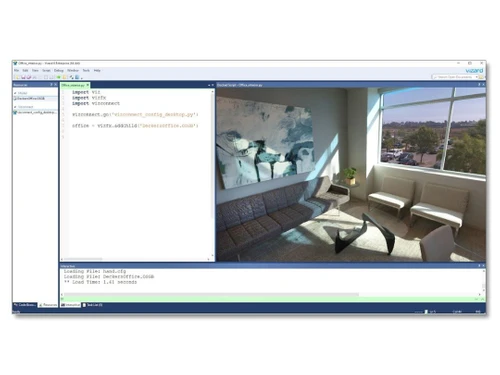
4.3
Out of 5

Overall Rating
Based on
11 Verified Reviews
Rating Breakdown
86% Recommend this Product
Add ReviewUsers generally appreciate Vizard for its efficiency in content creation, particularly for small teams and social media repurposing, with many noting significant time savings in editing and transcription accuracy. The clean interface and minimal learning curve are frequently highlighted as positives, making it accessible for non-experts. However, some users express concerns about limitations in customization options, particularly for larger projects, and the mobile experience is seen as lacking. Additionally, the cost can be a consideration for those with high usage needs.
Pros
"Good value for small teams; pricing/numbers are attractive for creators. Simplicity, speed, and finish are strong."
"Vizard handles transcription well for non-standard dialects/languages in some reviews. In one review, Swiss dialect transcription was praised."
"For long webinars or podcasts, Vizard picks highlights automatically and saves me tons of editing time. Users often mention it saving “significant time.”"
Cons
"Accuracy dips when accents are strong, or audio is poor; occasional misinterpretations or mis-gendered words in transcripts."
"Sometimes the highlights are generic or miss subtle but important moments; manual review still needed. "
"Sometimes the highlights are generic or miss subtle but important moments; manual review still needed. "

Oct 11, 2025
Techjockey Verified
“Excellent for Small Teams & Content Creators, May Hit Limits for Big Projects”
Our small content team produces videos for social media daily. Vizard makes that workflow efficient. But if I were producing full episodes or large-scale production, I might need more control than Vizard offers.
Pros
Good value for small teams; pricing/numbers are attractive for creators. Simplicity, speed, and finish are strong.
Cons
For large scale exports, batch projects, or brand-level customization, some feature ceilings become evident. Some users say they wish for higher export minute caps or enterprise features.
Reason to switch
I switched from simpler tools that limited how many minutes I could export or how polished outputs were. Vizard gives me better polish and more export capacity relative to cost for creator level.
Sep 24, 2025
Techjockey Verified
“Foreign Language & Dialect Support Is Impressive, With Some Minor Errors”
I create content in Spanish and occasionally regional dialects. Vizard often gets transcripts right, even for less-common idioms. But sometimes I catch errors in dialect or mis-recognized words.
Pros
Vizard handles transcription well for non-standard dialects/languages in some reviews. In one review, Swiss dialect transcription was praised.
Cons
Accuracy dips when accents are strong, or audio is poor; occasional misinterpretations or mis-gendered words in transcripts.
Reason to switch
I switched from The Wils because I wanted integrated video + transcript tool. Vizard offered transcription + clipping together, though with occasional small errors.
Aug 15, 2025
Techjockey Verified
“Saves Hours Each Week, Especially for Long Sessions”
I used to spend many hours listening through long video, marking timestamps. With Vizard the AI does much of that work. Even if I correct some mistakes, the saved time is big.
Pros
For long webinars or podcasts, Vizard picks highlights automatically and saves me tons of editing time. Users often mention it saving “significant time.”
Cons
Sometimes the highlights are generic or miss subtle but important moments; manual review still needed.
Reason to switch
I switched because manual clipping from long videos was too slow. Vizard’s auto-highlighting gives a usable draft fast; then I polish.

Vizard
Price On Request
Desktop
Mobile
Web based
On Premises
Windows
Mac OS

Vizible
Price On Request
Desktop
Mobile
Web based
On Premises
Windows
Mac OS

SimLab VR Studio
Price On Request
Desktop
Mobile
Web based
On Premises
Windows
Mac OS

Sentio VR
Price On Request
Desktop
Mobile
Web based
On Premises
Windows
Mac OS

VictoryXR
Price On Request
Desktop
Mobile
Web based
On Premises
Windows
Mac OS

Sketchbox
Price On Request
Desktop
Mobile
Web based
On Premises
Windows
Mac OS
StreamVR
Price On Request
Desktop
Mobile
Web based
On Premises
Windows
Mac OS

MeetinVR
Price On Request
Desktop
Mobile
Web based
On Premises
Windows
Mac OS

The Wild
Price On Request
Desktop
Mobile
Web based
On Premises
Windows
Mac OS

Yulio
Price On Request
Desktop
Mobile
Web based
On Premises
Windows
Mac OS

CONICAL Interactive Studios
Price On Request
Desktop
Mobile
Web based
On Premises
Windows
Mac OS
(0) Product(s) selected
Available
Price on Request
Available
Price on Request

Available
Price on Request
For Vizard pricing details, please request at techjockey.com.
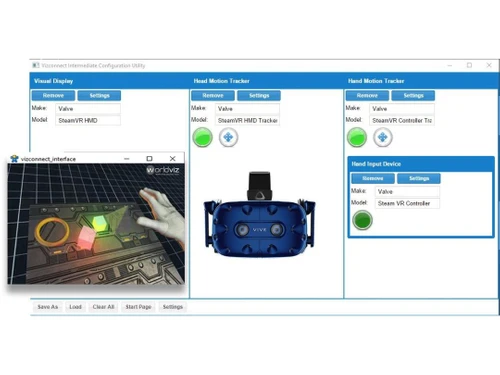
Vizard primarily functions as desktop software for crafting immersive VR experiences and may not offer a specific mobile app.
Vizard software is compatible with Ubuntu, Windows, MacOS and Linux operating systems, providing a platform for creating immersive virtual reality (VR) experiences.
Vizard Software does not offer a free trial.
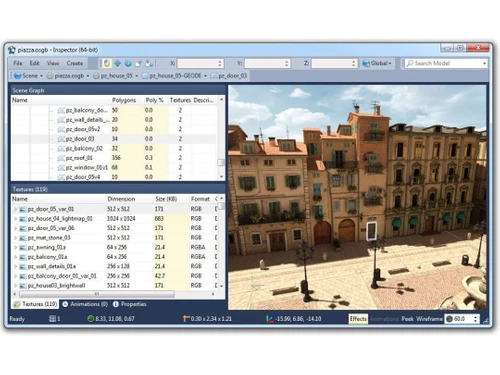
Vizard provides users with intuitive tools and interfaces for designing and developing VR content. It allows users to create realistic simulations, visualize products, and collaborate with team members in real-time.
Vizard is used by developers and researchers worldwide to create VR applications. It suits marketers, creators, agencies, and freelancers looking to generate and edit videos powered by artificial intelligence.
20,000+ Software Listed
Best Price Guranteed
Free Expert Consultation
2M+ Happy Customers
Terms and Condtions

Users with registered businesses can purchase goods from merchants on the platform to satisfy their business needs. Users are not permitted to utilize any products acquired through the platform for resale, advertising, business, or further distribution.
For each purchase made, users will receive a Tax Invoice (or 'GST invoice') that includes specific details such as:
the GSTIN of the user associated with their registered business, and
the specified Entity Name for their business.
It should be noted that not all products are eligible for GST Invoice. Only the products displayed by participating sellers with the 'GST-based Invoice Available' callout on the product description page would qualify.
Certain goods and services are not eligible to get a GST Invoice, including items with VAS, i.e., Value Added Services (e.g., Total Mobile Protection/Assured Buyback) and those involving an exchange offer at the time of purchase.
Users must ensure the accuracy of the GSTIN, and business entity name provided for the GST Invoice. Requests for corrections into GST Invoice would not be accommodated by Techjockey.com or any Seller, and any issues arising from user-provided information are the sole responsibility of users.
Techjockey.com is not liable for the GST Invoice or any associated input tax credit. To efficiently claim an input tax credit, users should select the registered place of business address as per the GST authority's data and follow the provisions of the GST Act and rules.
To claim an input tax credit, the delivery and billing addresses must match. Furthermore, input tax credits will not be granted if the delivery address and GSTIN on the invoice are from different states. In case of incorrect GST details provided during the order placement, the order will be canceled automatically.

