linkedin
Altium Designer logo
play Introduction to Altium Designer
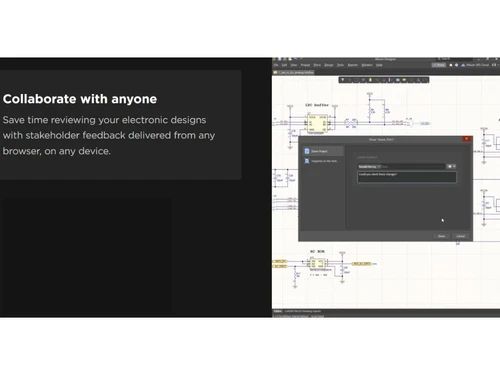
Altium Designer Collaborate with anyone
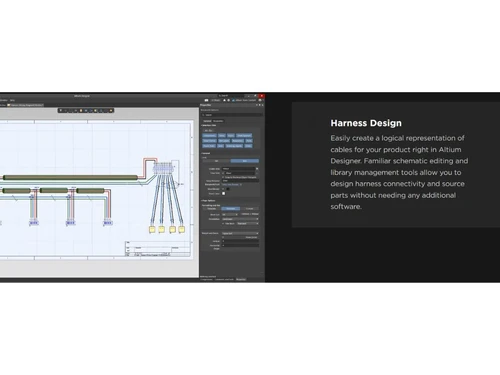
Altium Designer Harness Design

Altium Designer

Brand: Altium Limited

  • 4.3

  • 5 Ratings

Altium Designer offers powerful tools for schematic capture, PCB layout, and design collaboration. It streamlines the entire design process, enabling efficient creation of high-quality electronic circuits.

See More

Have you used Altium Designer before?

Share your insights for better experience

Add a Review
Starting Price
₹25,500 excl.GST
₹ 30,090 incl. GST

View plans

offer Save upto 18%, Get GST Invoice on your business purchase T&C
offer Buy Now & Pay Later, Check offer on payment page.
Buy Now
100% Genuine
Products
Best Price
Guaranteed
Safe & Secure
Payment
  • Description

  • Pricing

  • Features

  • Specification

  • Review

  • Compare

  • Alternatives

  • FAQ

Starting at ₹25,500
Buy Now

Altium Designer Software Overview

What is Altium Designer?

Altium Designer is a professional PCB design software that integrates various tools for designing printed circuit boards (PCBs) and electronic systems. It provides a unified platform for schematic capture, PCB layout, and component management, making the design process more efficient and streamlined.

The software offers advanced features like 3D visualization, real-time design rule checking, and automated routing, ensuring high-quality and manufacturable designs. Altium Designer also facilitates collaboration between design teams through cloud-based sharing and version control. It supports a wide range of design applications, from simple circuits to complex multilayer boards. With its user-friendly interface and powerful tools, Altium Designer is widely used by engineers and designers in the electronics industry.

Why Choose Altium Designer Software?

  • Unified Design Environment: Integrates schematic capture, PCB layout, and manufacturing outputs within a single platform, enhancing workflow efficiency.
  • Advanced Routing Technology: Employs sophisticated routing capabilities to handle complex designs with precision and speed.
  • Comprehensive Design Rule Management: Offers detailed design rule checks and constraints to ensure design integrity and manufacturability.
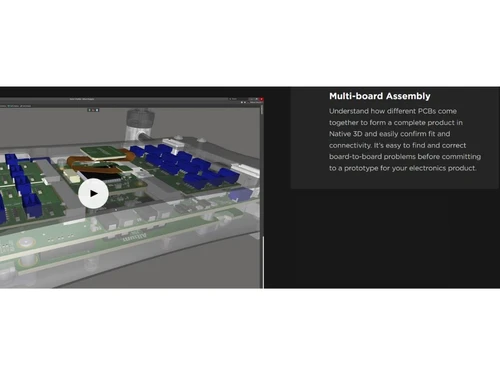
  • 3D PCB Visualization: Provides real-time 3D visualization of PCB layouts, aiding in design verification and reducing errors.
  • Seamless Collaboration: Facilitates effective collaboration among design teams through integrated communication tools and data sharing.
  • Component Management: Integrates with component suppliers and libraries, streamlining component selection and management processes.
  • Extensive Simulation and Analysis Tools: Includes built-in simulation tools for signal integrity and power analysis, reducing the need for physical prototypes.
  • Flexible Licensing Options: Offers various subscription levels, including Standard, Pro, and Enterprise, to cater to different organizational needs.

Benefits of Altium Designer Software

  • Extensive Component Libraries: It provides access to a vast, constantly updated library of components, making it easy to find and incorporate parts into designs.
  • Support for Advanced PCB Technologies: It supports high-speed designs, flexible PCBs, and HDI (High-Density Interconnect) boards, catering to modern, complex applications.
  • Seamless ECAD/MCAD Integration: Altium Designer integrates easily with mechanical design tools, allowing for efficient collaboration between electrical and mechanical engineers.
  • Design for Manufacturing (DFM) Capabilities: The software includes tools that help identify potential manufacturing issues early in the design phase, reducing costly revisions later.
  • Robust CAM Capabilities: It provides tools for generating manufacturing files directly, streamlining the transition from design to production.
  • Wire Bonding Support: Provides comprehensive wire bonding tools directly accessible from PCB layouts and libraries, ensuring rule compliance and design precision.
  • 3D-MID Design Capability: Enables exploration of advanced design possibilities with 3D Molded Interconnect Device (3D-MID) technology, accessible within existing PCB projects.

Altium Designer Pricing

Altium Designer price in India starts at INR 25500 at techjockey.com.

The pricing model is based on different parameters, including extra features, deployment type, and the total number of users. For further queries related to the product, you can contact our product team and learn more about the pricing and offers.

Read more

Altium Designer Pricing & Plans

Basic
Key Features
  • Use it for a specified period
  • Ideal for organizations to plan operational budget
  • Includes updates and access to Altium 365 with a s
  • Flexibility to scale capacity with additional seat

Calculated Price

25500 Exclusive of all taxes
    • Licenses

      Licenses
      Licenses
    • Monthly

      Monthly
      Monthly

Key Features

  • Use it for a specified period

  • Ideal for organizations to plan operational budget

  • Includes updates and access to Altium 365 with a s

  • Flexibility to scale capacity with additional seat

Altium Designer Features

  • icon_check Data Import/Export
    Supports seamless data transfer with other design tools, ensuring compatibility with various file formats.
  • icon_check 3D Imagery
    Offers detailed 3D representations of PCB designs for visual verification and error reduction.
  • icon_check 2D Drawing
    Generates precise 2D representations of PCB layouts for documentation and manufacturing.
  • icon_check Collaboration Tools
    Facilitates team collaboration through real-time data sharing, commenting, and version control.
  • icon_check CAD Tools
    Comes with advanced CAD features for precise schematic capture, PCB layout, and simulation.
  • icon_check 3D Visualization
    Provides interactive 3D views of your designs, helping visualize the end product in real-world space.
  • icon_check Electrical Design
    Supports full electrical design capabilities, including schematics, circuit design, and validation tools.
  • icon_check Configuration Management
    Enables efficient management of multiple design configurations, improving flexibility and version control.
  • icon_check Configurable Workflow
    Allows you to tailor workflows to fit your team’s needs, streamlining the design process.
  • icon_check Customizable Templates
    Provides customizable templates for rapid design creation, ensuring consistency and efficiency.
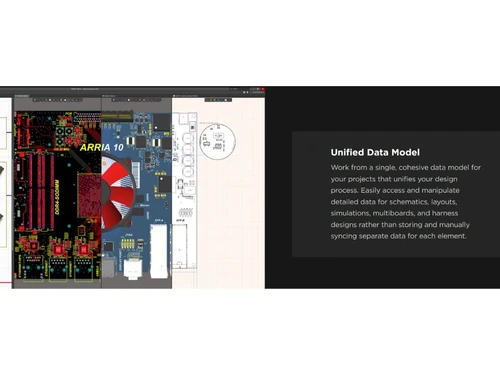
  • icon_check Unified Design Platform
    Combines schematic capture, PCB layout, and documentation in a single environment to eliminate the need for data translation.
  • icon_check ActiveBOM Management
    Provides live supply chain intelligence, including real-time pricing and availability data, directly within the design project.
  • icon_check Integrated SPICE Engine
    Allows designers to simulate and verify analog and digital circuits without leaving the schematic editor for better accuracy.
  • icon_check Altium 365 Cloud Sync
    Connects your design team through a secure cloud platform for version control, project sharing, and real-time collaboration.
  • icon_check Library Migration Logic
    Simplifies the transition from legacy EDA tools by providing robust importers for OrCAD, Allegro, PADS, and Eagle file types.
  • icon_check Release Management
    Streamlines the handoff to manufacturing by generating complete, validated output packages like Gerbers and ODB++ files.
Altium Designer Demo Video play icon

Get Altium Designer Demo

Watch the demo video to explore key features, real workflows, and how the software fits your business needs.

Understand
Key Features
Personal
Demo Insights
Interactive
Demo Support

Altium Designer Specifications

Supported Platforms
Windows Windows
Devices
Desktop Desktop
Deployment
Cloud-Based Cloud-Based Perpetual Perpetual
Suitable For
All Industries
Business Specific
All Businesses
Business Size
Individual Small Business Startups Enterprises Freelancers
Customer Support
Phone Email Communities Forums
Language
English
Integration
API Integration
Training Resources
In Person Live Online Webinars Documentation Videos
AI Features
AI Integrated
Technology
Next Generation

Explore the Best Alternative Solutions Similar to Your Business Size and Needs

Altium Designer Review

4.3

Out of 5

img

Overall Rating

Based on
5 Verified Ratings

Rating Breakdown

  • Features 4.2
  • Value for Money 4.3
  • Ease of Use 4.4
  • Customer Support 4.4

86% Recommend this Product

Add Review

Be the First to Review

This product has no reviews yet. Be the first to leave your feedback.

Add Review

Compare Altium Designer With other PCB Design Software

Products
Ratings
Pricing
Device Supported
Deployment
Supported Platforms
  • img

    Altium Designer

  • 4.3

  • ₹ 25500.00 excl. GST

  • Desktop

    Mobile

  • Web based

    On Premises

  • Windows

    Mac OS

  • img

    Cadence Allegro

  • 4.5

  • Price On Request

  • Desktop

    Mobile

  • Web based

    On Premises

  • Windows

    Mac OS

  • img

    EasyEDA

  • 4.2

  • Price On Request

  • Desktop

    Mobile

  • Web based

    On Premises

  • Windows

    Mac OS

  • img

    OrCAD PCB Designer

  • 4.0

  • Price On Request

  • Desktop

    Mobile

  • Web based

    On Premises

  • Windows

    Mac OS

  • img

    DesignSpark PCB

  • 4.5

  • ₹ 18136

  • Desktop

    Mobile

  • Web based

    On Premises

  • Windows

    Mac OS

  • img

    ORCAD Capture

  • 4.5

  • Price On Request

  • Desktop

    Mobile

  • Web based

    On Premises

  • Windows

    Mac OS

  • img

    Flux

  • Price On Request

  • Desktop

    Mobile

  • Web based

    On Premises

  • Windows

    Mac OS

  • img

    DipTrace

  • 4.2

  • Price On Request

  • Desktop

    Mobile

  • Web based

    On Premises

  • Windows

    Mac OS

  • img

    Proteus PCB Design

  • 4.2

  • Price On Request

  • Desktop

    Mobile

  • Web based

    On Premises

  • Windows

    Mac OS

  • img

    eCADSTAR

  • 4.3

  • Price On Request

  • Desktop

    Mobile

  • Web based

    On Premises

  • Windows

    Mac OS

(2) Product(s) selected

Altium Designer Alternatives

See All Altium Designer Alternatives

Starting Price:

$15 /Month

Available

Price on Request

Articles for Altium Designer

See All Related Articles

How much does Altium Designer Software cost?

The price of Altium Designer in India starts at INR 25,500 on techjockey.com.

Is there a mobile application for Altium Designer Software?

No, Altium Designer does not have a mobile app; it is a desktop-based application.

Which operating systems are supported by Altium Designer Software?

Altium Designer is compatible with Windows operating systems.

Does Altium Designer Software offer a trial version?

Yes, Altium Designer offers a free trial version for users to explore its features.

How does Altium Designer Software operate?

Altium Designer operates as an integrated platform for PCB design, offering tools for schematic capture, layout, and simulation.

Who uses Altium Designer Software?

Engineers, designers, and companies in electronics and PCB manufacturing can benefit from using Altium Designer.

Is there a demo version of Altium Designer Software available?

Yes, a demo version of Altium Designer is available for users to try before purchasing.

Is Altium Designer Software available for free?

No, Altium Designer is a paid software, though a trial and demo version are available.

What features are included in Altium Designer?

Altium Designer includes features like schematic capture, PCB layout, 3D visualization, automated routing, and real-time design rule checking.

Can I collaborate with other users using Altium Designer?

Yes, Altium Designer offers cloud-based collaboration tools that allow multiple users to work on the same design simultaneously.

20,000+ Software Listed

Best Price Guranteed

Free Expert Consultation

2M+ Happy Customers

Terms and Condtions

close

Users with registered businesses can purchase goods from merchants on the platform to satisfy their business needs. Users are not permitted to utilize any products acquired through the platform for resale, advertising, business, or further distribution.

For each purchase made, users will receive a Tax Invoice (or 'GST invoice') that includes specific details such as:

  • the GSTIN of the user associated with their registered business, and

  • the specified Entity Name for their business.

It should be noted that not all products are eligible for GST Invoice. Only the products displayed by participating sellers with the 'GST-based Invoice Available' callout on the product description page would qualify.

Certain goods and services are not eligible to get a GST Invoice, including items with VAS, i.e., Value Added Services (e.g., Total Mobile Protection/Assured Buyback) and those involving an exchange offer at the time of purchase.

Users must ensure the accuracy of the GSTIN, and business entity name provided for the GST Invoice. Requests for corrections into GST Invoice would not be accommodated by Techjockey.com or any Seller, and any issues arising from user-provided information are the sole responsibility of users.

Techjockey.com is not liable for the GST Invoice or any associated input tax credit. To efficiently claim an input tax credit, users should select the registered place of business address as per the GST authority's data and follow the provisions of the GST Act and rules.

To claim an input tax credit, the delivery and billing addresses must match. Furthermore, input tax credits will not be granted if the delivery address and GSTIN on the invoice are from different states. In case of incorrect GST details provided during the order placement, the order will be canceled automatically.