linkedin
Cadence Allegro logo
play Starting the Allegro X PCB Editor and the Basic User Interface
Cadence Allegro PCB
Cadence Allegro Design

Cadence Allegro

Brand: Cadence Design System

  • 4.5

  • 3 Ratings

Cadence Allegro is a PCB layout tool used to develop electronic systems and printed circuit boards professionally.

See More

Have you used Cadence Allegro before?

Share your insights for better experience

Add a Review

Price Available on Request

Questions about pricing or customization? We’re here to help, just a click away.

100% Genuine
Products
Best Price
Guaranteed
Safe & Secure
Payment
  • Description

  • Pricing

  • Features

  • Specification

  • Review

  • Compare

  • Alternatives

  • FAQ

Cadence Allegro Software Overview

What is Cadence Allegro?

Cadence Allegro is a PCB design software designed to develop printed circuit boards (PCBs) and complete electronic systems professionally. It allows users to create for manufacturability seamlessly and eliminates the need for frequent redesigns or adjustments during development. Users can achieve first-pass DFM signoff effortlessly by defining the manufacturer's rules before the design phase and applying them in real-time.

The layout software facilitates the swift transition of simple and complex designs from concept to production in a constraint-driven design system. It includes high-speed design, RF antenna design, flex-circuitry, and design for manufacturing (DFM) technology integration. The tool provides results that can be compared to previous simulations, allowing designers to optimize complex signal integrity situations efficiently.

Why Choose Cadence Allegro Software?

  • The PCB design software lets you analyze schematic-integrated IR drop, impedance, and return path.
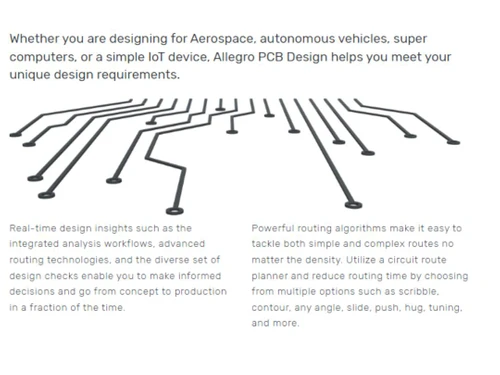
  • It reduces routing time by offering multiple options such as scribble, contour, any angle, slide, push, hug, tuning, and more.
  • The platform allows you to apply rules in etch mode, non-etch mode, and stack-up mode to isolate layers, geometries, and cutouts.
  • It allows you to identify and resolve conflicts between signal lengths through real-time circuit analysis checks.
  • The layout software ensures the design process is driven by thorough analysis for optimizing performance and reliability.

Benefits of Cadence Allegro Platform

  • The PCB design software facilitates design reuse to enhance overall productivity.
  • It supports interactive routing for efficient and intuitive design processes.
  • The platform incorporates design-for-manufacturability principles to streamline the manufacturing process.
  • It lets you dynamically monitor signal integrity and timing violations as you design for immediate feedback.
  • The layout software allows you to leverage built-in simulators and calculators to ensure power integrity, thermal performance, and EMI compliance.

Pricing of Cadence Allegro PCB Design Software

Cadence Allegro price is available on request at techjockey.com. It comes with multiple pricing plans and caters to a diverse customer base.

For subscription-related details and offers on premium packages, please request a call back from our product experts.

Read more

Cadence Design System Company Details

Founded Year:  1985

Cadence front end, PCB layout, and routing technology offers a scalable, easy-to-use, constraint-driven PCB design solution for simple to complex PCBs, including those with RF etch components.

Director/Founders Richard Newton, Alberto Sangiovanni-Vincentelli, and James Solomon
Company Size 1000+ Employees

Cadence Allegro Pricing & Plans

Looking for The Right Pricing?

Share your requirements and get a plan built around your business.

  • Define your business needs
  • Get customised pricing
  • Choose features that fit your workflow

Price Available on Request

Get personalised Cadence Allegro pricing that fits your needs. Our team will connect with you.

Cadence Allegro Features

  • icon_check Routing Engine
    Features the industry's most advanced routing technology to solve complex high-speed design challenges with total precision.
  • icon_check Real-Time Collaboration
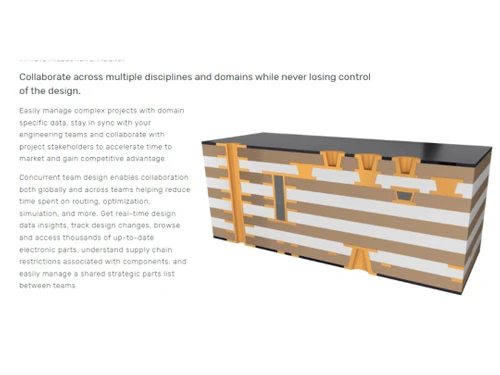
    Enables concurrent editing in a single design database so multiple team members can work on the same layout simultaneously.
  • icon_check Integrated Analysis Hub
    Performs signal and power integrity analysis directly on the design canvas to identify and fix electrical issues in real-time.
  • icon_check Constraint-Driven Design
    Manages complex high-speed rules and timing requirements through a spreadsheet-based interface for correct-by-construction.
  • icon_check Automated HDI Technology
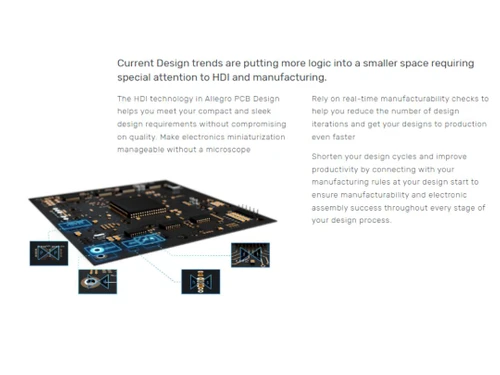
    Supports rules-driven high-density interconnect flows with specific parameters for micro-via stacking and fine-pitch spacing
  • icon_check Supply Chain Awareness
    Provides live data on part availability and pricing from global distributors to ensure components are orderable at the start.
  • icon_check System Capture Interface
    Quickly specifies system block diagrams and circuit specifications with built-in integrity checks for front-end definition.
  • icon_check Data Import/Export
    Seamlessly bring in existing designs or share finished projects with other software.
  • icon_check Create 3D Models
    Visualize your PCB fully in 3D, including flex circuits, for accurate assembly checks.
  • icon_check 3D Imagery
    Generate stunning photorealistic renders of your design for presentations or marketing materials.
  • icon_check Collaboration Tools
    Work on the same PCB layout in real-time with colleagues to boost team efficiency.
  • icon_check Library of Components
    Access a vast collection of pre-built component models to speed up your design process.
  • icon_check 2D Drawing
    Craft precise schematics and layout diagrams with powerful editing and analysis tools.
  • icon_check Design Export
    Generate fabrication files in industry-standard formats for seamless manufacturing.
  • icon_check Integrations
    Connect with other third-party tools for comprehensive design verification and workflow automation.
Cadence Allegro Demo Video play icon

Get Cadence Allegro Demo

Watch the demo video to explore key features, real workflows, and how the software fits your business needs.

Understand
Key Features
Personal
Demo Insights
Interactive
Demo Support

Cadence Allegro Specifications

Supported Platforms
Ubuntu Ubuntu Windows Windows MacOS MacOS Linux Linux
Devices
Desktop Desktop
Deployment
Cloud-Based Cloud-Based
Suitable For
All Industries
Business Specific
All Businesses
Business Size
Small Business Medium Business Enterprises
Customer Support
Email Communities
Language
English
Training Resources
Videos

Explore the Best Alternative Solutions Similar to Your Business Size and Needs

Cadence Allegro Review

4.5

Out of 5

img

Overall Rating

Based on
3 Verified Ratings

Rating Breakdown

  • Features 4.3
  • Value for Money 4.5
  • Ease of Use 4.5
  • Customer Support 5

90% Recommend this Product

Add Review

Be the First to Review

This product has no reviews yet. Be the first to leave your feedback.

Add Review

Compare Cadence Allegro With other PCB Design Software

Products
Ratings
Pricing
Device Supported
Deployment
Supported Platforms
  • img

    Cadence Allegro

  • 4.5

  • Price On Request

  • Desktop

    Mobile

  • Web based

    On Premises

  • Windows

    Mac OS

  • img

    OrCAD PCB Designer

  • 4.0

  • Price On Request

  • Desktop

    Mobile

  • Web based

    On Premises

  • Windows

    Mac OS

  • img

    ORCAD Capture

  • 4.5

  • Price On Request

  • Desktop

    Mobile

  • Web based

    On Premises

  • Windows

    Mac OS

  • img

    Altium Designer

  • 4.3

  • ₹ 25500

  • Desktop

    Mobile

  • Web based

    On Premises

  • Windows

    Mac OS

  • img

    EasyEDA

  • 4.2

  • Price On Request

  • Desktop

    Mobile

  • Web based

    On Premises

  • Windows

    Mac OS

  • img

    Flux

  • Price On Request

  • Desktop

    Mobile

  • Web based

    On Premises

  • Windows

    Mac OS

  • img

    DesignSpark PCB

  • 4.5

  • ₹ 18136

  • Desktop

    Mobile

  • Web based

    On Premises

  • Windows

    Mac OS

  • img

    DipTrace

  • 4.2

  • Price On Request

  • Desktop

    Mobile

  • Web based

    On Premises

  • Windows

    Mac OS

  • img

    eCADSTAR

  • 4.3

  • Price On Request

  • Desktop

    Mobile

  • Web based

    On Premises

  • Windows

    Mac OS

  • img

    Proteus PCB Design

  • 4.2

  • Price On Request

  • Desktop

    Mobile

  • Web based

    On Premises

  • Windows

    Mac OS

(2) Product(s) selected

Cadence Allegro Alternatives

See All Cadence Allegro Alternatives

Starting Price:

$15 /Month

Available

Price on Request

Articles for Cadence Allegro

See All Related Articles

Which operating system does Cadence Allegro support?

Cadence Allegro is compatible with Ubuntu, Windows, Linux, and MacOS operating systems.

Is there any Cadence Allegro app?

Cadence Allegro is unavailable for Android and iOS app users.

What is the deployment type of Cadence Allegro software?

Cadence Allegro supports cloud-based deployment.

How much does Cadence Allegro cost?

The Cadence Allegro price is available on request at techjockey.com.

Who are the potential users of Cadence Allegro?

Cadence Allegro can be useful for engineers to create complex and high-performance PCBs.

Is there any free trial or demo for Cadence Allegro?

Cadence Allegro free demo is available at techjockey.com.

Is Cadence Allegro free?

Cadence Allegro software offers a free trial.

How can you download Cadence Allegro software?

Cadence Allegro software is a cloud-based platform. So, installation is not required. Just open the Setup Wizard to get started.

How does Cadence Allegro work?

Cadence Allegro is a layout software that allows engineers to create complex PCBs with high accuracy and efficiency.

20,000+ Software Listed

Best Price Guranteed

Free Expert Consultation

2M+ Happy Customers

Terms and Condtions

close

Users with registered businesses can purchase goods from merchants on the platform to satisfy their business needs. Users are not permitted to utilize any products acquired through the platform for resale, advertising, business, or further distribution.

For each purchase made, users will receive a Tax Invoice (or 'GST invoice') that includes specific details such as:

  • the GSTIN of the user associated with their registered business, and

  • the specified Entity Name for their business.

It should be noted that not all products are eligible for GST Invoice. Only the products displayed by participating sellers with the 'GST-based Invoice Available' callout on the product description page would qualify.

Certain goods and services are not eligible to get a GST Invoice, including items with VAS, i.e., Value Added Services (e.g., Total Mobile Protection/Assured Buyback) and those involving an exchange offer at the time of purchase.

Users must ensure the accuracy of the GSTIN, and business entity name provided for the GST Invoice. Requests for corrections into GST Invoice would not be accommodated by Techjockey.com or any Seller, and any issues arising from user-provided information are the sole responsibility of users.

Techjockey.com is not liable for the GST Invoice or any associated input tax credit. To efficiently claim an input tax credit, users should select the registered place of business address as per the GST authority's data and follow the provisions of the GST Act and rules.

To claim an input tax credit, the delivery and billing addresses must match. Furthermore, input tax credits will not be granted if the delivery address and GSTIN on the invoice are from different states. In case of incorrect GST details provided during the order placement, the order will be canceled automatically.