linkedin
Allegro ECAD logo
play MECODES now includes a support for collaboration with Cadence Allegro ECAD software
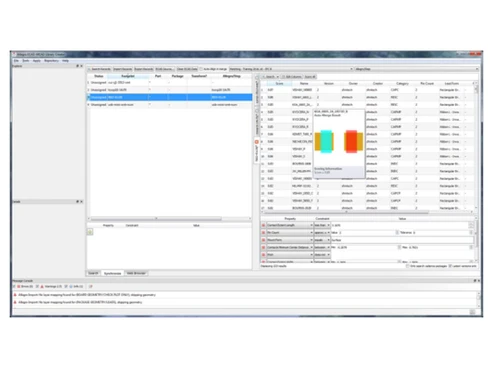
Allegro ECAD Dashboard
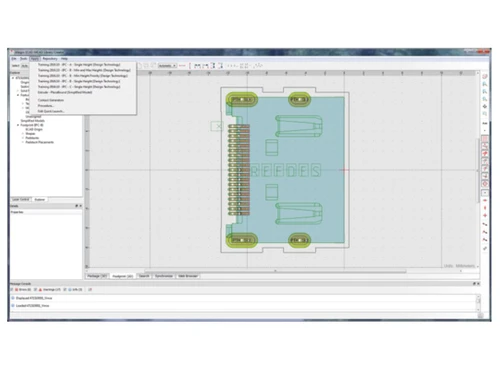
Allegro ECAD 3D Models

Allegro ECAD

Brand: Cadence Design System

  • 4.2

  • 5 Ratings

Allegro ECAD is an Electronic Computer-Aided Design (ECAD) software for designing and developing printed circuit boards (PCBs).

See More

Have you used Allegro ECAD before?

Share your insights for better experience

Add a Review

Price Available on Request

Questions about pricing or customization? We’re here to help, just a click away.

100% Genuine
Products
Best Price
Guaranteed
Safe & Secure
Payment
  • Description

  • Pricing

  • Features

  • Specification

  • Review

  • Compare

  • Alternatives

  • FAQ

Allegro ECAD Software Overview

What is Allegro ECAD?

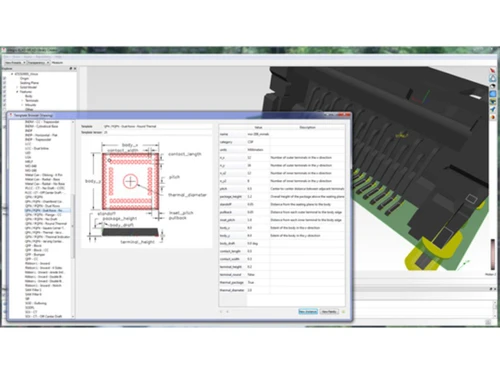
Allegro ECAD is a powerful ECAD software designed to enhance the efficiency and accuracy of component libraries in electronic design. The software provides designers with a comprehensive view of all components and synchronizes 2D footprints and 3D models. Designers can choose from a vast repository of detailed 3D package models, utilize over 100 parametric templates, or directly leverage existing 3D models.

The software automatically extracts geometric details from these 3D models to enhance efficiency and accuracy in footprint creation. It offers automated footprint generation and parametric templates to easily create multiple variations of components. By applying target-specific rules to existing ones, designers can efficiently develop new libraries for various specifications, such as flex, different standards, and manufacturing processes.

Why Choose Allegro ECAD Software?

  • The ECAD software allows you to validate safety specifications against individual circuit specifications for enhanced design confidence.
  • It validates ECAD footprints against existing 3D models to ensure consistency and accuracy in the design process.
  • The tool allows you to reuse existing library models in future designs to reduce design time and promote consistency across projects.
  • It lets you augment existing ECAD libraries with 3D models from the repository using automated search and coordinate system alignment.
  • The ECAD platform allows you to populate PTC Creo and Siemens NX MCAD libraries with STEP support for other MCAD vendors.

Benefits of Allegro ECAD Platform

  • The ECAD software allows you to quickly create variations of libraries for different standards, flex, HDI, and alternate solder processes.
  • It enables you to ensure the accuracy and completeness of your library with automatic checks and validations.
  • The platform allows you to create and edit schematics with various symbols and components.
  • It lets you view your PCB in 3D to check for clearance issues and ensure manufacturability.
  • The system automatically checks your PCB for violations of design rules, such as trace width and spacing requirements.

Pricing of Allegro ECAD Solution

Allegro ECAD solution pricing is available on request at techjockey.com. Its pricing in India may vary based on factors like customization, additional features required, number of users, and the deployment type. Please request a call back for subscription-related details and to avail offers on premium packages.

Read more

Cadence Design System Company Details

Founded Year:  1985

Cadence front end, PCB layout, and routing technology offers a scalable, easy-to-use, constraint-driven PCB design solution for simple to complex PCBs, including those with RF etch components.

Director/Founders Richard Newton, Alberto Sangiovanni-Vincentelli, and James Solomon
Company Size 1000+ Employees

Allegro ECAD Pricing & Plans

Looking for The Right Pricing?

Share your requirements and get a plan built around your business.

  • Define your business needs
  • Get customised pricing
  • Choose features that fit your workflow

Price Available on Request

Get personalised Allegro ECAD pricing that fits your needs. Our team will connect with you.

Allegro ECAD Features

  • icon_check Drag & Drop
    Effortlessly place and arrange components on your PCB layout using drag and drop functionality.
  • icon_check Templates
    Start your designs from pre-built layouts or custom templates for consistent, efficient workflows.
  • icon_check Customization
    Tailor the system to your specific needs with user-defined preferences and toolbar configurations.
  • icon_check Library Management
    Organize and access your component libraries to ensure accurate and reusable parts.
  • icon_check Report Generation
    Generate detailed reports on various aspects of your design, like DRC checks and BOMs.
  • icon_check Integrations
    Connect with other design and manufacturing tools for a smooth data flow across the entire PCB development process.
  • icon_check Import/Export Management
    Easily export or import data from other ECAD/MCAD tools for further analysis.
  • icon_check Create 3D Models
    Generate 3D models directly from your layout, thermal analysis, or integration with MCAD systems.
Allegro ECAD Demo Video play icon

Get Allegro ECAD Demo

Watch the demo video to explore key features, real workflows, and how the software fits your business needs.

Understand
Key Features
Personal
Demo Insights
Interactive
Demo Support

Allegro ECAD Specifications

Supported Platforms
Ubuntu Ubuntu Windows Windows MacOS MacOS Linux Linux
Devices
Desktop Desktop
Deployment
Cloud-Based Cloud-Based
Suitable For
All Industries
Business Specific
All Businesses
Business Size
Small Business Startups Medium Business Enterprises SMBs SMEs MSMBs MSMEs
Customer Support
Email Communities
Language
English
Training Resources
Documentation Videos

Allegro ECAD Review

4.2

Out of 5

img

Overall Rating

Based on
5 Verified Ratings

Rating Breakdown

  • Features 4.4
  • Value for Money 4.1
  • Ease of Use 4.3
  • Customer Support 4.2

86% Recommend this Product

Add Review

Be the First to Review

This product has no reviews yet. Be the first to leave your feedback.

Add Review

Compare Allegro ECAD With other ECAD Software

Products
Ratings
Pricing
Device Supported
Deployment
Supported Platforms
  • img

    Allegro ECAD

  • 4.2

  • Price On Request

  • Desktop

    Mobile

  • Web based

    On Premises

  • Windows

    Mac OS

  • img

    Capital Electra X

  • 4.6

  • Price On Request

  • Desktop

    Mobile

  • Web based

    On Premises

  • Windows

    Mac OS

  • img

    EPLAN Electric P8

  • 4.5

  • Price On Request

  • Desktop

    Mobile

  • Web based

    On Premises

  • Windows

    Mac OS

  • img

    KiCad EDA

  • 4.0

  • Price On Request

  • Desktop

    Mobile

  • Web based

    On Premises

  • Windows

    Mac OS

  • img

    See Electrical

  • 4.3

  • Price On Request

  • Desktop

    Mobile

  • Web based

    On Premises

  • Windows

    Mac OS

(0) Product(s) selected

Allegro ECAD Alternatives

See All Allegro ECAD Alternatives

Available

Price on Request

Articles for Allegro ECAD

See All Related Articles

Which operating system does Allegro ECAD support?

Allegro ECAD is compatible with Ubuntu, Windows, macOS, and Linux operating systems.

Is there any Allegro ECAD app?

The Allegro ECAD app is unavailable for Android and iOS users.

What is the deployment type of Allegro ECAD?

Allegro ECAD supports web-based deployment.

How much does Allegro ECAD cost?

Allegro ECAD pricing is available on request at techjockey.com.

Who are the potential users of Allegro ECAD?

Allegro ECAD can help engineers enhance efficiency, accuracy, and compliance throughout the electronic design process.

Is there any free trial or demo for Allegro ECAD?

Allegro ECAD free demo is available at techjockey.com.

Is Allegro ECAD free?

Allegro ECAD offers a free trial. However, the premium plan with advanced features and exciting deals is available at techjockey.com.

How can you download Allegro ECAD?

Allegro ECAD installation is not required, as it is web-based. Just open the Setup Wizard to get started.

How does Allegro ECAD work?

Allegro ECAD is an ECAD software used for PCB design, from schematic capture and simulation to layout, routing, and manufacturing output.

20,000+ Software Listed

Best Price Guranteed

Free Expert Consultation

2M+ Happy Customers

Terms and Condtions

close

Users with registered businesses can purchase goods from merchants on the platform to satisfy their business needs. Users are not permitted to utilize any products acquired through the platform for resale, advertising, business, or further distribution.

For each purchase made, users will receive a Tax Invoice (or 'GST invoice') that includes specific details such as:

  • the GSTIN of the user associated with their registered business, and

  • the specified Entity Name for their business.

It should be noted that not all products are eligible for GST Invoice. Only the products displayed by participating sellers with the 'GST-based Invoice Available' callout on the product description page would qualify.

Certain goods and services are not eligible to get a GST Invoice, including items with VAS, i.e., Value Added Services (e.g., Total Mobile Protection/Assured Buyback) and those involving an exchange offer at the time of purchase.

Users must ensure the accuracy of the GSTIN, and business entity name provided for the GST Invoice. Requests for corrections into GST Invoice would not be accommodated by Techjockey.com or any Seller, and any issues arising from user-provided information are the sole responsibility of users.

Techjockey.com is not liable for the GST Invoice or any associated input tax credit. To efficiently claim an input tax credit, users should select the registered place of business address as per the GST authority's data and follow the provisions of the GST Act and rules.

To claim an input tax credit, the delivery and billing addresses must match. Furthermore, input tax credits will not be granted if the delivery address and GSTIN on the invoice are from different states. In case of incorrect GST details provided during the order placement, the order will be canceled automatically.