linkedin
Amisignals logo
play Demo
play Amisignals.com | Live Trading Session | Date - 14.05.21 | Best Buy Sell Signal Software |
play Intraday Exo Blaster - Expert Trade Finder || Training Video English Version || Amisignals.com

Amisignals

Brand: Amisignals

  • 4.5

  • 205 Ratings & 204 Reviews

AmiSignals is one of the best stock market software designed for Indian traders. The software is built with unique, modern, and well-researched market strategies which offer invaluable insight to the users regarding investments. It offers accurate buy and sells signals for profitable trading in Banknifty, Nifty, MCX, NSE, etc. AmiSignals is even used by several stock market service providers acro...

See More

Have you used Amisignals before?

Share your insights for better experience

Add a Review
Starting Price
₹8,999 excl.GST
₹ 10,619 incl. GST

View plans

offer Save upto 18%, Get GST Invoice on your business purchase T&C
offer Buy Now & Pay Later, Check offer on payment page.
Buy Now
100% Genuine
Products
Best Price
Guaranteed
Safe & Secure
Payment
  • Description

  • Pricing

  • Features

  • Specification

  • Review

  • Compare

  • Alternatives

  • FAQ

Starting at ₹8,999
Buy Now

Amisignals Software Overview

What is AmiSignals?

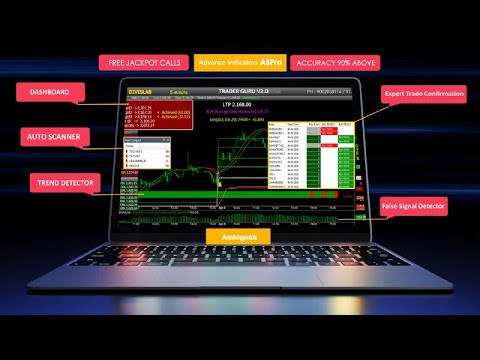
AmiSignals is one of the best stock market software designed for Indian traders. The software is built with unique, modern, and well-researched market strategies which offer invaluable insight to the users regarding investments. It offers accurate buy and sells signals for profitable trading in Banknifty, Nifty, MCX, NSE, etc. AmiSignals is even used by several stock market service providers across India as their go-to trading tool. The stock trading software helps users learn the spot trend direction and start trading like a professional themselves within a short span of time.

AmiSignals stock market software also helps users connect with experts in real-time. It allows users to latch onto every possible trade opportunity and stop missing on profits. It provides a complete view of the market situation immediately and provides advice on both bullish and bearish markets to make money.

What are the benefits of using AmiSignals stock market software?

Here are some notable benefits of using AmiSignals stock market software:

  1. Easy to use interface
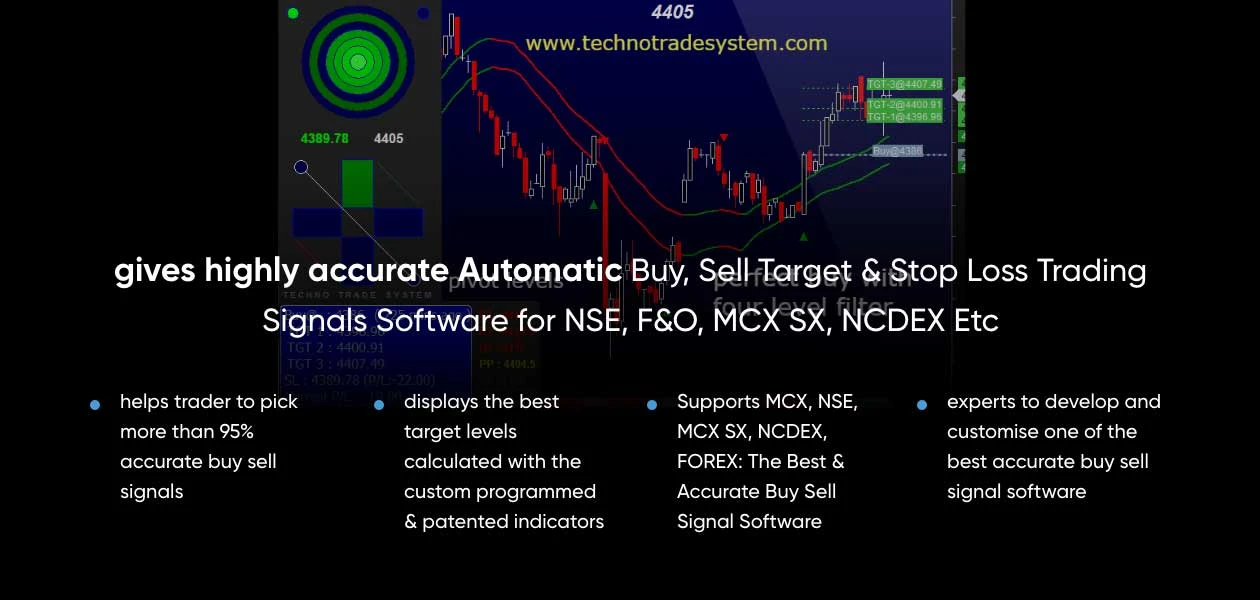
  2. Detects the market trend and provides buy and sell signals for stocks
  3. offers popup, scan exploration, and alert system which make it one of the most advanced software in its category.
  4. Protects traders against losses by trailing the stop loss.
  5. Amisignals works on several time frames, such as 1 min, 5 min, 10 min, 15 min, 30 min, 60 min, 24 hours.
  6. Plus, the stock market software supports positional and intraday trading.

What are the features offered by AmiSignals intraday trading software?

Here are some important features provided by AmiSignals share market software:

  1. Market trend analysis
  2. Stoploss trailing
  3. Entry and exit mechanism
  4. Successful trading system
  5. 1:1 risk-reward ratio
  6. Automated buying and selling signal

What is the price of AmiSignals stock market solution?

Amisignals pricing starts from INR 8999 at techjockey.com. It comes with multiple pricing plans and caters to a diverse customer base. For subscription-related details and offers on premium packages, please request a call back from our product experts.

Read more

Amisignals Pricing & Plans

Basic

Calculated Price

8999 Exclusive of all taxes
    • Licenses

      Licenses
      Licenses
    • Monthly

      Monthly
      Monthly

Key Features

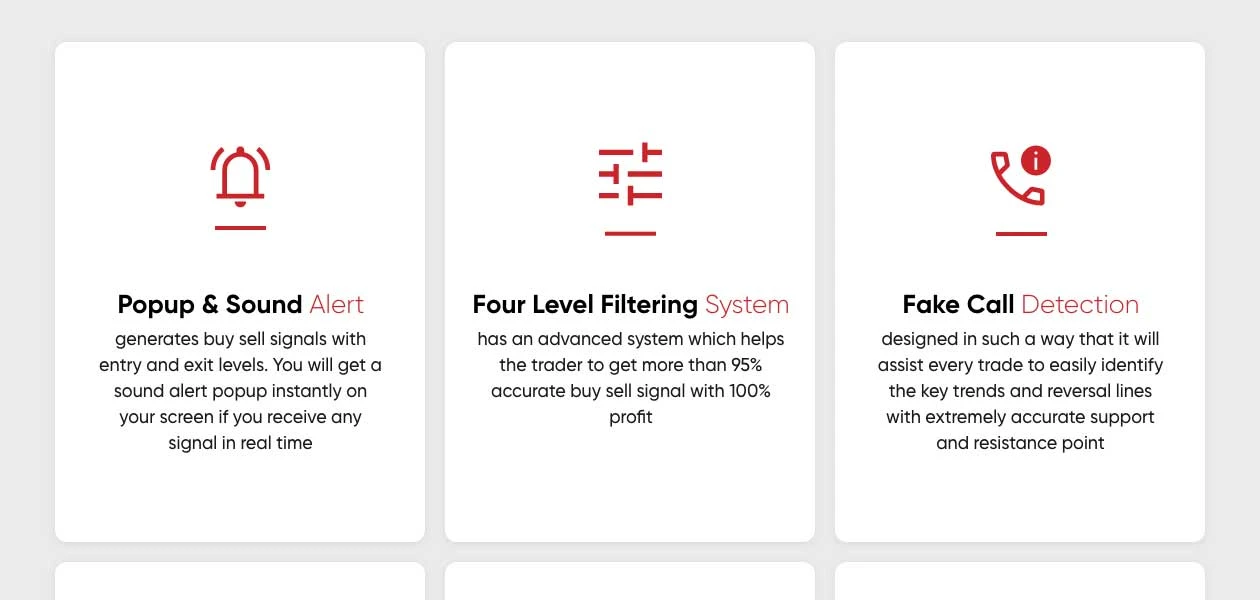
  • Fake Call Detection

  • Four Level Filtering Systems

  • Smart Indicators

  • Auto-Support/Resistance

  • Automatic Buy/Sell Signals

  • Expert Trade Finder

  • Smart Entry/ Exit Mechanism

  • Auto Trade Facility

  • Auto-updating Screener

Professional

Calculated Price

19999 Exclusive of all taxes
    • Licenses

      Licenses
      Licenses
    • Yearly

      Yearly
      Yearly

Key Features

  • Fake Call Detection

  • Four Level Filtering Systems

  • Smart Indicators

  • Auto-Support/Resistance

  • Automatic Buy/Sell Signals

  • Expert Trade Finder

  • Smart Entry/ Exit Mechanism

  • Auto Trade Facility

  • Auto-updating Screener

Gold

Calculated Price

29999 Exclusive of all taxes
    • Licenses (Lifetime)

      Licenses (Lifetime)
      Licenses (Lifetime)

Key Features

  • Fake Call Detection

  • Four Level Filtering Systems

  • Smart Indicators

  • Auto-Support/Resistance

  • Automatic Buy/Sell Signals

  • Expert Trade Finder

  • Smart Entry/ Exit Mechanism

  • Auto Trade Facility

  • Auto-updating Screener

Amisignals Features

Core Features

  • icon_check Portfolio Management
    Track and analyze investment holdings, returns, and asset allocation in real time.
  • icon_check Market Data
    Real-time and historical stock price feeds, trade volume, and market indices for analysis.
  • icon_check Charting Tools
    Visual tools for analyzing stock trends and patterns using technical indicators and price movements.
  • icon_check Stock Screener
    Filters stocks based on specific criteria like market cap, P/E ratio, or price movement.
  • icon_check Order Control
    Tools to manage, modify, and cancel buy or sell orders efficiently on the trading platform.
  • icon_check Order Execution
    Automated system to process buy/sell orders directly via the broker and stock exchange.
  • icon_check Watchlist
    A customizable list for monitoring preferred stocks, providing real-time updates on price and volume.

Order Execution

  • icon_check Limit Order
    An order to buy/sell at a specific price or better, ensuring price control but not guaranteed execution.
  • icon_check Market Order
    Buy/sell immediately at the current market price, ensuring execution but no price control.
  • icon_check Stop (Loss) Order
    Automatically sells stock when it drops to a pre-set price to minimize losses.
  • icon_check Stop Limit Orders
    Combines a stop-loss order with a limit order to sell/buy once a set price is triggered.
  • icon_check Trailing Stop Order
    Automatically adjusts stop price as the market price moves in favor of the position.

Research and Analysis

  • icon_check Multi-Timeframe Analysis
    Analyzes price trends across different timeframes for better decision-making.
  • icon_check Advanced Order Flow Analysis
    Tracks and analyzes buying and selling activity across the market.
  • icon_check Analyst Ratings
    Displays professional analyst opinions on stocks, including buy, hold, or sell recommendations.
  • icon_check Sentiment Analysis
    Evaluates market sentiment from news and social media to gauge stock trends.

Technical Analysis

  • icon_check Technical Indicators
    Tools like RSI and MACD for analyzing stock price momentum and direction.
  • icon_check Trendlines
    Visual representation of stock price trends over time to predict future movements.
  • icon_check Custom Indicators
    Create and apply personalized technical indicators for unique trading strategies.
  • icon_check Automated Technical Patterns Detection
    Automatically identifies patterns like head and shoulders or flags.
  • icon_check Smart drawing tools
    Customizable tools to draw patterns like support, resistance, and Fibonacci retracements.

Fundamental Analysis

  • icon_check Financial Ratios
    Key metrics like P/E and P/B ratios to evaluate stock value relative to financial performance.
  • icon_check Income Statement
    Displays a company’s revenue, expenses, and profitability over a specific period.
  • icon_check Balance Sheet
    Shows a company's assets, liabilities, and shareholders’ equity for financial health analysis.
  • icon_check Cash Flow Statements
    Tracks cash inflows and outflows to assess company liquidity and operational efficiency.
  • icon_check Industry Analysis
    Compares stock performance against industry benchmarks for relative valuation.
  • icon_check Earnings Forecasts
    Predicts future earnings based on historical data and market conditions.
  • icon_check Company Valuation Models
    Estimates a company’s value based on DCF, NPV, and other valuation methods.

Backtesting and Optimization

  • icon_check Historical Data Simulation
    Tests trading strategies against past data to assess their effectiveness.
  • icon_check Strategy Tester
    Evaluates the performance of trading strategies before deploying them in live markets.
  • icon_check Paper Trading
    Practice trading without risking real capital using simulated environments.
  • icon_check Strategy Optimization
    Fine-tunes trading strategies by adjusting parameters for improved performance.
  • icon_check Monte Carlo Simulation
    Uses probabilistic models to forecast trading outcomes in uncertain conditions.

Risk Management

  • icon_check Risk Calculator
    Estimates potential profit/loss scenarios based on trade size and risk percentage.
  • icon_check Position Sizing Calculator
    Determines the appropriate trade size based on risk tolerance and market conditions.
  • icon_check Diversification Analysis
    Analyzes portfolio risk by evaluating asset allocation and exposure to different sectors.
  • icon_check Performance Analytics
    Tracks portfolio and trade performance through returns, drawdowns, and risk measures.
  • icon_check Stop-Loss Automation
    Automatically implements stop-loss rules to limit potential trading losses.
  • icon_check Maximum Drawdown Analysis
    Measures the largest peak-to-trough decline in a portfolio's value.

Trading Options

  • icon_check Swing Trading
    A strategy that captures shortto medium-term gains from price swings.
  • icon_check Intraday Trading
    Buy and sell stocks within the same trading day to capitalize on short-term movements.
  • icon_check Options Trading
    Allows the buying/selling of call and put options for speculative or hedging purposes.
  • icon_check Futures Trading
    Trade contracts to buy or sell assets at a future date at predetermined prices.
  • icon_check Automatic Trading
    Uses automated systems to execute trades according to predefined criteria.
  • icon_check Derivative Trading
    Trade derivatives like options, futures, and swaps based on underlying assets.
  • icon_check Algorithm Trading
    Executes trades based on pre-set algorithms without manual intervention.
  • icon_check Forex Trading
    Enables trading in currency pairs based on fluctuations in the foreign exchange market.
  • icon_check Paper Trading
    Practice trading without risking real capital using simulated environments.
  • icon_check Crypto Trading
    Buy/sell cryptocurrencies like Bitcoin and Ethereum on dedicated platforms.
  • icon_check Rotational Trading
    Alternates investments between sectors, asset classes, or strategies based on market trends.
  • icon_check Spread Trading
    Speculative trading of the price difference between two assets.

Reporting & Analytics

  • icon_check Dashboards
    Visual displays of key metrics like portfolio performance, risk levels, and trade history.
  • icon_check Portfolio Tracking
    Real-time tracking of your investments, including value, returns, and allocations.
  • icon_check Customizable Reports
    Tailored reports to analyze performance, tax implications, or investment behavior.
  • icon_check Risk Analytics
    Analyzes portfolio risks by measuring volatility, drawdowns, and exposure.
  • icon_check Trade Performance Attribution
    Breaks down the source of trading gains or losses for better analysis.

Account Management

  • icon_check Multi-Factor Authentication (MFA)
    Adds a second layer of security to protect accounts from unauthorized access.
  • icon_check Customizable User Interface
    Allows users to personalize the layout and appearance of the platform.
  • icon_check Account Summary Reports
    Provides detailed summaries of account balances, holdings, and transactions.
  • icon_check User Access Management
    Controls who can execute trades, view reports, or manage funds based on assigned privileges.
  • icon_check Audit Trail
    Tracks and logs user activity to maintain compliance and security.

Integrations

  • icon_check Multi-Language Support
    Provides the ability to use the software in various languages for global accessibility.
  • icon_check Market Data Integration
    Links the platform to real-time market data feeds for timely trading decisions.
  • icon_check Brokerage Integration
    Connects to brokerage accounts for seamless trading and order execution.
  • icon_check Third Party Integration
    Supports tools like research platforms, analytics software, and financial news services.
  • icon_check Social Media Integration
    Connects with social platforms to track sentiment, discussions, and trends.
  • icon_check API Integration
    Connects with external APIs for custom trading, data feeds, or system automation.
  • icon_check Cloud Data Integration
    Stores and accesses trading data through cloud services for scalability.

Alerts & Notifications

  • icon_check Price Alert
    Notifies users when stock prices reach a specific target or threshold.
  • icon_check Real-Time Market Updates
    Sends alerts on price changes, market movements, and breaking news.
  • icon_check Push Notifications
    Sends updates directly to mobile devices for timely decisions.
  • icon_check Volume Alerts
    Signals abnormal trading volume, indicating potential market movements.
  • icon_check News Alert
    Delivers important financial news related to specific stocks or sectors.
  • icon_check Sentiment Alerts
    Notifies users of changes in market sentiment based on social or news analysis.
Amisignals Demo Video play icon

Get Amisignals Demo

Watch the demo video to explore key features, real workflows, and how the software fits your business needs.
Understand
Key Features
Personal
Demo Insights
Interactive
Demo Support
Product Enrichment Section Image

Amisignals Specifications

Supported Platforms
Windows Windows Android Android MacOS MacOS
Devices
Desktop Desktop Mobile Mobile Tablet Tablet
Deployment
Perpetual Perpetual
Suitable For
Share Market
Business Specific
Traders
Business Size
Small Business Startups Medium Business Enterprises
Customer Support
Email Communities
Language
বাংলা English हिन्दी
Training Resources
Videos

Explore the Best Alternative Solutions Similar to Your Business Size and Needs

Amisignals Reviews

4.5

Out of 5

img

Overall Rating

Based on
204 Verified Reviews

Rating Breakdown

  • Features 4.5
  • Value for Money 4.5
  • Ease of Use 4.5
  • Customer Support 4.6

88% Recommend this Product

Add Review

Pros

  • "Excellent Knowledge and proper guidance. Great service by them totally love the software. No regret."

    Jitendra VaddeMay 17, 2022

  • "I am in love with this software and with the company. Too easy to use. the support system is very nice."

    Arun KumarMay 12, 2022

  • "Quality Service will be Given, feeling Good Associated with the AmiSignals team. Everyone should visit once for a better Experience."

    Ashok AgarwalApr 30, 2022

Cons

  • "I have continuously lost money and then stopped using the software. Software coordinator / agent not responding to help me. "

    Janaki Ballav BiswasSep 7, 2023

  • "There support staff are awesome. Always there to help if any issue you find. Thanks to Amit Sharma for kind help for installation & training."

    Galaxy InteriorAug 23, 2021

  • "Still now they are developing amsignal mobile app.If its done then you can also trade from your mobile. I am waiting for that"

    Subhankar BanerjeeJul 15, 2021

Amisignals Video Reviews

youtubeVideoId

4.5

“Customer Review About Amisignals | Amisignals.com |”

Review by: suraj

youtubeVideoId

4.5

“Customer Review Live About Amisignals | Amisignals.com |”

Review by: Tushar Trivedi

Shivraj

Teacher

Industry: Accounting

2.7

Reviewed on: Mar 26, 2024

Techjockey Verified

“Not good”

Not good yet coz software stopped working due to server error with last 5 days. Now I think this is wastage of money. How many days required for server maintenance, now there supporting staff also not clearly said what actually happened. I still waiting waiting.

Pros

Product actually good but u have to work hard

Cons

Always sitting in front of pc

Reason to switch

I just started with software and software stopped working so cannot say any think

RAHUL

User

Industry: Construction

1

Reviewed on: Feb 20, 2024

Techjockey Verified

“I WAS EXPECTING AS GOOD AS ADVERTIZED ON MY WHATS APP.”

VERY VERY BAD EXPERIENCE. THE DAY I PAID RS. 25000.00 THE AMISIGNAL TEAM NEVER CONTACTED ME AFTER THAT DAY. I REQUESTED MANY TIMES TO PROVIDE ME WITH PROPER TRAINING. THEIR TEMA MEMBERS REPEATEDLY IGNORED ME, BUT BEFORE THE PAYMENT DONE, THEY REGULARLY CALLED ME AND ASSURED ME OF FULL SUPPORT. BUT, IN FACT, THEY NEVER PROVIDED ONE-TO-ONE SOFTWARE TRAINING FOR " HOW THE SOFTWARE WORKS EXACTLY? I ASKED FOR ANOTHER PERSONS CONTACT NO, BUT NOT PROVIDED. I AM SURE THEY ALL MUST KNOW THAT BECAUSE ITS ALL HIS FROUD ONLY. AM GOING TO SERVE THEM A LEGAL NOTICE. SOME RATING IS NECESSARY SO I HAVE TO GIVE 1 STAR FOR EACH CATEGORY, BUT THE COUNT IS 100% NEGATIVE.

Pros

NOTHING, ITS BULL.......

Cons

EVERYTHING BAD

Nizar Panjwani

Owner

Industry: Accounting User since: 2+ years

5

Reviewed on: Sep 21, 2023

Techjockey Verified

“Excellent Software”

Pros

Excellent Software with best customer support team at the back end. Always available to help you to solve your query. I will give both my thumps up to This Software and its support team.

Cons

Sorry there is no Cons.

Reason to switch

Great with proper buy and sell decision

See All Amisignals Reviews

Compare Amisignals With other Stock Market Software

Products
Ratings
Pricing
Device Supported
Deployment
Supported Platforms
  • img

    Amisignals

  • 4.5

  • ₹ 8999.00 excl. GST

  • Desktop

    Mobile

  • Web based

    On Premises

  • Windows

    Mac OS

  • img

    TradingView

  • 4.5

  • ₹ 1295

  • Desktop

    Mobile

  • Web based

    On Premises

  • Windows

    Mac OS

  • img

    Falcon7

  • 4.6

  • ₹ 10339

  • Desktop

    Mobile

  • Web based

    On Premises

  • Windows

    Mac OS

  • img

    MultiCharts

  • 4.2

  • Price On Request

  • Desktop

    Mobile

  • Web based

    On Premises

  • Windows

    Mac OS

  • img

    TrendSpider

  • 4.2

  • Price On Request

  • Desktop

    Mobile

  • Web based

    On Premises

  • Windows

    Mac OS

  • img

    M2 Trading System

  • 4.6

  • ₹ 18500

  • Desktop

    Mobile

  • Web based

    On Premises

  • Windows

    Mac OS

  • img

    ProRealTime

  • 4.1

  • Price On Request

  • Desktop

    Mobile

  • Web based

    On Premises

  • Windows

    Mac OS

  • img

    GoCharting

  • 4.2

  • ₹ 599

  • Desktop

    Mobile

  • Web based

    On Premises

  • Windows

    Mac OS

  • img

    Tickertape

  • 4.4

  • Price On Request

  • Desktop

    Mobile

  • Web based

    On Premises

  • Windows

    Mac OS

  • img

    OptionX

  • 4.0

  • ₹ 999

  • Desktop

    Mobile

  • Web based

    On Premises

  • Windows

    Mac OS

  • img

    Tradetron

  • 4.2

  • ₹ 300

  • Desktop

    Mobile

  • Web based

    On Premises

  • Windows

    Mac OS

(0) Product(s) selected

Amisignals Alternatives

See All Amisignals Alternatives

Starting Price:

₹299 /Month

SAVE UPTO 55%

Starting Price:

$299 /license

Articles for Amisignals

See All Related Articles

Which stock indices do AmiSignals cover?

AmiSignals covers a wide range of indices for trading, such as MCX, NSE, Nifty, among several others.

Can I use AmiSignals for foreign trading?

Yes, Amisignals allows users to trade in international markets like FOREX and COMEX.

Which mobile device does AmiSignals support?

AmiSignals app is available for Android devices to make stock trading easier.

How to get started with AmiSignals?

You will be provided with free training and guidance about how to use AmiSignals share market software.

Can I get a demo for AmiSignals?

Yes, interested buyers can opt for an online demo of AmiSignals at Techjockey by requesting a callback.

What about the software cost is it Monthly, Half Yearly & Yearly?

We also have Limited Featured Software for 2 Years Lifetime Package cost is : INR 34895/- ( Intraday Exo Blaster, Advance Swing Trend, Money Flow System - Scalp Trading, Advance Heikenashi Chart Expert Trade Finder - Best Intraday Scanner (VolumeExoLite, RSIExoLite) + Money Flow System Scanner, EQLite Scanner + 3 Best Secret Scanner & Exploration + Segment : Nse Cash & FNO, Mcx & Forex (Intraday + Positional + Swing) + Smart Entry/Exit Mechanism + Jackpot Call : 1 Year Free + Data Feed : 1 Year Free (Both Segment) + Mobile APP : Chart + Alert + TradingView Custom Indicators + Multi Time Frame + Tick by Tick Update : 5 Years Free + (Supports Andriod, IOS, Web) + Robo/Algo + API Supported : 6 Months Free + EOD Data : Back 10 Years Free + Live Trading + Training Session : 20 Days By Sr. Technical Analyst + Advance Software Personal Training + Videos + Windows Laptop/Desktop + Mac Book + Andriod + IOS Application + Free Re-Installation & Free Future Updates)

Whether I can install the software in Two systems?

No, the software license provide only for one system with one ID, you cannot use the software in more than one system, if you need to use in two system in different times, like your home/office PC, if you want to use the software simultaneously in two systems you have to purchase the second system license with offer price. Contact your concerned sales person to purchase second system license if you need.

How do you install the software after making payment?

Once the payment confirmed by our accounts department, your concerned person will contact you to collect your desktop sharing software’s ID and Passwords. And they will forward to our tech department, once the file is ready for installation, they will connect your system and install the software remotely through online. After the installation will forward the details to your concerned person, they will train you how to use the Amibroker Siganls Technical Analysis Software. The whole process will take from 10 to 30 minutes depends on your internet speed.

I am convinced, how do I make the payment?

You can make the payment in following methods Online Transfer to our Bank Account Pay Through Payment Link Using Net banking. Credit Card, Debit Card

What to do if I want to format the system?

You have to contact us through any of following method 1. Call your concerned person 2. Send email to support@amisignals.com Our tech person will take necessary back up from your system, and once your formatted your system our tech person will re-install Amibroker Siganls Technical Analysis Software in your fresh system, this facility provided to customer at free of cost for FOUR times in an year after the purchase.

20,000+ Software Listed

Best Price Guranteed

Free Expert Consultation

2M+ Happy Customers

Terms and Condtions

close

Users with registered businesses can purchase goods from merchants on the platform to satisfy their business needs. Users are not permitted to utilize any products acquired through the platform for resale, advertising, business, or further distribution.

For each purchase made, users will receive a Tax Invoice (or 'GST invoice') that includes specific details such as:

  • the GSTIN of the user associated with their registered business, and

  • the specified Entity Name for their business.

It should be noted that not all products are eligible for GST Invoice. Only the products displayed by participating sellers with the 'GST-based Invoice Available' callout on the product description page would qualify.

Certain goods and services are not eligible to get a GST Invoice, including items with VAS, i.e., Value Added Services (e.g., Total Mobile Protection/Assured Buyback) and those involving an exchange offer at the time of purchase.

Users must ensure the accuracy of the GSTIN, and business entity name provided for the GST Invoice. Requests for corrections into GST Invoice would not be accommodated by Techjockey.com or any Seller, and any issues arising from user-provided information are the sole responsibility of users.

Techjockey.com is not liable for the GST Invoice or any associated input tax credit. To efficiently claim an input tax credit, users should select the registered place of business address as per the GST authority's data and follow the provisions of the GST Act and rules.

To claim an input tax credit, the delivery and billing addresses must match. Furthermore, input tax credits will not be granted if the delivery address and GSTIN on the invoice are from different states. In case of incorrect GST details provided during the order placement, the order will be canceled automatically.