USA
USA UAE
UAESmall Business
Designed for startups and growing businesses


See More




Brand: Antamedia
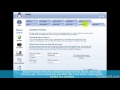
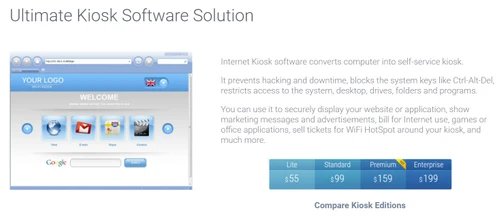
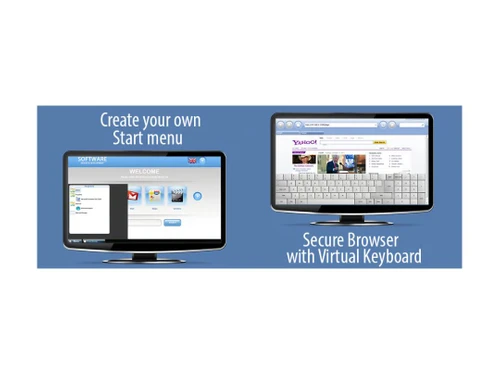
Turn any computer into a self-service Kiosk. Kiosk software securely displays your website or application and reduces maintenance time. Internet Kiosk software converts computer into self-service kiosk. You can use it to securely display your website or application, show marketing messages and adver...
See MoreHave you used Antamedia Kiosk before?
Share your insights for better experience
Brand: Antamedia
Founded Year: 2001
Antamedia, one of the first WiFi companies that developed PC-based WiFi management software.
 Web Filter Hides System Drives Security Access Control File Sharing Compatibility with Different Payment Gateways Remote Access Share one customer account for all locations Digital Signage Customize Start Page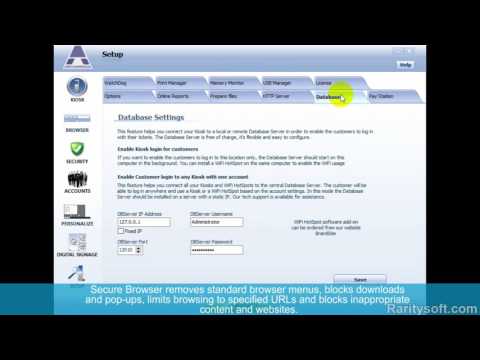

Watch the demo video to explore key features, real workflows, and how the software fits your business needs.
 Ubuntu
  Windows
  MacOS
MacOS  Linux
Linux  Desktop
  Cloud-Based
  Perpetual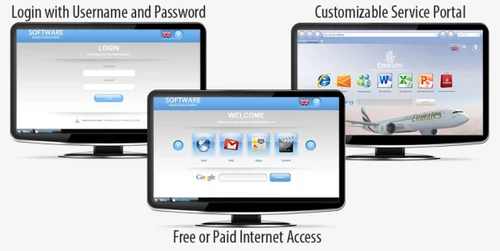
Small Business
Designed for startups and growing businesses
Medium Business
Built for business growth and flexibility
Enterprises
Designed for complex and large-scale business needs
4.5
Out of 5

Overall Rating
Based on
1 Verified Review
Rating Breakdown
90% Recommend this Product
Add Review
Dec 5, 2024
Techjockey Verified
“Great Support but Mobile App Needs Improvement”
The round-the-clock customer service offered by IPVanish is one feature I truly value. The live chat staff has always been responsive in assisting me and resolving my issues. On the downside, I have found a few issues in the mobile app, particularly following updates.
Pros
It provides with 24/7 customer support. If I ever need help, IPVanish offers live chat support and they usually resolve my issues quickly.
Cons
There are bugs on the mobile apps. I sometimes experienced bugs with the mobile app. It usually happens especially after updates.
Reason to switch
TunnelBear’s customer support was not as responsive and helpful as IPVanish’s VPN.

Antamedia Kiosk
Price On Request
Desktop
Mobile
Web based
On Premises
Windows
Mac OS

Antamedia Internet cafe
Price On Request
Desktop
Mobile
Web based
On Premises
Windows
Mac OS

Seqrite Endpoint Security For Business
₹ 19700
Desktop
Mobile
Web based
On Premises
Windows
Mac OS

Seqrite Endpoint Security Cloud
₹ 1550
Desktop
Mobile
Web based
On Premises
Windows
Mac OS

Avast Premium Business Security
₹ 231
Desktop
Mobile
Web based
On Premises
Windows
Mac OS

Sophos Endpoint Protection
₹ 1200
Desktop
Mobile
Web based
On Premises
Windows
Mac OS

K7 Endpoint Security
Price On Request
Desktop
Mobile
Web based
On Premises
Windows
Mac OS

Webroot SecureAnywhere
₹ 1976
Desktop
Mobile
Web based
On Premises
Windows
Mac OS

NinjaOne
Price On Request
Desktop
Mobile
Web based
On Premises
Windows
Mac OS

ThreatLocker
Price On Request
Desktop
Mobile
Web based
On Premises
Windows
Mac OS

Syxsense
Price On Request
Desktop
Mobile
Web based
On Premises
Windows
Mac OS
(2) Product(s) selected
Starting Price:
$149 /Licenses
Available
Price on Request
Starting Price:
₹1,976
Available
Price on Request
Available
Price on Request
Available
Price on Request

Available
Price on Request

Available
Price on Request

Available
Price on Request

Available
Price on Request

Available
Price on Request
No, after licensing you will keep all your configurations and settings, and continue running the software without limitations.
Yes. Our customers are entitled to discounted upgrades to a higher software edition. Upgrades are billed for a price difference only. For example, upgrade from the standard to the premium edition cost $50. Please contact our sales for upgrades.
Online Reports service allows remote control and maintenance of all connected Kiosks. From the Kiosk software you can prepare a zip file with new configuration, file updates etc, and send zip update to all your kiosks.
Yes, you can easily block unwanted websites from being accessed on your kiosk. Content filter list contains 2.5M domains sorted in over 90 categories (like adult, drugs, weapons, gambling, phishing, violence, virus infected), with abi
20,000+ Software Listed
Best Price Guranteed
Free Expert Consultation
2M+ Happy Customers
Terms and Condtions

Users with registered businesses can purchase goods from merchants on the platform to satisfy their business needs. Users are not permitted to utilize any products acquired through the platform for resale, advertising, business, or further distribution.
For each purchase made, users will receive a Tax Invoice (or 'GST invoice') that includes specific details such as:
the GSTIN of the user associated with their registered business, and
the specified Entity Name for their business.
It should be noted that not all products are eligible for GST Invoice. Only the products displayed by participating sellers with the 'GST-based Invoice Available' callout on the product description page would qualify.
Certain goods and services are not eligible to get a GST Invoice, including items with VAS, i.e., Value Added Services (e.g., Total Mobile Protection/Assured Buyback) and those involving an exchange offer at the time of purchase.
Users must ensure the accuracy of the GSTIN, and business entity name provided for the GST Invoice. Requests for corrections into GST Invoice would not be accommodated by Techjockey.com or any Seller, and any issues arising from user-provided information are the sole responsibility of users.
Techjockey.com is not liable for the GST Invoice or any associated input tax credit. To efficiently claim an input tax credit, users should select the registered place of business address as per the GST authority's data and follow the provisions of the GST Act and rules.
To claim an input tax credit, the delivery and billing addresses must match. Furthermore, input tax credits will not be granted if the delivery address and GSTIN on the invoice are from different states. In case of incorrect GST details provided during the order placement, the order will be canceled automatically.