 USA
USA UAE
UAESmall Business
Designed for startups and growing businesses

See More




Brand: AstroSage
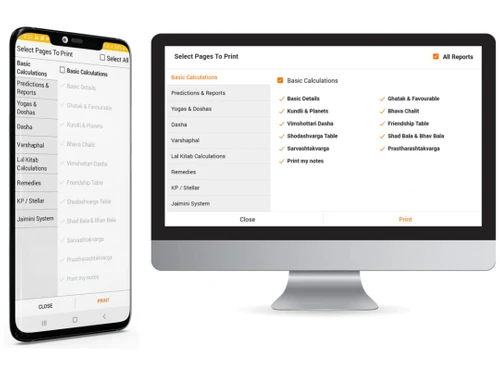
Astrosage Dhruv Astro Software is a top-of-the-class astrology software designed to help with the daily works of an Astrologer. It is a professional tool that allows astrologers to arrange their daily office workflow and aids in astrological calculations and assessments. This astrological software is capable of generating over 200 different variants of detailed Kundli reports in color. Astrosage ...
See MoreHave you used Astrosage Dhruv Astro before?
Share your insights for better experience
View plans
 Save upto 18%, Get GST Invoice on your business purchase T&C Buy Now & Pay Later, Check offer on payment page.
 Brand: AstroSage
Founded Year: 2000
Astrosage is an online marketplace that connects users with astrologers, numerologists, tarot readers, etc.
Astrological Calculations and Charting Tools
 Ashtakavarga Aspect Analysis Aspect Table Bhava Chalit Chart Birth Chart Chart Calculations Compatibility Analysis Divisional Charts Ephemeris Horary Astrology House Analysis Jaimini System KP System Kundali Generation Kundali Matching Lagna Chart Natal Charts Planetary Aspects Planetary Positions Planetary Strength Analysis Shadbala Prashna Kundli Rashi Chart Shodashvarga Charts Dynamic Animations Special Chakras Calculations Drik Siddhanta Support
 Predictive Astrology Tools
Career Predictions Daily Predictions Dasha Insights Finance Predictions Health Predictions Monthly Predictions Transit Analysis Varshphal Analysis Electional Astrology Tools Life Event Prediction Karmic Predictions Mundane Astrology Tools Tithi Analysis Muhurat / Muhurta Advanced Astrological Analyses
Astrological Remedies Gemstone Recommendations Kaal Sarp Dosh Analysis Manglik Dosh Analysis Pitra Dosh Analysis Remedial Measures Sade Sati Analysis Vastu Analysis Vimshottari Dasha Nakshatra-Based Remedies Advanced Yoga Interpretations Nakshatra Compatibility Analysis Drekkana Analysis Paap Kartari Analysis Raj Yoga Analysis Kala Chakra Dashas Yogini Dasha Analysis Dynamic Relocation Analysis Numerology
Birthday Number Significance Expression Number Analysis Hidden Passion Number Life Path Number Calculation Name Change Impact Numerology Analysis Personality Number Interpretation Balance Number Guidance Bridge Numbers Challenge Numbers Hearts Desire Number Karmic Debt Numbers Maturity Number Forecast Pinnacle Numbers Rational Thought Number Soul Urge Number Insights Subcontractor Management Astrological Calendars and Timings
Daily Panchang Panchang Calendar Month Forecasts Year Predictions Eclipse Impact Predictions Lunar and Solar Return Charts Muhurat / Muhurta Day Insights Festival Days Calculations Astrological Weather Forecast CRM and Marketing
Customer Relationship Management Document Management Multi-Language Support Automated Email Marketing Lead Generation and Tracking Client Management
Appointment Scheduling Client Portal Commission Tracking Task and Calendar Management Integrations
CMS Integration Email Marketing Integration E-Signature Integration Social Media Integration Third Party Integrations Website Integration Live Chat Support Integration Reporting and Analytics
Predictive Analytics Custom Horoscope Generation Astrology Reports Numerology Reports Interactive Visualizations Export Options Customizable Dashboards 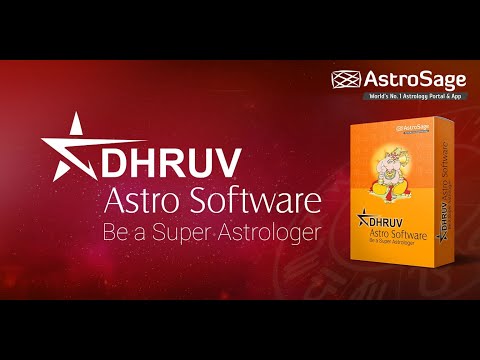

Watch the demo video to explore key features, real workflows, and how the software fits your business needs.
 Windows
  iOS
iOS  Android MacOS
  Desktop
  Mobile
  Cloud-Based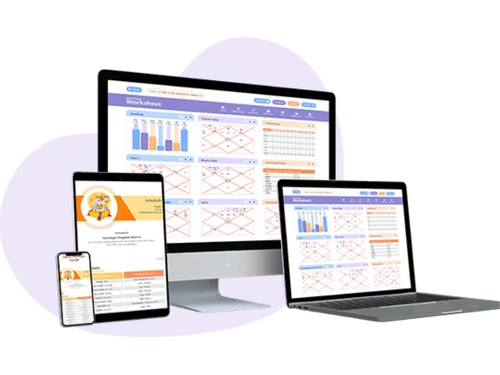
Small Business
Designed for startups and growing businesses
Medium Business
Built for business growth and flexibility
Enterprises
Designed for complex and large-scale business needs
4.5
Out of 5

Overall Rating
Based on
4 Verified Reviews
Rating Breakdown
87% Recommend this Product
Add ReviewPros
"Great for learning and teaching astrology, saves unlimited birth charts, user-friendly interface, helpful for generating example charts."
Cons
"Some of the more advanced features can be a bit overwhelming for beginners, and it would be nice to have more interactive learning resources built into the software."



Jan 30, 2025
Techjockey Verified
“A Valuable Tool for Learning and Teaching Astrology”
I'm both a student and a teacher of astrology, and Astrosage Dhruv has been incredibly helpful for both. For students, it's a great way to learn about different astrological calculations and chart interpretations. For teaching, it makes it easy to generate examples and illustrate concepts. The ability to save unlimited birth charts is also a huge plus.
Pros
Great for learning and teaching astrology, saves unlimited birth charts, user-friendly interface, helpful for generating example charts.
Cons
Some of the more advanced features can be a bit overwhelming for beginners, and it would be nice to have more interactive learning resources built into the software.

Astrosage Dhruv Astro
₹ 999.00 excl. GST
Desktop
Mobile
Web based
On Premises
Windows
Mac OS

RVA Astrology Software
Price On Request
Desktop
Mobile
Web based
On Premises
Windows
Mac OS

Janus 6.2
Price On Request
Desktop
Mobile
Web based
On Premises
Windows
Mac OS

Deluxe Astrology
Price On Request
Desktop
Mobile
Web based
On Premises
Windows
Mac OS

Jagannatha Hora
Price On Request
Desktop
Mobile
Web based
On Premises
Windows
Mac OS

Parashara’s Light
₹ 5000
Desktop
Mobile
Web based
On Premises
Windows
Mac OS

Kala Vedic Astrology Software
Price On Request
Desktop
Mobile
Web based
On Premises
Windows
Mac OS

Kundli GPT
Price On Request
Desktop
Mobile
Web based
On Premises
Windows
Mac OS

Astro Vision Astrology Software
₹ 399
Desktop
Mobile
Web based
On Premises
Windows
Mac OS

Astroyogi
Price On Request
Desktop
Mobile
Web based
On Premises
Windows
Mac OS

AstroVed
Price On Request
Desktop
Mobile
Web based
On Premises
Windows
Mac OS
(0) Product(s) selected
Available
Price on Request
Starting Price:
$275 /Licenses
Starting Price:
$36 /Year
Available
Price on Request
Available
Price on Request

Available
Price on Request

Starting Price:
$25 /License

Available
Price on Request

Available
Price on Request

Available
Price on Request






Astrosage Dhruv Astro Software offers unlimited storage capacity through cloud support. Plus, it has an AI-powered engine that helps in managing the Astrological reports efficiently.
The updates for Astrosage Dhruv Astro Software are covered under your yearly subscription plan.
No, Astrosage Dhruv Astro Software does not have a mobile application as of now.
Techjockey offers an online demo before purchase for Astrosage Dhruv Astro Software. Please request a call to get your demo scheduled.
Astrosage Dhruv Astro Software uses an online firewall that protects your data on the cloud.
The AstroSage Kundli App has to be connected to the Internet. The most potent birth chart software (also known as Kundali software, Kundli software, or Vedic Horoscope) available in the Windows 8.1 App Store is AstroSage Kundli, which is based on Indian, Vedic, Hindu, and Jyotish astrology. Additionally, it is totally free.
Astrosage Dhruv Astro Software price starts from Rs 999/month at techjockey.com.
To find a coupon code for Astrosage, you can check the promotions section on the official AstroSage website or follow their social media channels for discount offers
1 4
To check gochar from astrosage kundli app, follow the steps given below:
0 0
Yes, AstroSage Kundli works on a MacBook with macOS 11.0 or later and an Apple M1 chip or later. It's also available for iPhone, iPad, Apple Vision Pro, and AirPods.
0 0
To add latitude and longitude in AstroSage, you can use the AstroSage Atlas to find the coordinates of a location. You can also use Google Maps or Google Earth to find the coordinates of a location. To do this, follow the steps given below:
Using the AstroSage Atlas
Using Google Maps
Using Google Earth
0 0
To see d10 chart in astrosage app, follow the steps given below:
3 3
20,000+ Software Listed
Best Price Guranteed
Free Expert Consultation
2M+ Happy Customers
Terms and Condtions

Users with registered businesses can purchase goods from merchants on the platform to satisfy their business needs. Users are not permitted to utilize any products acquired through the platform for resale, advertising, business, or further distribution.
For each purchase made, users will receive a Tax Invoice (or 'GST invoice') that includes specific details such as:
the GSTIN of the user associated with their registered business, and
the specified Entity Name for their business.
It should be noted that not all products are eligible for GST Invoice. Only the products displayed by participating sellers with the 'GST-based Invoice Available' callout on the product description page would qualify.
Certain goods and services are not eligible to get a GST Invoice, including items with VAS, i.e., Value Added Services (e.g., Total Mobile Protection/Assured Buyback) and those involving an exchange offer at the time of purchase.
Users must ensure the accuracy of the GSTIN, and business entity name provided for the GST Invoice. Requests for corrections into GST Invoice would not be accommodated by Techjockey.com or any Seller, and any issues arising from user-provided information are the sole responsibility of users.
Techjockey.com is not liable for the GST Invoice or any associated input tax credit. To efficiently claim an input tax credit, users should select the registered place of business address as per the GST authority's data and follow the provisions of the GST Act and rules.
To claim an input tax credit, the delivery and billing addresses must match. Furthermore, input tax credits will not be granted if the delivery address and GSTIN on the invoice are from different states. In case of incorrect GST details provided during the order placement, the order will be canceled automatically.




