linkedin
Buffer logo
play Buffer - The Social Media Management Tool for Small Businesses
Buffer Publish Email
Buffer Publish Scheduling

Buffer

Brand: Buffer

  • 4.7

  • 5 Ratings & 5 Reviews

Buffer is a digital marketing tool that provides a centralized hub for social media management.

See More

Have you used Buffer before?

Share your insights for better experience

Add a Review
Starting Price
$6

View plans

100% Genuine
Products
Best Price
Guaranteed
Safe & Secure
Payment
  • Description

  • Pricing

  • Features

  • Specification

  • Review

  • Compare

  • Alternatives

  • FAQ

  • Questions

Starting at $6

Buffer Software Overview

What is Buffer AI?

Buffer is a social media scheduling and management software meticulously crafted to streamline social network account management. Its comprehensive suite of features empowers users to effortlessly schedule posts across various platforms, including Twitter, Facebook, Mastodon, Instagram, Instagram Stories, Pinterest, and LinkedIn.

This all-inclusive digital marketing solution goes beyond just scheduling posts. This AI tool for social media offers robust analytical capabilities that allow users to scrutinize the performance of their content. By providing insightful metrics and data-driven insights, it helps businesses make informed decisions that can enhance content strategy and engagement. Companies can seamlessly foster connections and drive meaningful conversations by providing a centralized hub for responding to comments, messages, and interactions.

By effectively scheduling posts and engaging with audiences, the software aids in amplifying content reach, generating more traffic to users' most valuable assets. It ensures users can focus on crafting impactful content while the software takes care of the logistical intricacies of managing multiple social media accounts. This intuitive and versatile platform offers a streamlined experience to maximize productivity and impact within the dynamic landscape of social media.

Why Choose Buffer AI?

Buffer AI assistant enables you to monitor mentions, comments, and conversations across social media platforms to engage with your audience effectively. It allows you to share visual content, including videos and GIFs, to enhance engagement and storytelling. The social media monitoring system allows you to analyze user interactions such as likes, comments, and shares to gauge content effectiveness.

It allows you to discover, monitor, and track trending and relevant hashtags for improved discoverability. You can reuse evergreen content by automatically recycling posts to reach new audiences over time. The platform allows you to tag posts to categorize and track content by campaigns or initiatives. You can coordinate and plan content creation and scheduling with team members using shared calendars.

Benefits of Buffer Social Media Management Software

  • The social media scheduling tool allows you to organize posts in queues to maintain a steady flow of content and keep your audience engaged.
  • It enables you to visualize your scheduled posts in a calendar-style layout for effective content planning.
  • You can automate content sharing by connecting your RSS feed to Buffer for a consistent content stream.
  • The social media management software provides curated content recommendations to diversify your posting strategy and stay relevant.
  • It allows you to shorten and track URLs to monitor click-through rates and user engagement.

Buffer Pricing

Buffer pricing starts from $6 at techjockey.com.

Buffer prices in India may vary based on factors like customization, additional features required, the number of users, and the deployment type. Please request a call back for subscription-related details and to avail offers on premium packages.

Read more

Buffer Company Details

Founded Year:  2010

Buffer is a social media management software startup for growing brands and connecting with their customers.

Director/Founders Joel Gascoigne, Leo Widrich
Company Size 1-100 Employees

Buffer Pricing & Plans

Essentials
Starting at $6
    • Quantity (1 channel)

      Quantity (1 channel)
      Quantity (1 channel)
    • Monthly

      Monthly
      Monthly

Key Features

  • Unlimited scheduled posts per channel

  • Unlimited ideas

  • 1 user account

  • AI Assistant

  • Advanced analytics

Team
Starting at $12
    • Quantity (1 channel)

      Quantity (1 channel)
      Quantity (1 channel)
    • Monthly

      Monthly
      Monthly

Key Features

  • Essentials features, plus

  • Unlimited user accounts

  • Access levels

  • World-class customer support

Buffer Features

  • icon_check Social Media Integration
    Connect and manage multiple social media accounts within a unified platform.
  • icon_check Automated Social Media Sites Account Creator
    Effortlessly set up new social media profiles directly from the platform.
  • icon_check Social Sharing
    Share content across various social media platforms to engage and connect with your audience.
  • icon_check Multi-Platform Post Scheduling
    Schedule posts across Instagram, Facebook, LinkedIn, X, Pinterest, TikTok, YouTube Shorts and more.
  • icon_check Smart Media Suggestions
    Buffer suggests images from linked URLs when composing posts, saving you upload time.
  • icon_check Engagement Dashboard
    Manage replies, comments, and DMs (especially for Facebook and Instagram) from within Buffer.
  • icon_check Analytics & Performance Reports
    Track engagement, clicks, reach, and other key metrics across all shared posts.
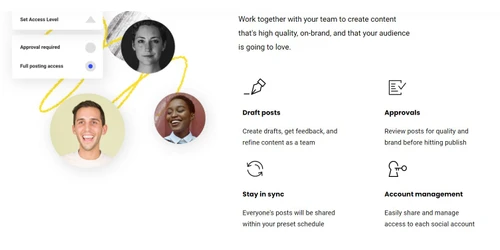
  • icon_check Role-Based Approvals
    Enable approval workflows so content is reviewed and approved before being published.
  • icon_check Scheduling
    Plan and schedule posts in advance to ensure a consistent and timely online presence.
  • icon_check Tailored Posts
    Customize content for specific social media platforms to optimize engagement and relevance.
  • icon_check Email & Calenders
    Integrate with email and calendar applications to streamline content creation and scheduling processes.
Buffer Demo Video play icon

Get Buffer Demo

Watch the demo video to explore key features, real workflows, and how the software fits your business needs.

Understand
Key Features
Personal
Demo Insights
Interactive
Demo Support

Buffer Specifications

Supported Platforms
Windows Windows iOS iOS Android Android MacOS MacOS
Devices
Desktop Desktop Mobile Mobile
Deployment
Cloud-Based Cloud-Based
Suitable For
All Industries
Business Specific
All Businesses
Business Size
Small Business Startups Medium Business Enterprises SMBs SMEs MSMBs MSMEs
Customer Support
Email Communities
Language
English
Training Resources
Documentation Videos
AI Features
AI Integrated

Explore the Best Alternative Solutions Similar to Your Business Size and Needs

Buffer Reviews

4.7

Out of 5

img

Overall Rating

Based on
5 Verified Reviews

Rating Breakdown

  • Features 4.7
  • Value for Money 4.6
  • Ease of Use 4.8
  • Customer Support 4.7

88% Recommend this Product

Add Review

Buffer Video Reviews

youtubeVideoId

4.8

“Buffer Review - The Pros and Cons”

Review by: PearlLemonOfficial

youtubeVideoId

4.8

“Buffer Social Media Application Review”

Review by: KenGermannCPC

youtubeVideoId

4.8

“Buffer Review (Social Media Management Tool)”

Review by: IncomeStreamsThatWork

Puja Singh linkedin_verify

Content Marketer

Industry: Marketing and Advertising User since: 6-12 months

4.5

Reviewed on: Jan 4, 2023

Techjockey Verified

“Best for scehduling post for social media platforms”

Pros

The option to distribute the same content to many platforms with the proper variations is another feature of Buffer that I adore. The dasboard is also very easy to understand.

Cons

The LinkedIn integration for me was somehow troublesome

Reason to switch

You can add team members on different media platforms. It also enables you to keep track of team members' actions, amend posts, and delegate responsibilities to team members

Yogita Samial linkedin_verify

Digital Marketer

Industry: Marketing and Advertising User since: 1-2 years

4.7

Reviewed on: Dec 30, 2022

Techjockey Verified

“Great Tool for Managing Different Social Media Accounts”

Pros

This is a great tool for any business that needs to schedule posts for its social media accounts. It is easy to use and makes it simple to schedule posts and analyze their performance. What I like the most about Buffer is the simplicity of using it, it makes it easy to go from the idea to the post. You can also save links to Buffer in the shortener so you can just put in the short links when you are writing an article and don't have to remember to copy and paste them into the post later.

Cons

Few hashtags are not supported.

Reason to switch

Easy Social Media Management

See All Buffer Reviews

Compare Buffer With other Social Media Management Tools

Products
Ratings
Pricing
Device Supported
Deployment
Supported Platforms
  • img

    Buffer

  • 4.7

  • Price On Request

  • Desktop

    Mobile

  • Web based

    On Premises

  • Windows

    Mac OS

  • img

    Hootsuite

  • 4.1

  • ₹ 2600

  • Desktop

    Mobile

  • Web based

    On Premises

  • Windows

    Mac OS

  • img

    MySampark

  • 5

  • Price On Request

  • Desktop

    Mobile

  • Web based

    On Premises

  • Windows

    Mac OS

  • img

    Loomly

  • 4.0

  • Price On Request

  • Desktop

    Mobile

  • Web based

    On Premises

  • Windows

    Mac OS

  • img

    Inflact

  • 4.4

  • Price On Request

  • Desktop

    Mobile

  • Web based

    On Premises

  • Windows

    Mac OS

  • img

    TubeBuddy

  • 4.5

  • Price On Request

  • Desktop

    Mobile

  • Web based

    On Premises

  • Windows

    Mac OS

  • img

    Predis AI

  • 4.5

  • Price On Request

  • Desktop

    Mobile

  • Web based

    On Premises

  • Windows

    Mac OS

  • img

    Zoho Social

  • 4.6

  • ₹ 900

  • Desktop

    Mobile

  • Web based

    On Premises

  • Windows

    Mac OS

  • img

    Postly

  • 4.3

  • Price On Request

  • Desktop

    Mobile

  • Web based

    On Premises

  • Windows

    Mac OS

  • img

    Postiz

  • 4.5

  • Price On Request

  • Desktop

    Mobile

  • Web based

    On Premises

  • Windows

    Mac OS

  • img

    Hypefury

  • 4.3

  • Price On Request

  • Desktop

    Mobile

  • Web based

    On Premises

  • Windows

    Mac OS

(0) Product(s) selected

Buffer Alternatives

See All Buffer Alternatives

Starting Price:

$65 /Month

Starting Price:

$4 /Month

Starting Price:

$29 /Month

Starting Price:

$29 /Month

Starting Price:

$1,249

Starting Price:

$30 /Month

Orlo

4.1

Available

Price on Request

Starting Price:

$37 /Month

Starting Price:

$49 /Month

Articles for Buffer

See All Related Articles

Which operating system does Buffer support?

Buffer is compatible with the Windows operating system.

Is there any Buffer app?

Buffer is available for Android and iOS app users.

What does Buffer do?

Buffer is a social media management tool that helps organizations monitor their insights, scheduling their posts, and engaging with their audiences with ease.

How much does Buffer cost?

Buffer pricing starts from $6 at techjockey.com.

Who are the potential users of Buffer?

Buffer is suitable for individuals, freelancers, influencers, businesses of all sizes, and digital marketing companies.

Is there any free trial or demo for Buffer?

Buffer free trial is available at techjockey.com.

Is Buffer free?

Buffer is not free. pricing starts from $6 at techjockey.com.

How can you download Buffer monitoring software?

Buffer software is a web-based platform. So, installation is not required. Just open the Setup Wizard to get started.

How does Buffer work?

This tool helps users with Social Media Integration, Social Sharing, Automated Social Media Sites Account Creator, Tailored Posts, Scheduling, and more.

What is a Buffer tool used for?

As a social media management tool, Buffer helps small businesses in audience engagement and analyze which sectors need attention.

Buffer Questions

Q:

Is there a free Buffer alternative for small teams?

Rohit Kumar Thakur • Aug 29, 2026
A:

Yes. Metricool, Publer, and Later offer free plans suitable for small teams.

ADITYA NARAYAN SINGH • Aug 30, 2026
Q:

Which Buffer alternative has the best analytics?

Sandeep Kumar • Aug 28, 2026
A:

Sprout Social and Metricool provide the most detailed analytics and reporting.

Vijay pal singh • Aug 29, 2026
Q:

Why do agencies leave Buffer?

Parmimder Singh • Aug 26, 2026
A:

Agencies leave for client management, white-label reporting, and per-client pricing found in Sprout Social, Hootsuite, or Metricool.

Kapil Kumar • Aug 27, 2026
Q:

Can I migrate my Buffer queue to another tool?

Deepak Kumar Maurya • Jul 23, 2026
A:

Yes, mostly via manual or bulk CSV re-scheduling into tools like Publer, SocialBee, or Hootsuite.

Sandeep Kumar • Jul 23, 2026
Q:

Why are people switching from Buffer?

Chaithra Shivakumar • Jul 22, 2026
A:

People switch for flat-rate pricing, richer analytics, AI content tools, and more channels per plan.

ANUP GUPTA • Jul 22, 2026
See All Buffer Questions

20,000+ Software Listed

Best Price Guranteed

Free Expert Consultation

2M+ Happy Customers

Terms and Condtions

close

Users with registered businesses can purchase goods from merchants on the platform to satisfy their business needs. Users are not permitted to utilize any products acquired through the platform for resale, advertising, business, or further distribution.

For each purchase made, users will receive a Tax Invoice (or 'GST invoice') that includes specific details such as:

  • the GSTIN of the user associated with their registered business, and

  • the specified Entity Name for their business.

It should be noted that not all products are eligible for GST Invoice. Only the products displayed by participating sellers with the 'GST-based Invoice Available' callout on the product description page would qualify.

Certain goods and services are not eligible to get a GST Invoice, including items with VAS, i.e., Value Added Services (e.g., Total Mobile Protection/Assured Buyback) and those involving an exchange offer at the time of purchase.

Users must ensure the accuracy of the GSTIN, and business entity name provided for the GST Invoice. Requests for corrections into GST Invoice would not be accommodated by Techjockey.com or any Seller, and any issues arising from user-provided information are the sole responsibility of users.

Techjockey.com is not liable for the GST Invoice or any associated input tax credit. To efficiently claim an input tax credit, users should select the registered place of business address as per the GST authority's data and follow the provisions of the GST Act and rules.

To claim an input tax credit, the delivery and billing addresses must match. Furthermore, input tax credits will not be granted if the delivery address and GSTIN on the invoice are from different states. In case of incorrect GST details provided during the order placement, the order will be canceled automatically.