linkedin
CompXL logo
play CompXL | Cloud-based Compensation | Introduction to Complex Compensation Planning
compxl-dashboard
compxl-worksheet

CompXL

Brand: Salary.com

  • 4.4

  • 4 Ratings

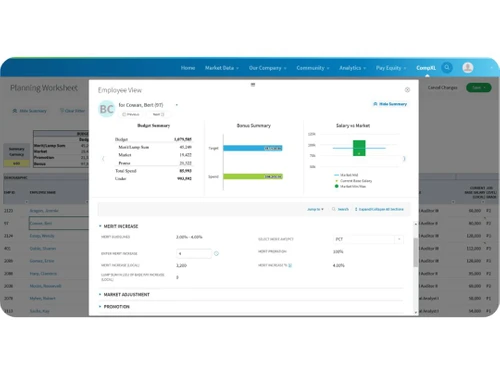
CompXL is a compensation management software that helps companies automate and streamline their employee compensation planning processes, replacing spreadsheets for better efficiency.

See More

Have you used CompXL before?

Share your insights for better experience

Add a Review

Price Available on Request

Questions about pricing or customization? We’re here to help, just a click away.

100% Genuine
Products
Best Price
Guaranteed
Safe & Secure
Payment
  • Description

  • Pricing

  • Features

  • Specification

  • Review

  • Compare

  • Alternatives

  • FAQ

CompXL Software Overview

What is CompXL?

CompXL or CompensationXL, is a compensation management software designed to streamline and automate compensation planning processes for organizations. It helps companies move away from using spreadsheets, reducing errors and improving efficiency in managing employee compensation. CompXL is highly customizable and flexible, capable of handling both simple merit increases and complex compensation plans, including multi-factor bonuses and long-term incentive plans.

The software offers a user-friendly interface with intuitive reporting, making it easy for managers and HR partners to access and use. CompXL is scalable and can be tailored to meet the specific needs of different organizations, offering solutions that extend beyond just software by providing a partnership focused on enhancing efficiency and driving success. It automates everything in the entire compensation cycle – from merit increases to multi-factor bonuses and more.

Why Choose CompXL Software?

  • Eliminate Spreadsheets: Free yourself from the errors and inefficiencies of managing compensation with spreadsheets.
  • Customizable: This compensation management software handles simple to fully customized compensation processes, fitting your unique needs.
  • Comprehensive: Automates everything in the compensation cycle, including merit increases and multi-factor bonuses.
  • User-Friendly: The interface is intuitive, making it easy for managers and HR partners to use and access reports.
  • Flexible: Easy to customize and adapt to your specific requirements.
  • Smooth Implementation: Implementation and testing are smooth, with excellent client support.
  • Scalable: Designed to address the complex needs of your organization with unlimited customization and scalability.
  • Built for Complex Challenges: CompXL is built to handle even the most complex compensation challenges.
  • Global Workforce Support: Built to adapt to the needs of global workforces with multi-currency support and custom options.
  • Experience: With 20+ years of experience in salary planning and benchmarking data.
  • Excel Familiarity: Teams used to working in Excel will feel right at home, and you’ll save time with automation and smart integrations.

Benefits of CompXL Software

  • Multi-Currency Support: Handles global workforces with ease by supporting multiple currencies.
  • Integration with Salary.com Suite: Integrates with other Salary.com solutions for managing pay equity, performance, executive compensation, and employee benefits.
  • Custom Options: This compensation management software offers custom options to create solutions reflecting the company's unique culture.
  • Excel Familiarity: Teams familiar with Excel can easily adapt to the software, saving time with automation and smart integrations.
  • Expertise: 20+ years of experience in salary planning and benchmarking data.
  • Smooth Implementation: CompXL makes implementation and testing smooth.
  • Flexibility Handling: It can handle complex compensation plans very easily as it is extremely customizable and flexible.
  • Successful Implementation: The personal touch and ability to customize a solution to our specific needs made for a very successful implementation.

CompXL Pricing

CompXL price details are available on request at techjockey.com.

The pricing model is based on different parameters, including extra features, deployment type, and the total number of users. For further queries related to the product, you can contact our product team and learn more about the pricing and offers.

Read more

Salary.com Company Details

Founded Year:  1999

Salary.com® remains the technology leader in providing employee compensation data, software, and services to enterprises, small businesses, and individuals.

Director/Founders Kent Plunkett
Company Size 101-500 Employees

CompXL Pricing & Plans

Looking for The Right Pricing?

Share your requirements and get a plan built around your business.

  • Define your business needs
  • Get customised pricing
  • Choose features that fit your workflow

Price Available on Request

Get personalised CompXL pricing that fits your needs. Our team will connect with you.

CompXL Features

  • icon_check Compensation Management
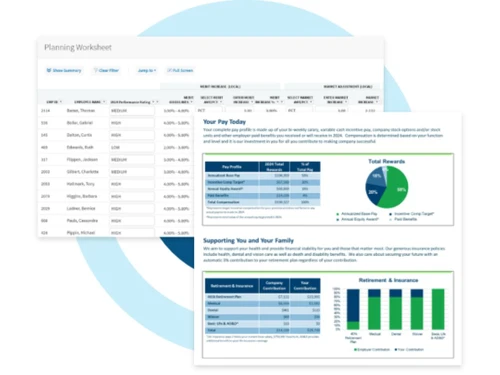
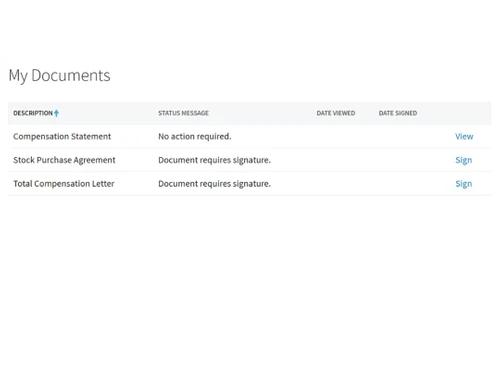
    This compensation management software streamlines the entire compensation process for employees.
  • icon_check Compensation Statements
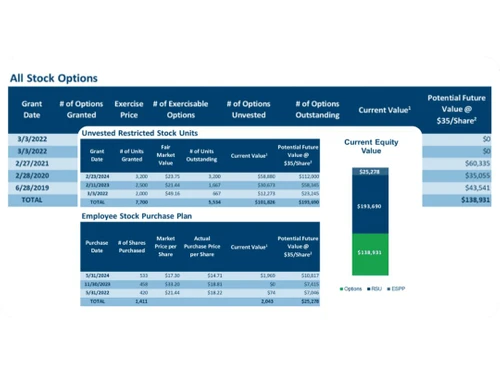
    Automatically generate and share detailed compensation statements.
  • icon_check Bonus Management
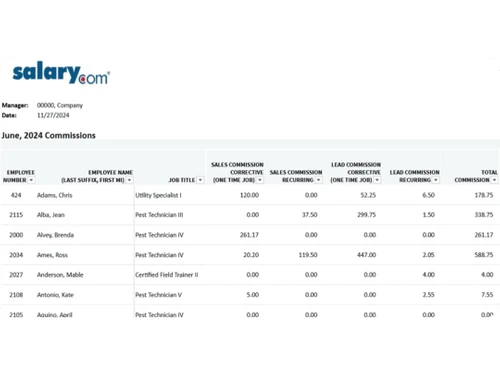
    Manages employee bonuses based on performance or other criteria.
  • icon_check Incentive Management
    This handles incentives for employees based on set goals or performance.
  • icon_check Performance Monitoring
    Tracks and evaluates employee performance for better compensation decisions.
  • icon_check Salary Management
    Simplifies salary planning, adjustments, and disbursements.
  • icon_check Reporting & Analytics
    Provides insights through detailed reports and analytics on compensation trends.
  • icon_check Employee Reward Programs
    Facilitates and tracks employee reward programs to boost morale.
CompXL Demo Video play icon

Get CompXL Demo

Watch the demo video to explore key features, real workflows, and how the software fits your business needs.

Understand
Key Features
Personal
Demo Insights
Interactive
Demo Support

CompXL Specifications

Supported Platforms
Windows Windows MacOS MacOS Linux Linux
Devices
Desktop Desktop
Deployment
Cloud-Based Cloud-Based
Suitable For
All Industries
Business Specific
All Businesses
Business Size
Small Business Startups Medium Business Enterprises SMBs
Customer Support
Phone Live Chat Forums
Language
English
Training Resources
Live Online Documentation

CompXL Review

4.4

Out of 5

img

Overall Rating

Based on
4 Verified Ratings

Rating Breakdown

  • Features 4.5
  • Value for Money 4.3
  • Ease of Use 4.6
  • Customer Support 4.3

87% Recommend this Product

Add Review

Be the First to Review

This product has no reviews yet. Be the first to leave your feedback.

Add Review

Compare CompXL With other Compensation Management Software

Products
Ratings
Pricing
Device Supported
Deployment
Supported Platforms
  • img

    CompXL

  • 4.4

  • Price On Request

  • Desktop

    Mobile

  • Web based

    On Premises

  • Windows

    Mac OS

  • img

    CompAnalyst

  • 4.1

  • Price On Request

  • Desktop

    Mobile

  • Web based

    On Premises

  • Windows

    Mac OS

  • img

    Visdum

  • 4.4

  • Price On Request

  • Desktop

    Mobile

  • Web based

    On Premises

  • Windows

    Mac OS

  • img

    CaptivateIQ

  • 4.2

  • Price On Request

  • Desktop

    Mobile

  • Web based

    On Premises

  • Windows

    Mac OS

  • img

    Spiff

  • 4.1

  • Price On Request

  • Desktop

    Mobile

  • Web based

    On Premises

  • Windows

    Mac OS

  • img

    Xactly Incent

  • 4.6

  • Price On Request

  • Desktop

    Mobile

  • Web based

    On Premises

  • Windows

    Mac OS

(2) Product(s) selected

CompXL Alternatives

See All CompXL Alternatives

Available

Price on Request

Available

Price on Request

How much does CompXL Software cost?

CompXL price details are available upon request at Techjockey.

Is there a mobile app available for CompXL Compensation management Software?

No, CompXL doesn't provide a mobile app.

Which operating systems are compatible with CompXL Software?

CompXL supports Windows and Linux.

Does CompXL offer a free trial?

No, CompXL does not offer a free trial.

How does CompXL work?

CompXL is a compensation management software that automates and streamlines employee compensation planning, replacing spreadsheets with a customizable, scalable solution.

Who uses CompXL Software?

Enterprises with over 1000 employees, along with their managers and HR partners, use CompXL Software.

Is a free demo available for CompXL?

Yes, CompXL offers a free demo upon request at techjockey.com.

Is CompXL available for free?

No, CompXL is not available for free.

What types of compensation plans can CompXL handle?

CompXL can handle everything from simple merit increases to complex multi-factor bonuses and long-term incentive plans.

How customizable is CompXL?

CompXL offers unlimited customization and scalability to address the complex needs of your organization.

20,000+ Software Listed

Best Price Guranteed

Free Expert Consultation

2M+ Happy Customers

Terms and Condtions

close

Users with registered businesses can purchase goods from merchants on the platform to satisfy their business needs. Users are not permitted to utilize any products acquired through the platform for resale, advertising, business, or further distribution.

For each purchase made, users will receive a Tax Invoice (or 'GST invoice') that includes specific details such as:

  • the GSTIN of the user associated with their registered business, and

  • the specified Entity Name for their business.

It should be noted that not all products are eligible for GST Invoice. Only the products displayed by participating sellers with the 'GST-based Invoice Available' callout on the product description page would qualify.

Certain goods and services are not eligible to get a GST Invoice, including items with VAS, i.e., Value Added Services (e.g., Total Mobile Protection/Assured Buyback) and those involving an exchange offer at the time of purchase.

Users must ensure the accuracy of the GSTIN, and business entity name provided for the GST Invoice. Requests for corrections into GST Invoice would not be accommodated by Techjockey.com or any Seller, and any issues arising from user-provided information are the sole responsibility of users.

Techjockey.com is not liable for the GST Invoice or any associated input tax credit. To efficiently claim an input tax credit, users should select the registered place of business address as per the GST authority's data and follow the provisions of the GST Act and rules.

To claim an input tax credit, the delivery and billing addresses must match. Furthermore, input tax credits will not be granted if the delivery address and GSTIN on the invoice are from different states. In case of incorrect GST details provided during the order placement, the order will be canceled automatically.