linkedin
CreateStudio Pro logo
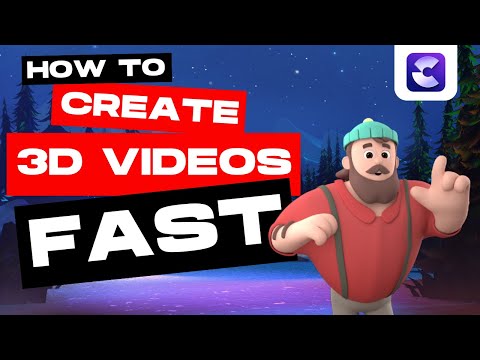
play CreateStudio - How to Make AMAZING 3D Videos Quickly With Scene Builder
Createstudio 3D Character
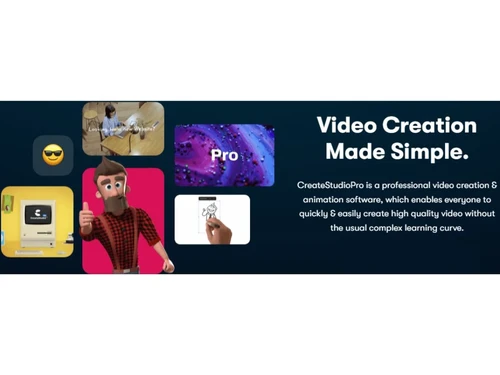
Createstudio Video Creation

CreateStudio Pro

Brand: CreateStudio

  • 4.5

  • 7 Ratings & 2 Reviews

CreateStudio Pro is a versatile video creation software, simplifying the process of designing animations and video content.

See More

Have you used CreateStudio Pro before?

Share your insights for better experience

Add a Review
Starting Price
$37

View plans

100% Genuine
Products
Best Price
Guaranteed
Safe & Secure
Payment
  • Description

  • Pricing

  • Features

  • Specification

  • Review

  • Compare

  • Alternatives

  • FAQ

Starting at $37

CreateStudio Pro Software Overview

What is CreateStudio Pro?

CreateStudio Pro is a video creation software designed to empower users of all skill levels to craft high-quality videos effortlessly. It eliminates the usual steep learning curve associated with complex video production tools. The platform allows you to produce stunning explainer videos comparable to those seen in Pixar films, complete with captivating 3D characters, backgrounds, and icons.

The animation software empowers you to utilize preset actions or fine-tune animations with a single click. You can use an exciting doodle effect that automatically transforms text, images, and videos into hand-sketched creations. It allows you to harness the power of scroll-stopping video ads and social media content that demands attention with jaw-dropping effects designed to halt viewers in their tracks.

The software enables you to construct playful bobblehead characters that infuse your videos with a personalized touch. It empowers users to transcend traditional video limitations and explore new realms of creativity. From stunning animations to attention-grabbing effects, the video editing software allows you to elevate your video production game without the need for extensive training or hiring expensive professionals.

Why Choose CreateStudio Pro?

CreateStudio Pro allows you to transition between scenes or elements with various dynamic transitions smoothly. It allows you to plan and organize your video's narrative through visual storyboard creation. The video editing tool offers instant real-time previews of your video edits and effects for efficient adjustments. It integrates voiceovers to provide narration or commentary for your videos.

The animation software allows you to apply intricate masking and clipping techniques to control element visibility. It allows you to fine-tune audio elements, adjust volume levels, and add sound effects. You can add subtitles and captions to ensure your videos are accessible to a broader audience. The platform allows you to add dynamic and eye-catching particle effects to enhance your video visuals. It allows you to create looping animations suitable for social media or web backgrounds.

Benefits of CreateStudio Pro

  • The video creation software allows you to enhance your videos with various text effects, such as animations and transitions.
  • It allows you to utilize advanced 3D animations to add depth and realism to your video elements.
  • The animation system enables you to access a library of motion graphics elements to enrich your video content.
  • The platform empowers you to integrate subjects into different backgrounds using green screen effects.
  • It allows you to efficiently render your videos in high-quality formats suitable for various platforms.
  • It allows you to effortlessly remove backgrounds and replace them with images or videos of your choice.

CreateStudio Pro Price

CreateStudio Pro pricing starts from $37 at techjockey.com. It comes with multiple pricing plans and caters to the diverse customer base.

For subscription-related details and offers on premium packages, please request a call back from our product experts.

Read more

CreateStudio Company Details

Founded Year:  2017

CreateStudio is a desktop video animation software company.

Director/Founders N/A
Company Size 1-100 Employees

CreateStudio Pro Pricing & Plans

Creator Plan
Key Features
  • Commercial use license
  • All Characters, Video Resources
  • 2x Device Installs
  • Unlimited Video Exports
Starting at $37
    • Quantity

      Quantity
      Quantity
    • Monthly

      Monthly
      Monthly

Key Features

  • Commercial use license

  • All Characters, Video Resources

  • 2x Device Installs

  • Unlimited Video Exports

CreateStudio Pro Features

  • icon_check Video Editing
    Offers advanced video editing capabilities for refining your content.
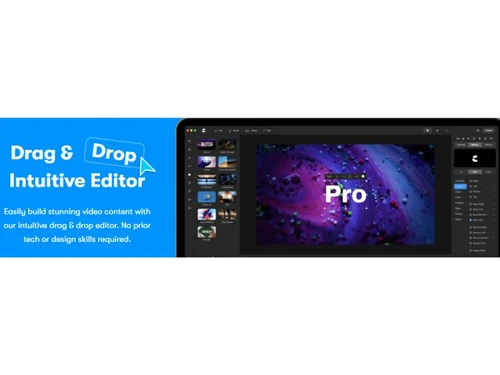
  • icon_check Drag & Drop
    Leverage an intuitive drag-and-drop interface to assemble your video elements.
  • icon_check Video Making Tool
    Serves as a comprehensive tool for crafting professional-quality videos.
  • icon_check Templates
    Access a range of pre-designed templates to jumpstart your creative process.
  • icon_check Collaboration Tools
    Collaborate seamlessly with team members to create videos collaboratively.
  • icon_check Animation
    Employ dynamic animations to bring your video elements to life with movement and flair.
  • icon_check Media Library
    Access a vast collection of media assets, including images, videos, and audio files.
  • icon_check Audio/Video Capture
    Capture audio and video content directly within the software for streamlined content creation.
  • icon_check Customizable Branding
CreateStudio Pro Demo Video play icon

Get CreateStudio Pro Demo

Watch the demo video to explore key features, real workflows, and how the software fits your business needs.

Understand
Key Features
Personal
Demo Insights
Interactive
Demo Support

CreateStudio Pro Specifications

Supported Platforms
Windows Windows MacOS MacOS
Devices
Desktop Desktop
Deployment
Cloud-Based Cloud-Based
Suitable For
All Industries
Business Specific
All Businesses
Business Size
Small Business Startups Medium Business Enterprises
Customer Support
Email Communities
Language
English
Training Resources
Videos

Explore the Best Alternative Solutions Similar to Your Business Size and Needs

Small Business

Designed for startups and growing businesses

Lumen5

4.7

Animoto

4.4

Movio

4.6

See More

CreateStudio Pro Reviews

4.5

Out of 5

img

Overall Rating

Based on
2 Verified Reviews

Rating Breakdown

  • Features 4.4
  • Value for Money 4.6
  • Ease of Use 4.5
  • Customer Support 4.7

92% Recommend this Product

Add Review

CreateStudio Pro Video Reviews

youtubeVideoId

4.9

“Create Studio Pro Review 2024 Is It Really Worth It”

Review by: Elle Wong

youtubeVideoId

4.8

“Create Studio PRO Review and Tutorial”

Review by: Jenn Jager

Compare CreateStudio Pro With other Video Making Software

Products
Ratings
Pricing
Device Supported
Deployment
Supported Platforms
  • img

    CreateStudio Pro

  • 4.5

  • Price On Request

  • Desktop

    Mobile

  • Web based

    On Premises

  • Windows

    Mac OS

  • img

    VEED

  • 4.6

  • ₹ 5988

  • Desktop

    Mobile

  • Web based

    On Premises

  • Windows

    Mac OS

  • img

    Movio

  • 4.6

  • Price On Request

  • Desktop

    Mobile

  • Web based

    On Premises

  • Windows

    Mac OS

  • img

    Renderforest

  • 4.5

  • ₹ 899

  • Desktop

    Mobile

  • Web based

    On Premises

  • Windows

    Mac OS

  • img

    D-ID

  • 4.7

  • Price On Request

  • Desktop

    Mobile

  • Web based

    On Premises

  • Windows

    Mac OS

  • img

    Designs Videomaker

  • 5

  • Price On Request

  • Desktop

    Mobile

  • Web based

    On Premises

  • Windows

    Mac OS

  • img

    Lumen5

  • 4.7

  • Price On Request

  • Desktop

    Mobile

  • Web based

    On Premises

  • Windows

    Mac OS

  • img

    Tavus

  • 4.5

  • Price On Request

  • Desktop

    Mobile

  • Web based

    On Premises

  • Windows

    Mac OS

  • img

    Quinvio AI

  • 4.6

  • Price On Request

  • Desktop

    Mobile

  • Web based

    On Premises

  • Windows

    Mac OS

  • img

    Beeble AI

  • 4.7

  • Price On Request

  • Desktop

    Mobile

  • Web based

    On Premises

  • Windows

    Mac OS

(0) Product(s) selected

CreateStudio Pro Alternatives

See All CreateStudio Pro Alternatives

Starting Price:

$275

Starting Price:

$12 /Month

Starting Price:

$59

Starting Price:

$18 /Month

Starting Price:

$47

Starting Price:

$59 /Month

Articles for CreateStudio Pro

See All Related Articles

Which operating system does CreateStudio Pro support?

CreateStudio Pro is compatible with Windows and MacOS operating systems.

Is there any CreateStudio Pro app?

CreateStudio Pro is unavailable for android and iOS app users.

What is the deployment type of CreateStudio Pro software?

CreateStudio Pro supports web-based deployment.

How much does CreateStudio Pro cost?

CreateStudio Pro price starts at $37 on techjockey.com.

Who are the potential users of CreateStudio Pro?

CreateStudio Pro caters to content creators for animations and video content.

Is there any free trial or demo for CreateStudio Pro?

CreateStudio Pro free trial is available at techjockey.com.

Is CreateStudio Pro free?

CreateStudio Pro is not available for free. Price starts at $37 on techjockey.com

How can you access CreateStudio Pro software?

CreateStudio Pro is a web-based platform. So, installation is not required. Just open the Setup Wizard to get started.

How does CreateStudio Pro work?

CreateStudio Pro simplifies animation and video content creation for creators.

20,000+ Software Listed

Best Price Guranteed

Free Expert Consultation

2M+ Happy Customers

Terms and Condtions

close

Users with registered businesses can purchase goods from merchants on the platform to satisfy their business needs. Users are not permitted to utilize any products acquired through the platform for resale, advertising, business, or further distribution.

For each purchase made, users will receive a Tax Invoice (or 'GST invoice') that includes specific details such as:

  • the GSTIN of the user associated with their registered business, and

  • the specified Entity Name for their business.

It should be noted that not all products are eligible for GST Invoice. Only the products displayed by participating sellers with the 'GST-based Invoice Available' callout on the product description page would qualify.

Certain goods and services are not eligible to get a GST Invoice, including items with VAS, i.e., Value Added Services (e.g., Total Mobile Protection/Assured Buyback) and those involving an exchange offer at the time of purchase.

Users must ensure the accuracy of the GSTIN, and business entity name provided for the GST Invoice. Requests for corrections into GST Invoice would not be accommodated by Techjockey.com or any Seller, and any issues arising from user-provided information are the sole responsibility of users.

Techjockey.com is not liable for the GST Invoice or any associated input tax credit. To efficiently claim an input tax credit, users should select the registered place of business address as per the GST authority's data and follow the provisions of the GST Act and rules.

To claim an input tax credit, the delivery and billing addresses must match. Furthermore, input tax credits will not be granted if the delivery address and GSTIN on the invoice are from different states. In case of incorrect GST details provided during the order placement, the order will be canceled automatically.