linkedin
DashboardFox logo
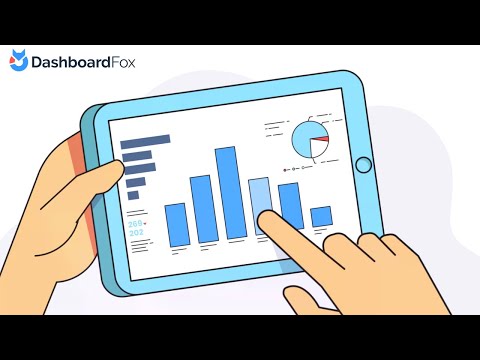
play The No-Subscription Business Intelligence Platform - DashboardFox!
DashboardFox Software
DashboardFox Templates

DashboardFox

Brand: 5000fish

  • 4.4

  • 3 Ratings

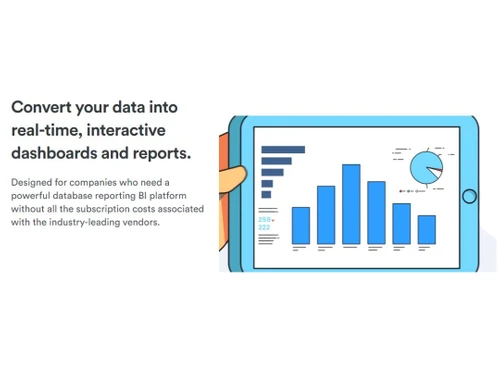
DashboardFox is a cost-effective BI platform used to create real-time dashboards and reports without subscription hassles.

See More

Have you used DashboardFox before?

Share your insights for better experience

Add a Review
Starting Price
$395

View plans

100% Genuine
Products
Best Price
Guaranteed
Safe & Secure
Payment
  • Description

  • Pricing

  • Features

  • Specification

  • Review

  • Compare

  • Alternatives

  • FAQ

Starting at $395

DashboardFox Software Overview

What is DashboardFox Software?

DashboardFox is a robust Business Intelligence (BI) platform for modern businesses that need powerful database reporting without the burdensome subscription costs associated with leading vendors. As an enterprise-quality BI solution, it offers interactive dashboards that enable users to drill down and filter data from multiple databases seamlessly. The platform prioritizes user convenience with codeless report building, allowing the creation of real-time dynamic datasets and visualizations without the need for extensive database knowledge or SQL queries.

It is centered around cost-effectiveness and user empowerment. With a one-time payment model, users own the software for life, eliminating the perpetual subscription costs that often accompany BI platforms. It supports public view reports for sharing on websites or monitors, providing flexibility for sharing insights. DashboardFox offers control over upgrades and data security, ensuring a user-friendly, self-service BI experience for businesses of all sizes.

Why Choose DashboardFox System?

  • Team Reports: Provide a centralized hub for users to access reports and dashboards, streamlining collaboration and ensuring consistent security application.
  • Codeless Reporting: Build real-time dynamic data sets and visualizations effortlessly, eliminating the need for extensive database knowledge or SQL query writing.
  • Scheduled Email Reports: Schedule automated snapshots of reports or dashboards, delivering them to one or more email recipients with dynamic security features applied.
  • Data Level Security: Restrict user access to specific data, ensuring each user sees only the information relevant to their role and responsibilities.
  • Mobile Access: Access dashboards and reports seamlessly on smartphones or tablets without the need for special apps or redesigning for mobile display.
  • Support All Major Databases: Connect and securely report on Microsoft SQL, MySQL, PostgreSQL, Oracle, Redshift, RDS, and more.

Benefits of DashboardFox Dashboard Solution

  • Affordable pricing model without recurring subscriptions, reducing long-term software expenses.
  • User-friendly interface for easy adoption, empowering business users with self-service BI capabilities.
  • Directly connect and report on major databases, ensuring real-time, live data access without third-party cloud dependencies.
  • Implement data-level security, limiting user access and ensuring sensitive information remains confidential.
  • Access dashboards and reports on smartphones or tablets seamlessly, providing on-the-go insights.
  • Pay once, and own the software for life, eliminating perpetual subscription payments and vendor dependencies.

Pricing of DashboardFox Tool

DashboardFox price details are available on request at techjockey.com.

DashboardFox price in India may vary based on factors like customization, additional features required, number of users, and the deployment type. Please request a call back for subscription-related details and to avail offers on premium packages.

Read more

5000fish Company Details

Founded Year:  2009

5000fish is an enterprise business intelligence platform that allows organizations to access and deliver data from multiple systems.

Director/Founders David Ferguson
Company Size 1-100 Employees

DashboardFox Pricing & Plans

Basic(One Time Fee)
Key Features
  • Includes 1 Public View Report License
  • 1 DashboardFox Self-Hosted Server
  • Includes 1 Year of Free Upgrades and Priority Supp
  • All Platform Features
  • 1 Named User License
Starting at $395
    • Licenses (One Time)

      Licenses (One Time)
      Licenses (One Time)

Key Features

  • Includes 1 Public View Report License

  • 1 DashboardFox Self-Hosted Server

  • Includes 1 Year of Free Upgrades and Priority Supp

  • All Platform Features

  • 1 Named User License

DashboardFox Features

  • icon_check Dashboard
    Create dynamic and interactive dashboards that provide a comprehensive view of your data for informed decision-making.
  • icon_check Annotations
    Enhance your dashboards with annotations, adding context and insights to specific data points for better understanding.
  • icon_check Integrations
    Seamlessly connect and report on various databases, ensuring compatibility and accessibility to a wide range of data sources.
  • icon_check KPIs & Metrics
    Monitor key performance indicators (KPIs) and essential metrics for insights into the health and performance of business.
  • icon_check Data Visualizations
    Utilize data visualizations to represent information effectively, fostering a deeper understanding of complex datasets.
  • icon_check Templates
    Expedite dashboard creation with pre-built templates, save time, and ensure consistency in reporting across your organization.
  • icon_check Drag & Drop
    Build reports using a user-friendly drag-and-drop interface, eliminating the need for complex coding or technical skills.
  • icon_check Performance Metrics
    Track & analyze performance metrics, enable data-driven decisions & facilitate continuous improvement within an organization.
DashboardFox Demo Video play icon

Get DashboardFox Demo

Watch the demo video to explore key features, real workflows, and how the software fits your business needs.

Understand
Key Features
Personal
Demo Insights
Interactive
Demo Support

DashboardFox Specifications

Supported Platforms
Ubuntu Ubuntu Windows Windows iOS iOS Android Android MacOS MacOS Linux Linux
Devices
Desktop Desktop Mobile Mobile Tablet Tablet iPad iPad
Deployment
Cloud-Based Cloud-Based
Suitable For
All Industries
Business Specific
All Businesses
Business Size
Small Business Medium Business Enterprises SMBs SMEs
Customer Support
Phone Email Live Chat Communities
Language
English
Training Resources
Videos

Explore the Best Alternative Solutions Similar to Your Business Size and Needs

DashboardFox Review

4.4

Out of 5

img

Overall Rating

Based on
3 Verified Ratings

Rating Breakdown

  • Features 4
  • Value for Money 4.6
  • Ease of Use 4.3
  • Customer Support 4.6

90% Recommend this Product

Add Review

Be the First to Review

This product has no reviews yet. Be the first to leave your feedback.

Add Review

Compare DashboardFox With other Dashboard Software

Products
Ratings
Pricing
Device Supported
Deployment
Supported Platforms
  • img

    DashboardFox

  • 4.4

  • Price On Request

  • Desktop

    Mobile

  • Web based

    On Premises

  • Windows

    Mac OS

  • img

    DashThis

  • 4.6

  • Price On Request

  • Desktop

    Mobile

  • Web based

    On Premises

  • Windows

    Mac OS

  • img

    Shyplite

  • 4.3

  • Price On Request

  • Desktop

    Mobile

  • Web based

    On Premises

  • Windows

    Mac OS

  • img

    Databox

  • 4.3

  • Price On Request

  • Desktop

    Mobile

  • Web based

    On Premises

  • Windows

    Mac OS

  • img

    Metabase

  • 4.3

  • Price On Request

  • Desktop

    Mobile

  • Web based

    On Premises

  • Windows

    Mac OS

  • img

    Style Scope

  • 4.5

  • Price On Request

  • Desktop

    Mobile

  • Web based

    On Premises

  • Windows

    Mac OS

  • img

    iDashboards

  • 4.4

  • Price On Request

  • Desktop

    Mobile

  • Web based

    On Premises

  • Windows

    Mac OS

  • img

    Geckoboard

  • 4.3

  • Price On Request

  • Desktop

    Mobile

  • Web based

    On Premises

  • Windows

    Mac OS

  • img

    Klipfolio

  • 4.5

  • Price On Request

  • Desktop

    Mobile

  • Web based

    On Premises

  • Windows

    Mac OS

  • img

    Vizzlo

  • 4.4

  • Price On Request

  • Desktop

    Mobile

  • Web based

    On Premises

  • Windows

    Mac OS

(2) Product(s) selected

DashboardFox Alternatives

See All DashboardFox Alternatives

Starting Price:

$14

Which operating system does DashboardFox Software Support?

DashboardFox Software is compatible with Windows and macOS device systems.

Is there any DashboardFox App?

The DashboardFox app is unavailable on Android and iOS devices.

What is the deployment type of the DashboardFox System?

DashboardFox system supports web-based deployment.

How much does DashboardFox Software cost?

DashboardFox pricing is available on request at techjockey.com.

Who are the potential users of DashboardFox?

DashboardFox can be used by small to large-scale businesses, marketers, and individuals who need robust marketing analytical tools.

Is there any free trial or demo for the DashboardFox Platform?

The DashboardFox platform demo is available for free with techjockey.com.

Is the DashboardFox System Free?

The DashboardFox system does not offer a free trial.

How can you download DashboardFox?

DashboardFox software installation is not needed as it is web-based. Just open the platform and get started.

How Does the DashboardFox Platform Work?

DashboardFox allows users to create real-time dashboards and reports, connecting to major databases without subscriptions. It offers a cost-effective, user-friendly, and secure business intelligence solution.

20,000+ Software Listed

Best Price Guranteed

Free Expert Consultation

2M+ Happy Customers

Terms and Condtions

close

Users with registered businesses can purchase goods from merchants on the platform to satisfy their business needs. Users are not permitted to utilize any products acquired through the platform for resale, advertising, business, or further distribution.

For each purchase made, users will receive a Tax Invoice (or 'GST invoice') that includes specific details such as:

  • the GSTIN of the user associated with their registered business, and

  • the specified Entity Name for their business.

It should be noted that not all products are eligible for GST Invoice. Only the products displayed by participating sellers with the 'GST-based Invoice Available' callout on the product description page would qualify.

Certain goods and services are not eligible to get a GST Invoice, including items with VAS, i.e., Value Added Services (e.g., Total Mobile Protection/Assured Buyback) and those involving an exchange offer at the time of purchase.

Users must ensure the accuracy of the GSTIN, and business entity name provided for the GST Invoice. Requests for corrections into GST Invoice would not be accommodated by Techjockey.com or any Seller, and any issues arising from user-provided information are the sole responsibility of users.

Techjockey.com is not liable for the GST Invoice or any associated input tax credit. To efficiently claim an input tax credit, users should select the registered place of business address as per the GST authority's data and follow the provisions of the GST Act and rules.

To claim an input tax credit, the delivery and billing addresses must match. Furthermore, input tax credits will not be granted if the delivery address and GSTIN on the invoice are from different states. In case of incorrect GST details provided during the order placement, the order will be canceled automatically.