linkedin
DbVisualizer logo
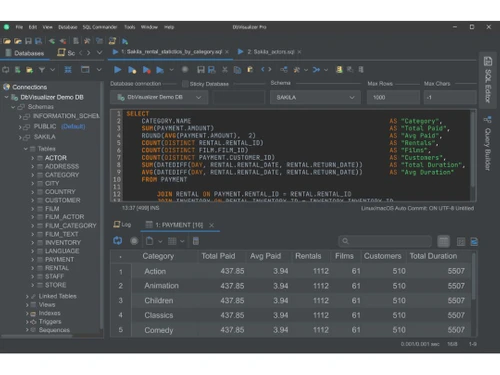
dbvisualizer dashboard
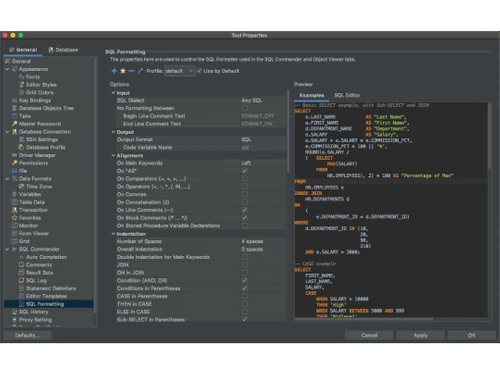
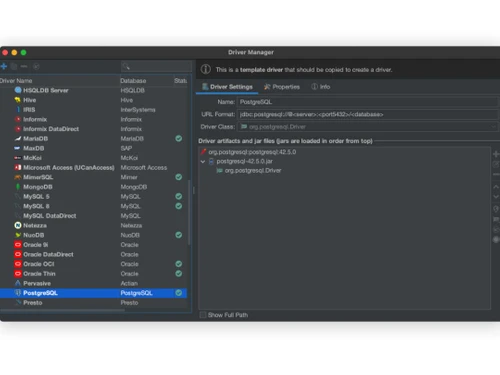
dbvisualizer connection
dbvisualizer queries

DbVisualizer

Brand: DbVisualizer

  • 4.3

  • 6 Ratings

DbVisualizer is a database management software designed to manage and visualize data in relational database management systems.

See More

Have you used DbVisualizer before?

Share your insights for better experience

Add a Review
Starting Price
$197

View plans

100% Genuine
Products
Best Price
Guaranteed
Safe & Secure
Payment
  • Description

  • Pricing

  • Features

  • Specification

  • Review

  • Compare

  • Alternatives

  • FAQ

Starting at $197

DbVisualizer Software Overview

What is DbVisualizer?

DbVisualizer is a relational database management system and analysis tool designed for database administrators, software developers, and data analysts. It supports a wide range of databases, including popular systems like Oracle, SQL Server, MySQL, PostgreSQL, and many others, making it a versatile solution for managing enterprise data.

The software runs on multiple operating systems, including Windows, macOS, and Linux. It offers features such as an advanced SQL editor with auto-completion, visual query builders, and comprehensive reporting tools. Users can easily connect to various databases via JDBC drivers, manage data with inline editing, and visualize query results in different formats. DbVisualizer is available in both free and professional editions, catering to different user needs while ensuring high user satisfaction through continuous development and support.

Why Choose DbVisualizer Software?

  • Cross-Platform Compatibility: It runs on various operating systems, including Windows, macOS, and Linux, making it a versatile choice for diverse environments.
  • Wide Database Support: It supports numerous database systems such as Oracle, MySQL, PostgreSQL, SQL Server, SQLite, and many others, allowing users to work with multiple databases from a single tool.
  • User-Friendly Interface: The intuitive and easy-to-navigate interface makes it suitable for both novice and experienced users, enhancing productivity and reducing the learning curve.
  • Powerful SQL Tools: Advanced SQL editor features like auto-completion, syntax highlighting, and visual query builder streamline query development and debugging processes.
  • Comprehensive Features: It offers robust tools for database management, including data visualization, schema management, performance monitoring, and report generation.
  • Secure Connectivity: It ensures secure connections to databases with support for SSH, SSL, and other encryption protocols, safeguarding sensitive data during transmission.

Benefits of DbVisualizer Platform

  • Universal Database Support: DbVisualizer connects to a wide range of popular databases, making it a versatile tool for managing various data sources.
  • High User Satisfaction: It is known for its high user satisfaction, which is continuously developed based on user feedback to enhance functionality and support.
  • Advanced SQL Editor: Features an advanced SQL editor with auto-completion and formatting capabilities, simplifying the query writing process.
  • Data Visualization: Offers robust data visualization options, allowing users to present query results in tables or various graph formats.
  • Inline Editing: Enables direct editing of data within the viewer, making data management more efficient.
  • Comprehensive Reporting: Provides extensive reporting tools to analyze database performance and optimize operations.
  • Cross-Platform Compatibility: Runs on multiple operating systems, including Windows, macOS, and Linux, ensuring accessibility for all users.
  • Strong Security Features: Includes data encryption, master password protection, and user permission settings to meet high-security standards.

Pricing of DbVisualizer

DbVisualizer price in India starts at $197 at techjockey.com.

The pricing model is based on different parameters, including extra features, deployment type, and the total number of users. For further queries related to the product, you can contact our product team and learn more about the pricing and offers.

Read more

DbVisualizer Company Details

Founded Year:  2003

DbVis Software was founded in 2003. It is a privately held company dedicated to developing and selling platform independent tools for database development, administration, and analytics.

Director/Founders Roger Bjärevall
Company Size 1-100 Employees

DbVisualizer Pricing & Plans

PRO-[FULL FEATURE SET + 60 DAY SUPPORT]
Starting at $197
    • Users

      Users
      Users
    • Yearly

      Yearly
      Yearly

Key Features

  • 1 - 3 USERS

  • Self service support via user guide & support port

  • Runs on Windows, macOS, and Linux/UNIX

  • Configurable UI

  • Monitoring

  • SQL history

  • References graphs

  • Connection management

PRO-[FULL FEATURE SET + PREMIUM SUPPORT]
Starting at $229
    • Users

      Users
      Users
    • Yearly

      Yearly
      Yearly

Key Features

  • 1 - 3 USERS

  • Self service support via user guide & support port

  • Runs on Windows, macOS, and Linux/UNIX

  • Configurable UI

  • Monitoring

  • SQL history

  • References graphs

  • Connection management

DbVisualizer Features

  • icon_check Configurable UI
    Allows users to customize the interface layout and settings according to their preferences for a more personalized experience.
  • icon_check Monitoring
    Provides tools for tracking database performance and resource usage in real time.
  • icon_check SQL History
    Keeps a record of executed SQL queries, enabling users to review and reuse past commands.
  • icon_check References Graphs
    Visualizes database schema relationships and dependencies, aiding in understanding and managing data structures.
  • icon_check Connection management
    Facilitates the management of multiple database connections, including setting up and switching between them easily.
  • icon_check Generic JDBC Support
    Offers compatibility with a wide range of databases through the Java Database Connectivity (JDBC) driver.
  • icon_check Table Management
    Provides tools for creating, modifying, and managing database tables and their structures.
  • icon_check Database Scheduling
    Allows users to schedule and automate database tasks and queries for regular execution.
  • icon_check Query Builder
    Offers a graphical interface for constructing SQL queries without needing to manually write code.
  • icon_check Charts
    Generates visual representations of data through various chart types, enhancing data analysis and presentation.

DbVisualizer Specifications

Supported Platforms
Windows Windows MacOS MacOS Linux Linux
Devices
Desktop Desktop
Deployment
Perpetual Perpetual
Suitable For
Education ITES
Business Specific
All Businesses
Business Size
Small Business Startups Medium Business Enterprises
Customer Support
Email Communities
Language
English
Training Resources
Videos

Explore the Best Alternative Solutions Similar to Your Business Size and Needs

Enterprises

Designed for complex and large-scale business needs

SAP IQ

4.2

SAP HANA

4.1

Xata

4.4

See More

DbVisualizer Review

4.3

Out of 5

img

Overall Rating

Based on
6 Verified Ratings

Rating Breakdown

  • Features 4.2
  • Value for Money 4.3
  • Ease of Use 4.5
  • Customer Support 4.2

90% Recommend this Product

Add Review

Be the First to Review

This product has no reviews yet. Be the first to leave your feedback.

Add Review

Compare DbVisualizer With other Relational Database Management System

Products
Ratings
Pricing
Device Supported
Deployment
Supported Platforms
  • img

    DbVisualizer

  • 4.3

  • Price On Request

  • Desktop

    Mobile

  • Web based

    On Premises

  • Windows

    Mac OS

  • img

    Amazon Aurora

  • 5

  • Price On Request

  • Desktop

    Mobile

  • Web based

    On Premises

  • Windows

    Mac OS

  • img

    HarperDB

  • 4.4

  • Price On Request

  • Desktop

    Mobile

  • Web based

    On Premises

  • Windows

    Mac OS

  • img

    Xata

  • 4.4

  • Price On Request

  • Desktop

    Mobile

  • Web based

    On Premises

  • Windows

    Mac OS

  • img

    OLLI

  • 4.4

  • Price On Request

  • Desktop

    Mobile

  • Web based

    On Premises

  • Windows

    Mac OS

  • img

    RazorSQL

  • 4.2

  • Price On Request

  • Desktop

    Mobile

  • Web based

    On Premises

  • Windows

    Mac OS

  • img

    Sadas Engine

  • 4.1

  • Price On Request

  • Desktop

    Mobile

  • Web based

    On Premises

  • Windows

    Mac OS

  • img

    Postico

  • 4.4

  • Price On Request

  • Desktop

    Mobile

  • Web based

    On Premises

  • Windows

    Mac OS

  • img

    MonetDB

  • 4.5

  • Price On Request

  • Desktop

    Mobile

  • Web based

    On Premises

  • Windows

    Mac OS

  • img

    SAP HANA

  • 4.1

  • Price On Request

  • Desktop

    Mobile

  • Web based

    On Premises

  • Windows

    Mac OS

(0) Product(s) selected

DbVisualizer Alternatives

See All DbVisualizer Alternatives

Available

Price on Request

Starting Price:

€14,950 /License

Available

Price on Request

Available

Price on Request

How much does DbVisualizer Software cost?

The price of DbVisualizer in India starts at $197 on techjockey.com.

Is there any DbVisualizer Software App?

No, DbVisualizer does not offer a mobile application.

Which operating system does DbVisualizer Software support?

DbVisualizer supports Windows, MacOS, and Linux operating systems.

Does DbVisualizer offer a free trial?

Yes, DbVisualizer offers a free trial of the Pro and Enterprise editions.

How does DbVisualizer Software work?

DbVisualizer allows users to access, explore, and optimize various databases through an advanced SQL editor, data visualization, and inline editing features while providing comprehensive reporting and security options to enhance database management efficiency.

Who are the potential users of DbVisualizer Software?

Database administrators, developers, data analysts, and IT professionals are potential users of DbVisualizer.

Is there any free demo for DbVisualizer Software?

Yes, a free version of DbVisualizer is available with limited features.

Is DbVisualizer Software free?

There is a free version with basic features, while advanced capabilities require a paid Pro or Enterprise edition.

What databases does DbVisualizer support?

DbVisualizer supports a wide range of databases, including Oracle, MySQL, PostgreSQL, SQL Server, SQLite, and more.

Can I use DbVisualizer for both SQL and NoSQL databases?

DbVisualizer primarily supports SQL databases; however, some NoSQL databases can be managed if they have JDBC drivers available.

20,000+ Software Listed

Best Price Guranteed

Free Expert Consultation

2M+ Happy Customers

Terms and Condtions

close

Users with registered businesses can purchase goods from merchants on the platform to satisfy their business needs. Users are not permitted to utilize any products acquired through the platform for resale, advertising, business, or further distribution.

For each purchase made, users will receive a Tax Invoice (or 'GST invoice') that includes specific details such as:

  • the GSTIN of the user associated with their registered business, and

  • the specified Entity Name for their business.

It should be noted that not all products are eligible for GST Invoice. Only the products displayed by participating sellers with the 'GST-based Invoice Available' callout on the product description page would qualify.

Certain goods and services are not eligible to get a GST Invoice, including items with VAS, i.e., Value Added Services (e.g., Total Mobile Protection/Assured Buyback) and those involving an exchange offer at the time of purchase.

Users must ensure the accuracy of the GSTIN, and business entity name provided for the GST Invoice. Requests for corrections into GST Invoice would not be accommodated by Techjockey.com or any Seller, and any issues arising from user-provided information are the sole responsibility of users.

Techjockey.com is not liable for the GST Invoice or any associated input tax credit. To efficiently claim an input tax credit, users should select the registered place of business address as per the GST authority's data and follow the provisions of the GST Act and rules.

To claim an input tax credit, the delivery and billing addresses must match. Furthermore, input tax credits will not be granted if the delivery address and GSTIN on the invoice are from different states. In case of incorrect GST details provided during the order placement, the order will be canceled automatically.