 USA
USA UAE
UAESmall Business
Designed for startups and growing businesses
See More


Brand: Microsoft Corporation
A comprehensive relational database management system that enables businesses to easily store, retrieve, and manage large volumes of data.
See MoreHave you used Microsoft SQL Server before?
Share your insights for better experience
View plans
 Save upto 18%, Get GST Invoice on your business purchase T&C Buy Now & Pay Later, Check offer on payment page.
 Brand: Microsoft Corporation
Founded Year: 1975
Microsoft Corporation is an American multinational technology company with headquarters in Redmond, Washington.
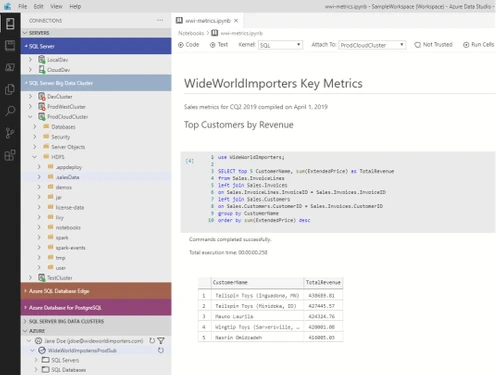
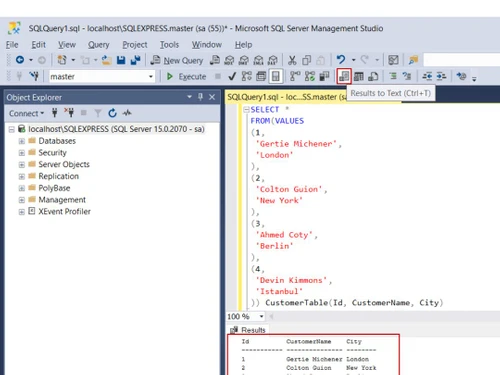
 Business Continuity through Azure Seamless Analytics Over On-Premises Operational Da Visibility Over your entire Data Estate The most secure database over the last 10 years Industry-leading Performance & Availability Seamless Analytics Reporting & Data Insights Data Catalog

Watch the demo video to explore key features, real workflows, and how the software fits your business needs.
 Windows
  Linux
Linux  Desktop
  Cloud-Based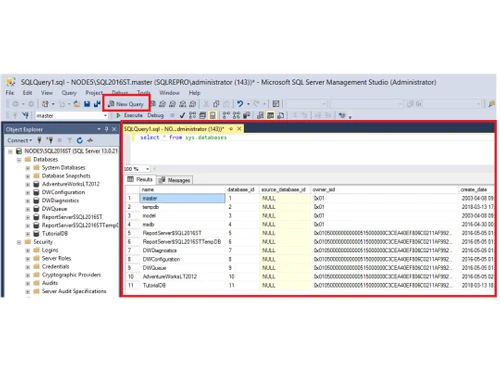
Small Business
Designed for startups and growing businesses
Medium Business
Built for business growth and flexibility
Enterprises
Designed for complex and large-scale business needs
4.7
Out of 5

Overall Rating
Based on
1 Verified Review
Rating Breakdown
80% Recommend this Product
Add Review
Jan 30, 2019
Techjockey Verified
“Comes with numerous instruments”
Pros
The most significant highlights of Microsoft SQL Server are the numerous instruments and wizards that permit even beginner clients to begin by making tables and perspectives without broad learning of social databases. The question wizard can even help with making inquiries with its instinctive IDE. These highlights bring down the scary boundary to section that goes with other social database programming, for example, Oracle or MySQL. There is even a free form call Express that enables anybody to fiddle with the product before focusing on the item.
Cons
SQL Server conveys a mind-boggling expense membership based authorizing cost.

Microsoft SQL Server
₹ 19532.00 excl. GST
Desktop
Mobile
Web based
On Premises
Windows
Mac OS

DbVisualizer
Price On Request
Desktop
Mobile
Web based
On Premises
Windows
Mac OS

Amazon Aurora
Price On Request
Desktop
Mobile
Web based
On Premises
Windows
Mac OS

Xata
Price On Request
Desktop
Mobile
Web based
On Premises
Windows
Mac OS

Postico
Price On Request
Desktop
Mobile
Web based
On Premises
Windows
Mac OS

OLLI
Price On Request
Desktop
Mobile
Web based
On Premises
Windows
Mac OS

HarperDB
Price On Request
Desktop
Mobile
Web based
On Premises
Windows
Mac OS

MonetDB
Price On Request
Desktop
Mobile
Web based
On Premises
Windows
Mac OS

RazorSQL
Price On Request
Desktop
Mobile
Web based
On Premises
Windows
Mac OS

Sadas Engine
Price On Request
Desktop
Mobile
Web based
On Premises
Windows
Mac OS

Postgresql
Price On Request
Desktop
Mobile
Web based
On Premises
Windows
Mac OS
(0) Product(s) selected
Available
Price on Request
Available
Price on Request
Starting Price:
€14,950 /License

Available
Price on Request
Microsoft SQL Server is compatible with the Windows operating system.
Microsoft SQL Server does not have any mobile-based app.
Microsoft SQL Server pricing is available at INR 19532 at techjockey.com.
Microsoft SQL Server demo is available for free on TechJockey.
Microsoft SQL Server offers a free trial. Please request a call back for subscription-related details and to avail offers on premium packages.
Microsoft SQL Server helps support a wide range of transaction processing, business intelligence, and analytics-based applications.
20,000+ Software Listed
Best Price Guranteed
Free Expert Consultation
2M+ Happy Customers
Terms and Condtions

Users with registered businesses can purchase goods from merchants on the platform to satisfy their business needs. Users are not permitted to utilize any products acquired through the platform for resale, advertising, business, or further distribution.
For each purchase made, users will receive a Tax Invoice (or 'GST invoice') that includes specific details such as:
the GSTIN of the user associated with their registered business, and
the specified Entity Name for their business.
It should be noted that not all products are eligible for GST Invoice. Only the products displayed by participating sellers with the 'GST-based Invoice Available' callout on the product description page would qualify.
Certain goods and services are not eligible to get a GST Invoice, including items with VAS, i.e., Value Added Services (e.g., Total Mobile Protection/Assured Buyback) and those involving an exchange offer at the time of purchase.
Users must ensure the accuracy of the GSTIN, and business entity name provided for the GST Invoice. Requests for corrections into GST Invoice would not be accommodated by Techjockey.com or any Seller, and any issues arising from user-provided information are the sole responsibility of users.
Techjockey.com is not liable for the GST Invoice or any associated input tax credit. To efficiently claim an input tax credit, users should select the registered place of business address as per the GST authority's data and follow the provisions of the GST Act and rules.
To claim an input tax credit, the delivery and billing addresses must match. Furthermore, input tax credits will not be granted if the delivery address and GSTIN on the invoice are from different states. In case of incorrect GST details provided during the order placement, the order will be canceled automatically.



