 USA
USA UAE
UAESmall Business
Designed for startups and growing businesses
See More




Brand: PRN Software
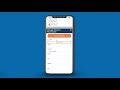
DoseSpot is an e-prescription platform that helps with quick, accurate, compliant, and personalized medication management.
See MoreHave you used DoseSpot before?
Share your insights for better experience
Brand: PRN Software
Founded Year: 2009
DoseSpot provides ePrescription software enabling clinicians to electronically write and transmit prescriptions to pharmacies. The solution is Surescripts certified and eases the administrative burden of the prescription lifecycle by integrating with EHRs.
Looking for The Right Pricing?
Share your requirements and get a plan built around your business.
Price Available on Request
Get personalised DoseSpot pricing that fits your needs. Our team will connect with you.
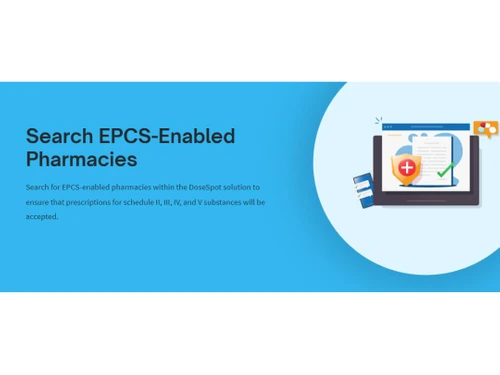
 Search EPCS-Enabled Pharmacies Time-Saving Tips EPCS Reporting Personalized Prescription Cost Reduce Gaps In Therapy Push Notifications Customize DoseSpot Two‑factor authentication Improve Patient’s Experience Fastest Technology Response Times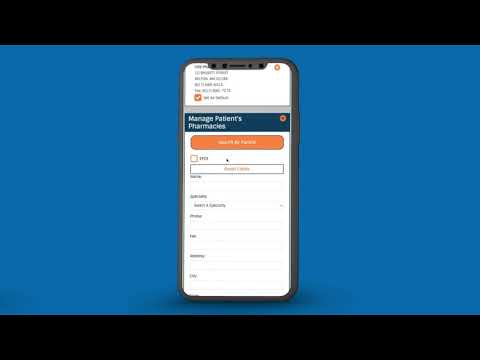

Watch the demo video to explore key features, real workflows, and how the software fits your business needs.
 Ubuntu
  Windows
  MacOS
MacOS  Linux
Linux  Desktop
  Cloud-Based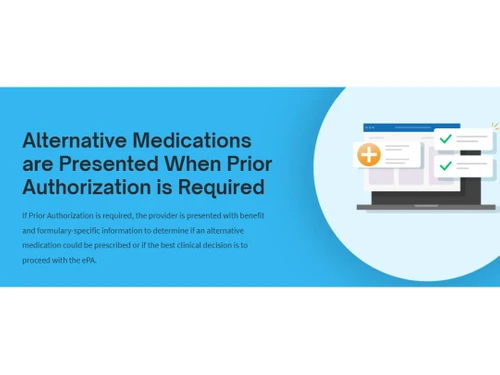

Small Business
Designed for startups and growing businesses
Medium Business
Built for business growth and flexibility
Enterprises
Designed for complex and large-scale business needs
4.1
Out of 5

Overall Rating
Based on
3 Verified Ratings
Rating Breakdown
86% Recommend this Product
Add ReviewTechjockey Trusted Reviews from Verified Users
No reviews are currently available for DoseSpot. Discover similar Prescription Assistance Tool reviews

CompuRx Prescription Pad
Whats great - Regardless of the fact the existing software cannot meet my current needs, I have learned so much through this process that I... read more

AdvancedMD
Whats great - Amazing software. Guided training on how to use the system is included in the implementation. read more

BestoSys
Whats great - Properly features and aid is fine but its most highly-priced software program for this industry in marketplace. read more

DoseSpot
Price On Request
Desktop
Mobile
Web based
On Premises
Windows
Mac OS
CompuRx Prescription Pad
₹ 5000
Desktop
Mobile
Web based
On Premises
Windows
Mac OS

DeepCura
Price On Request
Desktop
Mobile
Web based
On Premises
Windows
Mac OS

iCare e-Prescribe
Price On Request
Desktop
Mobile
Web based
On Premises
Windows
Mac OS

iPrescribe
Price On Request
Desktop
Mobile
Web based
On Premises
Windows
Mac OS

Rcopia
Price On Request
Desktop
Mobile
Web based
On Premises
Windows
Mac OS

Surescripts E-Prescribing
Price On Request
Desktop
Mobile
Web based
On Premises
Windows
Mac OS

MDToolbox
Price On Request
Desktop
Mobile
Web based
On Premises
Windows
Mac OS

RXNT eRx Software
Price On Request
Desktop
Mobile
Web based
On Premises
Windows
Mac OS

CoverMyMeds
Price On Request
Desktop
Mobile
Web based
On Premises
Windows
Mac OS

PrescribeWellness
Price On Request
Desktop
Mobile
Web based
On Premises
Windows
Mac OS
(0) Product(s) selected
Available
Price on Request
DoseSpot is compatible with Windows, Linux, Ubuntu, and macOS.
The DoseSpot app is available for Android mobile devices.
DoseSpot supports cloud-based deployment.
DoseSpot pricing is available on request at techjockey.com.
DoseSpot is typically used in healthcare, dental, telehealth, and pharmacy industries by providers, software developers, and patients for ePrescribing and medication management.
The DoseSpot demo is available for free with techjockey.com.
DoseSpot does not offer a free trial. However, the premium plan with advanced features is available at techjockey.com with exciting deals.
DoseSpot installation is not required, as it is cloud-based. Just open the Setup Wizard to get started.
DoseSpot helps with electronic prescribing, compliance, and patient safety. It provides real-time prescription benefits, quick response times, customizable interfaces, and reporting capabilities for optimal healthcare delivery.
20,000+ Software Listed
Best Price Guranteed
Free Expert Consultation
2M+ Happy Customers
Terms and Condtions

Users with registered businesses can purchase goods from merchants on the platform to satisfy their business needs. Users are not permitted to utilize any products acquired through the platform for resale, advertising, business, or further distribution.
For each purchase made, users will receive a Tax Invoice (or 'GST invoice') that includes specific details such as:
the GSTIN of the user associated with their registered business, and
the specified Entity Name for their business.
It should be noted that not all products are eligible for GST Invoice. Only the products displayed by participating sellers with the 'GST-based Invoice Available' callout on the product description page would qualify.
Certain goods and services are not eligible to get a GST Invoice, including items with VAS, i.e., Value Added Services (e.g., Total Mobile Protection/Assured Buyback) and those involving an exchange offer at the time of purchase.
Users must ensure the accuracy of the GSTIN, and business entity name provided for the GST Invoice. Requests for corrections into GST Invoice would not be accommodated by Techjockey.com or any Seller, and any issues arising from user-provided information are the sole responsibility of users.
Techjockey.com is not liable for the GST Invoice or any associated input tax credit. To efficiently claim an input tax credit, users should select the registered place of business address as per the GST authority's data and follow the provisions of the GST Act and rules.
To claim an input tax credit, the delivery and billing addresses must match. Furthermore, input tax credits will not be granted if the delivery address and GSTIN on the invoice are from different states. In case of incorrect GST details provided during the order placement, the order will be canceled automatically.

