USA
 UAE

Delta Sales Force Automation
Whats great - It has made it quite simple to use and enables me to directly customise to my business. The ability to attach emails to users... read more


Brand: Aptivix Technologies LLP
Have you used GeoWave before?
Share your insights for better experience
View plans
 Save upto 18%, Get GST Invoice on your business purchase T&C Buy Now & Pay Later, Check offer on payment page.
Brand: Aptivix Technologies LLP
Founded Year: 2023
Aptivix Technologies helps small and medium businesses in India replace outdated IT infrastructure with modern, cloud-based solutions — simply, securely, and without disrupting day-to-day operations.
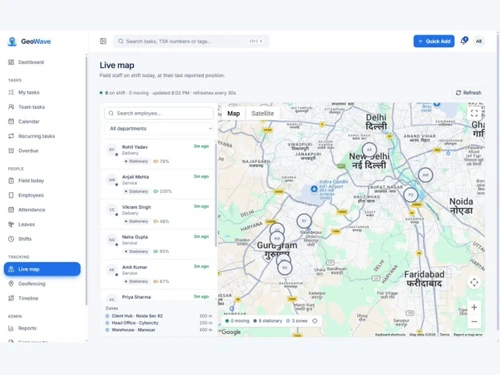
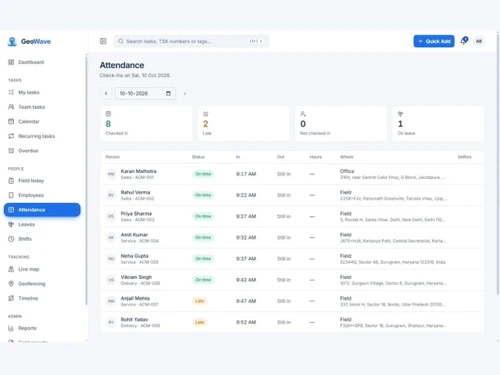
 Selfie Attendance Face Recognition Live Location Tracking Geofencing Employee Tracking Shift Management Leave Management Visit Management Order Management Payment Collection Expense Management Task Management Travel Claims Alerts & Notifications Sales Reports Location History
 Windows
 iOS
 Android MacOS
 Desktop
 Mobile
 Cloud-Based

Techjockey Trusted Reviews from Verified Users
No reviews are currently available for GeoWave. Discover similar Sales Force Automation Software reviews
Delta Sales Force Automation
Whats great - It has made it quite simple to use and enables me to directly customise to my business. The ability to attach emails to users... read more

OmniAssist
Whats great - OmniAssist offers a clear digital trail that enhances transparency and reduces the need for phone-based follow-ups. This stre... read more

Clickback
Whats great - Planning next campaigns may benefit greatly from the extremely precise tracking of opens and clicks, as well as tracking for ... read more
21,000+ Software Listed
Best Price Guranteed
Free Expert Consultation
5M+ Happy Customers
Terms and Condtions

Users with registered businesses can purchase goods from merchants on the platform to satisfy their business needs. Users are not permitted to utilize any products acquired through the platform for resale, advertising, business, or further distribution.
For each purchase made, users will receive a Tax Invoice (or 'GST invoice') that includes specific details such as:
the GSTIN of the user associated with their registered business, and
the specified Entity Name for their business.
It should be noted that not all products are eligible for GST Invoice. Only the products displayed by participating sellers with the 'GST-based Invoice Available' callout on the product description page would qualify.
Certain goods and services are not eligible to get a GST Invoice, including items with VAS, i.e., Value Added Services (e.g., Total Mobile Protection/Assured Buyback) and those involving an exchange offer at the time of purchase.
Users must ensure the accuracy of the GSTIN, and business entity name provided for the GST Invoice. Requests for corrections into GST Invoice would not be accommodated by Techjockey.com or any Seller, and any issues arising from user-provided information are the sole responsibility of users.
Techjockey.com is not liable for the GST Invoice or any associated input tax credit. To efficiently claim an input tax credit, users should select the registered place of business address as per the GST authority's data and follow the provisions of the GST Act and rules.
To claim an input tax credit, the delivery and billing addresses must match. Furthermore, input tax credits will not be granted if the delivery address and GSTIN on the invoice are from different states. In case of incorrect GST details provided during the order placement, the order will be canceled automatically.